
Most WordPress sites already have videos somewhere. The real problem is that visitors rarely stop long enough to watch them. They scroll, skim, get distracted, and leave before the video ever gets a chance to do its job.
That is why video popups work differently. Instead of hiding your video inside the page, they place it in front of visitors at the exact moment attention is highest.
According to the Wyzowl Video Marketing Report 2026, 78% of online users prefer learning about a product or service through a short video instead of reading text.
But creating a video popup in WordPress is not just about adding a lightbox and pressing publish. If the popup loads slowly, interrupts too early, breaks on mobile, or targets the wrong visitor, it quickly becomes noise instead of a conversion tool.
In this guide, you will learn how to create WordPress video popups that feel intentional, improve engagement, and help turn existing traffic into leads, demo requests, subscribers, and sales.
What Is a Video Popup in WordPress?
The video itself is usually embedded from a platform like YouTube, Vimeo, Wistia, or another third-party video hosting platform. This is usually better than uploading the video directly to WordPress because self-hosted videos can slow down your site and consume server bandwidth.
Here’s what it looks like:

Video popups in WordPress are commonly used for:
- Product demos
- Webinar promotions
- Customer testimonials
- Limited-time offers
- Course previews
- Cart abandonment recovery
Unlike standard embedded videos that visitors may never notice, video popups appear at the right moment based on visitor behavior, such as scrolling, exit intent, or time spent on a page. This makes them highly effective for improving engagement and conversions.
For example, a SaaS company can trigger a quick product demo on the pricing page, while an e-commerce store can show a last-minute offer video before a shopper leaves the site.
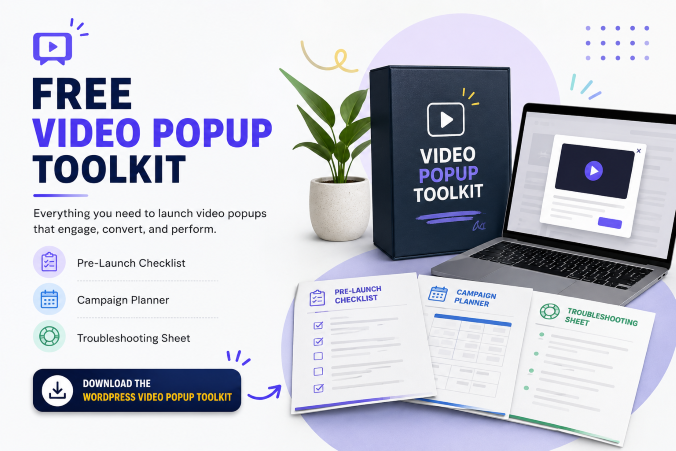
Before we get into the how, if you want to skip ahead and start building right away, I put together a free toolkit that covers everything in this guide: a pre-launch checklist, a campaign planner, and a troubleshooting sheet for when things do not go as expected.
When Should You Use a Video Popup in WordPress?
You should use a video popup in WordPress when the video helps the visitor make a faster or clearer decision. That is the filter I would use. Not every page needs a popup. Not every offer needs a video. And not every visitor should see the same message.
Here are the situations where video popups make the most sense.
| Use Case | When to Use It | Best Pages/Triggers | Goal |
| Product Demos | Use a video popup when visitors need a quick explanation of how your product, service, course, or software works. | Pricing pages, feature pages, product pages, comparison pages, landing pages | Reduce friction and answer: “What does this product do for me?” |
| Lead Generation | Use a video popup to introduce an offer before showing a signup form. | Blog posts, lead magnet pages, webinar pages, resource pages | Add context before asking for an email address and improve conversions |
| Exit Intent Campaigns | Use a video popup when visitors are about to leave your site. | Exit intent triggers on sales pages, cart pages, booking pages | Re-engage visitors with a clear reason to stay or convert |
| Campaign Announcements | Use a video popup to promote a new launch, service, site, or seasonal campaign. | Homepage, high-traffic blog posts, existing websites | Redirect existing traffic toward new offers or campaigns |
| Ecommerce Offers | Use a video popup to explain products, reduce hesitation, or recover abandoned carts. | Product pages, cart pages, collection pages, first-time visitor triggers | Support purchase decisions without interrupting buying intent |
How To Create a Video Popup in WordPress?
If you only want a simple click-to-open video lightbox, your page builder may be enough.
But if you want targeting, exit intent, multi-page campaigns, analytics, lead capture, segmentation, and campaign-level control, you will want a dedicated popup solution.
For this guide, let’s walk through a practical process using Picreel as the main example because it fits the needs most WordPress marketers usually have: quick setup, no-code implementation, targeted campaigns, and conversion-focused popups.
Step 1: Plan Your WordPress Video Popup
Before creating the popup, decide on four things:
- Goal: What should the popup achieve? More demo views, email signups, webinar registrations, or cart recovery?
- Page: Where should it appear? Start with high-intent pages such as pricing, product, blog, or checkout pages.
- Video: Keep it short, direct, and focused on one message.
- Hosting: Upload the video to YouTube, Vimeo, or Wistia instead of WordPress to keep your site fast.
Getting these four things clear first makes the popup easier to design, target, and optimize later.
Step 2: Install Picreel on Your WordPress Site
Go to your WordPress dashboard, open Plugins > Add New, search for WordPress popup plugins like Picreel, then install and activate the plugin. Once connected to your Picreel account, you can create and manage all your video popup campaigns from the dashboard without touching code.

Step 3: Create a Video Popup Campaign
Inside Picreel, click New Campaign and choose a video popup template. Pick a layout based on your goal. Use a form-based layout for lead generation or a cleaner video-focused layout for demos, announcements, or product walkthroughs.

Step 4: Add Your Video and Customize the Popup
Paste your YouTube or Vimeo link and add a custom thumbnail image so the popup loads faster and grabs attention before the video plays. Then customize the popup design to match your WordPress site while keeping the layout clean and distraction-free.

Step 5: Set Targeting, Behavior Rules, and Optional Actions
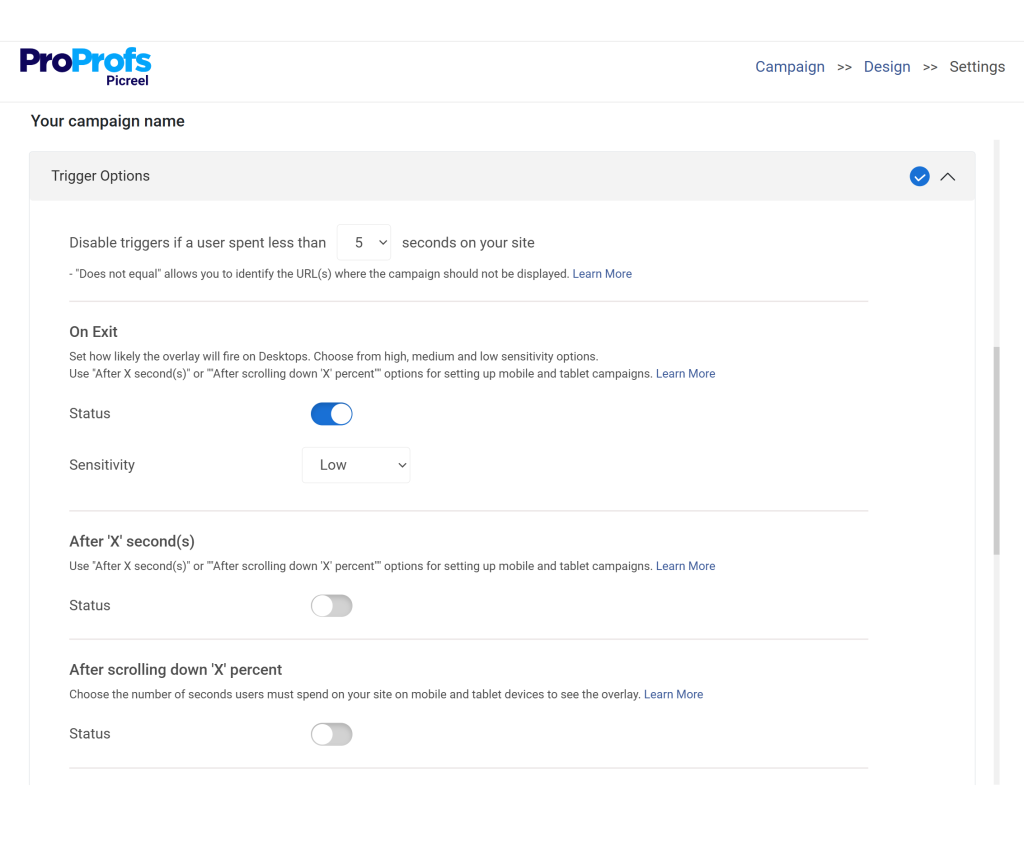
This is where Picreel really helps. You can control exactly when and where your video popup appears in the advanced targeting settings section of the dashboard.

Use:
- Specific URLs: Perfect for product pages, landing pages, or blog posts
- Exit Intent: Ideal for capturing visitors who are about to leave
- Scroll-Based Triggers: Show the video after a visitor scrolls a certain percentage of the page
- Time-Delay Triggers: Display the popup after a set number of seconds to reach engaged users
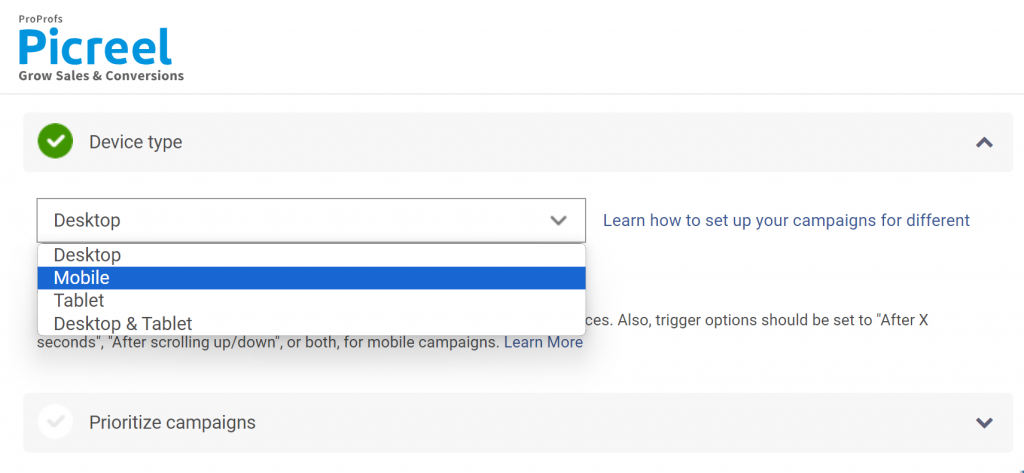
- Device Rules: Customize for mobile or desktop
- Location Targeting: Personalize based on country or region
- UTM-Based Personalization: Tailor videos to specific campaigns or traffic sources
Optional extras you can add:
- Redirect buttons for promoting another site or page

- Compliant checkboxes for agreements or preferences

- Small email or lead capture popup fields if you want to collect leads alongside the video

Step 6: Test, Publish, and Optimize
Before publishing, test the popup on desktop and mobile to check loading speed, responsiveness, autoplay behavior, and CTA functionality. Once live, monitor popup analytics like popup views, video engagement, clicks, and lead captures, then optimize the campaign based on performance.
What Do Most WordPress Users Get Wrong About Video Popups?
A lot of video popup campaigns fail for reasons that have nothing to do with the video. The offer may be good. The video may be well-made. The WordPress site may already have traffic.
But the popup still does not perform because the experience is poorly planned. Here are the mistakes I see most often from a leadership and conversion perspective.
1. Showing the Video Popup Too Early
Problem: Many websites trigger a video popup the moment a visitor lands on the page. At that point, the visitor has not understood the page, the offer, or the brand yet.
Fix: Let intent build first. Use triggers like time delay, scroll depth, click actions, or exit intent instead of interrupting immediately.
2. Using the Same Video Popup Across the Entire Site
Problem: Not every visitor has the same intent. Showing the same popup everywhere reduces relevance and hurts conversions.
Fix: Create targeted popups based on pages or visitor behavior.
- Blog readers → Video lead magnet
- Pricing page visitors → Product demo
- Cart abandoners → Offer video
- Returning visitors → Webinar invite
3. Uploading Videos Directly to WordPress
Problem: Self-hosted videos can slow down your website, increase bandwidth usage, and create playback issues.
Fix: Host videos on platforms like YouTube, Vimeo, or Wistia and embed them inside the popup for better performance and reliability.
4. Ignoring Mobile Experience
Problem: A popup that works on desktop may feel frustrating on mobile due to sizing, controls, or autoplay issues.
Fix: Test the popup for mobiles on a real mobile device before publishing. Make sure the close button, video controls, text, and CTA are easy to use on smaller screens.
5. Making the Video Too Long
Problem: Popup videos that run for several minutes often lose attention quickly.
Fix: Keep most popup videos between 30 and 60 seconds. If you need a longer explanation, use the popup as a teaser and direct visitors to a dedicated page or webinar.
6. Forgetting the Call to Action
Problem: A video popup without a clear next step creates engagement but not conversions.
Fix: Always include a direct CTA after the video, such as:
- Sign up
- Book a demo
- Download a checklist
- Use a coupon
- Join a webinar
- Visit another page
- Subscribe to your list
7. Using Autoplay the Wrong Way
Problem: Many WordPress video popups autoplay immediately with sound. This can feel intrusive, especially on mobile devices or when visitors are browsing quietly at work or in public.
Fix: Use autoplay carefully. If you enable autoplay, keep the video muted by default, and make it easy for visitors to control playback. In many cases, a strong thumbnail and clear play button create a better experience than forcing the video to start instantly.
8. Ignoring Silent Viewers
Problem: Many visitors browse with sound off, especially on mobile devices. If your popup video depends entirely on audio, people may miss the message completely.
Fix: Use captions, on-screen text, and strong visual cues so the video still makes sense without sound. Your popup video should communicate the core message even when muted.
9. Using a Weak Video Thumbnail
Problem: A poor thumbnail reduces play rates. Blurry screenshots or random video frames often fail to grab attention.
Fix: Use a clear thumbnail that creates curiosity or instantly communicates value. Images showing a person, product in use, or a short benefit-focused headline usually perform better than generic screenshots.
FREE. All Features. FOREVER!
Try our Forever FREE account with all premium features!
Which WordPress Video Popup Triggers Should You Use?
The trigger is one of the most important decisions in your campaign.
Here is how to think about the main options.
| Trigger Type | When to Use It | Best For | Why It Works |
| Click Trigger | When visitors are already interested and willing to engage | Product demo buttons, “Watch Video” CTAs, hero section videos, testimonial videos, case study previews, course previews | This is the least intrusive option because visitors choose to open the popup themselves, creating a cleaner user experience. |
| Exit Intent Trigger | When visitors are about to leave your WordPress site | Cart abandonment recovery, demo reminders, discount offers, newsletter signups, webinar invites, lead magnets | It captures attention at a high-intent moment and gives visitors one strong reason to stay or take action. |
| Scroll Trigger | When visitors are actively engaging with long-form content | Blog posts, educational pages, video guides, webinar invites, newsletter signups | The popup appears only after visitors show interest by scrolling through the page, making the experience feel more relevant. |
| Time Delay Trigger | When visitors need a few seconds to understand the page before seeing the popup | Landing pages, homepage offers, feature pages, welcome videos | A short delay helps avoid interrupting visitors too early while still bringing attention to the video at the right time. |
| Page-Specific Targeting | When different pages need different popup messages | Pricing pages, blogs, homepage, cart pages, product pages | Relevance improves conversions. Visitors see video popups that actually match the page they are viewing and their likely intent. |
How Do You Keep a WordPress Video Popup From Slowing Down Your Site?
Performance matters. A beautiful video popup is not worth it if it hurts your WordPress speed, SEO, or user experience. Here is how I keep things clean.
1. Do Not Self-Host Large Videos in WordPress
I learned this the hard way on an older landing page where a self-hosted MP4 slowed the page noticeably on mobile. Since then, I’ve mostly used YouTube, Vimeo, or Wistia for hosting video popups instead of uploading large files directly into WordPress.
It keeps server load lighter and playback tends to be far more reliable across browsers and devices.
2. Use Lightweight Popup Tools
One thing I noticed while testing different popup plugins is that some of them load scripts sitewide even when the popup only appears on one page. That extra weight adds up quickly.
For simple video lightboxes, I stick with lightweight plugins that only do one job. But for campaigns that need targeting, lead capture, integrations, or exit intent, I’ve had better results using tools like Picreel because I can control exactly where campaigns load and how aggressively they appear.
3. Avoid Too Many Popups on the Same Page
I once audited a page that had a chat widget, newsletter popup, cookie banner, survey popup, and a video popup all running together. The page felt cluttered before the visitor even started reading.
Now I try to focus on one primary action per page. If the goal is video engagement, I keep the rest of the interruptions minimal so the popup actually supports the user experience instead of competing with everything else.
4. Test Mobile Load and Behavior
Most popup issues I’ve seen happen on mobile, not desktop. A popup that feels smooth on a laptop can become frustrating on a smaller screen very quickly.
Before publishing, I always check how fast the popup loads, whether the close button is easy to tap, whether the CTA stays visible without scrolling, and whether the form fields are usable on mobile keyboards. I also keep popup sizing under control so it does not completely overwhelm the screen.
Make Your WordPress Video Popups Work Smarter
A video popup in WordPress works best when it feels helpful instead of disruptive. The biggest takeaway is this: timing, targeting, and relevance matter more than the popup itself. A short, focused video shown at the right moment can explain products faster, recover abandoning visitors, promote campaigns, and increase conversions without hurting user experience.
The key is to keep videos concise, match them to visitor intent, use smart triggers like exit intent or scroll depth, and always include one clear CTA. That’s where Picreel stands out. It gives you advanced targeting, behavior-based triggers, frequency controls, mobile optimization, and easy no-code setup, all without making campaigns complicated.
If you want to add a video popup in WordPress, pick one high-intent page first, create a short video around a single goal, launch it with Picreel, then track clicks, engagement, and conversions to improve results over time.
Frequently Asked Questions
How do I add a video popup in WordPress?
You can add a video popup in WordPress using a popup plugin, a page builder lightbox, custom code, or a dedicated popup tool like Picreel. The typical process is to host your video on YouTube, Vimeo, or Wistia, create a popup campaign, add the video embed, customize the design, set display triggers, test it on mobile, and publish it on your WordPress site.
Can I create a video popup in WordPress without coding?
Yes, you can create a video popup in WordPress without coding by using a no-code popup tool or WordPress plugin. Picreel, for example, lets you create targeted popup campaigns without needing to manually code the popup experience. This is useful if you want to launch quickly and focus on conversions instead of technical setup.
Should I upload my popup video directly to WordPress?
In most cases, no. It is usually better to host your video on a platform like YouTube, Vimeo, Wistia, or another video hosting service and embed it inside the popup. Uploading large videos directly to WordPress can slow your site, consume bandwidth, and create playback issues.
Can I autoplay a video popup in WordPress?
Yes, autoplay may be possible depending on your popup setup and video host, but browsers often restrict autoplay with sound. Muted autoplay is usually more reliable. For better user experience, it is often smarter to let visitors click play or use a click-triggered video popup.
Will a video popup slow down my WordPress site?
A video popup can slow down your WordPress site if you use large self-hosted videos, heavy plugins, or too many scripts. To reduce performance issues, host your video externally, use a lightweight or well-optimized popup solution, target the popup only where needed, and test page speed before and after launch.
What is the best trigger for a WordPress video popup?
The best trigger depends on your goal. Use click triggers for product demos and voluntary video views. Use exit intent for cart recovery or lead capture. Use scroll triggers for blog posts. Use time delay when visitors need a few seconds of page context. Use page-level targeting when the popup should only appear on specific WordPress pages.
Can I use video popups for lead generation in WordPress?
Yes, video popups can work very well for lead generation in WordPress. You can use a short video to introduce a checklist, webinar, demo, coupon, consultation, or newsletter offer. Then you can add a form or CTA inside the popup to capture the lead and send it to your email marketing tool or CRM.
Is Picreel a good option for WordPress video popups?
Picreel is a strong option if you want more than a basic video lightbox. It is useful when you need targeted campaigns, exit intent popups, lead capture, behavior-based triggers, campaign-level control, and a no-code way to launch popups on WordPress. It is especially helpful for marketers who want to turn existing traffic into leads or conversions.
Why Is My WordPress Video Popup Not Showing?
If your WordPress video popup is not showing, the issue is usually related to publishing, targeting, caching, or trigger settings. Make sure the campaign is active, the popup code is installed correctly, and the assigned URL and trigger conditions match the page you are testing. In many cases, cookies, frequency caps, or caching plugins can also prevent the popup from appearing properly.
FREE. All Features. FOREVER!
Try our Forever FREE account with all premium features!

 We'd love your feedback!
What did you like & how can we make it even better?
 Thanks for your feedback!
 Ask Your Question
Have a question? Get expert help to make your decision easier.