

I’ve spent the last few years working with e-commerce brands, SaaS teams, and agencies, and one thing keeps coming up when it comes to choosing a WordPress popup plugin. They’re getting solid traffic, but conversions stay low.
The frustrating part is that nothing is “wrong” with the traffic. It’s already there. The gap usually comes down to timing and attention, not budget.
That’s where the right tools start to make a difference. Just like teams rely on ChatGPT or Gemini to speed up content and decisions, popup tools help you act at the right moment.
Tools like Picreel let you engage visitors when they’re about to leave, have been scrolling for a while, or keep coming back to the same page.
I’ve tested dozens of these tools across real campaigns, and the difference always comes down to how well they help you meet the visitor at the right moment.
What Is a WordPress Popup Plugin?
These plugins help you grow your email list, recover abandoned visitors, promote offers, and convert passive traffic into leads and customers without spending more on ads.
Do Popup Plugins Actually Increase Conversions on WordPress?
Short answer? Yes. But only if you use them smartly.
Popups aren’t magic. Show one too early, and people get annoyed. Show it at the right moment, and it can turn a leaving visitor into a lead or sale.
The data makes this clear. According to the Klaviyo Benchmark Report (2025), automated, behavior-triggered messages can generate up to 30x more revenue per recipient than standard campaigns. That’s because they are timely, relevant, and based on what users are actually doing.
Think of it this way:
- A visitor reading 70% of your blog is already interested
- A user about to exit your pricing page is undecided
- A shopper abandoning their cart needs a small push
A well-timed popup meets each of these moments with a relevant next step.
But the key is restraint.
Popups should not feel like interruptions. They should feel like assistance. When they align with user intent and timing, they don’t just capture attention. They recover opportunities that would otherwise be lost.
What Are the 8 Best WordPress Popup Plugins?
Choosing the right popup plugin is not just about features on a spec sheet. It is about finding the tool that fits your workflow, your audience, and your conversion goal without slowing down your site or frustrating your visitors.
I evaluated each of the tools below based on hands-on use, community feedback, and real campaign outcomes.
Here is a quick comparison before we go deep on each one.
| Plugin | Best For | Best Use Case | Rating | Cost |
|---|---|---|---|---|
| Picreel | Getting More Leads, Conversions, and Sales | Recovering abandoning visitors, cart abandonment recovery, lead capture for ecommerce and SaaS | 4.9/5 (Capterra), 4.5/5 (G2) | Forever free up to 5k visitors. Paid starts at $9.99/month |
| OptinMonster | Personalized popups | Behavior-based targeting for mid-to-large ecommerce and SaaS with multiple audience segments | 4.4/5 (Capterra), 4.3/5 (G2) | Starts at $9/month |
| Hustle | Surveys and feedback | Collecting NPS scores and customer insights for product and marketing teams | 4.4/5 (WordPress.org) | Starts at $29/month |
| TrustPulse | Social proof popups | Building purchase trust with real-time activity notifications for ecommerce and course creators | 4.4/5 (WordPress.org) | Starts at $5/month, billed annually |
| Popup Maker | Video popups | Showcasing products or services through video overlays for coaches and product-led businesses | 4.6/5 (G2) | Starts at $43.50/year |
| Thrive Leads | Timed popups | Urgency-driven offers with countdown timers for bloggers and online educators running launches | 4.5/5 (G2) | Comes with Thrive Suite at $149/quarter |
| Bloom | Mobile popups | Growing email lists from mobile-first audiences using gated content and lead magnets | 4.5/5 (G2) | Starts at $7/month, billed annually |
| Sumo | Informative popups | Announcing promotions and new pages for small businesses and content publishers | 4.0/5 (Capterra) | Starts at $39/month, billed annually |
1. Picreel – Best for Getting More Leads, Conversions, and Sales
Picreel is one of the best WordPress popup plugins for creating exit-intent popups.
I used the Picreel popup plugin quite a few times, and it has been extremely effective in grabbing the attention of users who are about to leave the website. Its AI-powered popup builder lets you create intelligent, behavior-aware campaigns in minutes, from exit-intent overlays and discount popups to survey forms and lead capture overlays, all without writing a single line of code.
Try it out here:
What makes Picreel stand out is how its exit-intent technology actually works. Instead of relying on a basic mouse-leave trigger, it uses AI-driven behavior detection to analyze scroll patterns, mouse movement velocity, and browsing rhythm to predict abandonment before it actually happens. This means the popup fires at the most precise moment possible, not a second too early or too late.
This feature ensures that the user’s attention is captured at the right moment and encourages them to stay on the website or take a desired action. Besides, it helps reduce cart abandonment on e-commerce stores and increase conversion rates.
Pros:
- AI-powered popup builder that creates intelligent, behavior-aware campaigns without any coding required.
- AI-driven exit-intent technology that reads scroll patterns, mouse velocity, and browsing rhythm to predict and catch abandoning visitors at the right moment.
- Choose from over 100 ready-made templates or customize popups with the drag-and-drop editor.
- Target highly specific traffic segments based on various criteria, such as location, device, referral source, etc.
- Perform A/B testing and track the performance of your popups with advanced analytics and reports.
- Personalize your popups with dynamic content, such as the visitor’s name, location, or product name.
- Easy integration with over 700 tools, such as email marketing services, CRM platforms, and eCommerce platforms.
- Advanced trigger options, such as scroll depth, time on page, page views, etc.
Cons:
- It does not support a dark mode.
- The software may refresh automatically if you do not have a stable internet connection.
Price: Offers a forever-free plan for up to 5K visitors (For WordPress, you may need the Enterprise account). Paid plans start at $9.99/month.
Capterra Rating: 4.9/5
G2 Rating: 4.5/5
See how Picreel helped Living Online increase weekly signups by 900% using exit-intent popups and personalized offers. It helped convert visitors who were about to leave into engaged subscribers.

2. Qualaroo – Best for Contextual Surveys & In-Product Feedback
Qualaroo is a powerful popup survey tool designed to collect real-time, in-context feedback across websites, apps, and digital products.
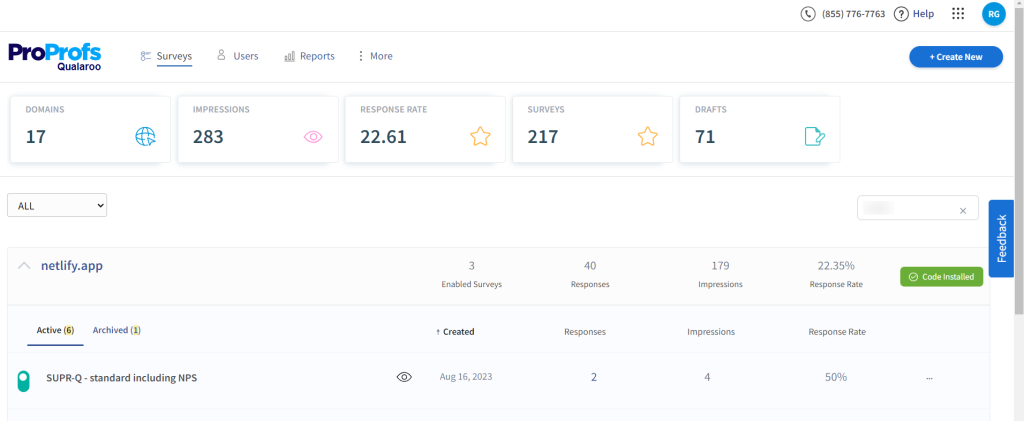
From what I’ve seen, teams use Qualaroo not just for basic surveys, but to understand why users behave a certain way. Instead of relying on guesswork, you can trigger surveys based on user actions and capture feedback exactly when it matters.
For example, you can show an NPS or exit-intent survey right when someone is about to leave, or ask a quick CES question after a key action. This makes the feedback far more relevant and actionable.
What stands out is how flexible the targeting and questioning are. You can segment users, personalize questions, and even analyze responses using AI to uncover deeper insights without spending hours manually reviewing data.
Pros:
- Supports multiple survey types like NPS, CSAT, CES, SUS, exit-intent, and more for different touchpoints
- Advanced targeting based on user behavior, location, device, and visit frequency
- Branching and skip logic to ask more relevant, contextual follow-up questions
- Offers 10+ question types including Likert scale, MCQs, text responses, and more
- AI-powered sentiment analysis (IBM Watson) and word cloud for faster insights
- Works across web, mobile, iOS, Android, and even prototypes (Figma, Adobe XD, etc.)
- Integrates with tools like Salesforce, HubSpot, Google Analytics, Slack, and Zapier
Cons:
- Can feel overwhelming for beginners due to advanced features
- Requires thoughtful setup to fully utilize targeting and logic features
Price: Custom pricing (based on usage)
G2 Ratings: 4.3/5
3. TrustPulse – Best for Social Proof Popups
I recommend TrustPulse for creating social proof popups on WordPress websites.
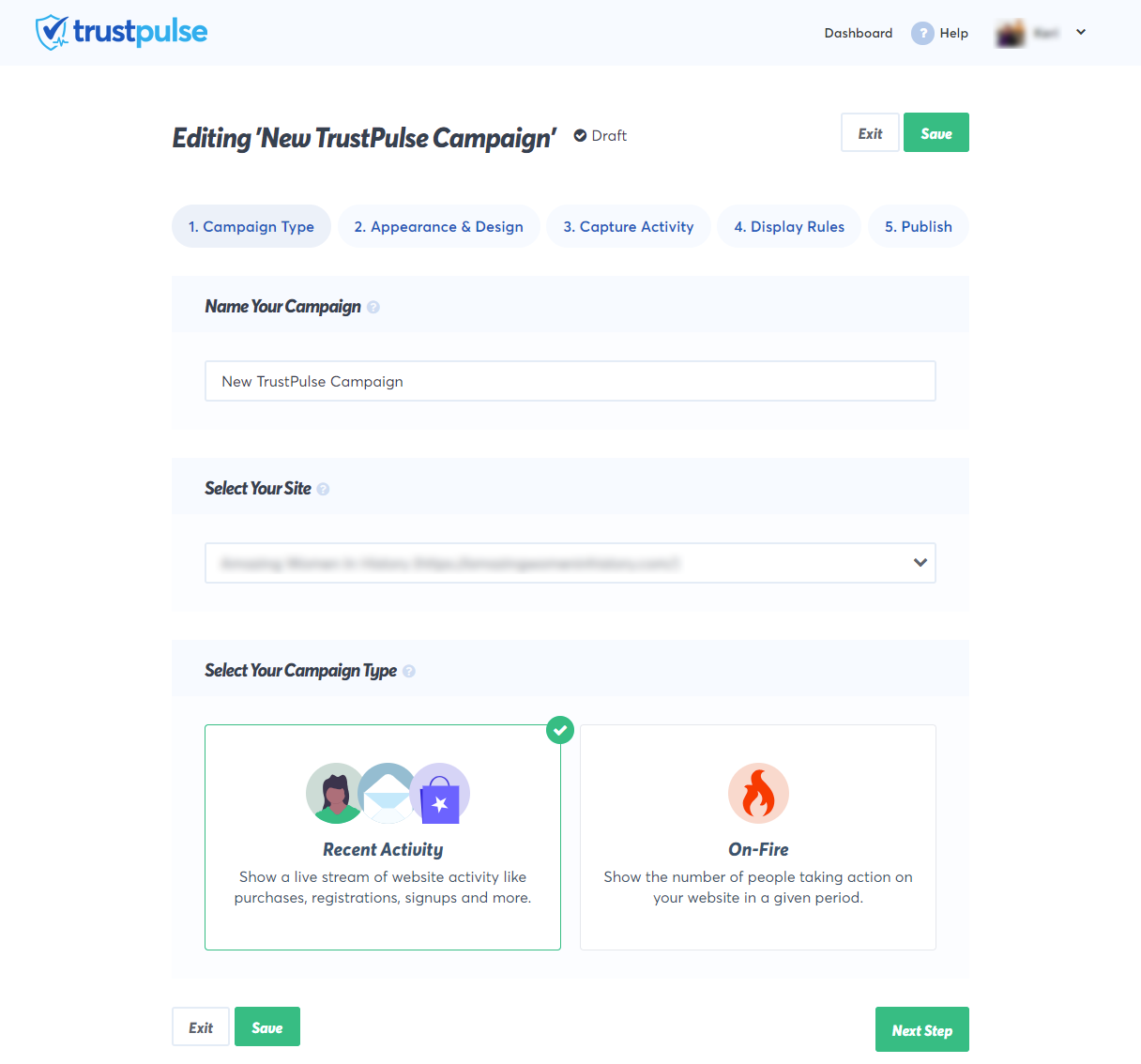
I have seen quite a number of online reviews of this tool on different websites, and users have noted significant improvements in conversions after implementing TrustPulse popups.
Displaying real-time notifications of recent customer activities, such as purchases or sign-ups, it helps build trust and social proof, motivating other users to take the desired action.
The popups generated by TrustPulse are designed to be mobile-friendly, ensuring a consistent and effective user experience across various devices.
Pros:
- Create and display real-time notifications of user actions, such as purchases, signups, comments, etc.
- Customize notifications with different colors, fonts, images, etc.
- Reliable exit-intent recognition technology, which shows your notifications when a visitor is about to leave your site.
- Smart targeting feature, which allows you to show your notifications to the right people, at the right time, and on the right pages.
- Dynamic content feature, which allows you to personalize your notifications with variables, such as the visitor’s name, location, or product name.
Cons:
- The free plan does not include some advanced features, such as exit intent, geo-targeting, etc.
- The plugin does not work well with some caching plugins or CDNs, which affects the accuracy of the notifications.
Price: Starts at $5 per month. Billed annually.
WordPress Ratings: 4.4/5
4. Popup Maker – Best for Video Popups
Popup Maker is an amazing plugin for creating video popups on WordPress websites. You can use it to embed videos and showcase your products or services to website visitors in an engaging manner.
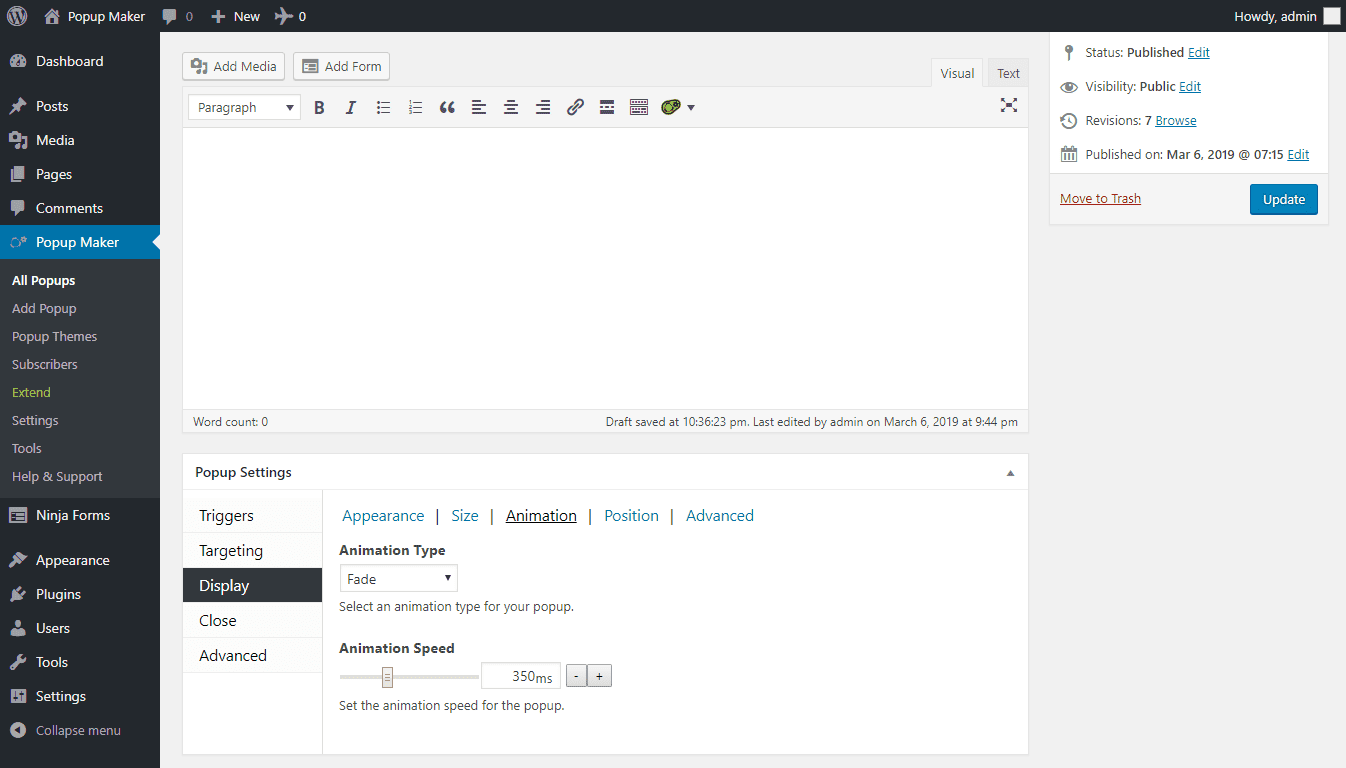
The flexibility and customization options offered by Popup Maker allow the users to create video popups that match the branding and design of websites. The attention-grabbing nature of video content can easily help you communicate your message effectively and increase user engagement.
Pros:
- Customize your popups with the WordPress theme customizer and the live preview feature.
- Advanced targeting and display conditions, such as device, browser, role, referral, etc.
- Integrate your popups with popular plugins, such as Contact Form 7, Gravity Forms, Ninja Forms, etc.
- Use the cookie and session management feature, which allows you to control how often your popups are shown to your visitors.
- The premium version offers advanced features, such as age verification, terms and conditions, ajax login, etc.
Cons:
- The plugin is incompatible with some themes or plugins, especially those that use JavaScript or CSS.
- The customer support is not very responsive.
Price: Starts at $43.50 per year.
G2 Rating: 4.6/5
5. Thrive Leads – Best for Timed Popups
I found that Thrive Leads can easily create timed popups on WordPress websites.
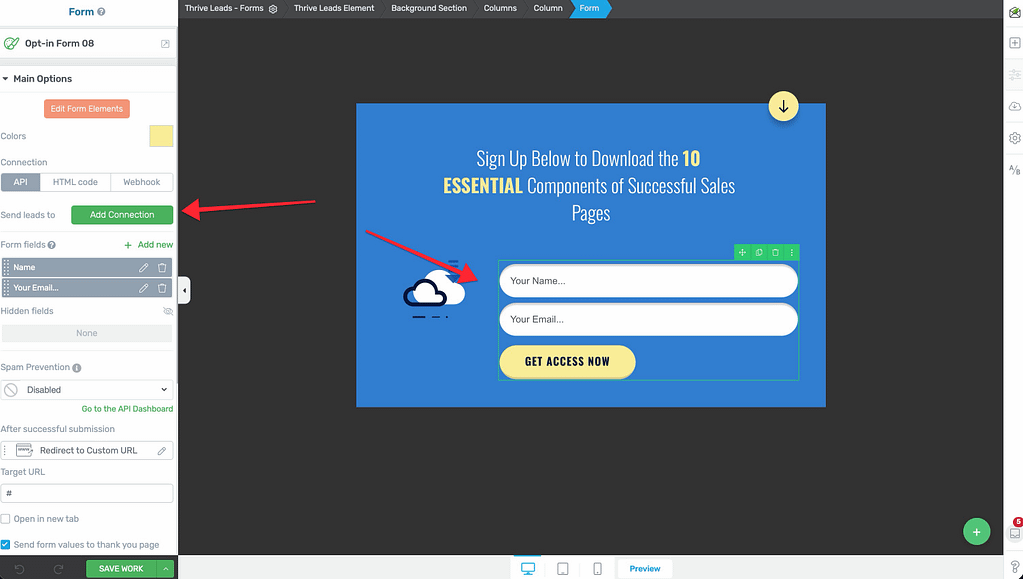
I really like how it uses its Thrive Lightbox feature to create timed popups and its Thrive Ultimatum feature to create a countdown timer popup that creates a sense of urgency and scarcity for your offer.
You can customize your timed popups with the drag-and-drop builder or pick a suitable design from a huge library of 450+ templates. These popups are also responsive to mobile devices.
Not only this, but you can integrate your popups with email marketing tools and use advanced targeting options to show relevant offers to your visitors based on posts, categories, tags, and more.
Pros:
- Various popup options, such as lightbox, ribbon, slide-in, widget, screen filler, etc.
- Seamless exit-intent technology, which detects when a visitor is about to leave your site and shows them a targeted popup.
- Smart behavioral segmentation feature, which allows you to show different popups to different visitors based on their actions, preferences, and attributes.
- Page-level targeting feature, which allows you to show specific popups on specific pages or posts on your site.
- SmartLinks feature that enables users to show different opt-in forms to existing subscribers.
Cons:
- The plugin slows down the site speed and causes compatibility issues.
- It involves a steep learning curve and can take time to understand.
Price: Comes clubbed with Thrive Suite starting at $149/quarter.
G2 Rating: 4.5/5
6. OptinMonster – Best for Personalized Popups
OptinMonster is another good pop-up plugin for WordPress, and I found it really good for creating personalized popups on WordPress websites.
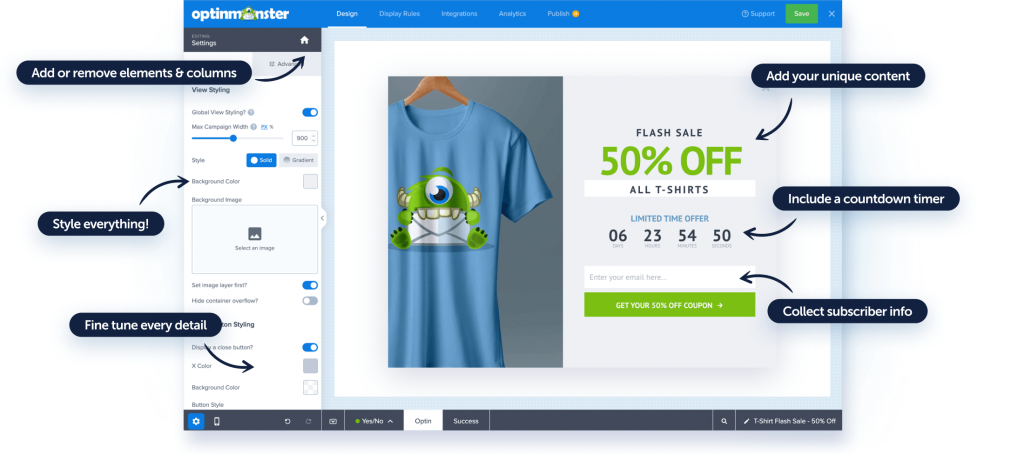
It offers highly customizable popups, allowing users to create tailored popups based on user behavior, demographics, and preferences.
This can increase engagement and conversions on the website, and it also provides advanced targeting and segmentation options, ensuring that the right message is delivered to the right audience at the right time.
Pros:
- Create various types of popups, such as lightbox, fullscreen, slide-in, floating bar, inline, etc.
- Intuitive dashboard and the drag-and-drop builder to design and manage your popups with ease.
- Behavioral segmentation feature, which allows you to show different popups to different visitors based on their actions, preferences, and attributes.
- Page-level targeting feature, which allows you to show specific popups on specific pages or posts on your site.
- Popup analytics feature that shows you how your popups are performing and how you can improve them.
Cons:
- The basic plan does not include advanced features, such as exit intent, countdown timers, etc.
- The plugin causes compatibility issues with some themes or plugins.
Price: Starts from $9 per month.
Capterra Rating: 4.⅖
G2 Rating: 4.3/5
7. Bloom – Best for Mobile Popups
When it comes to creating mobile popups on websites, Bloom is a popular WordPress popup plugin. While many users these days access websites through mobile devices, Bloom offers a wide range of mobile-friendly popup templates that are optimized for different screen sizes and devices.
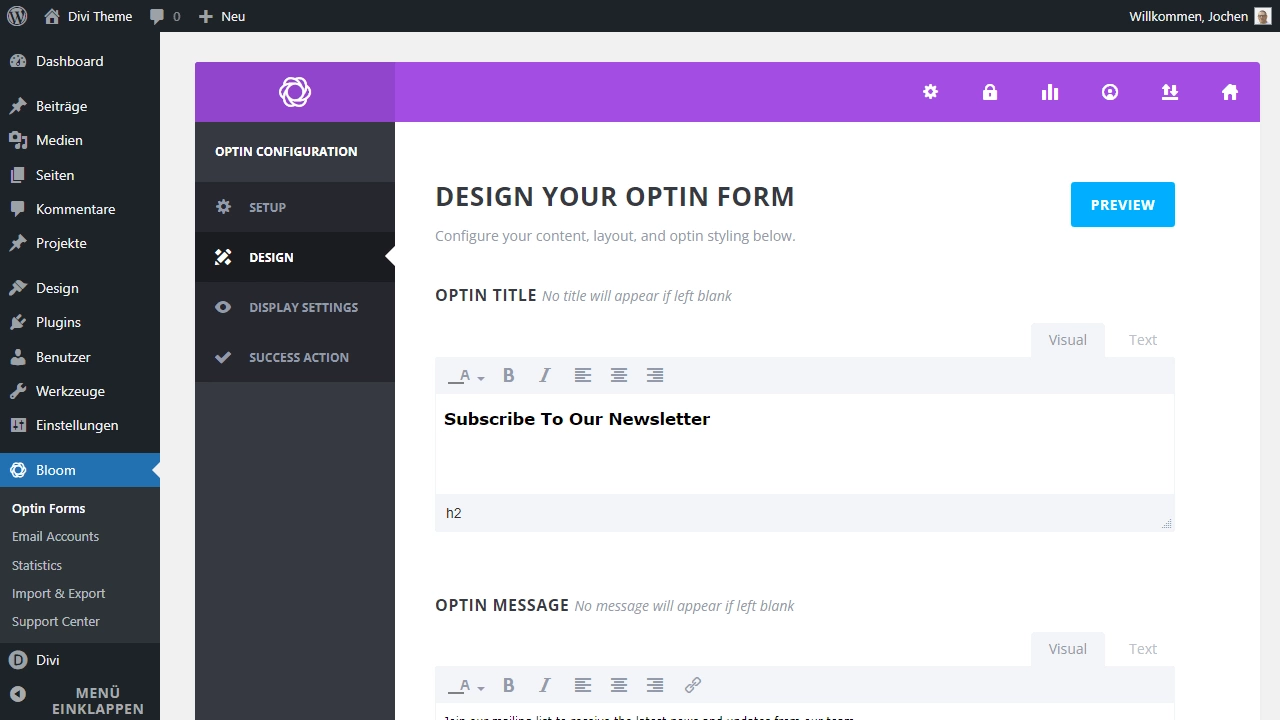
I also like its mobile-friendly features, which offer a valuable incentive or lead magnet to entice the user to subscribe, such as a free ebook, report, checklist, coupon, or trial.
You can use the locked content feature to require the user to enter their email address to access the content.
Pros:
- Create six different types of popups, such as pop-up, fly-in, below content, inline, widget, and locked content.
- Pick from over 100+ pre-made templates or customize your own popups with the design settings.
- Popup trigger options, such as time delay, scroll depth, inactivity, etc., to display your popups at the right moment.
- Smart display settings, such as location, frequency, cookie duration, etc., to control how your popups are shown to your visitors.
- Easy integration of popups with over 19 email marketing services, such as Mailchimp, AWeber, ConvertKit, etc.
Cons:
- Lacks advanced features, such as exit intent, geolocation, A/B testing, etc.
- The plugin is not compatible with some themes or plugins, especially those that use jQuery.
Price: Starts at $7/month, billed annually.
G2 Rating: 4.5/5
8. Sumo – Best for Informative Popups
Sumo is the ideal tool for creating informative popups on WordPress websites.
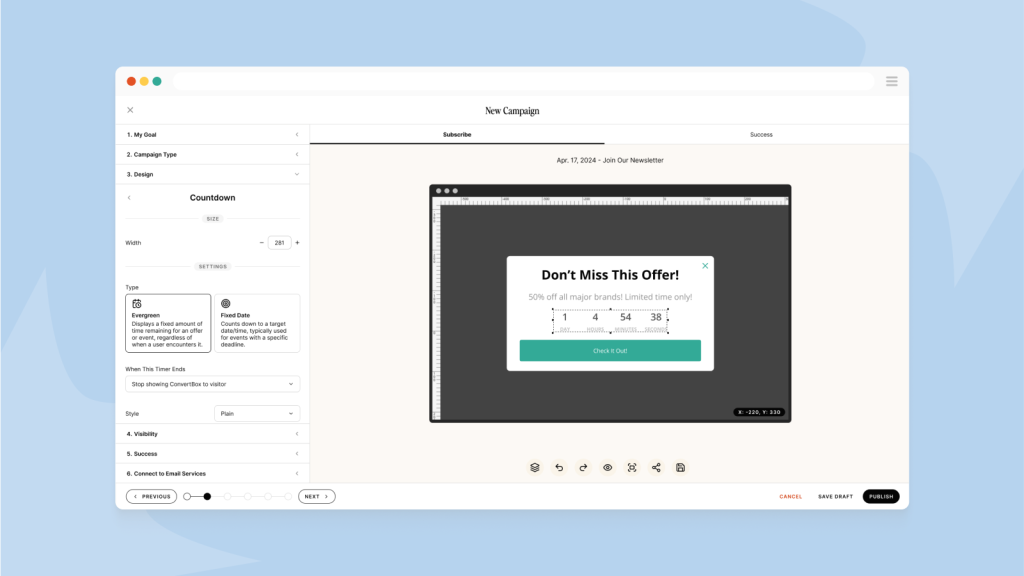
I like its intuitive interface, which assists in displaying announcements, promotions, or important messages in an eye-catching and non-intrusive manner.
With its customizable design options, this WordPress popup plugin can help you create informative popups that align with your website’s branding and design. It also has a smart analytics feature that measures performance and conversion tracking, including impressions, conversions, conversion rate, and A/B testing.
Pros:
- Customize your popups with the easy-to-use editor and the live preview feature.
- Smart mode feature, which automatically optimizes your popups for the best results.
- Traffic source feature that lets you show different popups based on where your visitors come from, such as Google, Facebook, etc.
- Built-in analytics feature, which shows the views, clicks, and conversions of your popups.
- Opt-in forms that are visually appealing and optimized for maximum conversions.
Cons:
- The free plan does not allow the branding of the popups.
- The paid plans are based on the number of visitors, which may be expensive for high-traffic sites.
Price: Starts at $39 per month, billed annually.
Capterra Rating: 4.0/5
How Did I Choose These WordPress Popup Plugins?
I did not pick these tools based on who has the loudest marketing or the most affiliate reviews. I applied a consistent evaluation framework across all eight tools so you know exactly what each rating is based on. Here is how I approached it.
1. User Reviews and Real-World Ratings
I cross-referenced ratings across G2, Capterra, and Trustpilot and paid specific attention to patterns in negative reviews. If a tool consistently drew complaints about compatibility issues, slow support, or features locked behind higher tiers, that weighed heavily against it.
2. Essential Features and Functionality
The core question I asked for each tool was: does it give you the triggers, targeting, and templates you actually need to run a real campaign? That means exit intent detection, scroll depth triggers, behavioral targeting, A/B testing, and dynamic content personalization. Tools that put these features behind expensive tiers got marked down regardless of how good the headline feature set looked.
3. Ease of Use and Setup Speed
From talking to dozens of small business owners and marketers, I know that if a plugin requires a developer or takes more than an hour to configure for a basic campaign, it will sit unused. I prioritized tools that let you launch a campaign from zero in under 30 minutes without touching code.
4. Customer Support Quality
Support quality is not just about response time. It is about whether the team can actually solve your problem when a popup is not firing correctly or a form is not connecting to your email platform. I evaluated support across live chat, documentation depth, and community forums for each tool.
5. Value for Money
I compared what each pricing tier actually gives you against what you need to run a functional popup campaign. Some tools charge $49 per month and still gate exit intent behind a higher plan. That is not a value. I flagged these cases clearly in the reviews above, so you know exactly what you are getting at each price point.
6. Personal Experience and Expert Validation
Every tool on this list is one I have either used directly, tested in a live environment, or evaluated through structured interviews with marketers who use them daily. I did not include any tool based on brand recognition alone.
FREE. All Features. FOREVER!
Try our Forever FREE account with all premium features!
How Do You Set Up a High-Converting Popup Campaign on WordPress?
Installing a popup plugin is the easy part. The hard part is setting up a campaign that actually converts without annoying your visitors or triggering a bounce.
I have seen a lot of marketers go live with generic “Subscribe to our newsletter” popups and wonder why nothing happens.
Let me walk you through the Picreel setup, as it’s the best popup plugin for WordPress. I suggest it for teams that want strong targeting, seamless email integrations, and behavior-based triggers without getting into any coding.
Here is the step-by-step process I follow every time I set up a new popup campaign.
Step 1: Define Your Conversion Goal Before Touching the Plugin
Every popup campaign needs one clear goal. Not two, not three. One.
Are you trying to grow your email list? Recover an abandoned cart? Promote a limited-time offer? Get survey responses? Each goal maps to a different popup type, trigger, and offer. Getting this wrong at the start means everything else is built on a shaky foundation.
AI Prompt to use on ChatGPT or Gemini before you build:
“I want to run a popup campaign for my [type of business]. My main goal is [goal]. My target visitor is [audience description]. Suggest the best popup type, the most effective trigger, and three offer ideas I can test.”
Common goal-to-popup mappings:
| Goal | Popup Type | Trigger |
|---|---|---|
| Grow email list | Lightbox with lead magnet | Exit intent or scroll 50% |
| Reduce cart abandonment | Exit-intent offer with discount | Mouse leaving viewport |
| Promote a sale | Fullscreen or sticky bar | Time delay 5 seconds |
| Collect feedback | Slide-in survey | Time on page 60 seconds |
| Segment audience | Inline quiz or checkbox form | Page-specific targeting |
Step 2: Install and Connect Your Popup Tool
Head to your WordPress dashboard, navigate to Plugins > Add New, and search for Picreel. Install and activate it, then sign in or create your account. Once connected, your website syncs automatically.
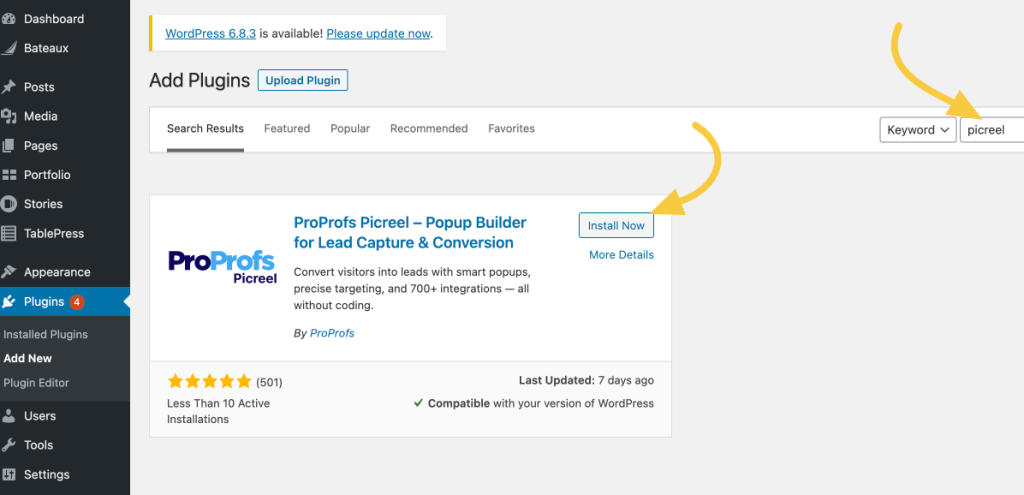
You don’t need to touch your theme files, insert scripts into headers or footers, or tweak performance settings. Everything runs smoothly in the background.
Step 3: Create Your Popup Campaign
Log in to your Picreel dashboard and click on “Create Campaign.” You can choose between two simple approaches:
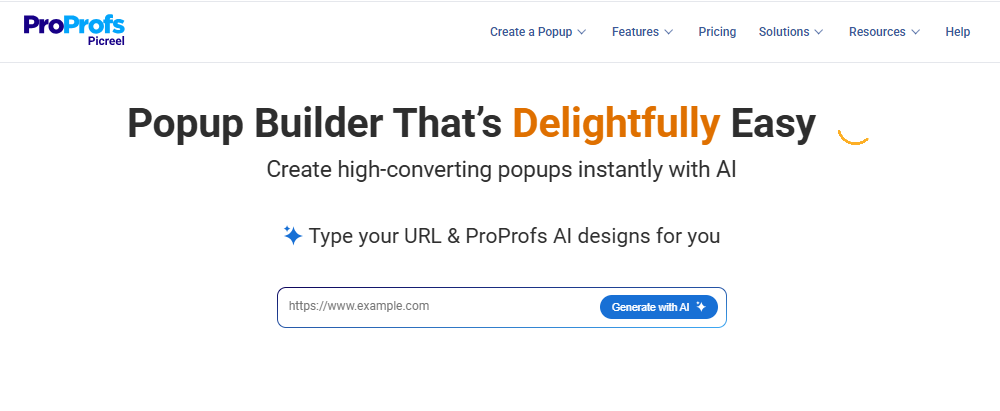
- Picreel AI: Enter your website URL, pick a goal like lead capture, cart recovery, redirects, announcements, or re-engagement, and answer a few quick prompts. The AI builds your popup with relevant copy and design.
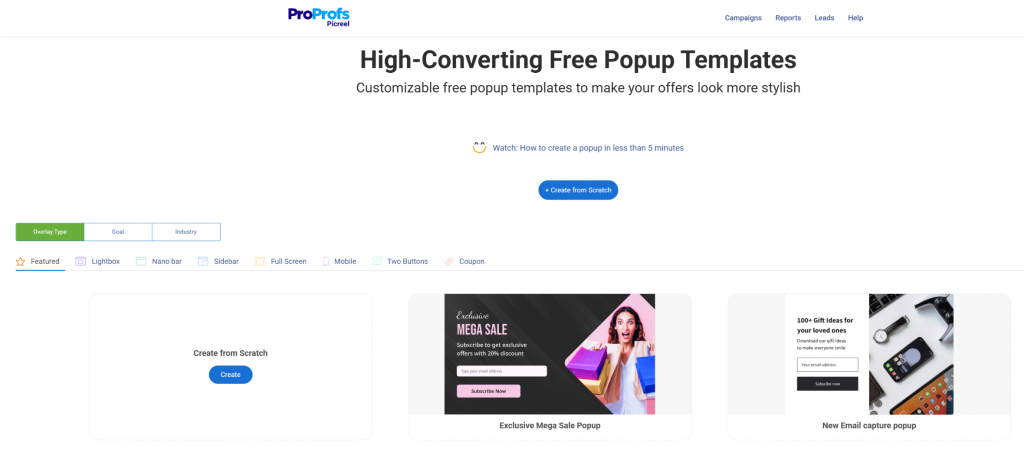
- Template library: Browse ready-made designs like slide-ins, side popups, full-screen overlays, and nanobars. These are designed to grab attention without interrupting the user experience.
Keep your design simple and focused. Exit-intent popups perform best when they feel useful, not disruptive.
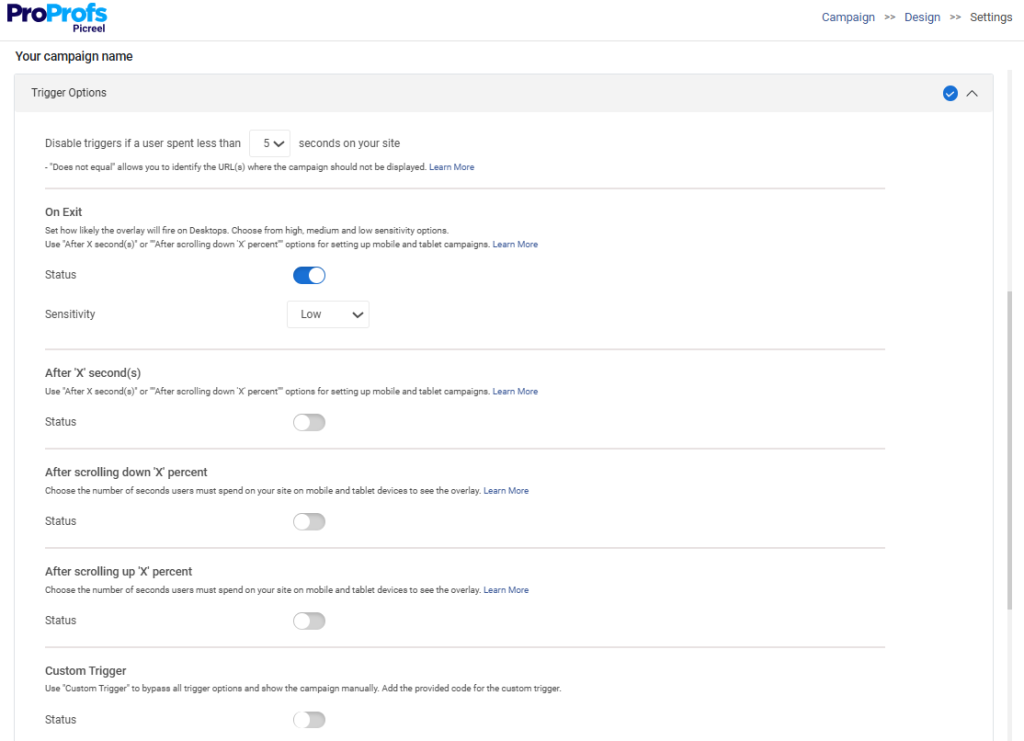
Step 4: Choose the Right Trigger for Your Audience
The trigger is what causes your popup to appear. Choosing the wrong trigger is the single biggest reason popups annoy visitors instead of converting them.
An entry popup that fires the moment someone lands on your page is the fastest way to drive them away before they have even read a sentence.
Here are the popup triggers that actually work and when to use each one:
- Exit intent: Best for cart abandonment recovery and last-chance offers. Fires only when the visitor is about to leave, so it does not interrupt their browsing.
- Scroll depth (40% to 60%): Best for content upgrades and email capture on blog posts. The visitor has shown genuine interest by reading this far.
- Time delay (30 to 60 seconds): Best for general offers on landing pages. Gives visitors enough time to read before presenting the ask.
- Inactivity trigger: Best for re-engaging visitors who have stopped scrolling or clicking, signaling they may be losing interest.
- Page-specific trigger: Best for showing a relevant offer on a specific product or category page only.
Step 5: Build an Offer Worth Clicking
A popup without a compelling offer is just a box on the screen. The offer is what drives the conversion.
According to the Omnisend E-Commerce Marketing Report (2025), popups with a discount offer convert at 2.4% compared to 1.7% for non-discount popups.
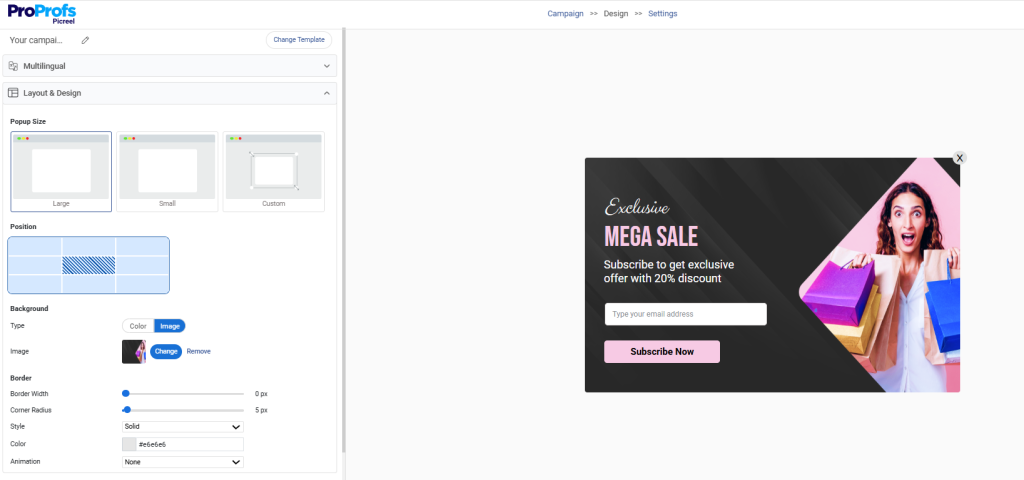
Your offer needs to answer one question from the visitor’s perspective: what do I get for giving you my email or clicking this button?
Strong offers by business type:
- E-commerce: 10% discount on first order, free shipping on next purchase, early access to a sale
- SaaS: Free trial extension, onboarding checklist download, product demo booking
- Blogger or publisher: Content upgrade PDF, resource checklist, free email course
- Agency: Free audit, case study download, 30-minute strategy session
Pre-launch checklist for your popup offer:
- Is the offer specific and clear in one sentence?
- Does the CTA button tell the visitor exactly what happens when they click?
- Is the value obvious without needing to read more than 10 words?
- Is there a reason to act now rather than later?
- Does the offer match the page the popup appears on?
Step 6: Set Targeting Rules That Match Visitor Intent
Showing the same popup to every visitor is the same as sending every customer the same email regardless of what they bought or browsed. It ignores context and kills relevance.
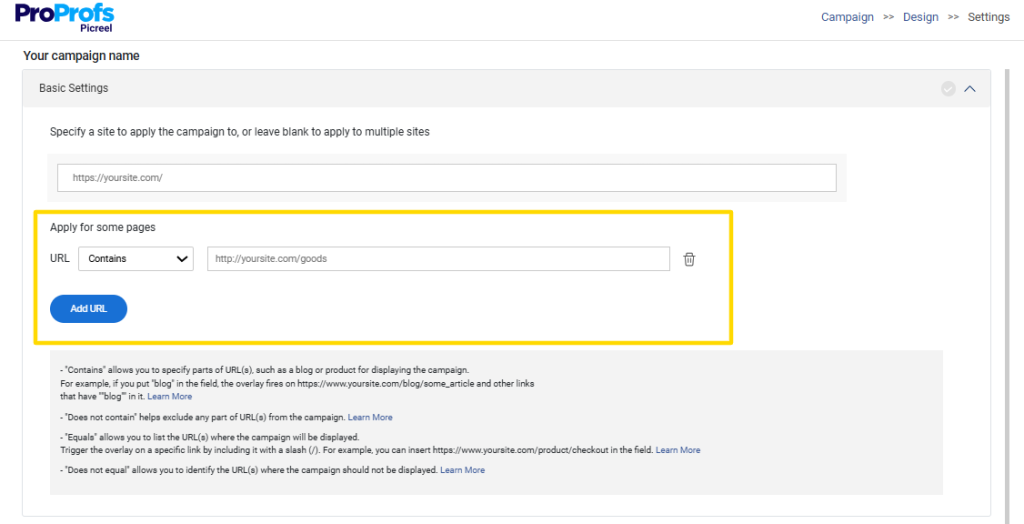
The most effective popup campaigns use layered targeting rules to make sure the right message reaches the right person.
Popup targeting dimensions to configure:
- Page-level: Show a product-specific popup only on product pages, not on your homepage or blog.
- Traffic source: Show a different offer to visitors from Google versus visitors from a paid Facebook campaign.
- Device type: Optimize popup format for mobile visitors separately from desktop visitors.
- Visit frequency: Do not show the same popup to someone who has already seen it three times this week.
- Geography: Show location-specific offers or currency-adjusted discounts to visitors from specific countries.
GDPR considerations at this stage:
- Use location-based targeting to display consent-focused popups only to visitors from the EU
- Avoid pre-selected consent checkboxes in your popup forms
- Configure cookie settings to prevent showing the same popup to repeat visitors within a set period, usually between 7 and 30 days
ChatGPT/Gemini Prompt to refine your targeting strategy:
“I want to show a popup to visitors who have viewed my [product category] page at least twice in the last 7 days but have not added anything to their cart. What offer and copy would be most likely to convert them? Give me three variations to A/B test.”
Step 7: Connect Your Marketing Stack for Seamless Automation
A popup that collects an email but does not send it anywhere is a dead end. Every lead captured through a popup should flow automatically into your email platform, CRM, or automation tool so you can follow up immediately.

This step is where popup campaigns actually become revenue systems rather than one-off experiments.
Key integrations to configure before you launch:
- Email platforms: Before going live, confirm that your integrations are connected and firing correctly. Picreel supports native integrations with Klaviyo, Mailchimp, HubSpot, ActiveCampaign, and Google Tag Manager.
- CRM: If you’re also managing leads beyond just email, pairing this with a CRM like BIGContacts helps you go a step further. It lets you track conversations, segment contacts by behavior, and follow up with context rather than sending generic campaigns.
- WooCommerce: Connect cart data so exit-intent popups can reference the exact product a visitor left behind for a more personalized recovery message.
- Google Tag Manager: Use GTM to trigger popups based on custom events like video views, button clicks, or scroll milestones without touching code.
- UTM parameters: Tag popup-specific traffic in Google Analytics 4 so you can track which popup campaigns are driving actual revenue, not just sign-ups.
The goal is zero manual work after the popup fires. Lead comes in, automation takes over, and follow-up happens within minutes.
Step 8: Run A/B Tests Before You Scale
Do not scale a popup campaign before you know what actually works. The single biggest mistake I see marketers make is launching one version of a popup, seeing a 3% conversion rate, and concluding that the tool does not work.

That 3% might double with a different headline, a different offer, or a different trigger timing.
What to A/B test first:
- Headline copy: Benefit-led versus question-led versus curiosity-led
- Offer type: Discount versus free resource versus free shipping
- CTA button copy: “Get my discount” versus “Claim 10% off” versus “Yes, I want this”
- Trigger timing: Exit intent versus scroll 50% versus 30-second delay
- Popup format: Lightbox versus slide-in versus fullscreen
Run each test for a minimum of 1,000 impressions before drawing any conclusions. Less than that and the data is noise.
Step 9: Track the Right Metrics and Optimize Weekly
Conversion rate alone is not the full picture. A popup with a 15% conversion rate that attracts low-quality leads who never open your emails is worse than one with a 6% rate that brings in consistent buyers.
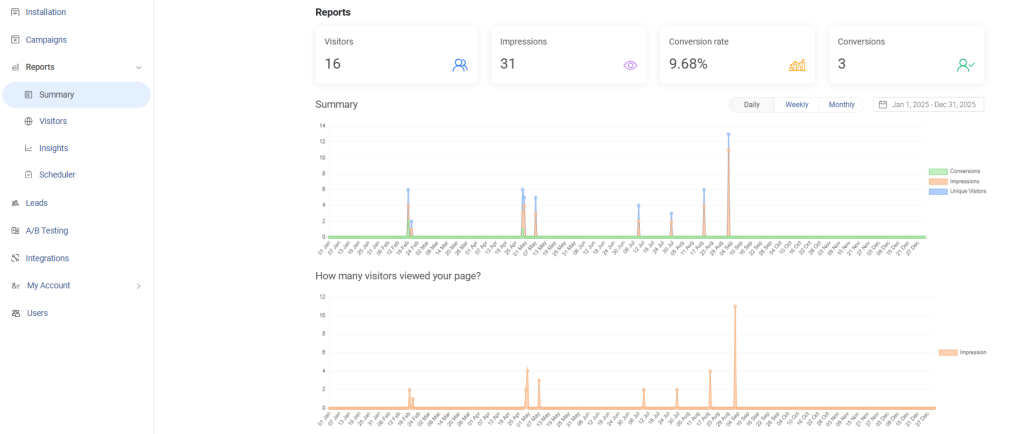
Metrics to track from day one:
- Impression-to-conversion rate: How many people who saw the popup actually converted.
- Email open rate for popup subscribers: Are these leads engaging with your follow-up sequence?
- Revenue per subscriber: Are popup-acquired leads buying at the same rate as your other segments?
- Bounce rate on popup pages: Did the popup push visitors away or keep them engaged?
- A/B test winner lift: What percentage improvement did the winning variant deliver over the control?
Review these numbers every week for the first month. Most campaigns improve 20% to 40% in the first four weeks just from small copy and timing adjustments.
Which WordPress Popup Plugin Is Right for You?
If there’s one thing to take away from this, it’s this. Popups don’t increase conversions on their own. Strategy does. The right trigger, a clear offer, and smart targeting make all the difference between an ignored popup and one that actually converts.
Most sites already have the traffic. The real opportunity is capturing more value from it. That’s where a well-built popup campaign comes in.
If you want something that’s easy to set up but still gives you deep control over targeting, behavior-based triggers, and integrations, Picreel is a strong place to start. It’s literally the best popup plugin for WordPress and can help you catch visitors at the right moment without adding complexity.
Try it, test a few variations, and you’ll quickly see what works for your audience.
Frequently Asked Questions

How long should I wait before showing a popup to new visitors?
For first-time visitors, it’s best to wait at least 20–40 seconds or use scroll-based triggers. This gives them time to understand your content before you ask for action.
Should I show different popups to new vs returning visitors?
Yes. New visitors respond better to lead magnets or discounts, while returning visitors are more likely to convert with stronger offers like limited-time deals or demos.
Can I use popups to qualify leads, not just capture them?
Absolutely. You can use multi-step popups or checkbox-based forms to segment users based on intent, budget, or interest before sending them into your funnel.
What is the ideal frequency for showing popups to the same visitor?
A good rule is to limit repeat exposure to once every 7–14 days unless the visitor takes action. Overexposure can reduce trust and increase bounce rates.
How do I know if my popup is hurting user experience?
Watch metrics like bounce rate, time on page, and scroll depth. If these drop after adding a popup, your timing or targeting likely needs adjustment.
Can popup plugins be used for non-marketing use cases?
Yes. Many teams use plugin popup for WordPress for onboarding tips, feature announcements, surveys, and even internal communication on gated platforms.
Should popup copy be short or detailed?
Short wins. Most high-converting popups use 5–10 words in the headline and keep the message clear and benefit-driven.
Do popups work for low-traffic websites?
Yes, but the focus should be on high intent. Even with low traffic, a well-timed popup can convert a meaningful percentage of visitors into leads.
How do I prioritize what to test first in a popup campaign?
Start with the offer, then headline, then trigger timing. The offer usually has the biggest impact on conversions, followed by messaging and timing.
FREE. All Features. FOREVER!
Try our Forever FREE account with all premium features!

 We'd love your feedback!
What did you like & how can we make it even better?
 Thanks for your feedback!
 Ask Your Question
Have a question? Get expert help to make your decision easier.