
Here’s an honest truth most marketers don’t want to sit with. You’re already paying for the traffic. Ads, SEO, content, social, everything leads back to your homepage. And most of those visitors leave without giving you anything in return. No email. No name. No second chance.
A homepage popup, set up the right way, is one of the simplest fixes. Not the kind that appears instantly and annoys users, but a well-timed, well-targeted popup with an offer people actually care about.
Industry data shows that well-optimized popups can convert between 3% to 10% of visitors, depending on targeting and timing.
I’ve seen similar results just by fixing three things: the trigger, the offer, and the follow-up. Tools like Picreel help make this easier with exit-intent technology and behavioral targeting. This guide walks you through how.
Here’s what we’ll be exploring today:
- When a homepage popup on WordPress actually works best
- How to quickly build high-converting popups using Picreel’s AI popup builder without starting from scratch
- Why does triggering it based on behavior like exit intent, scroll depth, or time delay perform better than showing it immediately
- How to create an offer visitors actually want, so the popup feels useful rather than intrusive
- How to target the right visitors and connect the popup to your email tool, so every interaction helps capture leads and grow your list without needing any coding
What Is a Homepage Popup in WordPress?
A homepage popup is a modal overlay that appears on the front page of your WordPress site, above your regular page content. It asks the visitor to take one specific action: sign up for your newsletter, claim a discount, download a guide, start a free trial, or request a demo.
Unlike a static form tucked into your sidebar or buried in the footer, a popup commands attention. It controls the moment. And when that moment is chosen well, it feels like a helpful nudge rather than an interruption.
The difference between a popup that converts and one that drives people away is almost never the design. It is the trigger logic, the offer, and the rules you set behind it. Get those right, and the rest falls into place.
How to Set Up a Homepage Popup in WordPress: Step by Step
Setting up a WordPress homepage popup does not have to be complicated. I have broken this down into eight steps.
Using a homepage popup plugin on WordPress, like Picreel simply helps you manage setup, targeting, and integrations, so you can focus on the strategy behind the popup while handling everything from a single dashboard.
Follow these steps in order, and you should have a working, connected popup before the end of the day.
Step 1: Define Your Conversion Goal
Before creating the popup campaign, write down exactly what you want the visitor to do.
Capture their email? Send them to a landing page? Promote a limited-time offer?
Your goal determines everything else: the offer, the trigger, and the CTA copy. A vague goal almost always produces a vague popup.
In the campaign setup screen, start by defining this objective so the popup is built around a clear outcome.
Step 2: Build an Offer Worth Trading an Email For
Your offer should solve an immediate, specific problem.
- For e-commerce sites, that is usually a discount or free shipping.
- For SaaS companies, a free trial or demo.
- For content sites, a lead magnet tied directly to the page they are reading.
The sharper the offer, the higher the completion rate.
Add the offer messaging inside the popup editor so the value is immediately clear when the popup appears.
Step 3: Design the Popup
Keep the popup simple. You have two options here:
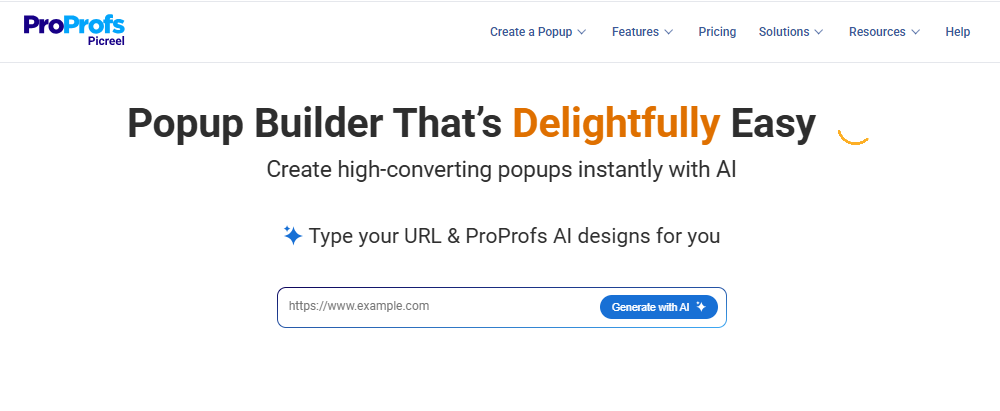
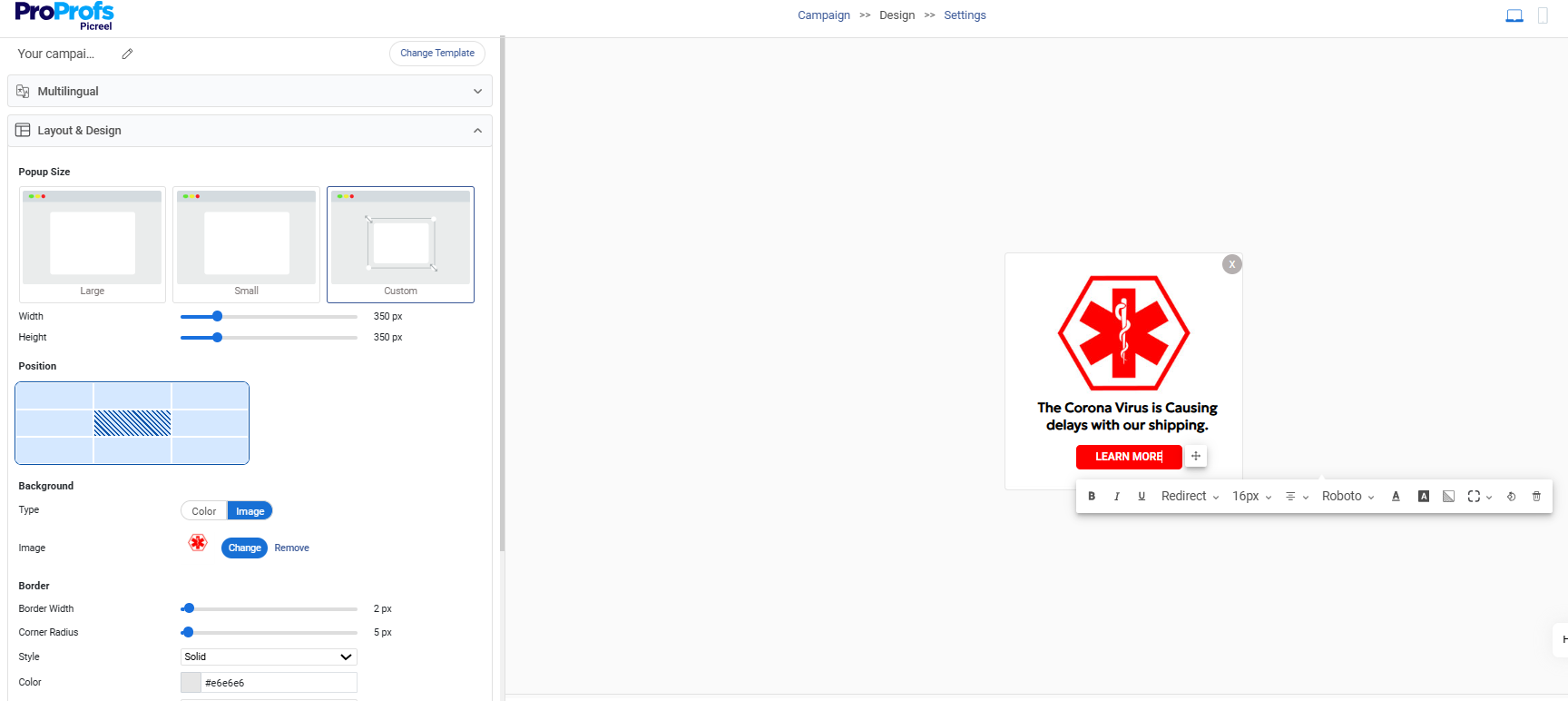
A. Generate a starting layout using AI-assisted creation. Enter your website URL and select the popup’s purpose. After answering a few short prompts about the offer and audience, the AI generates a popup layout, headline, supporting text, and a matching call to action.
B. Or you can build the popup using ready-made templates.
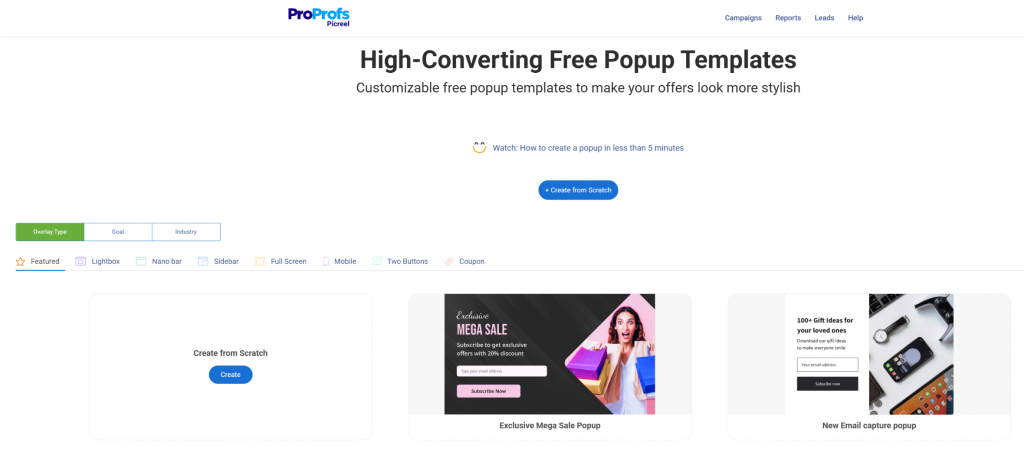
Templates work best when you already know what the popup should say. AI-assisted creation can help generate a starting structure and message based on the campaign goal.
Either way, keep the design focused on clarity. The popup should make the next step obvious.
Step 4: Choose Your Trigger
Next, decide when the popup should appear. For homepage popups, three triggers consistently perform well:
| Trigger Type | When It Fires | Best Use Case | Conversion Potential |
|---|---|---|---|
| Exit Intent | When cursor moves toward browser’s close button or back button | Recovering abandoning visitors and last-chance offers | High |
| Time Delay | After 10-30 seconds on the page | Content sites and educational offer popups | Medium |
| Scroll Depth | After the visitor scrolls around 40-50% of the page | Long-form homepages and landing pages | Medium |
| Page Load | Immediately when the page loads | Not recommended for homepage use | Low (increases bounce rate) |
| Click Trigger | When visitor clicks a specific button or link | Gated content and demo request flows | High (intent-based) |
Exit intent is usually the least intrusive starting point because it targets visitors who are about to leave. Many sites see 13.5 % of conversions from abandoning visitors using exit-intent popups.
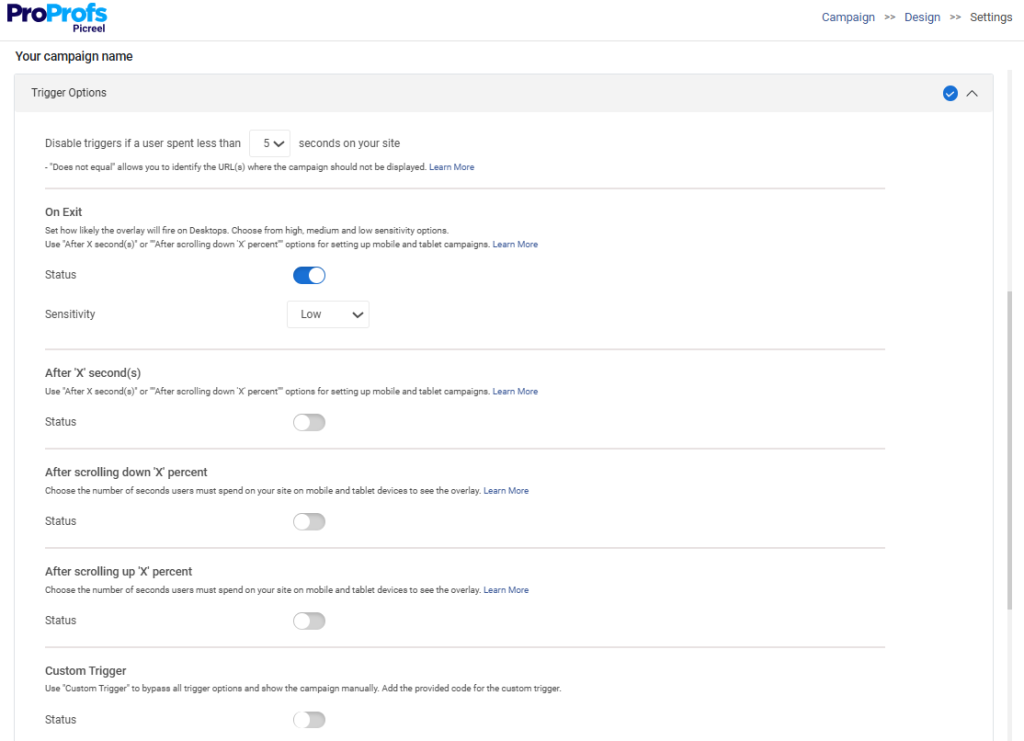
Inside the trigger settings, simply choose the behavior you want and configure the timing or scroll percentage.
Step 5: Set Display Conditions for the Homepage
This is the step many people skip, and it matters. Without proper display conditions, your WordPress homepage popup could appear on every page of your website.
Instead, restrict the popup to the homepage only by setting page targeting rules in the display settings.
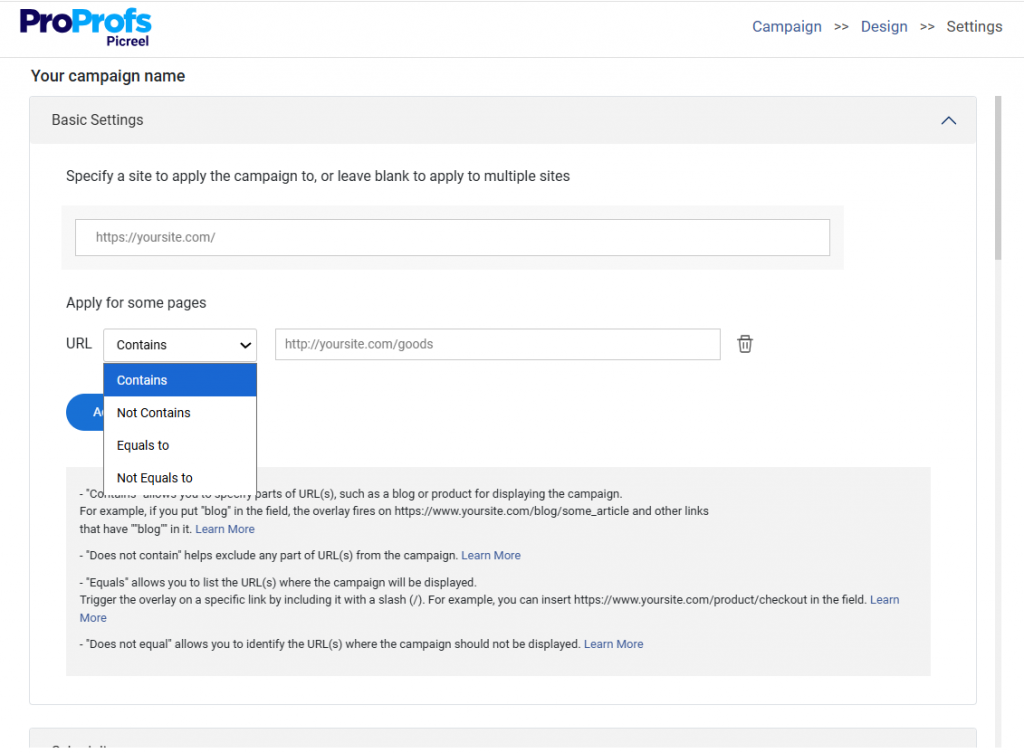
This ensures the campaign appears only when visitors land on your homepage.
Step 6: Set Frequency Rules
Next, decide how often the same visitor should see the popup.
Once every 7 days is a sensible starting point.
Frequency controls prevent returning visitors from seeing the same popup repeatedly, which quickly becomes frustrating.
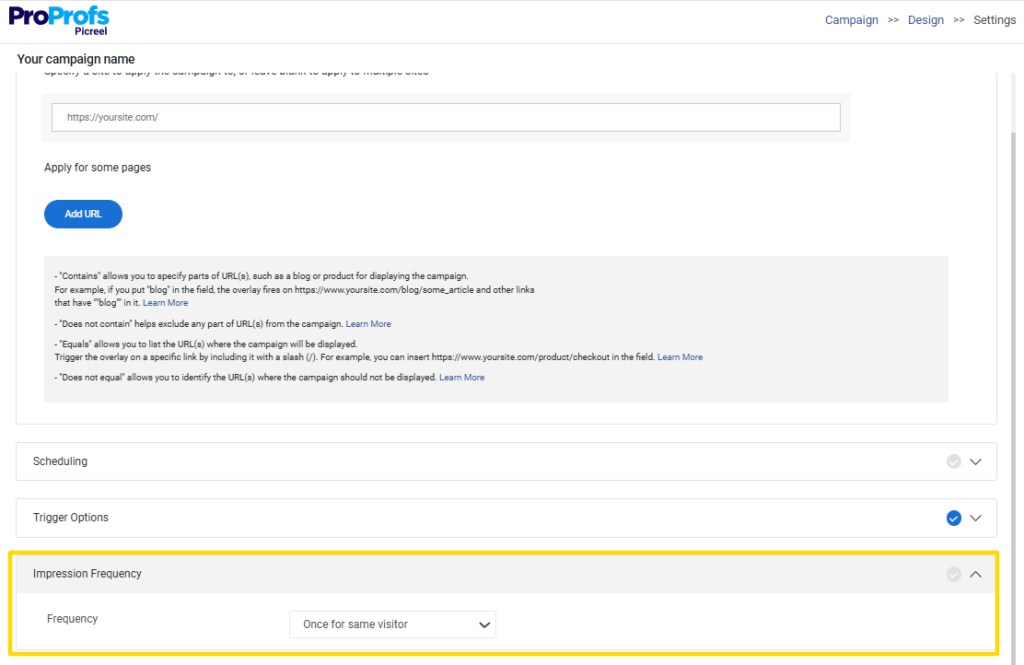
Visitors who already submitted the form should also be excluded so the popup no longer appears for them.
Step 7: Connect Your Email Tool
Before launching the popup, connect it to your email marketing platform.
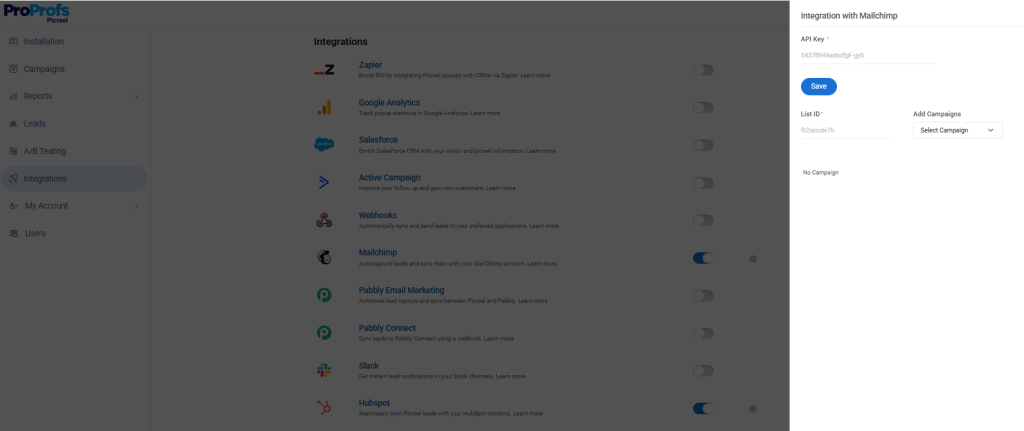
If someone submits their email and nothing happens on the backend, you have permanently lost that lead.
Common integrations include:
• Mailchimp
• Klaviyo
• ConvertKit
• ActiveCampaign
• HubSpot
Once your homepage popup WordPress plugin is connected, every submission automatically flows into your email list or CRM.
What Actually Makes a Homepage Popup Convert (Best Practices)
I will be straight with you here. Most popup guides spend too much time on design tips and not enough on what actually drives the decision to convert. Design matters, but it is the last variable.
The first three are offer, headline, and CTA copy. Get those right, and even a simple popup will outperform a beautifully designed one with a weak offer.
1. Anchor the Offer to a Specific, Immediate Problem
A generic newsletter signup asks the visitor to do something for you. A good lead magnet does something for them. The more specific the offer is to the problem the visitor came to your site to solve, the higher the completion rate.
‘Get our free 5-minute SEO audit checklist’ outperforms ‘Join our newsletter’ by a significant margin because it is specific, useful, and immediately relevant.
If you are not sure what to offer, look at your highest-traffic homepage content. What problem does it solve? Build your popup offer around that exact answer.
2. Write the Headline Around the Benefit, Not the Action
‘Download the Free Guide’ describes an action. ‘Stop Losing Leads From Your Homepage’ describes a benefit. Visitors respond to benefits.
They want to know what is in it for them before they hand over their email. Write your headline in terms of what the visitor gets or what problem gets solved, not what they have to do to get it.
3. CTA Copy Should Feel Like a Personal Decision, Not a Form Submission
‘Get My Free Checklist’ consistently outperforms generic call to actions like ‘Download Now’ or ‘Submit’. First-person copy makes the visitor feel like they are making a decision for themselves rather than filling out a form for you.
Active verbs create forward momentum. This is a small change that can move conversion rate by a meaningful amount. A/B test both versions with your specific audience to validate it.
4. Limit the Form to One Field Wherever Possible
Every additional form field you add reduces the completion rate. For homepage popups focused on email capture, ask for email only.
You can collect a name, phone number, company size, or job title later through a follow-up sequence once you have earned that relationship. Keep the friction as low as possible at the point of first contact.
How Homepage Popups Work for Different Types of WordPress Sites
There is no one-size-fits-all popup strategy because different business models have different conversion goals and different visitor expectations. Let me walk you through how I think about popup strategy for each major site type.
1. E-commerce Stores Running WooCommerce
For e-commerce sites, homepage popups are most effective when they lead with a discount code or a free shipping threshold offer.
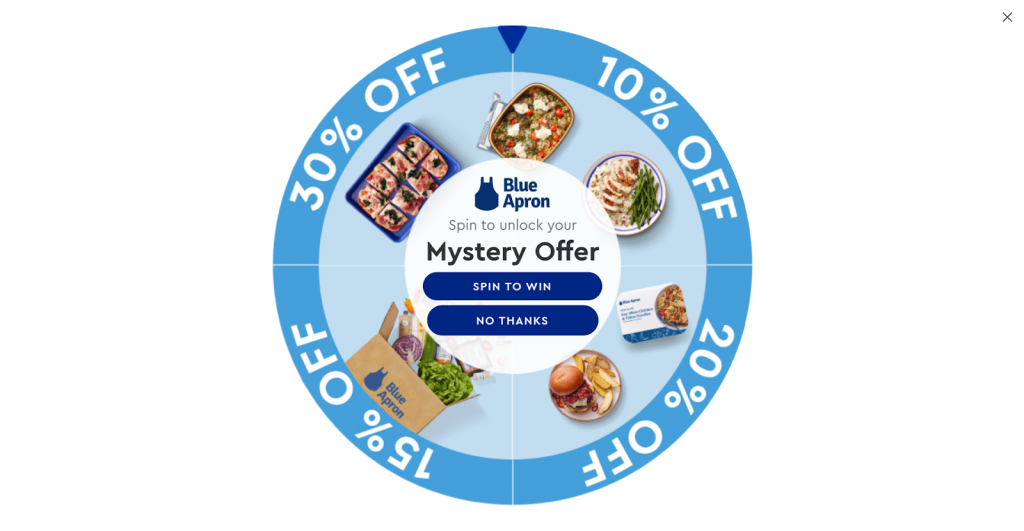
Exit intent popups that catch visitors before they leave are particularly powerful here. A well-timed offer on an ecommerce homepage can recover a high percentage of visitors who would otherwise have bounced without buying or browsing further.
The math on that is significant when you multiply it across daily traffic volume.
2. SaaS Companies and Software Products
For SaaS homepages, the best popup offers lead with value demonstration rather than a direct sales ask. Just how CoSchedule does it:
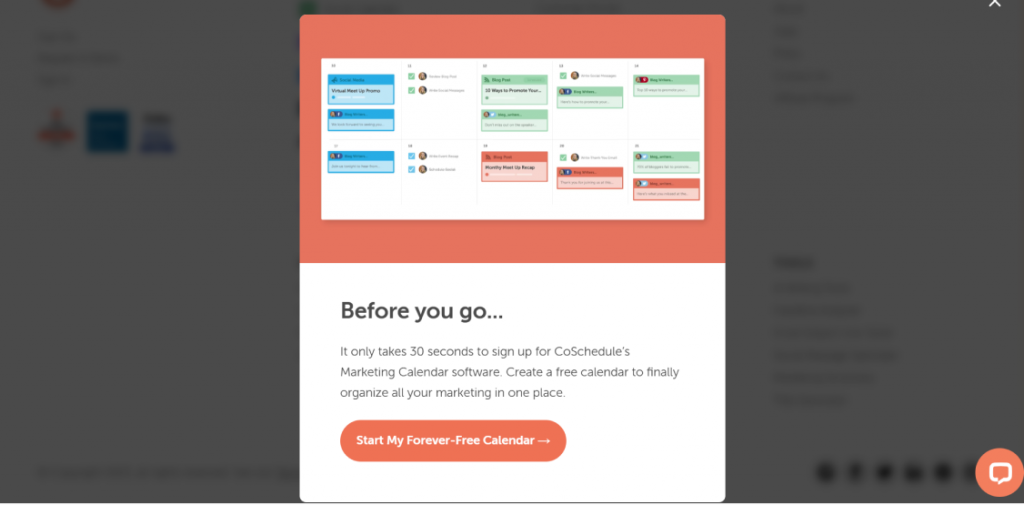
A free trial, a live demo invitation, or a short email course that walks the visitor through the core problem your software solves tends to convert well.
The goal is to move casual browsers into active prospects who have a reason to come back and engage with your product.
3. Bloggers and Content Publishers
Content sites benefit most from content upgrades delivered through popups. A popup that says ‘You are reading about email marketing strategy.
Get our free 30-point deliverability checklist, converts dramatically better than a generic subscription prompt. Here’s an example:
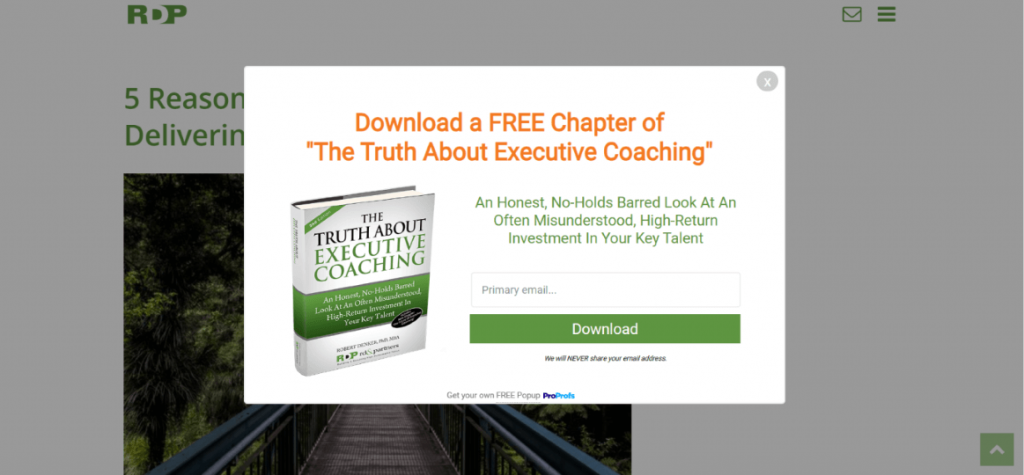
The key is connecting the popup offer directly to whatever the visitor is already reading or exploring on the homepage.
4. Agencies and Freelancers
For service businesses, homepage popups work well when the offer is low commitment for the visitor but high signal for you.
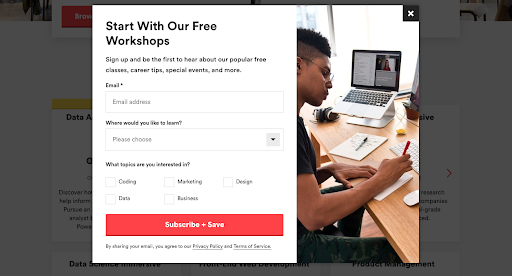
A free audit, a downloadable case study, or a book-a-discovery-call prompt are all solid options. A visitor who downloads your case study or books a call is a much warmer lead than someone who just browsed the homepage and left.
These offers filter for intent while giving the visitor something genuinely useful.
FREE. All Features. FOREVER!
Try our Forever FREE account with all premium features!
How Can I Measure Whether My Homepage Popup Is Actually Working?
The biggest mistake I see businesses make after setting up a popup is running it for months without ever checking whether it is actually driving results. Here is the metric framework I use to evaluate popup performance and make decisions about what to change.
| Metric | What It Tells You | Healthy Benchmark |
|---|---|---|
| Impression rate | How many visitors are actually seeing the popup | Depends on trigger type and traffic volume |
| Click-through rate (CTR) | How many clicked the CTA button | 3–10% for email capture popups |
| Conversion rate | How many completed the form | 2–8% for homepage popups |
| Bounce rate impact | Did the popup increase your bounce rate? | Should not increase significantly if trigger is correct |
| Email list growth | New subscribers from the popup each month | Track weekly trend over time, not just the total |
| Revenue attributed | Sales tied to popup-captured leads | Track via UTM parameters or CRM tagging |
If your conversion rate is below 2 percent, the problem is almost always the offer or the trigger timing. If your click-through rate is high but form completions are low, the issue is the form itself or the number of fields. If your popup is not showing to enough visitors, go back and check your display conditions and trigger settings.
Review these numbers monthly. After three months, you should have enough data to know which headline, offer, and trigger combination drives the best results for your specific audience. That is when the real optimization work begins.
What Are the GDPR, Compliance, and Accessibility Requirements for Homepage Popups?
I want to be direct about this section because it is one that a lot of site owners gloss over until something goes wrong.
Compliance is not optional, and accessibility is both a legal consideration and a basic respect issue for your visitors. Here is what you need to have in place before your popup goes live.
1. Include a consent checkbox for EU visitors. If your site receives traffic from the EU and your popup is tied to marketing emails, you need an unchecked consent checkbox in the form. Pre-checked boxes do not meet GDPR requirements. Do not skip this.
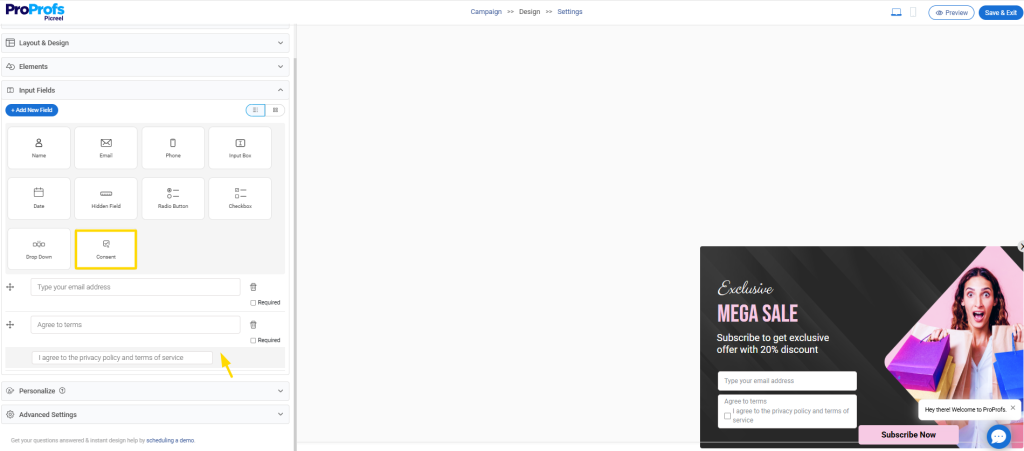
2. Link to your privacy policy in the popup copy. Keep it simple. A short line like ‘By signing up you agree to our privacy policy’ with a hyperlink to the policy page is sufficient in most cases. Make it visible, not hidden in small grey text.
3. Use cookie-based frequency controls. Set the cookie popup so it does not show to the same visitor on every single visit. Once every 7 days is a reasonable default. This is both a GDPR best practice and a basic respect for your visitors’ experience.
4. Add a clearly visible close button. This is an accessibility requirement and a Google Mobile Usability guideline. The close button needs to be easy to find and easy to tap on a small screen. Test it on a real phone before the popup goes live.
5. Test on iOS and Android before launch. What looks perfect on desktop can be broken, intrusive, or impossible to close on mobile. Build in 15 minutes to test the full mobile experience before you send any traffic to a new popup setup.
What Are the Most Common Homepage Popup Mistakes? (+Fixes)
Let me save you some time here. These are the mistakes I see most often, and they are all fixable once you know what to look for.
| Mistake | What It Looks Like | The Fix |
|---|---|---|
| Popup fires immediately on load | Visitor lands and popup appears within 1–2 seconds | Use exit intent or a 10+ second time delay |
| Offer is too vague | Subscribe to our newsletter | Specific lead magnet tied to the visitor's immediate interest |
| Popup shows on every page | Same popup fires on blog posts, product pages, and the homepage | Use display conditions to restrict it to the homepage only |
| No mobile optimization | Popup covers the full screen on phone with a tiny close button | Design a mobile-specific variant with a visible, easy-to-tap close |
| No A/B testing in place | Same popup runs unchanged for six or more months | Test headline and CTA copy every 90 days minimum |
| Email integration not connected | Leads are captured in the popup but never added to any list | Connect to your email platform and test the flow before going live |
| Popup shows to existing subscribers | Subscribers see the email capture popup on every visit | Suppress the popup for visitors with a conversion cookie already set |
The Homepage Popup Strategy That Compounds Over Time
Here is the thing about homepage popups that nobody really talks about. The first version you set up will not be your best version. And that is completely fine. What matters is that you build a system with three working parts that you can actually improve over time.
Fix the trigger first. Exit intent is the safest starting point because it does not interrupt visitors who are engaged. Then sharpen the offer until it is specific enough that the right visitor immediately thinks ‘this is exactly what I needed.’ Then build the follow-up email sequence that delivers on the promise the popup made.
When those three things connect properly, your homepage popup stops being a lead capture widget and becomes the first step in a conversion system. The math compounds. More emails, more nurturing, more sales. All from traffic you were already paying for.
That is the version worth building. Start simple, measure honestly, and improve one variable at a time. WordPress homepage popup plugin like Picreel helps businesses convert abandoning website visitors into leads and customers through exit intent technology and behavioral targeting. If you want to see how it works on your homepage specifically, the setup takes less than 10 minutes.
Frequently Asked Questions

How do I use is_front_page() to show a popup only on my WordPress homepage?
If you're using a popup plugin like Picreel, no code is needed. For custom popups, use the is_front_page() function in your theme’s functions.php to ensure the popup loads only on the homepage, not across the entire site.
What offer converts best on a WordPress homepage popup?
Highly specific offers convert best. E-commerce sites often perform well with discounts or free shipping. SaaS websites benefit from free trials or demos. Content sites usually see higher conversions with lead magnets like checklists or guides tied to visitor interests.
How often should a homepage popup show to the same visitor?
A good starting point is once every 7 days. Some sites extend this to 14 or 30 days for returning visitors. Use cookie-based frequency controls so the popup does not appear repeatedly for the same user after they close or submit it.
What are WordPress popup display conditions?
Display conditions control where and when a popup appears. They let you show popups only on the homepage, specific posts, categories, or specific URLs. Proper conditions prevent popup fatigue and keep messages relevant for different visitor segments.
What is exit intent detection and how does it work in WordPress?
Exit intent detects when a visitor is about to leave the page by tracking mouse movement toward the browser tab or close button. The popup triggers at that moment, giving you one final opportunity to present an offer.
How do I make my WordPress homepage popup GDPR compliant?
Include an unchecked consent checkbox for marketing emails, link to your privacy policy, and ensure the popup has a visible close button. Store submitted data only in approved systems like your CRM or email platform with proper user consent.
What is the difference between a homepage popup and a slide-in popup?
A homepage popup appears in the center of the screen and dims the background, demanding attention. A slide-in popup appears from a corner without blocking content. Popups usually convert higher, while slide-ins are less disruptive for readers.
How many fields should a homepage popup form have?
For email capture, use only one field: the email address. If a qualification is necessary, limit forms to two or three fields and collect additional details later.
Can I run A/B tests on my WordPress homepage popup?
Yes. Begin testing after you reach enough impressions for meaningful data. Start with headline variations, then test CTA wording or timing. Run each version until it receives at least 200–300 impressions before deciding which performs better.
FREE. All Features. FOREVER!
Try our Forever FREE account with all premium features!

 We'd love your feedback!
What did you like & how can we make it even better?
 Thanks for your feedback!
 Ask Your Question
Have a question? Get expert help to make your decision easier.