
If you’re looking for a ConvertFlow alternative that’s easier to use, faster to load, and doesn’t punish you for growing, this guide compares 10 options with real pros, honest cons, and a direct ConvertFlow comparison for each.
I tested ConvertFlow, expecting it to solve my lead capture problem. What I got instead was a bloated interface, pricing that scaled faster than my revenue, and popups that slowed my pages down enough to hurt ad quality scores.
So I went looking for something better. I ran real campaigns, tracked conversion data, and cut anything that created more problems than it solved. What you’re reading is the result. These are ConvertFlow alternatives I’d actually recommend to a founder, marketer, or e-commerce manager trying to turn existing traffic into revenue.
Why Marketers Are Switching Away From ConvertFlow
I spent time in the Reddit threads, Quora discussions, and marketing forums where people talk honestly about the tools they use. The frustrations with ConvertFlow are consistent and specific. Here is what I kept seeing:
1. Aggressive Pricing Tiers
ConvertFlow’s pricing scales steeply as your traffic or contact list grows, and the jump between plans can feel punishing for small businesses or early-growth teams. Many users end up paying for enterprise-level costs before they have the revenue to justify them.
2. Feature Overload Without Simplicity
The platform packs in a wide range of campaign types and logic-based flows, but for marketers who just need a high-converting popup or a clean email capture bar, all that complexity creates friction instead of value. Simpler tools with fewer features often convert better, which is why many teams are now exploring alternatives to ConvertFlow that focus on speed and ease of use.
3. Steep Learning Curve
Building multi-step funnels and conditional logic in ConvertFlow is not intuitive for non-technical marketers. The time investment required to get a campaign live is disproportionate to the result, especially when competing tools let you launch in under 15 minutes.
4. Page Speed Impact
Heavy scripts are a recurring complaint. If your popup tool is slowing your site’s load time, it is directly damaging your Core Web Vitals, your Google rankings, and your ad quality scores. Several users report measurable drops in page speed after installing ConvertFlow’s tracking code.
5. Integration Friction
ConvertFlow connects to major platforms, but users working with niche CRMs or custom stacks frequently hit walls that require expensive middleware like Zapier to bridge. When integrations break, leads get lost, and no one notices until the damage is done.
6. Design Limitations
Getting ConvertFlow popups to look exactly the way you want often requires CSS knowledge that most marketers don’t have. Templates feel rigid, and customization beyond the basics becomes a developer task.
7. Ad-Blocker Interference
This is a specific and serious problem for affiliate marketers and content publishers. Common browser ad-blockers flag and hide ConvertFlow’s popups, which means a meaningful percentage of your audience never sees your campaign at all.
10 Best ConvertFlow Alternatives
Here is how each of these ConvertFlow alternative tools compares across the features that actually matter for conversion. Scan this first, then go deep on the tools that fit your situation.
| Tool | Best For | Starting Price | User Rating (G2) |
|---|---|---|---|
| Picreel | Lead generation and conversions | $9.99/month | 4.5/5 |
| OptinMonster | Form conversion optimization | $7/month | 4.3/5 |
| Unbounce | Landing pages with popup capabilities | $74/month | 4.3/5 |
| Sleeknote | Personalized popups for engagement | €49/month | 4.3/5 |
| Poptin | Easy popup creation | $20/month | 4.8/5 |
| Hello Bar | Non-intrusive notification bars | $29/month | 4.7/5 |
| ConvertBox | Targeted opt-in forms | $495 lifetime | 4.6/5 |
| Wisepops | E-commerce popups and promotions | $124/month | 4.5/5 |
| ClickFunnels | Sales-driven landing pages | $81/month | 4.6/5 |
| BDOW (Sumo) | Building an email list | $12/month | 4.0/5 |
1. Picreel – Best for Getting More Leads and Conversions
I’ve used Picreel and honestly, it felt much easier to get started with. I was able to create polished, on-brand popups without touching any code, and the overall setup felt smooth from the beginning. It removes a lot of the complexity from launching campaigns, which is exactly what I was looking for.
What really stood out to me is how smart the targeting is without feeling complicated. Picreel triggers popups based on real visitor behavior like exit intent, scroll depth, time on page, and clicks, so you’re not guessing when to show something.
This is where the AI popup builder made things even better. I could create a campaign in under 20 minutes just by describing what I needed, and it handled the design and setup for me.
It actually shows the right message at the right moment. I also liked the flexibility in popup formats. I could go subtle with something like a nanobar or use a full-screen overlay when I wanted more attention. Everything stayed consistent with my brand through customizable templates, and the editor made it easy to fine-tune layouts, colors, and elements.
On top of that, the mobile experience is smooth, and integrations are seamless. Leads go straight into my CRM or email tools without extra setup. With real-time analytics, I could clearly see what’s working and improve from there, which is why I see it as a strong ConvertFlow alternative.
Pros:
- AI analyzes user behavior like scrolls, clicks, and session activity to show popups to visitors most likely to convert at the right moment
- AI-powered exit intent detects mouse movement and browsing patterns to trigger popups just before a visitor leaves, not after
- Seamless integrations with Klaviyo, HubSpot, Mailchimp, Salesforce, and 700+ other tools
- Real-time analytics dashboard to track impressions, clicks, and conversions by campaign
- Advanced targeting by URL, device, visitor behavior, and referral source
Cons:
- No downloadable or on-premise version as it is fully cloud-based
- Dark mode interface is not available, though the UI is clean and accessible
User Rating: 4.5/5 (G2)
How Picreel Compares to ConvertFlow: ConvertFlow charges significantly more at entry level and requires time to learn its funnel logic before your first campaign goes live. Picreel skips that overhead entirely. You get behavioral targeting, exit intent, and CRM-ready integrations from day one, at a fraction of the cost, with a free plan that lets you validate results before spending anything.
Price: Offers a forever-free plan for up to 5K visitors (For WordPress, you may need the Enterprise account). Paid plans start at $9.99/month.
See how MVMT has used Picreel to consistently grow its email lists and convert high-volume traffic into real opportunities.

2. OptinMonster – Best for Optimizing Form Conversions Without Coding
I’ve used OptinMonster for conversion optimization, and it’s easy to see why it’s such a well-known name in this space. It goes far beyond basic popups. The no-code template library is quite extensive, so I didn’t have to build anything from scratch.
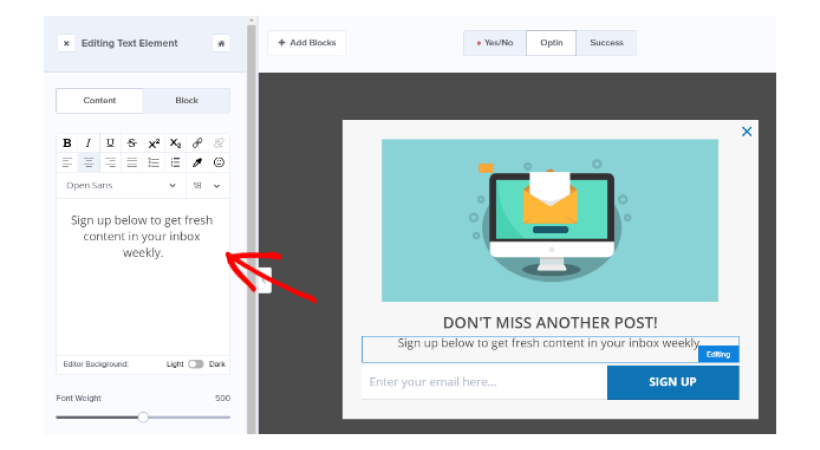
What I found especially useful was the dynamic text replacement feature. It lets me show personalized messages based on where visitors are coming from, what they’ve done on my site, or even the device they’re using.
What really stood out to me was the on-site retargeting. I could create different campaigns for new and returning visitors without setting up separate flows, which saved me a lot of time. The TruLead verification system was another plus. It filters out low-quality email addresses right at the capture stage, so my email list stays cleaner without extra effort.
Pros:
- AI-powered copy suggestions to refine popup messaging without a copywriter
- List segmentation by behavior, demographics, and traffic source
- TruLead email verification to keep your list clean from day one
- Geolocation targeting for location-personalized campaigns
Cons:
- Advanced campaign customization has a learning curve that slows first-time users down
- Integration options are narrower than those of some competitors at similar price points
User Rating: 4.3/5 (G2)
How OptinMonster Compares to ConvertFlow: OptinMonster and ConvertFlow overlap on advanced targeting, but OptinMonster is significantly more focused on popup and form optimization specifically. ConvertFlow tries to be a full funnel builder, which adds complexity you may not need. OptinMonster’s TruLead verification and onsite retargeting are genuine advantages for teams whose primary goal is growing a high-quality email list rather than building multi-step funnels.
Price: Starts at $7/month (billed annually)
3. Unbounce – Best for Landing Page Builder With Popup Capabilities
I’ve found Unbounce to be a great fit when I need more than just a popup tool. It gives me a full landing page ecosystem, which makes it easier to manage everything in one place. The Smart Traffic feature has been especially helpful. It automatically sends each visitor to the landing page variation that’s most likely to convert them, based on factors like device, location, and behavior.

For popups, I like how I can use URL rules and UTM targeting to show campaigns only to specific audience segments. It helps me stay more precise with my targeting. The cookie targeting feature adds another layer by letting me personalize experiences based on previous visits.
If I’m running paid campaigns and want my landing pages and popups to work together seamlessly, Unbounce has worked really well for me. It keeps everything aligned without needing multiple tools.
Pros:
- Content gating to put premium resources behind a lead capture form
- Referral targeting to personalize offers by traffic source
- AI-generated on-brand copy based on your company profile
- Instant lead notifications to alert your team the moment a new lead converts
Cons:
- Customer support response times are slow relative to the price point
- Dynamic text replacement requires coding knowledge for advanced implementations
User Rating: 4.3/5 (G2)
How Unbounce Compares to ConvertFlow: ConvertFlow focuses on on-site campaign logic and funnel steps within your existing pages. Unbounce goes a layer deeper by giving you full control over the landing pages themselves, including AI-driven traffic splitting that ConvertFlow does not offer. If your conversion problem lives at the landing page level rather than the popup layer, Unbounce solves a problem ConvertFlow is not designed to fix.
Price: Starts at $74/month (billed annually)
4. Sleeknote – Best for Personalized Popups to Boost Engagement
I’ve used Sleeknote, and what I really like about it is how much control it gives me over design. With over 120 customizable templates and a drag-and-drop editor, I can tweak everything, from fonts to video embeds to even custom HTML.
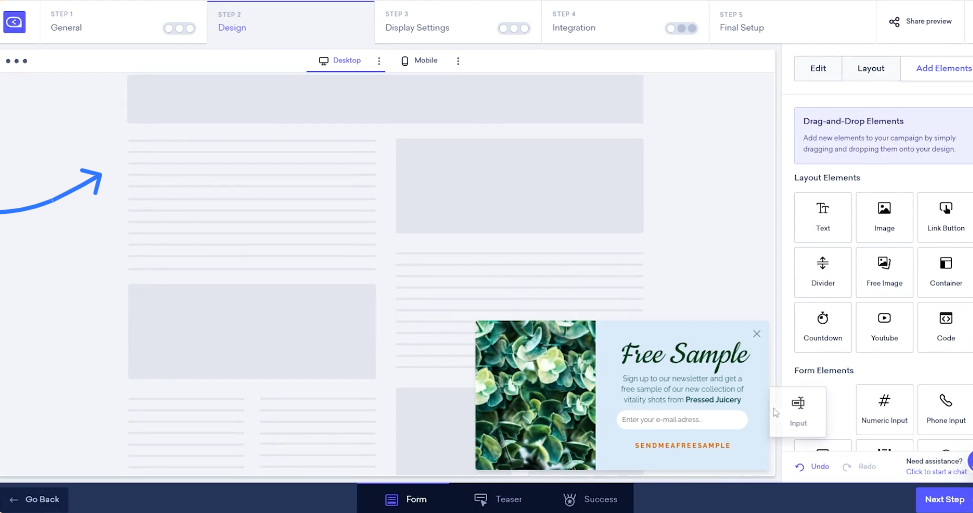
The separate mobile editing is a big plus too, since I can make sure everything looks right on smaller screens. It feels like it’s built for marketers like me who care just as much about design as conversions.
One feature I found genuinely useful is the teaser. Instead of showing a full popup right away, I can display a subtle preview first. It feels less intrusive and works better for visitors who don’t like aggressive popups. The dynamic merge tags also help me personalize campaigns in real time based on what visitors are browsing, which makes the messaging feel more relevant.
I also rely on the built-in goal tracking. It clearly shows me how many visitors engaged and how many converted, so I can quickly understand what’s working and optimize without overcomplicating things.
Pros:
- Custom fonts to match popup design precisely to your brand
- SiteData detection to trigger campaigns based on basket value, search queries, or video views
- AI-powered text optimization for refining and translating messaging
- Performance comparison tools to analyze campaign results against goals
Cons:
- Documentation is limited, which makes the initial setup slower than it should be
- Managing multiple domains requires implementing tracking code separately on each, which adds time
User Rating: 4.3/5 (G2)
How Sleeknote Compares to ConvertFlow: ConvertFlow’s design customization requires CSS knowledge to go beyond the basics. Sleeknote handles full design control through its editor without touching code, and its teaser feature addresses one of the biggest UX complaints about popup tools: the jarring interruption. For brands where design and engagement quality matter as much as raw conversion numbers, Sleeknote gives you control that ConvertFlow does not.
Price: Starts at €49/month (billed annually)
5. Poptin – Best for Easy Popup Creation With Various Templates
I’ve used Poptin when I needed to get a popup live quickly without spending hours setting things up. The drag-and-drop editor makes that really easy. I can customize everything, from backgrounds and images to buttons and colors, and even embed forms directly on my site for inline lead capture that feels less intrusive.
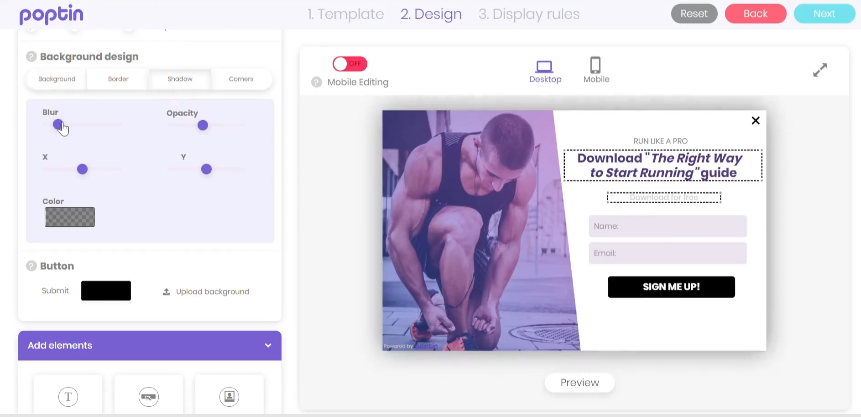
I like using countdown popups to create urgency without needing any developer help, and the video popups add a nice layer of engagement beyond just static offers. One feature I’ve found especially helpful is the autopilot trigger. It automatically picks the best trigger based on visitor behavior, which takes a lot of guesswork out, especially when I don’t have time to fine-tune everything manually.
Pros:
- Survey popups to collect voice-of-customer data alongside lead capture
- Smart tags for dynamic personalization inside popup content
- Shopify cart trigger to show popups based on specific cart conditions
- Landing page preview feature to test popups before they go live
Cons:
- The interface can feel cluttered, especially when managing multiple campaigns
- Same-day popup stats can lag, which slows real-time optimization decisions
User Rating: 4.8/5 (G2)
How Poptin Compares to ConvertFlow: ConvertFlow’s setup process assumes some familiarity with funnel logic. Poptin removes that assumption entirely. Its autopilot trigger and template library get non-technical marketers to a live campaign faster than anything else on this list. Where ConvertFlow adds complexity through flexibility, Poptin trades some of that depth for genuine ease of use, which is the right trade-off for teams who need results quickly and don’t have a CRO specialist on staff.
Price: Starts at $20/month (billed annually)
6. Hello Bar – Best for Non-Intrusive Notification Bars
I’ve used Hello Bar, and what stood out to me right away is how different its approach feels compared to typical popup tools. Instead of covering the screen with overlays, it focuses on notification bars, slide-ins, and inline CTAs. I’ve found this works really well, especially for audiences who get annoyed by aggressive popups. It grabs attention without interrupting the experience.
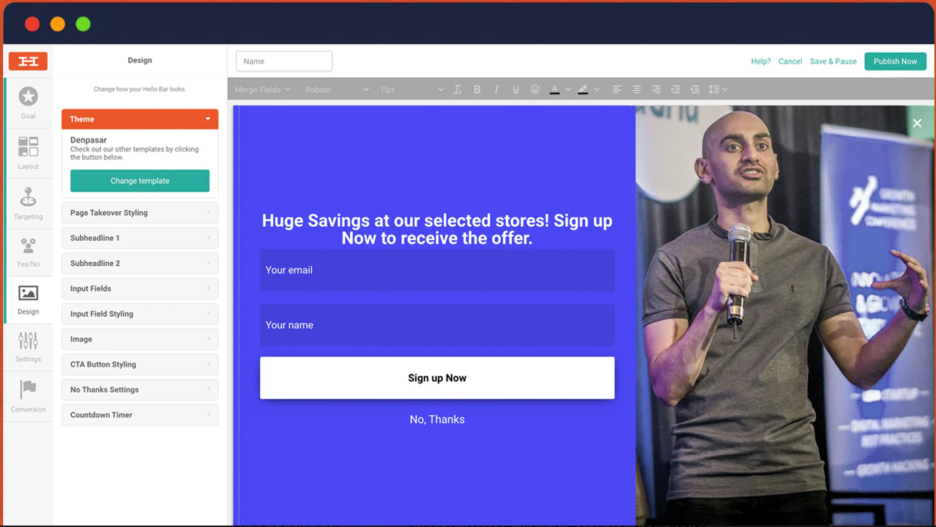
The Zapier integration has made things much easier for me too. New leads flow directly into my email platform or CRM, so I don’t have to handle anything manually. I also like how I can deliver lead magnets like ebooks or checklists automatically through campaign flows. It adds a nice nurturing layer instead of just capturing emails and leaving it there.
Pros:
- Campaign targeting by ad source, UTM parameters, and referral path
- Visit-based targeting to adjust messaging based on visit frequency
- Inline CTAs to embed calls to action directly within content
- Custom audience rules for precise segmentation without complex logic
Cons:
- No countdown timer functionality for urgency-based campaigns
- Analytics are basic and insufficient for serious campaign optimization
User Rating: 4.7/5 (G2)
How Hello Bar Compares to ConvertFlow: ConvertFlow is built around conversion-heavy overlays and multi-step flows. Hello Bar takes the opposite approach, prioritizing formats that don’t disrupt the reader. That restraint is its advantage for content-heavy sites, publisher audiences, and affiliate marketers, where aggressive popups actively hurt trust. If your audience is sensitive to interruption, Hello Bar’s non-intrusive formats will outperform ConvertFlow’s popup-first model.
Price: Starts at $29/month (billed annually)
7. ConvertBox – Best for Targeted Opt-in Forms
I’ve found ConvertBox to be quite different from most tools in this space, mainly because of its lifetime deal. Instead of paying every month, I can pay once and keep using it, which makes a big difference when I’m trying to control ongoing SaaS costs, especially if my traffic is fairly stable.
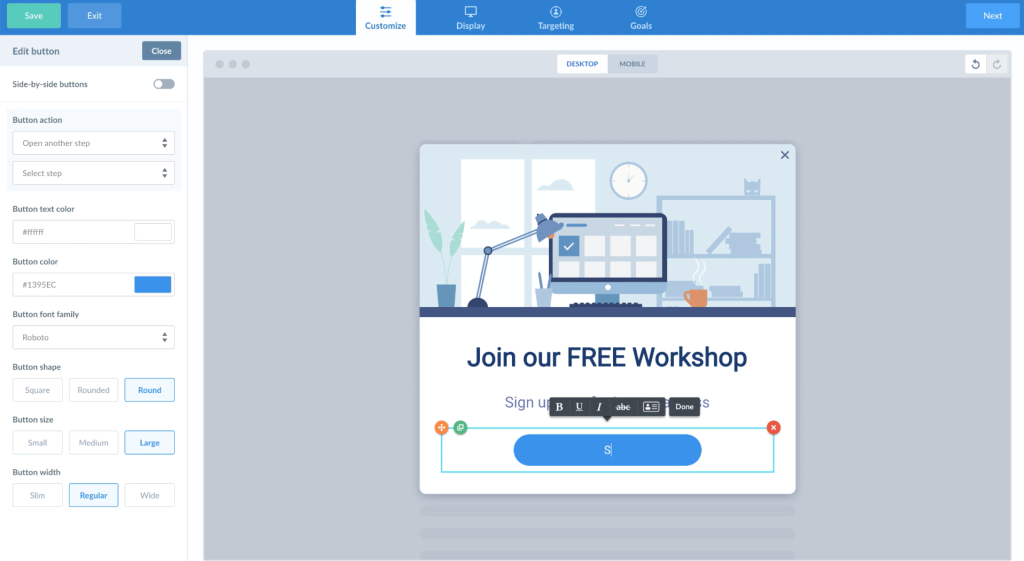
What really impressed me, though, is the level of personalization it offers. I can tailor messages based on CRM data, site activity, and even where visitors are coming from. It feels more like using a marketing automation tool than just a popup builder.
I also like the multi-step surveys. They help me segment leads, understand intent, and present more relevant offers within a single flow. With conditional logic, I can trigger different steps based on what users choose, which makes the whole experience feel more personalized and effective.
Pros:
- A/B split testing to identify the highest-converting variation in real time
- Skip logic to route visitors to specific survey steps based on prior answers
- Animated progress bars to keep users engaged through multi-step forms
- Customizable templates with drag-and-drop simplicity
Cons:
- Can add noticeable load time to pages, which affects Core Web Vitals
- The product has not received major feature updates in several years
User Rating: 4.6/5 (G2)
How ConvertBox Compares to ConvertFlow: The most obvious difference is the pricing model. ConvertFlow charges a monthly fee that scales with usage, while ConvertBox is a one-time purchase. For teams running stable campaigns on consistent traffic, that lifetime deal delivers a better long-term ROI. Where ConvertFlow has the edge is in active development and newer features. ConvertBox’s personalization depth is comparable, but its lack of recent updates means you are betting on what exists today rather than a roadmap.
Price: $495 for a lifetime account
8. Wisepops – Best for E-commerce Focused Popups for Promotions
I’ve used Wisepops, and it’s clear that it’s built with e-commerce in mind. Features like spin-to-win popups, multi-step email and SMS capture forms, and on-site notification feeds feel very intentional. They help me engage visitors without coming across as pushy, which has been useful for bringing people back and recovering potential lost sales.
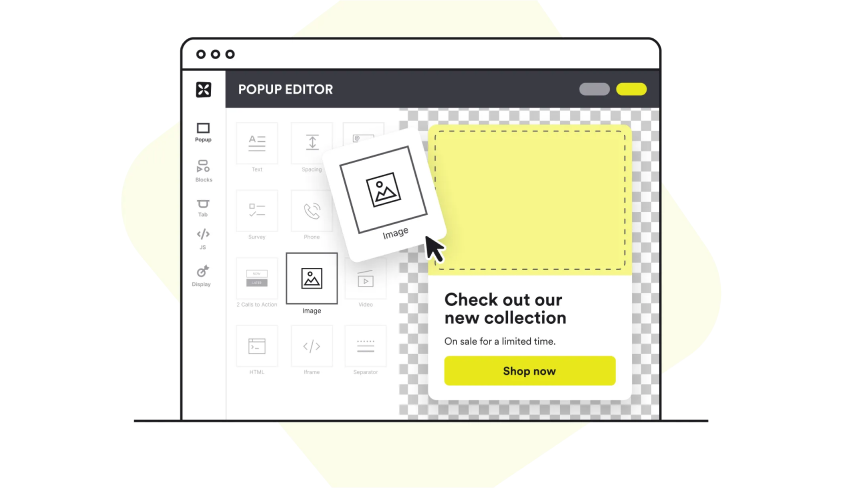
What I like most is how advanced the targeting gets. It goes beyond basic exit intent. I can use UTM parameters, cart value conditions, and browsing behavior to show the right offer at the right time. The real-time product recommendations are another highlight. They let me re-engage shoppers based on what they’ve already looked at, which has helped increase order value without needing a separate recommendation tool.
Pros:
- Clean, intuitive interface that non-technical marketers can navigate quickly
- In-depth analytics covering campaign reach, engagement, and conversion at every stage
- 100+ native integrations with ecommerce and marketing tools
- Sticky bars for non-intrusive campaigns that stay visible as visitors scroll
Cons:
- Some templates are basic and lack the visual polish to stop a scrolling visitor
- Display conditions offer less granular control than tools like Sleeknote or Picreel
User Rating: 4.5/5 (G2)
How Wisepops Compares to ConvertFlow: ConvertFlow is a generalist tool that works across industries. Wisepops is built for one context: e-commerce. That focus shows in features like cart-value triggers, SMS capture, spin-to-win popups, and product recommendation integrations that ConvertFlow simply doesn’t have. If you run an online store and your primary goals are reducing cart abandonment and growing your subscriber list, Wisepops solves those problems more directly than ConvertFlow can.
Price: Starts at $124/month (billed annually)
9. ClickFunnels – Best for Sales-Driven Landing Pages
I feel ClickFunnels is more like a complete sales system than just a popup tool. When I want to build full funnels, from landing pages and order forms to upsells and follow-up emails, I can manage everything in one place.
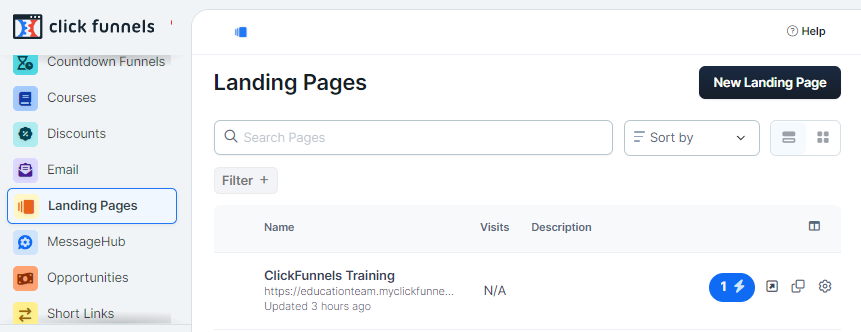
The drag-and-drop editor makes it easy to customize pages, and the built-in A/B testing helps me figure out which versions actually convert better without relying on another tool.
What I find most valuable is how it connects lead capture to the entire journey that follows. I’m not just collecting emails. I’m automatically putting those leads into a sequence that moves them closer to becoming customers.
As someone who doesn’t want to deal with too many integrations, having everything under one platform makes things much simpler and easier to manage.
Pros:
- Pre-built, conversion-tested templates to launch campaigns quickly
- Mobile-optimized pages that adjust automatically across devices
- Native integrations with email platforms, CRMs, and payment processors
- Clickable image popups to expand product detail without leaving the page
Cons:
- The editor and live pages can load slowly, which hurts conversion rates and ad quality scores
- Some page elements and popup behaviors break after publishing, requiring manual fixes
User Rating: 4.6/5 (G2)
How ClickFunnels Compares to ConvertFlow: ConvertFlow is focused on on-site engagement and lead capture within your existing site structure. ClickFunnels replaces that structure with a dedicated funnel environment that includes its own pages, checkout flows, and email automation. The trade-off is complexity and cost. If you need a full sales funnel from traffic to transaction, ClickFunnels does more. If you just need smarter popups and forms on your existing site, ClickFunnels is more than you need.
Price: Starts at $81/month (billed annually)
10. BDOW (Formerly Sumo) – Best for Building an Email List
I’ve used BDOW, which was previously known as Sumo, mainly when my focus was on growing an email list. It’s built specifically for that purpose, and I found it does the job in a clean, straightforward way. It’s also a good fit when I’m working with a limited budget or managing early-stage projects.
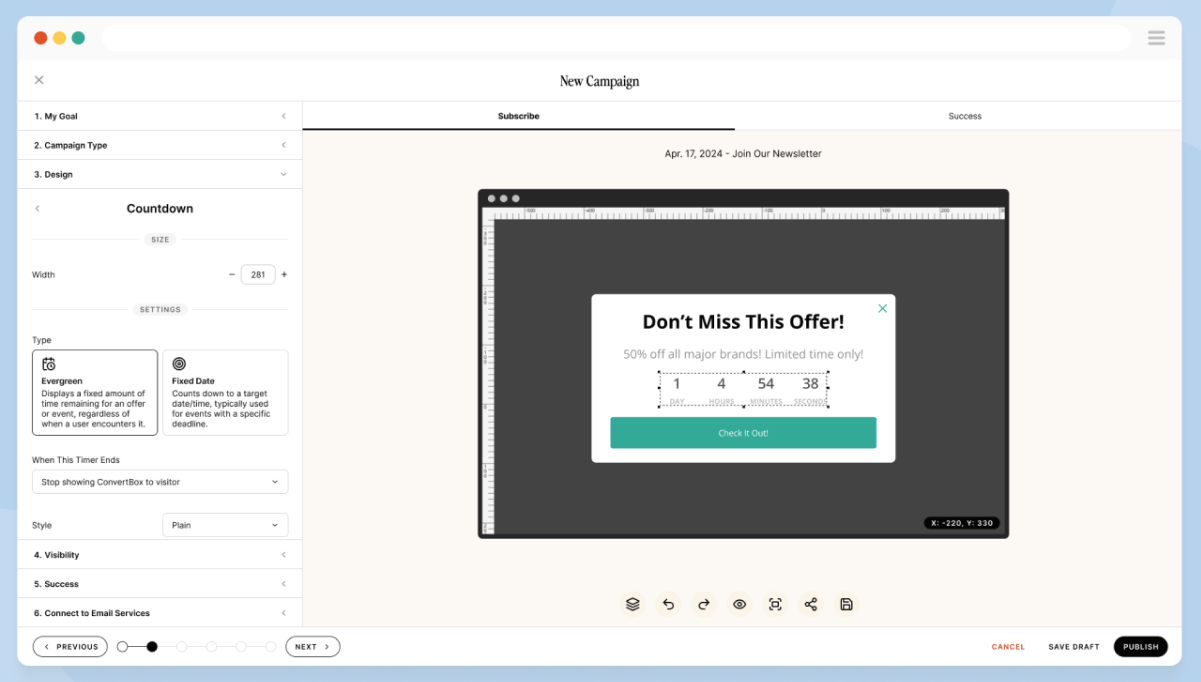
The popup and form designs feel simple and blend well with most websites, so I didn’t have to worry about them looking out of place. I can set up custom display rules based on things like page views, scroll depth, or exit intent, which gives me enough control without making things complicated.
The built-in A/B testing is helpful too, since I can quickly see which forms perform better without using another tool. What I appreciate most is how simple the dashboard is. I can manage multiple sites without constantly switching contexts, which saves time and keeps things easy to handle.
Pros:
- Native email integrations to send new subscribers directly into your nurture sequences
- A/B testing to find your highest-converting form design quickly
- Cart abandonment popups triggered by specific cart value conditions
- Intuitive editor that non-technical marketers can use without help
Cons:
- Core features like email automation depend on third-party integrations, which create failure points outside your control
- Analytics are surface-level and lack the depth needed for serious campaign optimization
User Rating: 4.0/5 (G2)
How BDOW Compares to ConvertFlow: ConvertFlow is a broader platform that covers campaign logic, personalization, and funnel steps. BDOW is narrower by design: it does email list building well and keeps everything else simple. If ConvertFlow feels like too much and you just need a reliable, affordable tool to grow your subscriber list from existing traffic, BDOW delivers that without the overhead. The limitation is that you will outgrow it quickly if your goals expand beyond list building.
Price: Starts at $12/month (billed annually)
Which ConvertFlow Alternative Is Right for You: My Top 3 Picks
There are ten solid tools on this list, but I know most people want a cleaner answer than “it depends.” Here are the three I’d put my money on for the majority of use cases, and the specific reason each one earns its spot.
1. Picreel
Picreel is my number 1 recommendation. The free plan is real, the setup is fast, and the exit-intent and behavioral targeting work well enough to produce measurable results before you’ve spent a dollar. It handles multi-site campaigns, connects natively to the major CRMs and email platforms, and gives you the analytics to optimize over time.
2. OptinMonster
If your primary goal is building a high-quality email list and you want more sophisticated targeting than most tools offer, OptinMonster earns its place. The TruLead verification means your list stays clean from day one, and the onsite retargeting lets you serve different campaigns to new versus returning visitors without duplicating your work.
3. Wisepops
Wisepops solves problems that ConvertFlow was never specifically designed to handle. Cart-value triggers, SMS capture, spin-to-win campaigns, and product recommendation integrations are all built in. The focus is narrow, but that focus is exactly why it converts better for e-commerce than a generalist tool.
How I Chose These ConvertFlow Alternatives
Not every tool that shows up in a Google search for “ConvertFlow alternatives” belongs on a serious list. Here is the criteria I applied before including any tool:
- Ease of Setup: I tested how long it took to go from account creation to a live campaign. Tools that required more than 30 minutes for a basic popup without technical help were penalized. Time to first campaign matters for real marketing teams.
- Targeting and Trigger Options: A popup tool without behavioral targeting is just a banner ad. Every tool on this list had to support at a minimum exit intent, scroll-based triggers, and URL-level targeting. Tools with deeper options, including UTM targeting, device targeting, and CRM-based personalization, ranked higher.
- Site Speed Impact: I checked the load-time impact for each tool using real page-speed data. Any tool that consistently degraded Core Web Vitals scores was removed from consideration, regardless of its other features.
- CRM and Email Integrations: A strong popup tool should fit naturally into your broader marketing automation tools stack. I prioritized tools with native integrations to Klaviyo, HubSpot, Mailchimp, and Salesforce, not just Zapier-dependent connections.
- Multi-Site and Multi-Domain Support: This was a recurring pain point in the community research. Many teams run more than one website, and tools that restrict domain usage at entry-level pricing create unnecessary overhead. I flagged this clearly in the comparison table.
- A/B Testing and Analytics: Gut feel is not a conversion strategy. Every tool on this list needed to support at least basic A/B testing and provide campaign-level analytics. Tools with only vanity metrics, including impressions without conversion tracking, were excluded.
- Pricing Transparency: I only included tools with publicly listed pricing. Hidden pricing structures that require a sales call to access are a red flag for teams that need to make fast decisions and justify spend to stakeholders.
- Customer Reviews and Feedback: I analyzed user reviews on G2 to identify consistent strengths and limitations. Repeated feedback across multiple users carried more weight than isolated opinions, helping validate real-world performance.
FREE. All Features. FOREVER!
Try our Forever FREE account with all premium features!
Turn More Visitors Into Leads With the Right ConvertFlow Alternative
At the end of the day, choosing the right ConvertFlow alternative comes down to one thing, turning your existing traffic into real results. Most tools promise advanced features, but what actually matters is ease of use, smart targeting, and how quickly you can launch and optimize campaigns.
From my experience testing these tools, Picreel stands out because it gets that balance right. You get powerful behavioral targeting, fast setup, and clean integrations without the usual complexity or pricing headaches.
If you’re serious about capturing more leads, reducing drop-offs, and improving conversions without slowing down your site, it’s worth trying a tool that actually delivers on those basics.
Create your first exit-intent popup using Picreel, connect it to your email tool, and launch it on your highest-traffic page today.
Frequently Asked Questions

Which ConvertFlow alternative works best for Shopify stores?
For Shopify, you want something that works smoothly with your store and supports cart-based triggers or exit intent. The key is choosing a tool that helps you recover abandoned visitors and capture leads without adding friction or requiring complex setup.
Can I use popup tools on multiple websites without paying extra?
It depends on the tool and plan. Some allow multi-site usage even on lower tiers, while others restrict domains unless you upgrade. If you manage multiple websites, always check domain limits carefully to avoid unexpected costs later.
Do popup tools slow down my website?
They can, especially if they rely on heavy scripts. This can impact page speed and user experience. It’s always a good idea to test performance using tools like PageSpeed Insights before rolling out any popup solution across your entire site.
What is the difference between exit intent popups and regular popups?
Regular popups trigger based on time or scroll behavior, while exit intent popups appear when a visitor is about to leave. Exit intent tends to perform better because it targets users at the exact moment they’re deciding to leave, making it less disruptive and more effective.
How do I integrate a popup tool with Klaviyo or HubSpot?
Most tools offer direct integrations where you connect your account and map form fields. Once set up, leads automatically sync with your email or CRM platform. This removes manual work and ensures every captured lead flows into your marketing or sales process.
Are popup tools blocked by ad blockers, and what is the workaround?
Yes, some popup tools can be blocked by ad blockers, which means a portion of your audience may never see them. To avoid this, test your campaigns with common ad blockers enabled and choose tools that use lightweight or less intrusive scripts.
How do I A/B test popups to improve conversion rates?
Start by testing one element at a time, like the headline, design, or timing. Run both versions simultaneously and compare conversion rates. Focus on data, not impressions, and keep iterating. Small improvements across multiple tests usually lead to stronger overall performance.
FREE. All Features. FOREVER!
Try our Forever FREE account with all premium features!

 We'd love your feedback!
What did you like & how can we make it even better?
 Thanks for your feedback!
 Ask Your Question
Have a question? Get expert help to make your decision easier.