
Valentine’s Day may look like a short, seasonal event on the calendar, but from a business standpoint, it’s one of the most concentrated buying moments of the year. U.S. spending has climbed to record levels, with shoppers now spending close to $200 on average. That tells me this isn’t casual gifting. It’s high-intent commerce.
A Valentine’s Day popup becomes especially relevant in this context. What I’ve noticed over the years is that brands don’t lose Valentine’s Day revenue because demand is low. They lose it because motivated visitors leave without converting. In a window this tight, even small friction points like hesitation at checkout, unclear offers, or missed follow-ups can quietly add up.
That’s where on-site tools like Valentine’s Day popups come in. When used thoughtfully, they help capture existing intent instead of chasing new traffic. This guide breaks down how to use popups in a way that feels purposeful, customer-first, and commercially effective.
Valentine’s Day Popup Templates to Attract Your Customers
Not all Valentine’s Day popups serve the same purpose. Some are designed to drive immediate sales, others to recover abandoned carts, and some to capture leads before demand peaks.
To make this easier, the popup templates for Valentine’s Day below are grouped by business goal, not by design style. This allows you to quickly identify the popup formats that align with where your customers are in their buying journey and apply them with confidence. Here are the categories I have added:
- Boost Valentine’s Sales With Timely Popups
- Recover Abandoned Carts This Valentine’s Day
- Capture High-Intent Leads Before Valentine’s Day
- Run Subtle, Non-Intrusive Valentine’s Promotions
Boost Valentine’s Sales With Timely Popups
1. Countdown Timer Valentine’s Deal Popup
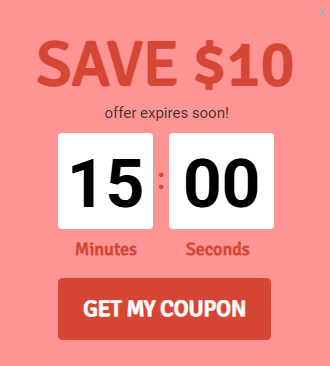
A countdown timer popup works best when shoppers are already close to making a decision. As Valentine’s Day approaches, time pressure is real, and a visible deadline helps turn hesitation into action by reinforcing that the opportunity will not last.
Quick Setup Box
- Best Pages: Product pages, cart page
- Recommended Trigger: Time-on-page or cart inactivity
- Ideal Timing Window: February 12–14
- Mobile-Friendly: Use a sticky bar alternative on mobile
- Primary Goal: Immediate purchase
Actionable Micro-Steps
- Show the popup only after visitors have spent time browsing or paused during checkout.
- Highlight a clear deadline and a single incentive, such as a limited-time discount or free shipping.
- Use CTA clicks and completed purchases during the countdown window to evaluate whether the popup is driving timely conversions.
2. Valentine’s Day Special Flash Sales Bar
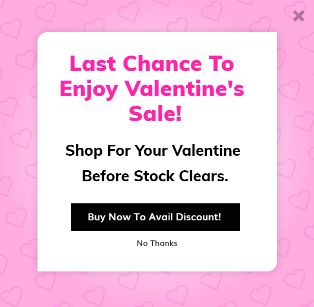
A flash sales bar is ideal when the goal is visibility and speed. Valentine’s Day creates a natural urgency, and a site-wide or category-level flash sale helps move inventory quickly while keeping the shopping experience uninterrupted.
Quick Setup Box
- Best Pages: Site-wide or category pages
- Recommended Trigger: Immediate on page load
- Ideal Timing Window: February 10–14
- Mobile-Friendly: Yes
- Primary Goal: Sales acceleration
Actionable Micro-Steps
- Decide whether the sale applies across the entire site or only to specific product categories.
- Clearly communicate the scope of the offer and the limited timeframe to create urgency.
- Track performance through click-through rates on the bar and increased visits to cart or product pages.
3. Free Shipping Incentive Nano-bar
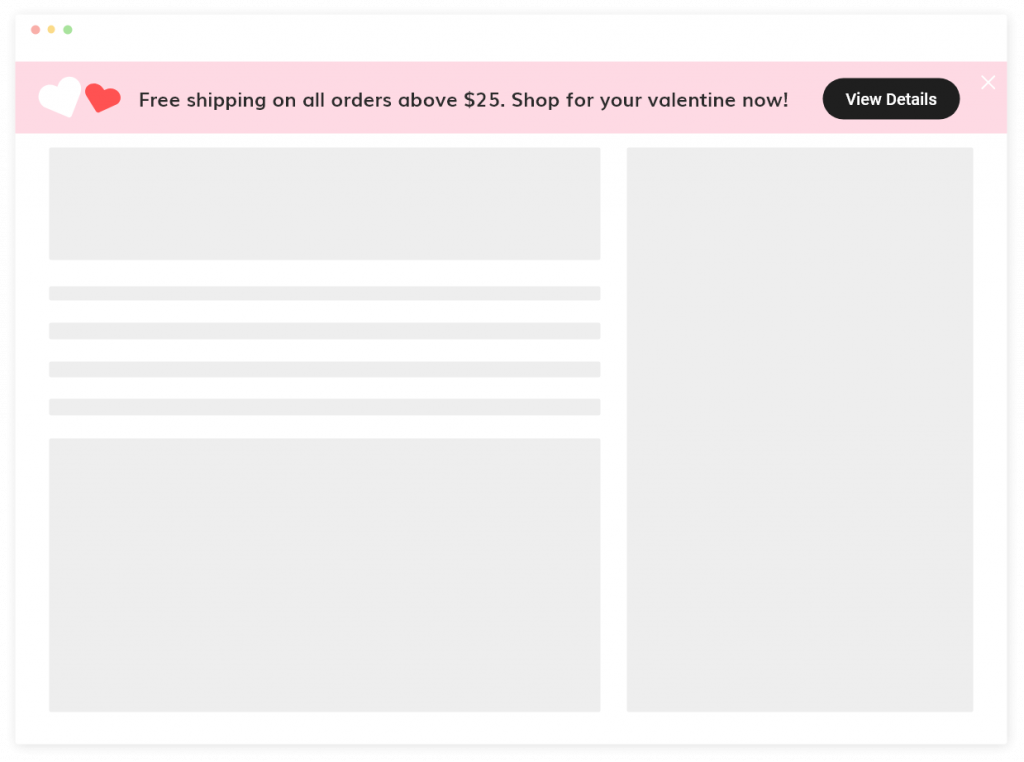
Shipping costs are one of the most common reasons shoppers abandon their carts, especially during time-sensitive occasions like Valentine’s Day. A free shipping popup template for Valentine’s Day helps remove this friction at the exact moment customers are deciding whether to complete their purchase.
Quick Setup Box
- Best Pages: Cart, checkout, product pages
- Recommended Trigger: Immediate or scroll-based
- Ideal Timing Window: February 8–14
- Mobile-Friendly: Yes
- Primary Goal: Checkout completion
Actionable Micro-Steps
- Announce the free shipping offer before shoppers reach the final checkout step to reduce drop-offs.
- Clearly state any conditions, such as minimum order value or offer duration, to avoid confusion.
- Measure success by tracking improvements in checkout completion rate and average order value.
4. Valentine’s Discount Slide-in Popup
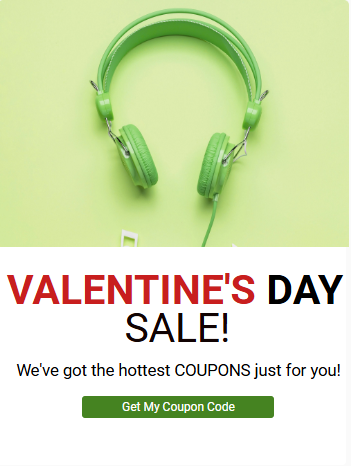
A slide-in popup works well when you want to nudge shoppers without interrupting their browsing experience. Because it appears from the side and doesn’t take over the screen, it keeps attention on the content while still promoting a Valentine’s offer.
Quick Setup Box
- Best Pages: Product pages, blog posts
- Recommended Trigger: Scroll depth
- Ideal Timing Window: February 5–14
- Mobile-Friendly: Use a smaller slide-in on mobile
- Primary Goal: Product clicks
Actionable Micro-Steps
- Trigger the slide-in after visitors have scrolled partway through the page, indicating active interest.
- Personalize the popup using the product image or category the shopper is viewing, paired with a clear discount or incentive.
- Review clicks to product pages and on-popup interactions to understand whether the offer is driving meaningful engagement.
Recover Abandoned Carts This Valentine’s Day
5. Exit-Intent Valentine’s Discount Popup
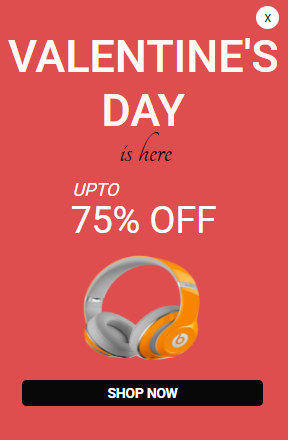
An exit-intent popup is designed to recover sales at the exact moment shoppers are about to leave without completing their purchase.
During Valentine’s Day, hesitation often comes from price comparison or last-minute uncertainty, and a timely incentive can bring undecided buyers back into the checkout flow.
Quick Setup Box
- Best Pages: Cart, checkout
- Recommended Trigger: Exit intent
- Ideal Timing Window: February 10–14
- Mobile-Friendly: Use inactivity trigger instead
- Primary Goal: Cart recovery
Actionable Micro-Steps
- Trigger the popup only when exit intent is detected to avoid disrupting active shoppers.
- Present a single, clear incentive such as a limited-time discount or free shipping to reduce decision friction.
- Look for increases in recovered carts and completed purchases after the popup appears.
6. Valentine’s Personalized Recommendation Popup
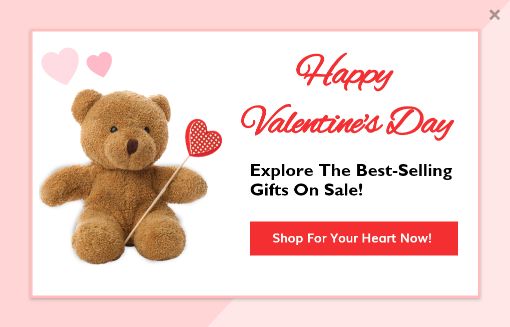
When shoppers browse multiple products, too many choices can slow down decision-making. A personalized recommendation popup helps simplify this by highlighting a small set of relevant products based on what the visitor is already viewing.
Quick Setup Box
- Best Pages: Product listing pages
- Recommended Trigger: Time-on-page
- Ideal Timing Window: February 7–14
- Mobile-Friendly: Yes, limit the number of products shown
- Primary Goal: Product discovery
Actionable Micro-Steps
- Show the popup only after shoppers have spent time browsing a category or product list.
- Recommend best-selling or new-arrival items that align with the visitor’s browsing behavior.
- Check out the success reflected in add-to-cart clicks and overall engagement with the recommended products.
7. Valentine’s Day Mystery Offer Popup
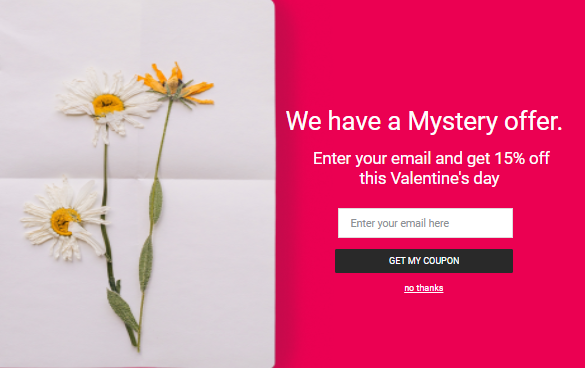
A mystery offer popup uses curiosity and surprise to re-engage shoppers who are undecided. By revealing the reward only after interaction, it turns hesitation into participation and makes the offer feel earned rather than pushed.
Quick Setup Box
- Best Pages: Product pages, exit intent
- Recommended Trigger: Exit intent or scroll
- Ideal Timing Window: February 5–12
- Mobile-Friendly: Yes, keep steps simple
- Primary Goal: Email capture + conversion
Actionable Micro-Steps
- Ask visitors to interact first by selecting a hidden offer or option before revealing the reward.
- Gate the coupon or deal behind a single email field, keeping the exchange clear and minimal.
- Evaluate success by the number of email signups generated and how frequently the revealed offers are redeemed.
Capture High-Intent Leads Before Valentine’s Day
8. Email Capture Valentine’s Coupon Popup
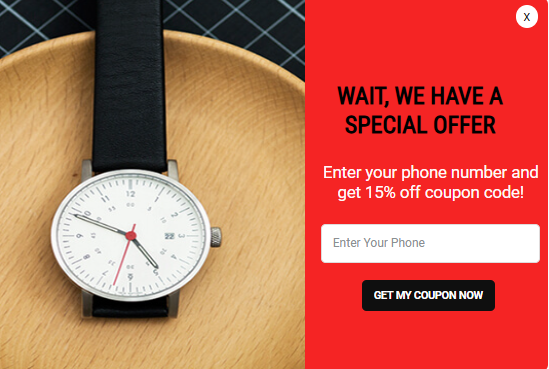
This one works best early in the Valentine’s season, when shoppers are still researching gift ideas. It allows you to turn high-intent content readers into subscribers you can re-engage as purchase urgency builds.
Quick Setup Box
- Best Pages: Blog posts, landing pages
- Recommended Trigger: Time-on-page
- Ideal Timing Window: February 1–10
- Mobile-Friendly: Yes
- Primary Goal: Email signups
Actionable Micro-Steps
- Show the popup only after readers have spent time engaging with the content, not immediately on page load.
- Offer a clear incentive such as an exclusive Valentine’s discount or early access to upcoming deals.
- Check how many visitors engage with the game and how many of those interactions result in email signups.
9. Spin-to-Win Valentine’s Day Discount Popup
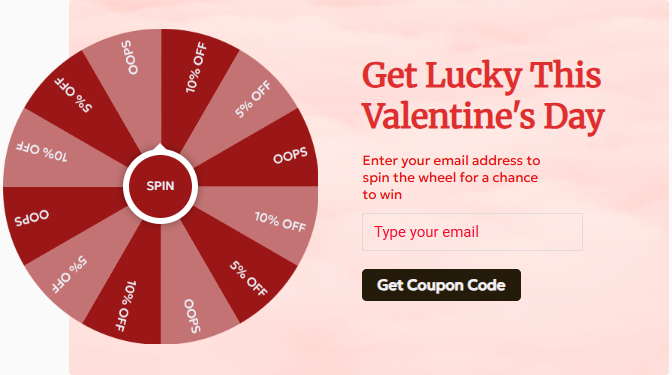
A spin-to-win popup adds an element of play to the browsing experience, which can increase engagement during the early Valentine’s planning phase. By turning discounts into a game, you encourage interaction while capturing leads in a low-pressure way.
Quick Setup Box
- Best Pages: Homepage, blog
- Recommended Trigger: Scroll or entry
- Ideal Timing Window: February 1–8
- Mobile-Friendly: Yes
- Primary Goal: Lead generation
Actionable Micro-Steps
- Introduce the game early in the session, when visitors are still exploring rather than ready to purchase.
- Offer a mix of rewards such as discounts, gift cards, or exclusive Valentine’s deals to keep participation high.
- Measure success by tracking participation rate and the number of leads generated through the game.
10. Valentine’s Day Video Popup
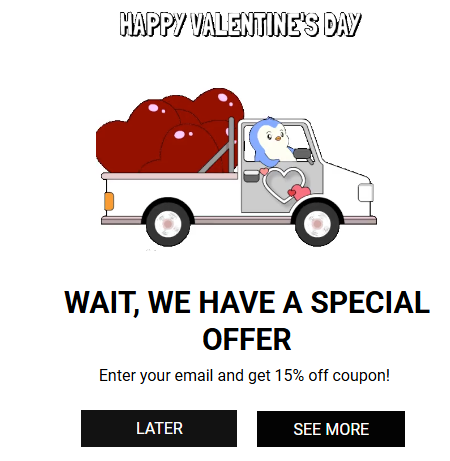
A video popup helps shoppers emotionally connect with a product before they are ready to buy. During Valentine’s Day, seeing how a gift is experienced or received can be more persuasive than reading product details alone.
Quick Setup Box
- Best Pages: Product pages
- Recommended Trigger: Time-on-page
- Ideal Timing Window: February 5–14
- Mobile-Friendly: Yes, keep videos short
- Primary Goal: Engagement + sales
Actionable Micro-Steps
- Play the video only after shoppers have spent time viewing the product, indicating interest.
- Highlight a simple story around gifting, use cases, or emotional impact rather than detailed specs.
- Notice the video watch rate and clicks to product or cart pages.
Run Subtle, Non-Intrusive Valentine’s Promotions
11. Floating Valentine’s Special Bar

A floating bar is ideal when you want your Valentine’s offer to stay visible without disrupting the shopping experience. Because it moves with the page as visitors scroll, it acts as a constant reminder rather than an interruption.
Quick Setup Box
- Best Pages: Site-wide
- Recommended Trigger: Immediate
- Ideal Timing Window: February 7–14
- Mobile-Friendly: Yes
- Primary Goal: Offer awareness
Actionable Micro-Steps
- Place the bar at the top or bottom of the screen where it remains visible but doesn’t block content.
- Keep the message short and focused on one clear benefit, paired with a single contrasting CTA.
- Track click-through rate and engagement with the linked offer.
12. Site-Wide Valentine’s Promotion Bar
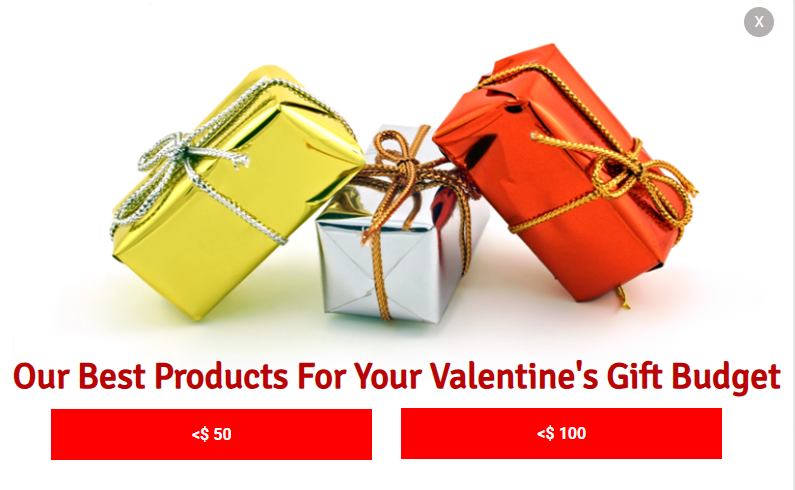
A site-wide bar works as a constant reminder for shoppers who tend to dismiss popups quickly. Because it stays visible without interrupting browsing, it helps communicate Valentine’s offers clearly across every page.
Quick Setup Box
- Best Pages: Entire site
- Recommended Trigger: Page load
- Ideal Timing Window: February 8–14
- Mobile-Friendly: Yes
- Primary Goal: Traffic to sales pages
Actionable Micro-Steps
- Display the nano-bar persistently throughout the Valentine’s window to keep the offer top of mind.
- Communicate urgency with a short message that highlights either a deadline or a limited-time incentive.
- Review click-throughs from the bar to the sale or cart pages to assess whether the message is prompting shoppers to take action.
How to Create a High-Converting Valentine’s Day Popup (Step-by-Step)
From my experience, the real challenge with Valentine’s Day popups isn’t deciding to use them—it’s executing them in a way that feels intentional rather than rushed.
I’ve seen popups drive strong results when they’re built around clear goals, thoughtful timing, and a customer-first experience.
They also fail when they’re launched without a plan.
The steps below break down how to approach Valentine’s Day popups with confidence, helping teams move from ideas to execution while protecting both brand trust and conversion performance.
Step 1: Choose How You Want to Create Your Valentine’s Day Popup (AI vs Templates)
Once you’re clear on what your Valentine’s Day popup needs to achieve, the next decision is how you want to create it. This isn’t about picking a tool yet, but choosing the right creation approach for a short, high-pressure campaign window.
At a high level, there are two reliable ways to build Valentine’s Day popups: using AI for speed and iteration, or using ready-made templates for control and consistency. Both can work well, depending on how quickly you need to launch and how defined your offer already is.
Option A: Create a Valentine’s Day Popup With AI
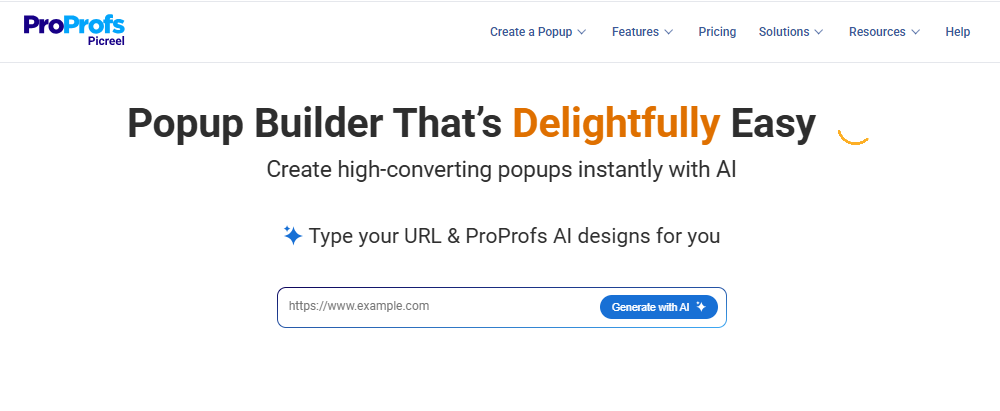
AI works best when time is limited or when you’re still testing what messaging will resonate during the Valentine’s rush.
With tools like Picreel AI, the process is simple. You enter your website URL, choose a goal such as sales, email capture, announcement, or engagement, and answer a few short prompts. The AI then generates a Valentine’s appropriate popup layout, copy, and CTA aligned with that goal.
This approach is especially useful for:
- Launching campaigns quickly as Valentine’s demand ramps up
- Testing different offers or messages without starting from scratch
- Refining copy and layout based on early performance
The real advantage of AI here isn’t visual design. It’s speed and clarity. AI helps you get to a clear, goal-focused message fast, which is critical when every day counts.
Option B: Use Ready-Made Valentine’s Day Popup Card Templates
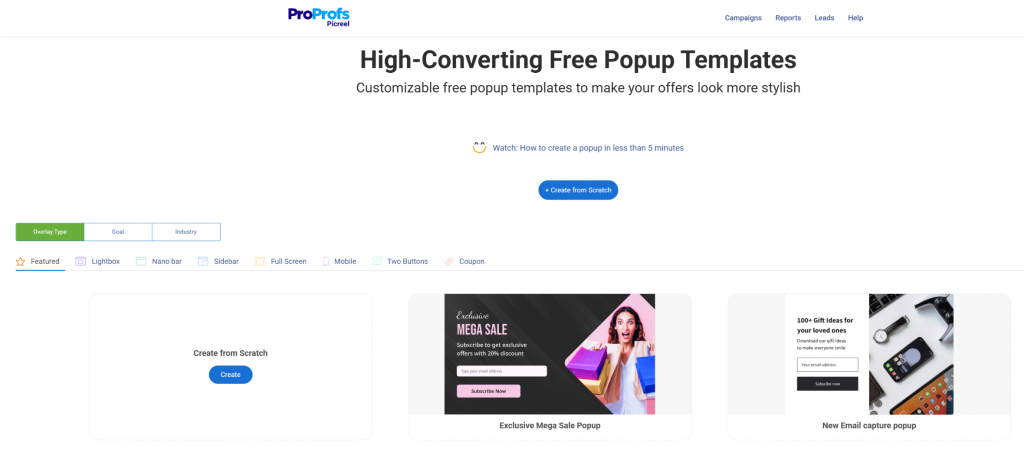
Templates are a better choice when you already know the offer and want consistency across pages.
Picreel’s ready-made popup templates are built for conversion-focused use cases and adapt well to Valentine’s campaigns. You can choose from lightboxes, slide-ins, nano-bars, floating bars, full-screen overlays, mobile popups, and two-button layouts, depending on how visible or subtle you want the promotion to be.
Popup heart Valentine’s day card templates are especially useful when you want a polished Valentine’s Day popup for product pages, or checkout flows without investing time in custom design. The structure is already optimized, allowing teams to focus on messaging, targeting, and timing rather than layout decisions.
Step 2: Design With Valentine’s Intent (Desktop + Mobile)
Once the goal is clear, design determines whether shoppers engage or ignore the popup.
Focus on designs that feel seasonal without becoming intrusive:
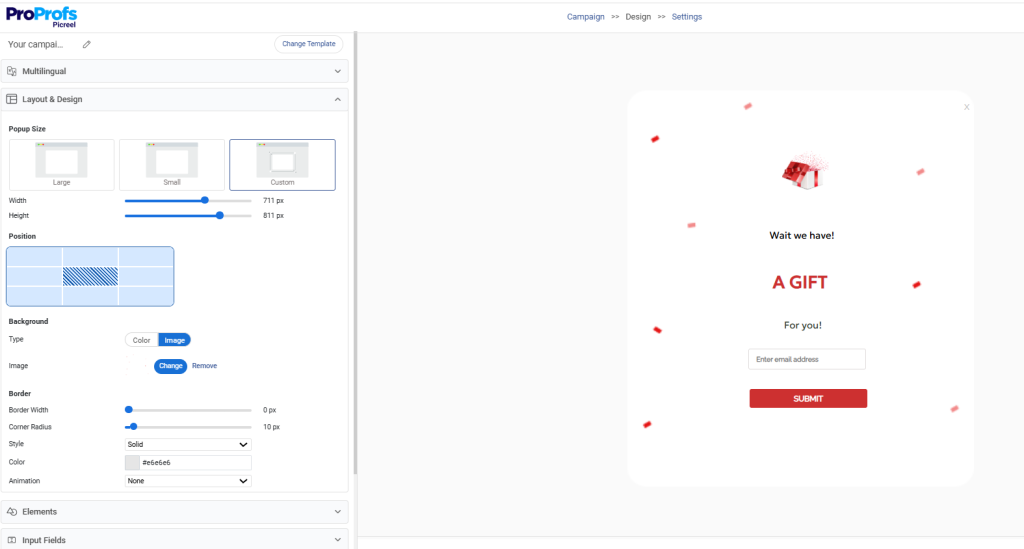
- Use fullscreen popups only for high-urgency offers; prefer bars or slide-ins for lighter nudges
- Keep copy short on mobile, like one clear headline and a single supporting line. For example, “Free Valentine’s Shipping Today”.
- Use a single, high-contrast button placed below the message, with enough spacing so it’s easy to tap on small screens without accidental clicks.
- Consider a simple product image or subtle Valentine accent over large graphics or animations to avoid delays in loading.
- Make every popup easy to dismiss to maintain trust
The goal is to avoid mobile friction and ensure the popup feels helpful, not disruptive.
Step 3: Set Smart Triggers (Timing Is Everything)
Timing has a bigger impact on conversions than design.
Choose popup triggers that match shopper intent:
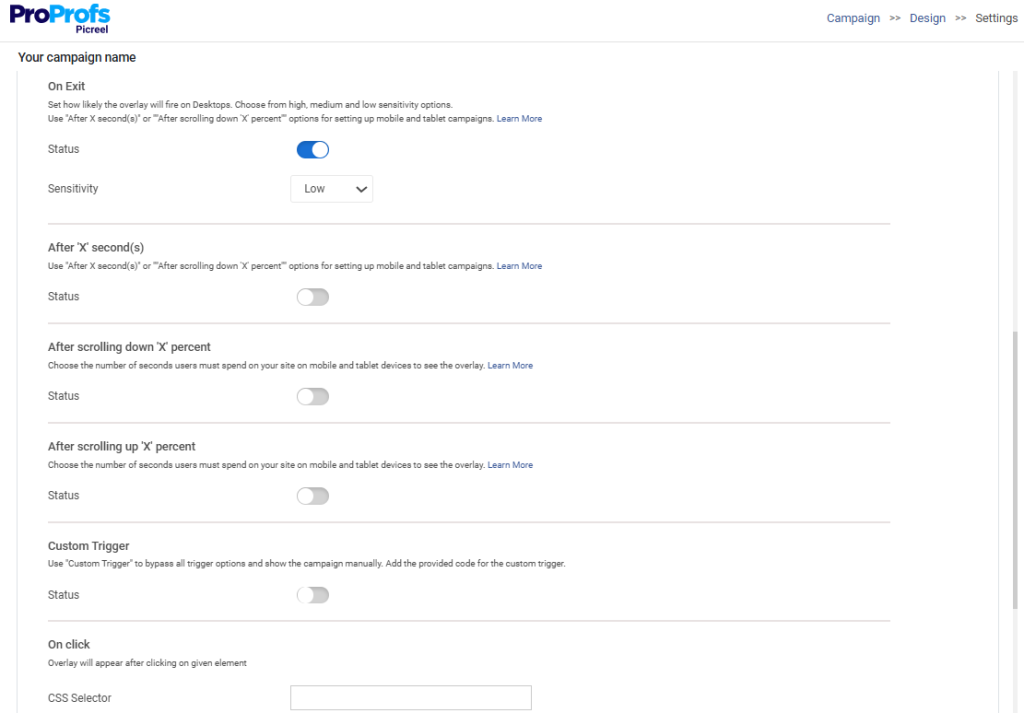
- Exit intent for cart and checkout hesitation: Use medium-to-high sensitivity so the popup appears only when shoppers clearly move to leave.
- Time-on-page for product evaluation: Trigger after 5–10 seconds, once visitors have reviewed key details and pricing.
- Scroll depth for content-driven discovery: Show the popup at 40–60% scroll to catch genuinely engaged readers.
- Inactivity triggers for paused checkouts: Activate after 10–20 seconds of inactivity when purchase hesitation sets in.
Avoid showing popups instantly on page load. Valentine’s shoppers respond better when nudges appear after engagement begins.
Step 4: Target the Right Visitors
Popup targeting keeps popups relevant instead of repetitive.
Use targeting rules to align the message with the intent:
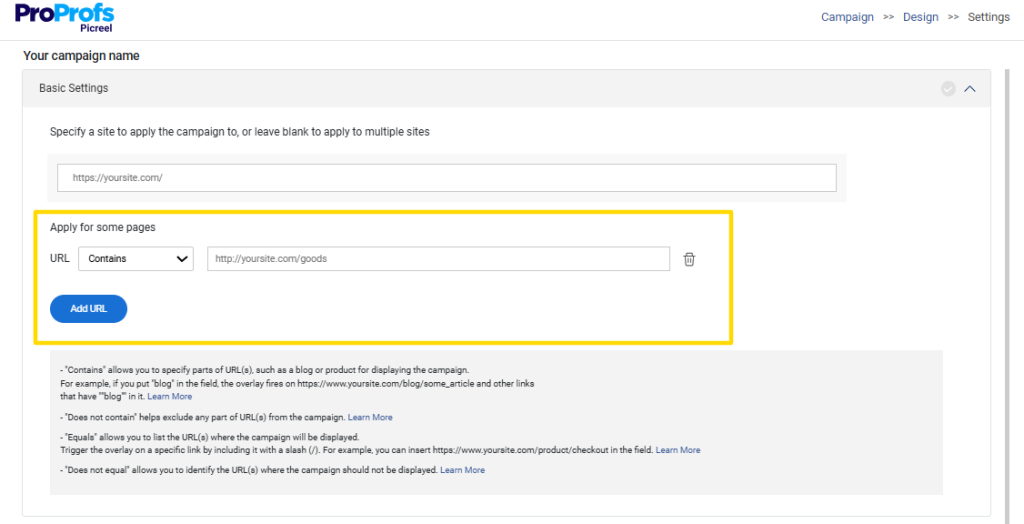
- Match offers to context by showing discounts only on relevant pages, like product or cart pages, not across the entire site.
- Use simpler layouts and shorter copy on mobile, while allowing more detailed messaging on desktop.
- Show discovery-focused offers to new visitors and urgency-driven reminders to returning shoppers.
- Tailor messaging based on location, campaign, or traffic source when it helps improve relevance.
Just as important, avoid over-targeting the same user. Respecting visitor intent and consent builds trust faster than aggressive exposure.
Step 5: Control Frequency to Avoid Fatigue
Even strong Valentine’s offers lose impact if shown too often.
Reduce fatigue by:
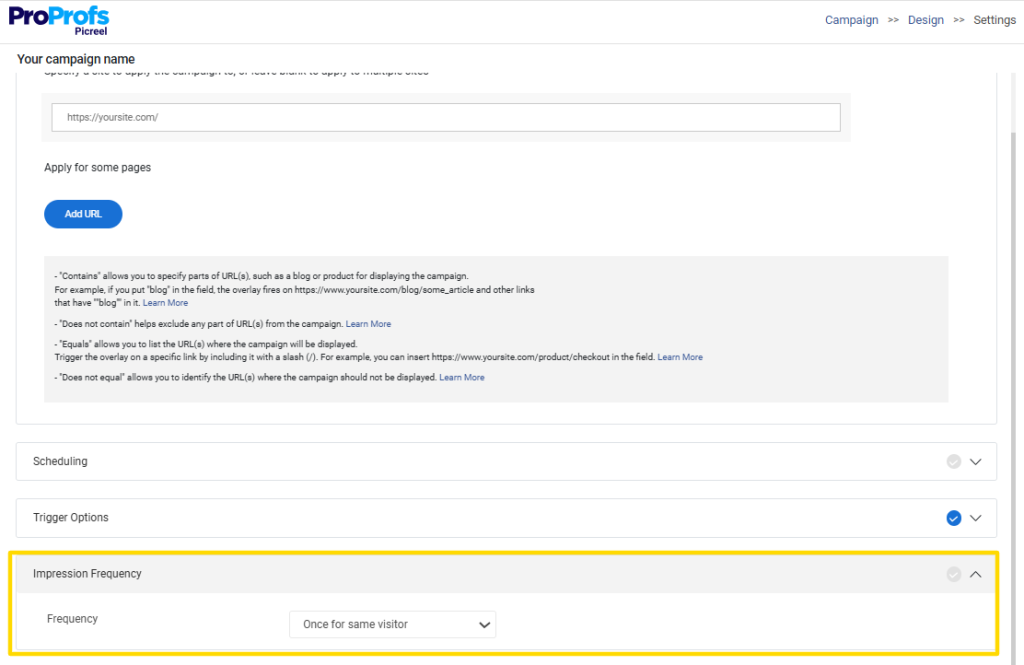
- Limiting popups to once per session
- Using cool-down windows between views
- Switching to nano-bars or floating bars for reminders instead of overlays
Controlled exposure improves experience and aligns with modern privacy and UX expectations.
Step 6: Craft CTAs That Convert on Valentine’s Day
Valentine’s popups work best when they ask for one clear action.
Keep CTAs focused and transparent:
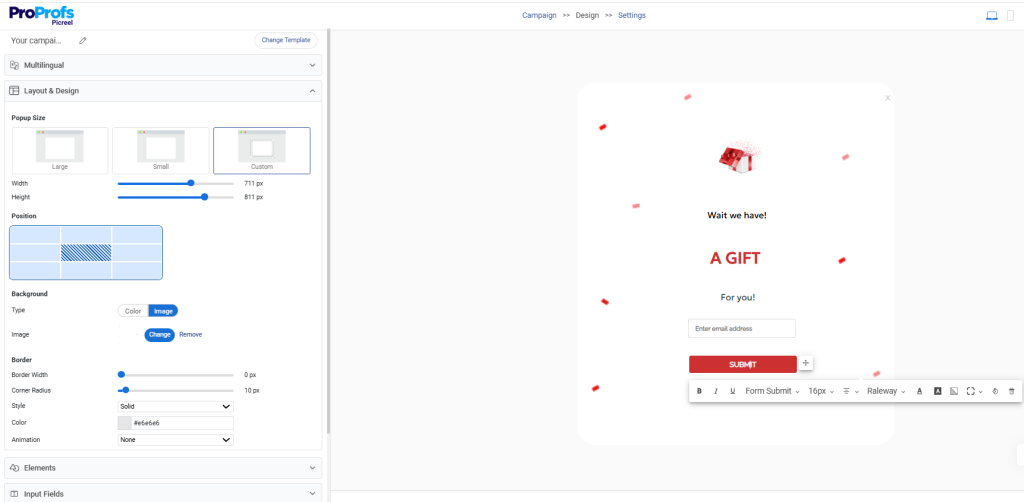
- Use action-oriented language tied to the outcome
- Balance emotional appeal with urgency, depending on timing
- Choose CTAs intentionally, such as “Shop Now” for urgency or “Reveal My Offer” for curiosity
- Stick to one primary action per popup
Clear, non-misleading CTAs reduce hesitation and improve follow-through.
Step 7: Measure What Matters (Benchmarks & Proof)
Once live, performance should guide decisions, not assumptions.
Pay attention to signals that reflect real impact:
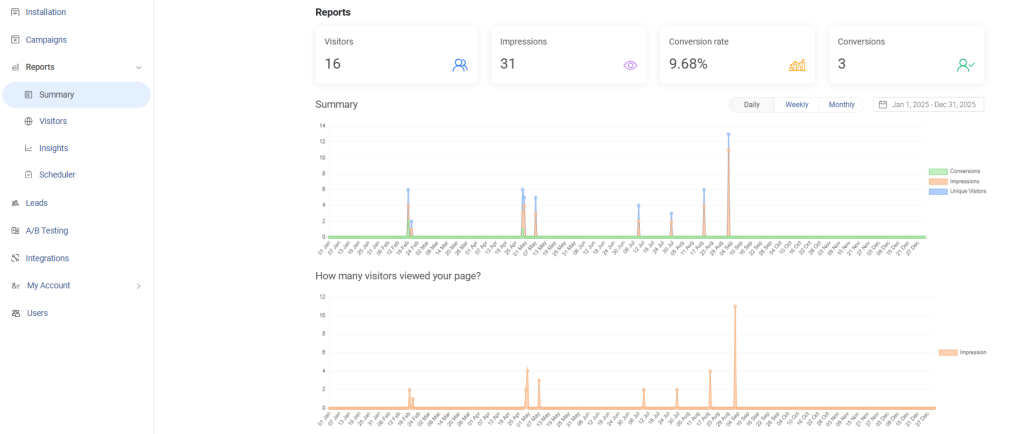
- CTR ranges to understand engagement strength
- Email capture quality, not just volume
- Drop-offs that may indicate fatigue or poor timing
- Simple A/B tests on copy, triggers, or CTAs
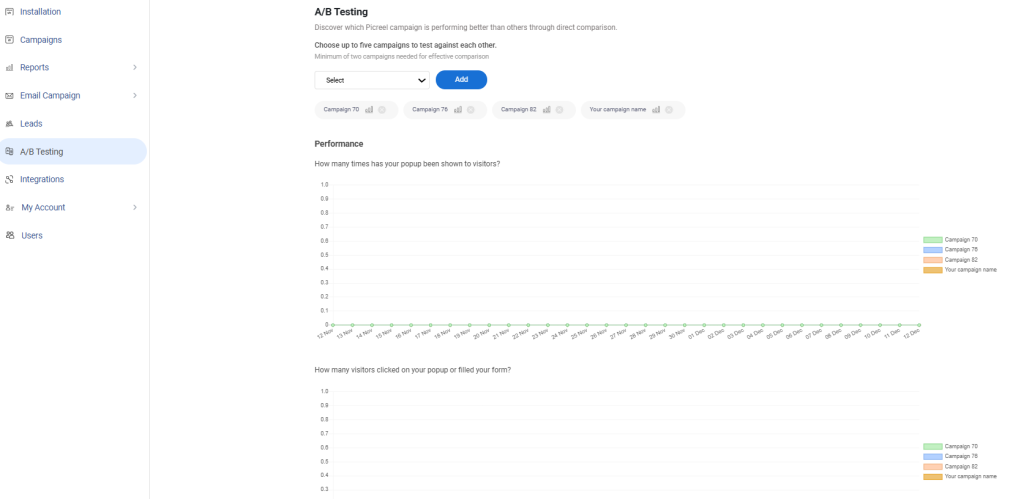
Monitoring these patterns helps identify what to refine, pause, or scale before the Valentine’s window closes.
When Should You Show Valentine’s Day Popups?
One of the biggest mistakes businesses make with Valentine’s Day marketing is treating it like a single-day event. In reality, purchase intent builds in phases, and your popup strategy should follow that same rhythm.
- In early February, shoppers are browsing for ideas. This is the right time to use popups for lead capture and early offers, especially for customers who want to plan ahead or compare options.
- Between February 10 and 13, urgency starts to peak. Buyers are closer to making decisions, which makes this window ideal for limited-time discounts, free shipping offers, and reminders that nudge them toward checkout.
- On Valentine’s Day itself, the audience shifts again. Last-minute buyers are looking for speed and reassurance. Clear, prominent popups that highlight instant value can help convert these high-intent visitors.
- Finally, don’t ignore the post-Valentine period. Follow-up popups can help clear remaining inventory, re-engage new subscribers, or promote “treat yourself” offers.
The key takeaway for leaders is simple: Valentine’s Day works best as a short campaign journey, not a one-day push.
Avoid These Valentine’s Popup Mistakes
Valentine’s Day popups can be powerful, but only when they respect the customer’s experience. Many campaigns underperform not because popups don’t work, but because they are used without enough restraint or context.
Here are the most common mistakes leaders should watch out for, and how to fix them.
1. Showing Too Many Popups in a Single Visit
This often frustrates shoppers and pushes them away instead of converting them.
Fix: Limit exposure by showing only one primary popup per session and use subtle alternatives like hello bars for reminders.
2. Using Overly Cheesy or Generic Valentine’s Copy
Excessive hearts and clichés can make offers feel forced or inauthentic.
Fix: Anchor the message in a clear benefit first, then add a light Valentine’s touch. For example, lead with “Free next-day delivery on Valentine’s gifts” and support it with a subtle seasonal line like “Just in time for February 14.” This keeps the focus on value while still feeling relevant to the occasion.
3. Forcing Email Capture Too Early in the Journey
Asking for an email before users understand the offer reduces trust and signups.
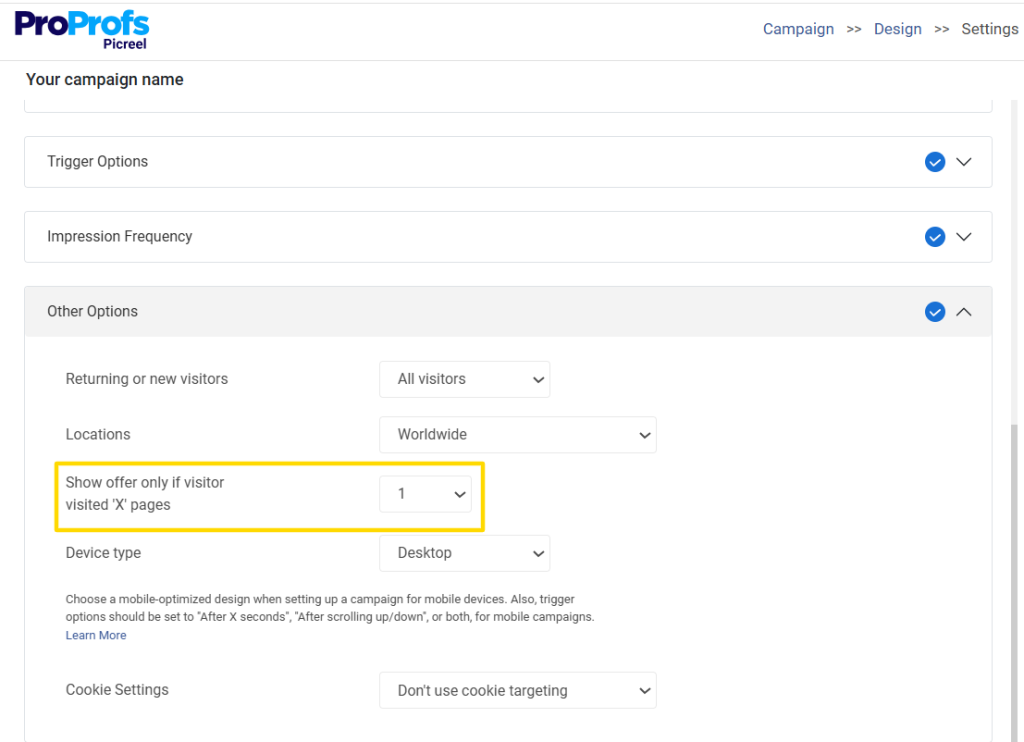
Fix: Allow users to browse at least one product page or view the offer details before introducing email capture. For example, show the signup popup only after a shopper has spent time exploring gifts or added an item to the cart, positioning the email request as a way to unlock a benefit, not as a barrier.
4. Ignoring Consent and Privacy Expectations When Collecting Emails
Shoppers are more cautious about how their data is used, even during promotions.
Fix: Limit data collection to email only, avoid pre-checked boxes, and include a short reassurance such as “We’ll only use your email to send this offer.” Linking to your privacy policy directly from the popup adds another layer of trust without overwhelming users.
5. Showing Email Capture Popups Before Users Understand the Offer
This creates friction and increases bounce rates.
Fix: Clearly communicate the reward first, then ask for the email. For example, display “Get 20% off your Valentine’s order” prominently in the popup and follow it with a secondary line like “Enter your email to receive your code instantly.” This sequence makes the value obvious before any commitment is requested.
Avoiding these mistakes helps Valentine’s Day popups feel thoughtful rather than pushy, which ultimately builds trust and drives better long-term results.
FREE. All Features. FOREVER!
Try our Forever FREE account with all premium features!
How to Use Valentine’s Day Popups on an eCommerce Store
Valentine’s Day popups help businesses engage shoppers at moments when purchase intent is naturally high. When used thoughtfully, they support multiple on-site goals without disrupting the browsing experience or requiring complex setups.
You can use Valentine’s Day popups to:
- Grow your mailing list with email capture popups: Offer exclusive Valentine’s discounts or early-access deals in exchange for email addresses. These email capture popups work well as a value-driven exchange and can be used without collecting any sensitive personal data, making email-only capture both effective and privacy-conscious.
- Increase engagement with video popups: Use short, Valentine-themed videos to tell a story around gifting, emotions, or product use. Video popups are especially effective on product pages where shoppers are evaluating options.
- Boost sales with time-limited discount popups: Highlight limited-time offers such as percentage discounts or free shipping to create urgency. These countdown timer popups help move shoppers from consideration to purchase faster.
- Reduce cart abandonment with exit-intent popups: Give hesitant shoppers a final incentive to complete their purchase as they leave, helping recover otherwise lost revenue.
- Collect valuable feedback with survey popups: Use simple exit surveys to understand why shoppers leave without buying and identify areas for improvement.
Together, these use cases show how popups can support lead generation, engagement, sales, and feedback without being intrusive or data-heavy, setting the stage for more tactical execution in the sections ahead.
Turning Valentine’s Traffic Into Conversions
Valentine’s Day creates a short but powerful window where shopper intent is already high. The brands that win during this period aren’t necessarily the ones with the biggest discounts, but the ones that convert existing traffic more thoughtfully.
As this guide shows, effective popup card Valentine’s Day comes down to clear goals, respectful timing, focused messaging, and controlled exposure across the customer journey. Whether you’re driving last-minute sales, recovering abandoned carts, or capturing leads early in the season, the right popup strategy can make a measurable difference without increasing ad spend.
Tools like Picreel make it easier to put these ideas into action quickly, using flexible templates, smart triggers, and built-in analytics to test and refine campaigns as the season unfolds.
If you’re planning your Valentine’s campaigns now, this is the right time to turn strategy into execution.
FREE. All Features. FOREVER!
Try our Forever FREE account with all premium features!

 We'd love your feedback!
What did you like & how can we make it even better?
 Thanks for your feedback!
 Ask Your Question
Have a question? Get expert help to make your decision easier.