

Most WordPress sites are sitting on untapped email list potential. Visitors land on your site, read your content, and leave, often never to return. A well-timed WordPress subscribe popup changes that equation. It turns that passive visit into an active relationship.
According to the Baymard Institute (2025), the average cart abandonment rate is approximately 70.19%, indicating that most of your visitors leave without taking action. A subscribe popup gives you a second chance to capture that traffic before it’s gone.
I have worked with hundreds of e-commerce brands, SaaS companies, and content publishers who wanted to grow their subscriber base from their existing traffic. The single highest-impact move is almost always the same: add a targeted subscribe popup that shows at the right time, to the right visitor, with the right offer.
Picreel, our exit-intent and popup platform, helps businesses do exactly this: capture abandoning visitors and convert passive readers into email subscribers, leads, and customers. By the end of this guide, you’ll have a live, targeted subscribe popup that captures emails and automatically feeds them into your marketing platform.
Before we dive into the tools and steps, let’s quickly look at what you will learn in this guide:
- Adding a subscribe popup in WordPress is one of the fastest ways to convert existing traffic into email subscribers.
- This guide covers the best WordPress subscription popup plugin options available today.
- Learn how to set up a subscribe popup step by step.
- Discover how to target the right visitors for better conversions.
- See how to connect your popup with tools like Mailchimp and Klaviyo.
- Whether you are a beginner or a growth marketer, you will find a practical path that fits your setup.
What Is a Subscribe Popup in WordPress and How Does It Work?
A WordPress subscribe popup is a website overlay that appears on top of your page content, triggered by a condition (such as a timed delay, scroll depth, or exit intent), and prompts visitors to enter their email address. That’s always in exchange for something valuable, like a newsletter, discount, or free resource.
According to Litmus (2025), email marketing delivers returns ranging from $36 to $50 for every $1 spent, with many businesses reporting ROI above $36. This makes it one of the highest-ROI marketing channels for businesses.
Subscribe popups work across all WordPress site types: blogs, ecommerce stores, membership sites, SaaS landing pages, and local business websites. The key is matching the popup message to the intent of the page it appears on.
Types of Subscribe Popups You Can Use in WordPress
Choosing the right subscribe popup plugin WordPress users rely on is not about finding the one with the longest feature list. It is about picking a tool that fits how you actually run your site and what you want visitors to do when they land on it.
Each plugin below is grouped by use case so you can quickly see which one aligns with your situation. I have also added a comparison table at the end to help you review these tools side by side before making a decision.
| Tool | Best For | Price |
|---|---|---|
| Picreel | Getting More Leads, Conversions, and Subscribers | Free plan available; Paid plans start at $9.99/month |
| OptinMonster | Multi-Site Popup Management | Starts at $16/month |
| Popup Maker | Lightweight, Developer-Friendly Popups | Starts at $59.40 (1st year) |
1. Picreel: Best for Getting More Leads, Conversions, and Subscribers
I find Picreel to be one of the most practical WordPress subscribe popup plugin options because it lets me build focused, on-brand email capture popups without technical help.
It comes with ready-made templates and a create-from-scratch option, and the editor makes it easy to adjust form fields, CTA copy, and layouts until everything looks right. The mobile-responsive setup also ensures subscribe popups feel clean and consistent across devices.
What I like most is how the trigger logic actually works in practice. Picreel’s exit-intent technology uses AI-driven behavior detection to identify the exact moment a visitor is about to leave.
It’s not just cursor tracking, it’s pattern recognition across scroll speed, mouse movement, and browsing rhythm. Once a subscriber is captured, leads flow directly into my email platform without any manual work, and can be further organized and nurtured using tools like BIGContacts CRM.
Pros:
- Smart triggers, including exit intent, scroll depth, inactivity, time delay, and click, serve the popup at the right moment without being intrusive
- Advanced targeting options, including geo-location, device type, traffic source, and cookie-based rules for precise audience control
- In-depth analytics, including impression counts, conversion rates, and visitor behavior insights, to refine campaigns over time
- A/B testing with real-time data to compare headline or CTA variations and identify the version that drives more subscriptions
- Native integrations with Mailchimp, Klaviyo, HubSpot, ConvertKit, Constant Contact, and Zapier that take under five minutes to set up
Cons:
- Cloud-only setup with no offline access
- No dark mode in the editor
Price:
Offers a forever-free plan for up to 5K visitors (For WordPress, you may need the Enterprise account).
Paid plans start at $9.99/month, followed by Business at $39.99/month, and Enterprise at $69.99/month.
2. OptinMonster: Best for Multi-Site Popup Management
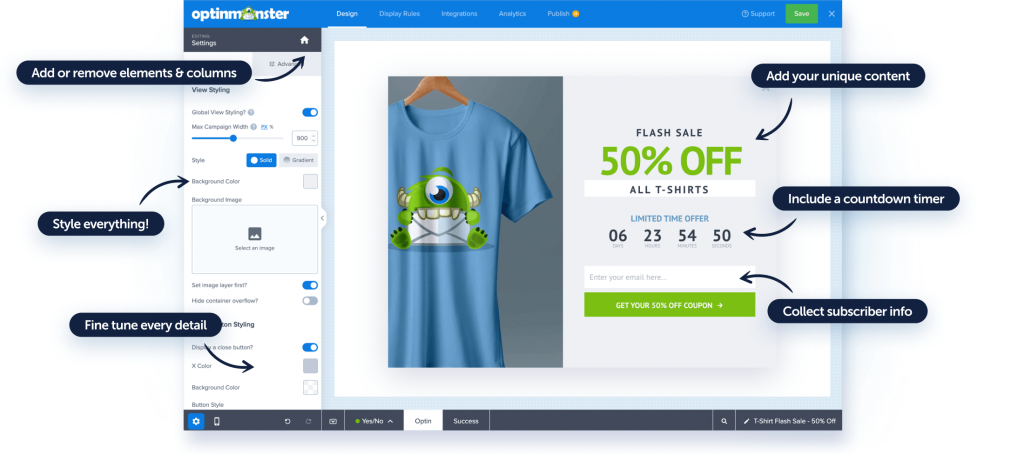
I have found OptinMonster especially useful when managing subscribe popups across multiple WordPress sites from one place. You do not have to jump between accounts or rebuild campaigns for every domain. You can create a popup once, apply it across sites, and adjust targeting rules centrally.
It works well for agencies and teams running several properties where consistency across campaigns matters. The range of popup types is wide, and the targeting rules give you granular control over who sees what and when.
Pros:
- Manage subscribe popups across multiple sites from a single dashboard to save time on setup and maintenance
- Use exit intent and page-level targeting to reach visitors at the right point in their session
- Track impressions and conversions clearly to understand what is performing and what needs adjustment
- Connect with major email platforms to keep subscriber data flowing into your list automatically
Cons:
- No free plan, which makes it harder to evaluate before committing to a paid tier
- Can feel heavy for smaller sites that only need a basic subscribe form
Price:
Starts at $16/month
3. Popup Maker: Best for Developers Who Want Full Control
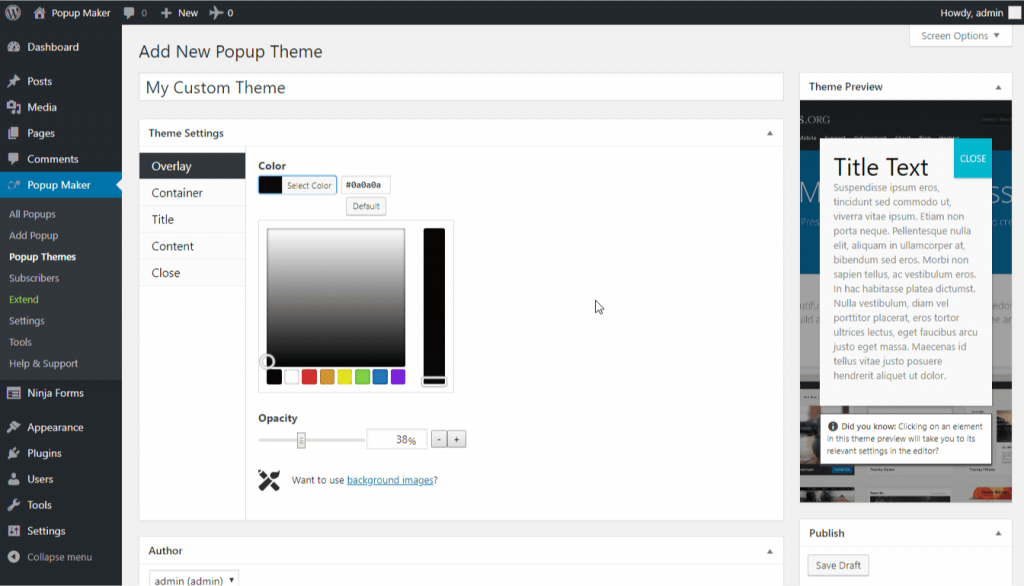
For subscribe popups on WordPress, I find Popup Maker works best when you want everything managed natively inside the WordPress dashboard without relying on an external platform. Since it runs entirely inside WordPress, there are no third-party accounts to manage or sync.
I can set up basic slide-ins, subscribe forms, and banners and control all of it from the same dashboard I already use. It is a sensible choice when I want popups to load conditionally instead of running scripts sitewide on every page load.
Pros:
- Fully WordPress-native with no external dependencies so everything stays in one place
- Lightweight structure that helps protect site speed and Core Web Vitals scores
- Flexible triggers including scroll depth, click, and time delay to control when the popup appears
- Works cleanly with caching and optimization plugins to avoid common performance conflicts
Cons:
- Design options feel limited compared to cloud-based tools with visual editors
- Advanced targeting, exit intent, and analytics require paid add-ons
Price:
Starts at $59.40 for the first year
Evaluation Criteria
Before putting this list together, I wanted to go beyond feature pages and see how these tools actually perform in a real WordPress setup. I tested each one myself and focused on what truly matters when you’re trying to grow an email list.
Here’s the framework I used to evaluate them:
- User Reviews / Ratings: I looked at real user feedback from trusted platforms to understand what people actually like, where tools fall short, and any recurring issues.
- Essential Features & Functionality: I checked what each tool actually offers in terms of popup types, triggers, targeting, and overall flexibility to run effective campaigns.
- Ease of Use: I paid close attention to how simple the setup process is, how intuitive the interface feels, and whether you can launch a popup without needing technical help.
- Customer Support: I reviewed how responsive and helpful the support is, especially during setup or when something breaks. This matters more than most people expect.
- Value for Money: I compared pricing with features to see if the tool actually delivers enough value for what you pay, especially for small and growing businesses.
- Personal Experience / Expert Opinion: I combined my hands-on testing with insights from industry use cases to understand how these tools perform in real-world scenarios, not just in demos.
How Do You Add a Subscribe Popup in WordPress Step by Step?
Before building anything, be clear about what you want the popup to do. A subscribe popup works best when it appears at the right moment, not just sitewide by default.
Once you know the goal, a subscription popup plugin WordPress site owners use like Picreel gets it live fast without touching any code.
Here’s what you’ll need:
- WordPress admin access
- Email marketing account
- Picreel Account
Step 1: Install and Connect Picreel to WordPress
From your WordPress dashboard, go to WordPress popup plugins, click Add New, and search for Picreel.
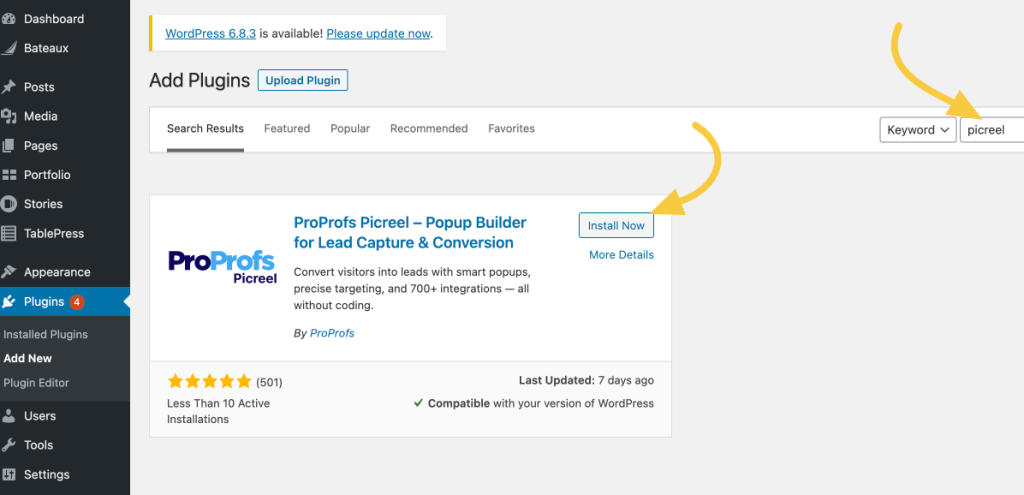
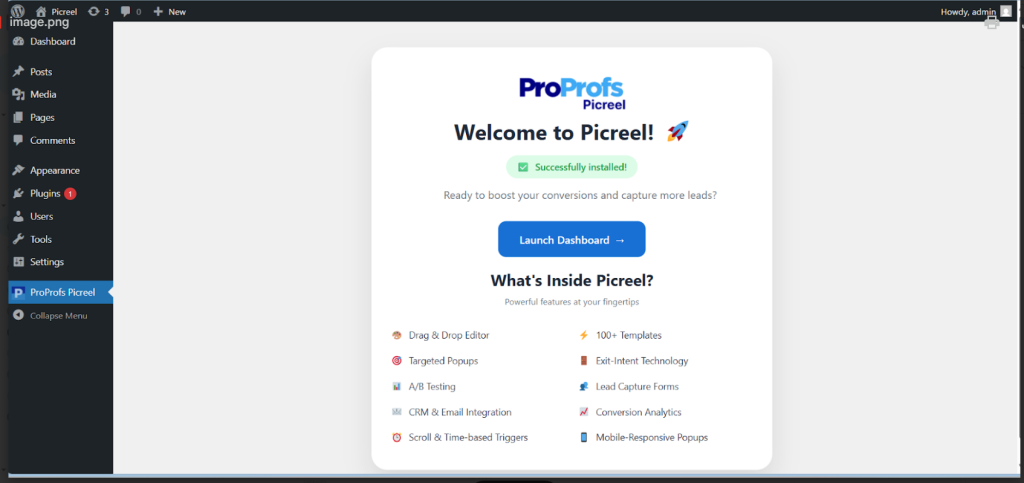
Install and activate the plugin, then log in or create a Picreel account. Once connected, your site syncs automatically.
Step 2: Create Your Subscribe Popup Campaign
Open the Picreel dashboard and click Create Campaign. You have two options depending on how hands-on you want to be.
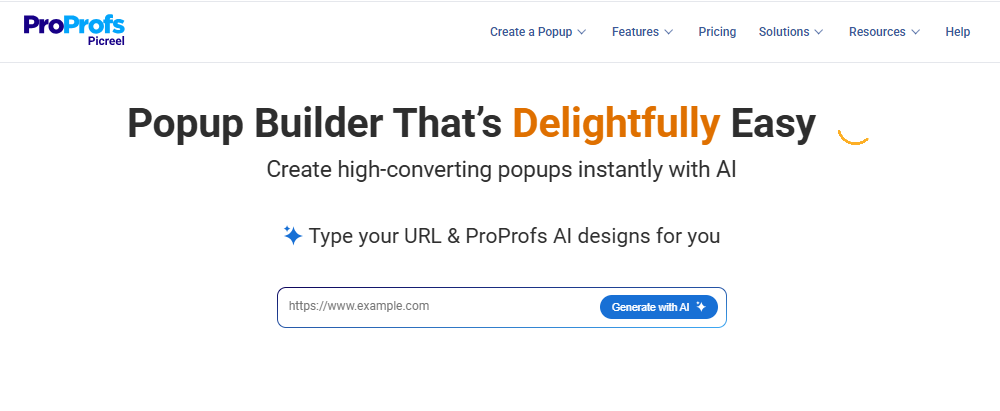
For a faster setup, use Picreel AI. Enter your website URL, pick a goal like email capture, and it generates a popup layout, copy, and CTA that fits your objective.
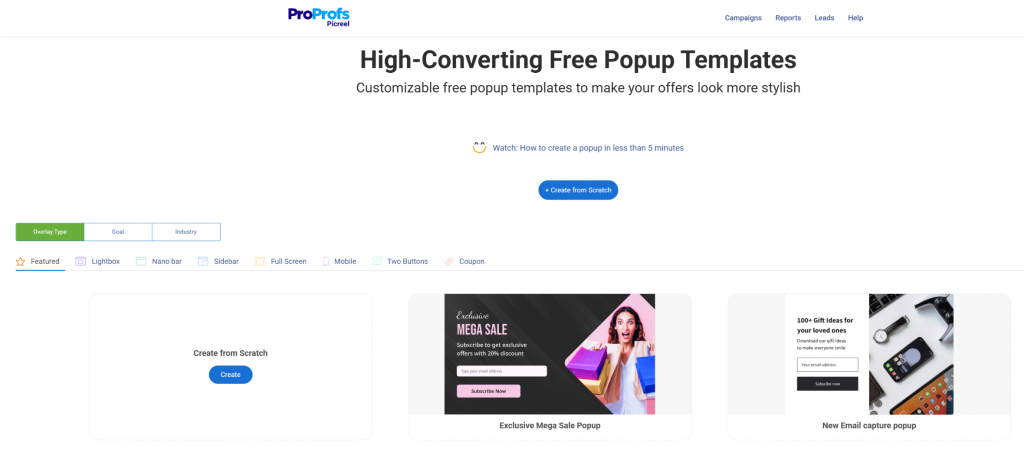
For more control, choose from Picreel’s subscribe popup templates, including slide-ins, nanobars, and lightboxes designed to capture emails without blocking page content.
A few things that directly impact conversion rate at this stage:
- Ask for email only, not name and email. This single change improves conversion rate by an average of 20 percent
- Write a benefit-driven headline. “Get weekly ecommerce growth tips” consistently outperforms “Subscribe to our newsletter”
- Use action-oriented CTA copy. “Send Me the Tips” converts better than “Submit”
- If you are offering a lead magnet like a PDF, checklist, or discount code, upload the image inside the editor to make the value visible
- If you serve visitors in the EU, GDPR compliance is not optional. Inside your popup settings, enable the consent checkbox, link to your privacy policy, and ensure the checkbox is not pre-checked.
Step 3: Set Your Trigger and Targeting Rules
This is the step most people rush and then wonder why the popup underperforms. Trigger logic determines who sees the popup and when.
Choose based on visitor intent:
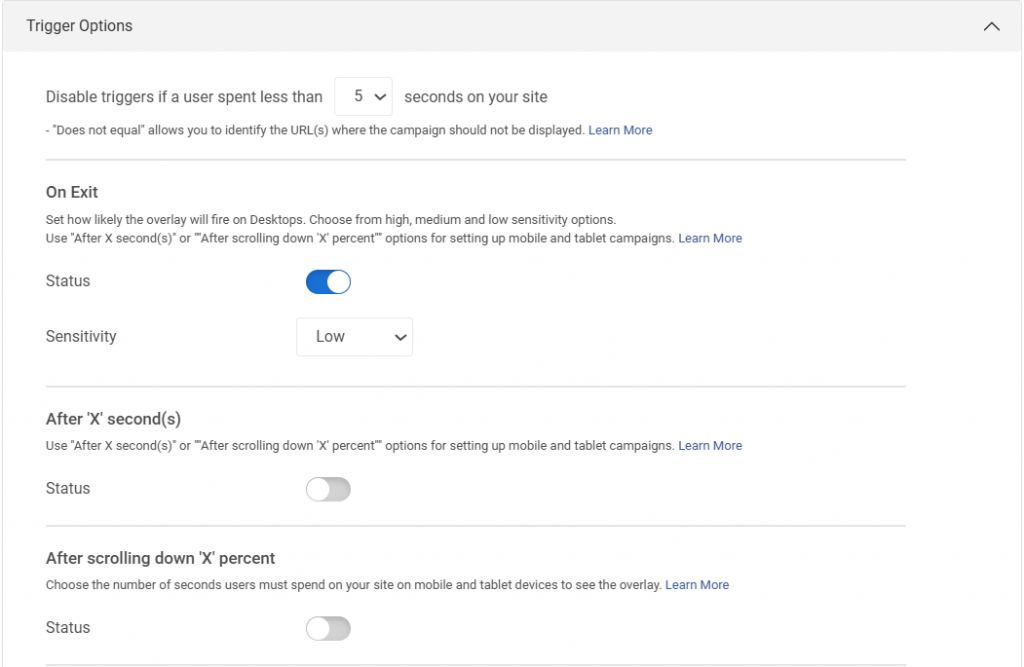
- Exit intent for visitors about to leave without subscribing. This is the recommended starting point for most sites
- Scroll depth at 60 percent for blog posts, where reaching that point signals genuine reading interest
- Timed delay of 20 to 30 seconds for homepages and landing pages
- On-click attached to a CTA button or navigation menu item for fully user-initiated popups
Once the trigger is set, apply frequency rules to protect the experience:
| Setting | Recommended Value |
|---|---|
| Show popup after X seconds | 15 to 25 seconds |
| Frequency cap per visitor | Once every 7 days |
| Hide after form submission | Always |
| Exit intent delay after last shown | 3 days |
According to Statista (2025), mobile devices account for nearly 60% of global website traffic, making mobile-friendly popup design essential. For mobile specifically, avoid full-screen overlays in the first 10 seconds of page load. Google penalizes pages where popups block main content on mobile immediately after landing.
Use slide-ins instead, always include a visible close button, and test on a real device rather than just the desktop preview.
Step 4: Connect Your Email Marketing Tool
Go to Integrations in your campaign, then select your platform. Picreel connects natively with email marketing tools like BIGContacts and Mailchimp. Map the email field from your popup form to the corresponding field in your list and save.

From this point, every new subscriber flows straight into your email list — no exports, no manual imports.
If you run a WooCommerce store and use Klaviyo, you can also map specific popups to targeted lists, which lets you trigger abandoned cart recovery sequences directly from email captures on product pages.
Step 5: Preview, Test, and Publish
Check the popup on both desktop and mobile before going live. Confirm it does not cover important content, has a clearly visible close button, and renders cleanly on smaller screens.
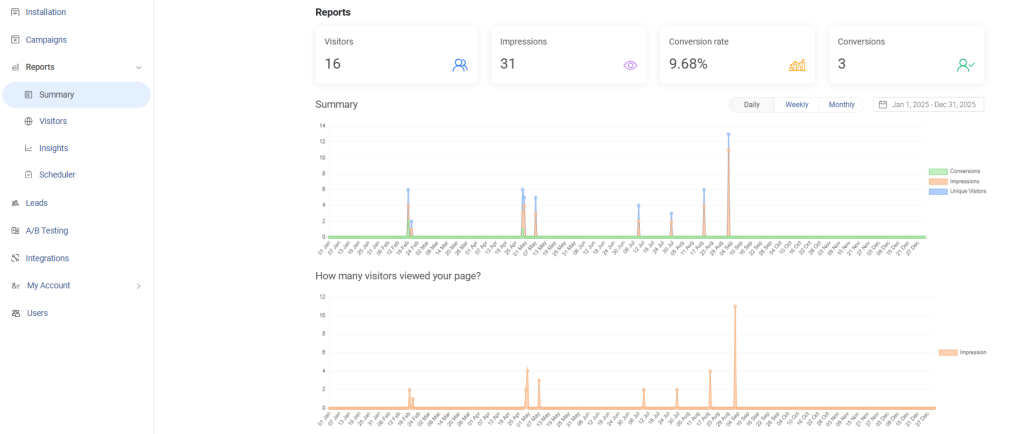
Once ready, publish. Picreel tracks impressions, conversions, and conversion rate in real time. In the first week, note which pages drive the highest conversion rate, then clone that campaign and apply it to more pages using the same targeting logic.
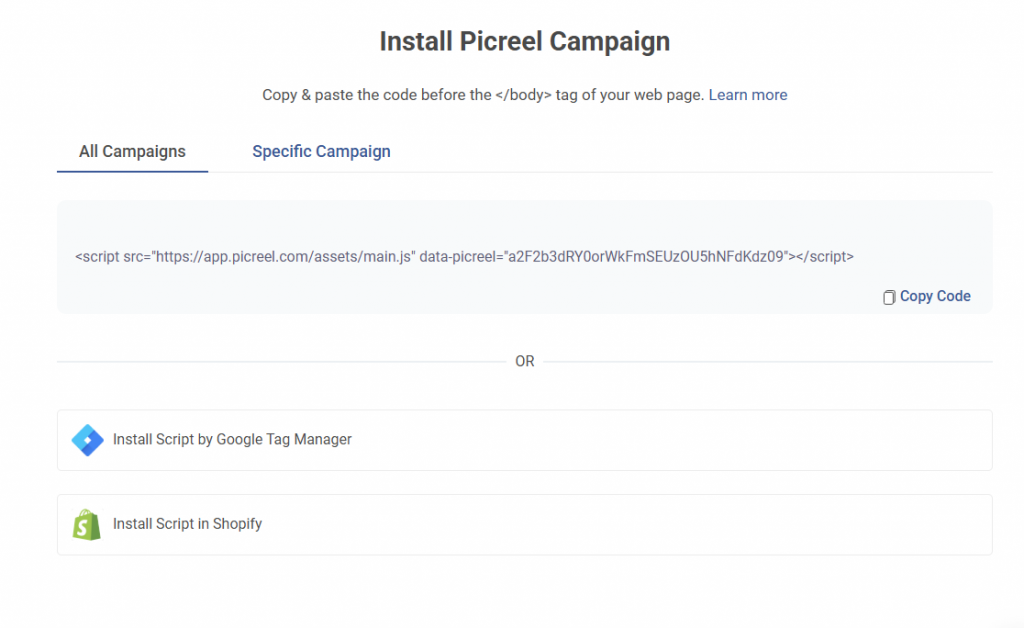
Step 6: Publish and Monitor Performance
Set your campaign to Active and publish it. Picreel tracks impressions, clicks, conversions, and conversion rate in real time. In the first week, monitor which pages drive the highest popup conversion rate. Then clone your best-performing campaign and apply it to more pages.
FREE. All Features. FOREVER!
Try our Forever FREE account with all premium features!
How Can a WordPress Subscription Popup Help Grow Your Email List Faster?
According to Emarsys (2025), 81% of small and medium-sized businesses rely on email as their primary customer acquisition channel.
A well-targeted subscription popup WordPress websites use can turn passive readers into consistent email subscribers.
A popup that simply asks “subscribe to our newsletter” will consistently underperform against one that leads with a specific value exchange. Here are the four strategies that move the needle most.
1. Lead Magnet Popups: Offer Something Worth Subscribing For
The most effective subscribe popups offer a tangible lead magnet in exchange for an email address. Examples that consistently outperform generic newsletter signups:
- A checklist, template, or swipe file relevant to the blog post the reader is currently on
- A discount code (10 percent off) for ecommerce product pages
- A free chapter of a guide or mini-course
- Access to a private resource library
The lead magnet should be directly related to the page content. A popup offering a “WordPress SEO checklist” will convert better on an SEO blog post than a generic “join our newsletter” prompt.
2. Segmented Popups: Match the Message to the Visitor
Personalized marketing campaigns can drive up to higher transaction rates than generic messaging. That’s why one sitewide popup is a missed opportunity. With behavioral targeting, you can show different subscribe popups based on what the visitor is actively reading.
- On ecommerce category pages: show a popup offering category-specific deals
- On high-traffic blog posts: offer a content upgrade related to the post topic
- To returning visitors who have not subscribed: offer a stronger incentive
- To visitors from a specific traffic source: match the popup to the campaign message they clicked on
Segmented popups routinely achieve 2 to 3 times the conversion rate of sitewide generic popups because the offer feels relevant rather than interruptive.
3. Exit Intent Popup WordPress Setup for Email Capture
An exit intent popup fires when the visitor’s cursor moves toward the browser bar or the back button. This moment is the last chance to convert that visit into a subscriber.
The formula that works: acknowledge that they are leaving, deliver a specific value proposition, and reduce friction in the form. An example:
Headline: Wait, before you go. Subtext: Get our weekly email with 3 actionable growth tips. No fluff, no spam. CTA: Yes, send me the tips.
This structure converts because it is honest about the moment (they are leaving), specific about the value (weekly, 3 tips), and lowers the perceived risk (no fluff, no spam).
What Are the Most Common WordPress Subscribe Popup Problems? (+Fix)
After reviewing dozens of Quora questions and Reddit threads about WordPress popups, a handful of issues come up again and again. Here is how to solve the most common ones.
1. Not Showing on WordPress Site
The most frequent cause is a script loading conflict. Here is the diagnostic checklist:
- Confirm the tracking script is installed and firing. Check using browser developer tools (F12, Network tab)
- Check if a caching plugin is blocking the script. Clear all caches and test in an incognito window
- Disable any ad blocker browser extension and test again. Ad blockers suppress popup scripts
- Verify that your display conditions are not accidentally excluding the page you are testing on
- Check if the frequency cap is hiding the popup for your own IP. Use the “preview” mode inside Picreel to bypass frequency limits
2. Popup Is Hurting Site Speed
This is a real concern. Self-hosted WordPress popup plugins that load heavy JavaScript bundles will impact your Core Web Vitals. Here is how to minimize the impact:
- Use a cloud-hosted popup tool like Picreel that loads scripts from a CDN, not your server
- Avoid loading popup libraries on pages where you do not use them. Use conditional loading
- Run Google PageSpeed Insights before and after installing your popup tool to measure actual impact
- Prioritize async or deferred script loading to prevent render blocking
3. Popup Showing to Existing Subscribers
Nobody wants to be asked to subscribe after they already have. Most popup tools let you set a cookie or use a URL parameter to suppress the popup after form submission. In Picreel, the “hide after conversion” setting is enabled by default. Make sure it is active. If you use Mailchimp or Klaviyo, you can also use a subscriber tag to suppress popup visibility for known contacts.
4. Low Conversion Rate on Subscribe Popup
If your popup is visible but conversions are flat, the problem is usually one of three things: a generic headline, a weak value offer, or poor timing. Fix these in sequence:
- Rewrite the headline to name a specific benefit, not a generic newsletter description
- Add a lead magnet or make the subscription outcome tangible
- Switch from a timed trigger to exit intent, which shows more intent-aligned visitors
- Run an A/B test: change only one element at a time (headline, CTA button text, or timing)
What Is a Good Conversion Rate for a WordPress Subscribe Popup?
Setting realistic expectations helps you optimize from a rational baseline. Here are the benchmarks I see consistently across different WordPress site types.
| Site Type | Average Popup Conversion Rate | Top Performer Rate |
|---|---|---|
| Content / Blog | 2–4% | 6–8% |
| eCommerce (WooCommerce) | 3–6% | 8–12% |
| SaaS / Software | 2–5% | 7–10% |
| Local Business | 1–3% | 4–6% |
| Membership / Course Sites | 4–7% | 10–15% |
Who Benefits Most from Using WordPress Subscribe Popups? (Use Cases)
1. Bloggers and Content Publishers
Organic search traffic usually lands on a blog post with a clear intent. A scroll-triggered popup that offers a content upgrade or a related resource can turn that intent into an email subscriber at the right moment.
For bloggers, an email list becomes an owned channel that helps protect their audience from unpredictable algorithm changes. It also pays off in reach. Email subscribers are more likely to share content than visitors who discover it through other channels.
2. SaaS Companies and Digital Product Creators
For SaaS and digital product websites, subscribe popups work well for building waitlists, growing free trial sign-ups, and capturing leads from high-traffic content marketing pages. Targeting by page content ensures the offer is relevant to what the visitor was already researching.
3. eCommerce Store Owners Using WooCommerce
For WooCommerce sites, exit-intent popups on product and cart pages often deliver the highest ROI. Capturing their email just before they exit gives you a chance to follow up with an automated recovery sequence.
In many cases, these sequences convert captured abandoners into buyers, turning lost traffic into real revenue.
4. Small Business Owners and Local Services
Even local businesses benefit from email list growth. A subscribe popup offering a local coupon, a booking reminder, or a seasonal offer converts well when shown to visitors from local search traffic or specific landing pages.
FREE. All Features. FOREVER!
Try our Forever FREE account with all premium features!
Build a WordPress Subscribe Popup That Grows Your List
Adding a subscribe popup in WordPress is one of the highest-leverage actions you can take to convert existing traffic into an owned email audience. The traffic is already there. The only question is whether you are capturing it or watching it leave.
Start simple: install a tool like Picreel, create one exit intent popup with a specific lead magnet offer, connect it to your email platform, and let it run for 30 days. The data will tell you everything you need to know about what to optimize next.
The sites with the fastest-growing email lists are not the ones with the most traffic. They are the ones with the smartest capture systems. Install Picreel WP plugin, set up one exit-intent popup on your highest-traffic blog post, and check your conversion data in 7 days.
Frequently Asked Questions

Should I use a lightbox popup or a slide-in subscribe form?
Lightbox popups appear in the center of the screen and generally achieve higher conversions because they demand attention. Slide-ins are less disruptive and work well on content-heavy pages where maintaining the reading experience is important.
How many fields should a WordPress subscribe popup form include?
For most email capture campaigns, a single email field performs best. Adding extra fields like name or company can reduce conversion rates significantly. Additional information can always be collected later through follow-up emails.
When is the best time to show a subscribe popup on WordPress?
The best timing depends on visitor behavior. Exit intent is ideal for capturing abandoning visitors, while scroll-based triggers work well on blog posts. Timed delays between 15 and 30 seconds are commonly used on homepages and landing pages.
Can I show different subscribe popups to different visitors?
Yes. Most popup tools allow behavioral targeting based on location, device type, page visited, or referral source. Showing a popup tailored to the visitor’s context usually increases conversion rates compared to a generic sitewide popup.
Should subscribe popups appear on mobile devices?
Yes, but they should be designed carefully. Avoid full-screen popups immediately after page load and ensure the close button is clearly visible. Slide-ins or delayed popups generally work better on mobile screens.
What email marketing tools work best with WordPress subscribe popups?
Most WordPress popup tools integrate with platforms like Mailchimp, Klaviyo, ConvertKit, HubSpot, and ActiveCampaign. These integrations allow captured emails to flow directly into your marketing lists and automation workflows.
How long should I run a subscribe popup before optimizing it?
Run the popup for at least two to four weeks or until you collect several hundred impressions. This provides enough data to evaluate conversion rates and test improvements such as new headlines, offers, or trigger timings.
FREE. All Features. FOREVER!
Try our Forever FREE account with all premium features!

 We'd love your feedback!
What did you like & how can we make it even better?
 Thanks for your feedback!
 Ask Your Question
Have a question? Get expert help to make your decision easier.