
According to a study by Siege Media in 2024, based on an analysis of over 1.3 billion sessions across 42 websites, the average website bounce rate is 50.9%, with some sites seeing bounce rates as high as 80–90% depending on the industry.
Not because your product is bad or your content is weak. They just needed one more nudge that never came.
I’ve seen this pattern across dozens of sites, and the fix is almost always the same: a well-timed exit intent popup that appears at exactly the right moment with the right offer.
I’ve tested nearly every major plugin on the market and put together this list of the 10 best exit intent popup WordPress plugins, covering what they do well, where they fall short, and which one fits your setup.
Whether you want to reduce bounce rates, recover abandoned carts, or grow your email list, there’s a tool here that fits.
What Are Exit Intent Popups and How Do They Work on WordPress?
That popup script watches visitor behavior in real time and fires the popup when the trigger condition is met. On the desktop, it tracks the cursor movement toward the browser’s close area. On mobile, it relies on behavioral signals like scroll direction or the back button, since there is no cursor to track.
| Trigger Type | Works on Desktop | Works on Mobile | Best Use Case |
|---|---|---|---|
| Mouse-out / cursor tracking | Yes | No | Cart abandonment, lead capture |
| Scroll-up detection | Partial | Yes | Blog readers, content pages |
| Back-button detection | No | Yes | eCommerce, checkout recovery |
| Inactivity timer | Yes | Yes | Re-engagement, time-sensitive offers |
| Tab switching | Yes | Yes | SaaS trials, lead magnets |
Understanding which trigger fits your audience and device mix matters before you pick a plugin. If more than half your traffic comes from mobile, you need a tool that handles mobile exit intent well, not just one that lists it as a feature.
10 Best Exit Intent Popup WordPress Plugins
Let’s explore the best exit intent popup WordPress plugins to help you re-engage visitors and drive conversions:
| Tools | Best For | Pricing | Rating |
|---|---|---|---|
| Picreel | Boosting Leads, Conversions, and Sales | Forever free up to 5k visitors. Paid starts at $9.99/month | 4.5/5 (G2) |
| OptiMonk | Powerful Popups with A/B Testing & Personalization | Starts at $29/month | 4.8/5 (G2) |
| OptinMonster | Optimizing Form Conversions Without Coding | Starts at $7/month | 4.3/5 (G2) |
| Popupsmart | Creating Effective Pop-ups With Minimal Setup | Starts at $39/month | 4.5/5 (G2) |
| Thrive Leads | Maximizing lead generation | Starts at $149/quarter | 4.5/5 (Capterra) |
| Bloom | Email Opt-in | Starts at $89/year | 4.3/5 (G2) |
| Elementor Pro | Lead Conversions | Starts at $17/month | 4.4/5 (G2) |
| HubSpot | CRM-integrated popups for marketing & sales (HubSpot suite) | Starts at $15/month/seat | 4.4/5 (G2) |
| Poptin | Easy popup creation with various templates | Starts at $25/month | 4.6/5 (Capterra) |
| Popup Maker | Creating highly customizable popups | Starts at $59.40/year | 4.7/5 (G2) |
1. Picreel–Best for Boosting Leads, Conversions, and Sales
I discovered Picreel while searching for tools to boost my site’s conversions and recover lost sales. It’s been a while now, and I genuinely feel like adding Picreel to my WordPress setup was one of my smartest moves.
The tool’s advanced targeting options make creating exit-intent popups incredibly effective. I’ve used it to trigger popups when visitors move their cursor toward the close button, offering helpful recommendations or free shipping to keep them engaged.
One thing I appreciate about Picreel is how easy it is to use, even for beginners. Its AI helps me quickly generate popup ideas and copy, and with ready-made templates, I can launch professional exit-intent popups without spending hours designing.
Picreel’s exit-intent uses AI-driven behavior detection like analyzing scroll patterns, mouse movement, and browsing rhythm to predict abandonment before it happens.
These popups have helped me reduce cart abandonment and drive more newsletter sign-ups. Another feature I rely on is the analytics dashboard. It helps me track performance and refine my campaigns for better results.
If you’re looking for a reliable exit-intent popup WordPress free plugin that delivers results, Picreel is definitely worth trying!
Pros:
- Cookie targeting to customize promotions and enhance user experience
- In-depth analytics, including visitor behavior insights, conversion tracking, and trend analysis to refine campaigns.
- A/B testing with real-time data to compare variations and quickly identify the highest converting popup.
- Dynamic content options for personalized exit-intent offers.
Cons:
- There’s no downloadable or on-premise version.
- The dark mode option is unavailable.
Price: Offers a forever-free plan for up to 5K visitors (For WordPress, you may need the Enterprise account). Paid plans start at $9.99/month.
G2 Rating: 4.5/5
Capterra Rating: 4.9/5
2. OptiMonk– Best for Powerful Popups With A/B Testing & Personalization
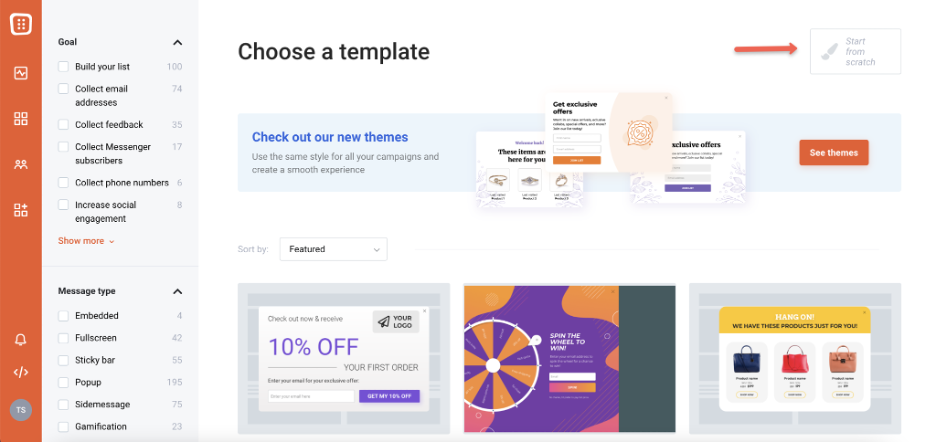
Image Source: OptiMonk
OptiMonk helped me reduce bounce rates and boost conversions. With the A/B testing feature, I simultaneously used two popup messages—one offering free shipping and another with a discount.
Seeing the results, I figured out what resonated most with my audience and started using it. Its various personalization options enabled me to customize my exit intent popups. For example, I showed first-time visitors a welcome discount and returning customers a loyalty offer. Both increased my engagement.
I also liked how easy it was to set up everything. The drag-and-drop builder made creating popups quick. The best part for me was the smart headline generator, which helped me generate catchy headlines to better engage my audience.
Pros:
- Multi-language support to target visitors globally with localized offers.
- Custom input fields to collect any data based on your preferences.
- Transitions to better attract visitors’ attention.
- Advanced segmentation to show the right offer to the right audience.
Cons:
- Limited integrations with some niche marketing tools.
- Slight learning curve for setting up advanced targeting rules.
Price: Starts at $29/month
G2 Rating: 4.8/5
3. OptinMonster–Best for Optimizing Form Conversions Without Coding
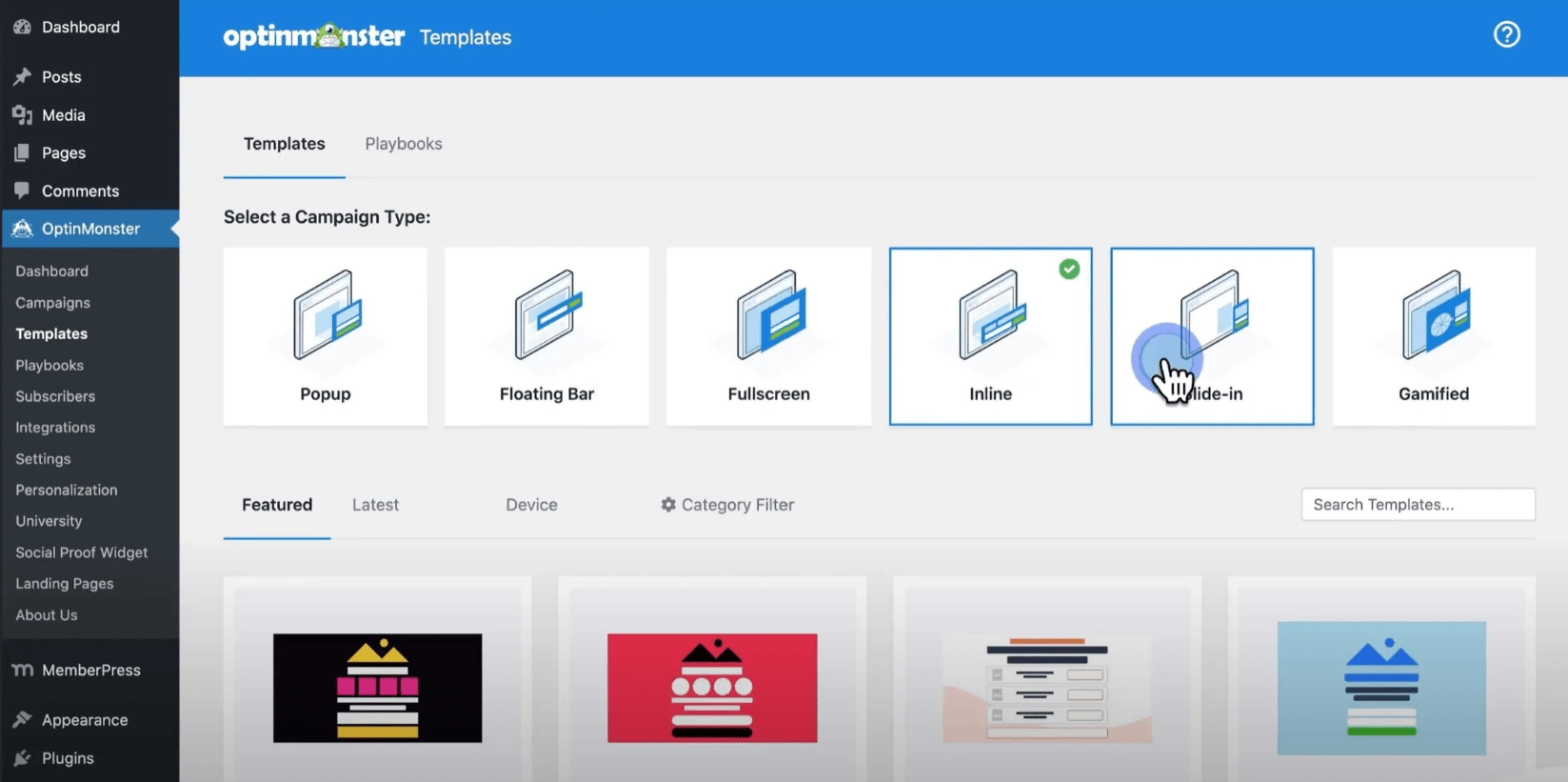
Image Source: OptinMonster
OptinMonster became my go-to for optimizing form conversions on my WordPress site. It was possible because OptinMonster let me create and customize forms without any code using templates. Its user-friendly interface helped me easily develop high-performing exit intent forms, saving time and hassle.
I set up smaller, less intrusive popups to engage mobile users without interrupting their browsing experience. The popups’ geo-targeting allowed me to show location-specific offers. After all, relevant offers = more engagement and sign-ups.
What stood out for me was smart optimizations that used proven copywriting principles and AI to improve my popup content for maximum conversions automatically.
Pros:
- Floating bars to keep key offers constantly visible, encouraging visitors to take action before leaving.
- Page-level targeting for showing exit-intent popups on specific pages, like checkout or blog posts.
- Lead magnet popups to offer free resources like eBooks or guides before visitors leave.
- Multi-step, progressive opt-ins for better list segmentation and higher conversions.
Cons:
- Occasional delays when syncing with third-party tools.
- Analytics delays can make it harder to see the real-time performance of your exit-intent campaigns.
Price: Starts at $7/month
G2 Rating: 4.3/5
4. Popupsmart–Best for Creating Effective Pop-Ups With Minimal Setup
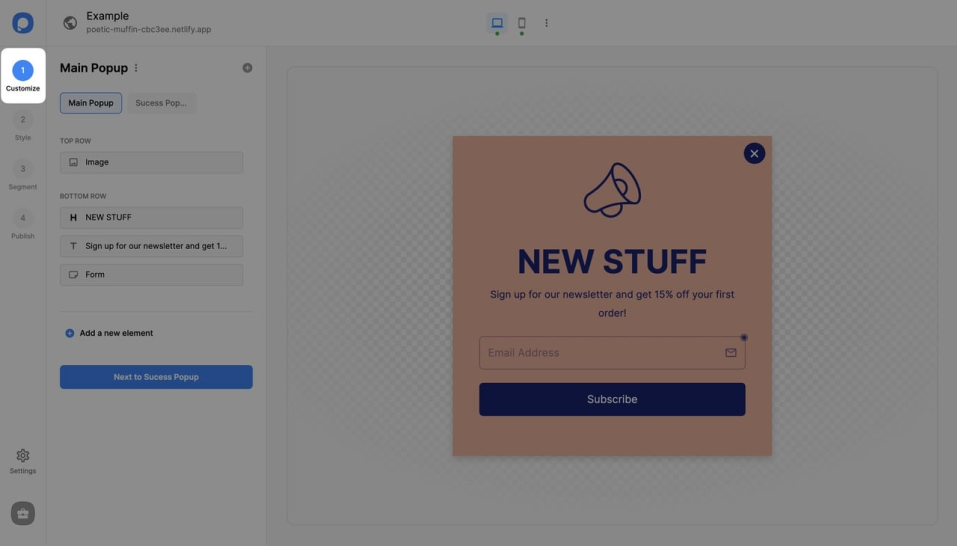
Image Source: Popupsmart
I call Popupsmart one of the best exit intent popups for WordPress because of its helpful features. I used its no-code editor to create an exit-intent popup with a countdown timer, urging visitors to complete their purchase before the deal expired. It reduced cart abandonment, which I have struggled with for quite a long time.
Another feature I liked was the multi-step forms because it helped me collect additional information from visitors right before they left. For example, I set up a two-step form where the first step captured emails, and the second step offered a personalized discount. It felt smooth and user-friendly, leading to higher engagement.
Another win was Popupsmart’s lightweight structure. Despite running multiple campaigns, it didn’t slow down my WordPress site.
Pros:
- In-activity sensor to show attractive popups to inactive users and re-engage them.
- Custom timing options to delay popups until the perfect moment for engagement.
- Pre-fill forms to reduce the hassle of filling out forms, increasing conversions.
- Conversion analytics to leverage campaign performance data and improve ROI.
Cons:
- Limited options for animations, making popups less dynamic visually
- Inconsistent in mobile responsiveness for specific templates.
Price: Starts at $39/month
G2 Rating: 4.5/5
5. Thrive Leads–Best for Maximizing Lead Generation
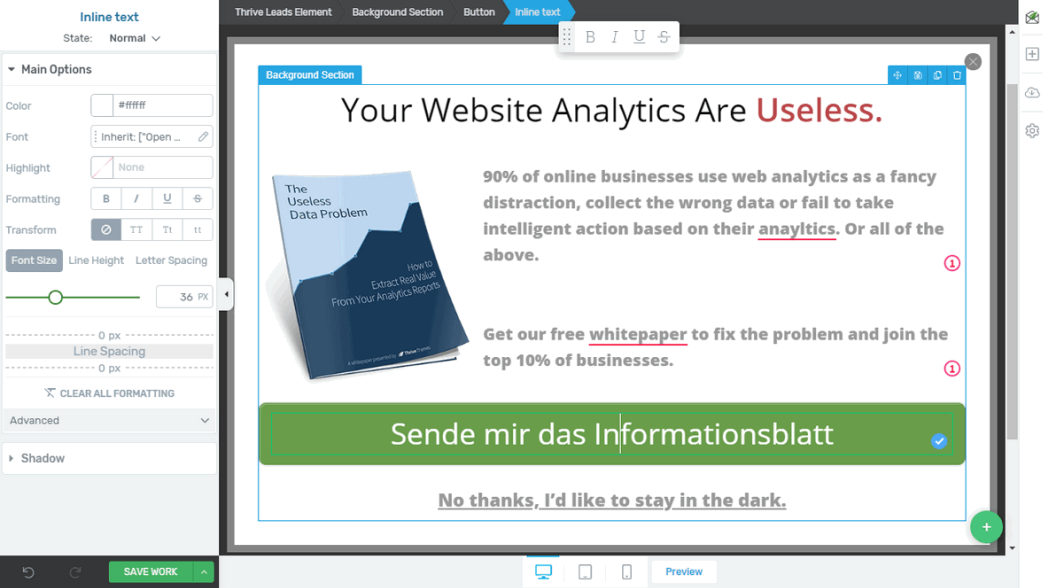
Image Source: Blogger Pilot
Thrive Leads is an incomparable exit intent popup builder with unique features to capture leads effectively. One amazing feature was its Content Locking, which allowed me to restrict premium content, like downloadable guides, behind a sign-up form. This simple tweak boosted my subscription rates, especially on my blog posts.
Another feature that impressed me was the Asset Delivery option. It automated the process of sending lead magnets, like eBooks or discount codes, directly to users after sign-up. This saved me a lot of manual effort and provided a seamless user experience.
What I loved most was I could conduct unlimited A/B testing. I tested everything—from the headlines to call-to-action buttons—and the insights helped refine my popups for lower bounce rates.
Pros:
- Thrive Dashboard for managing all forms and reports in one convenient place.
- Form animations to grab attention subtly without annoying visitors.
- Dynamic content delivery that customizes popup messages based on user behavior.
- Sticky ribbon to show the offer on the screen at all times so visitors think twice before leaving.
Cons:
- Some popups lack mobile optimization, impacting their responsiveness.
- Complex setup process for first-time users managing multiple campaigns.
Price: Starts at $149/qtly
G2 Rating: 4.5/5
6. Bloom–Best for Email Opt-In
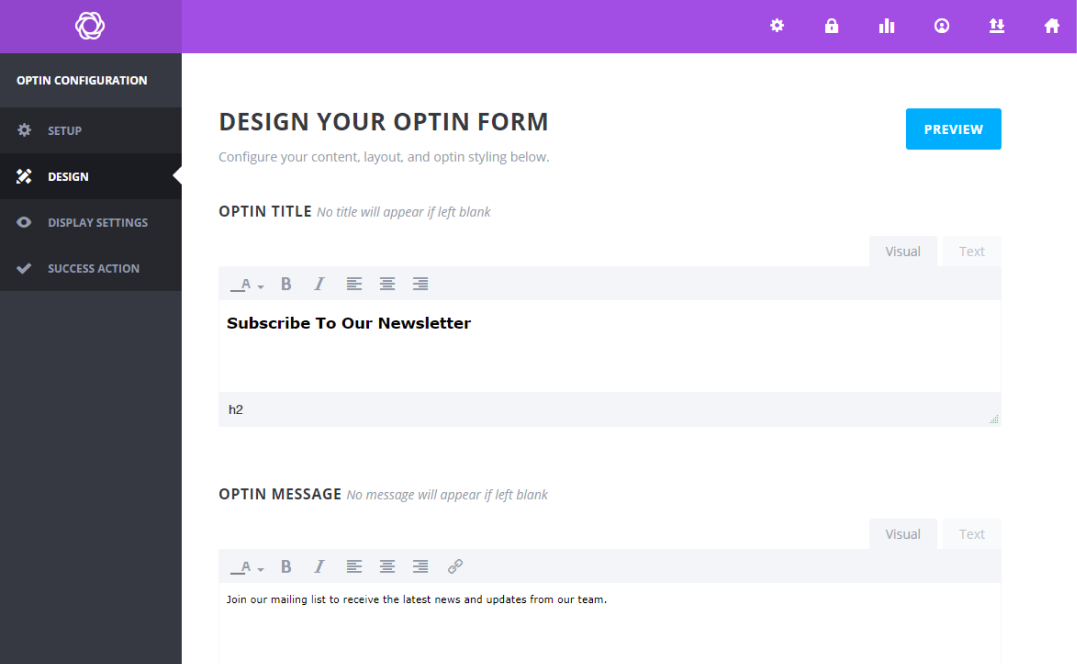
Image Source: Marketing Labs
Bloom is quite popular for its easy-to-use and beautifully designed email opt-in forms that actually convert. I have tried different opt-in popup forms that Bloom offers. Its below-content form consistently captured my blog readers’ attention without being intrusive, reducing bounce rates.
Apart from that, I used automatic pop-up triggers to set forms to appear after my users had spent 30 seconds on a page or had finished reading an article. This timing felt natural and helped me engage readers without interrupting their flow.
What impressed me the most was the custom, conversion-focused design options. I could easily change colors, images, and text to match my brand while optimizing the forms for more clicks.
Pros:
- Opt-in forms and dashboards are highly responsive on various devices, increasing visitor engagement.
- Seamless email marketing integrations for automatic lead syncing.
- Multi-form campaigns to show different opt-ins on specific pages.
- Locked opt-ins to encourage visitors to subscribe and gain access to premium content before leaving.
Cons:
- No advanced targeting options for more complex audience segmentation.
- Limited mobile optimization for some popup types.
Price: Starts at $89/year
G2 Rating: 4.3/5
7. Elementor Pro–Best for Lead Conversions

Image Source: Elemenator
If you want to convert leads and reduce bounce rate, Elementor Pro should be on your list. Its Popup Builder allowed me to create unique, attention-grabbing popups that drove conversions. One feature I found handy was its dynamic content integration.
It helped me display personalized messages based on visitor behavior. For example, I created a popup showing product recommendations tailored to returning users, which led to higher engagement.
Another functional feature was its trigger-based animations, which added a professional touch to my popups. I used subtle fade-ins and slide effects to make popups feel less intrusive.
Pros:
- Set display conditions to show the popup only on specific pages based on their publishing dates or assigned categories.
- Various popup templates to choose from and implement.
- Advanced targeting rules to optimize popup time, sessions, or page visits for the lowest bounce rates.
- Mobile-friendly popups to engage visitors on any device.
Cons:
- Doesn’t offer built-in analytics, so you need to use third-party tools to track popup performance.
- Initially, it has a steep learning curve for advanced features.
Price: Starts at $17/month
G2 Rating: 4.4/5
8. HubSpot–Best for CRM-Integrated Popups for Marketing & Sales (HubSpot Suite)
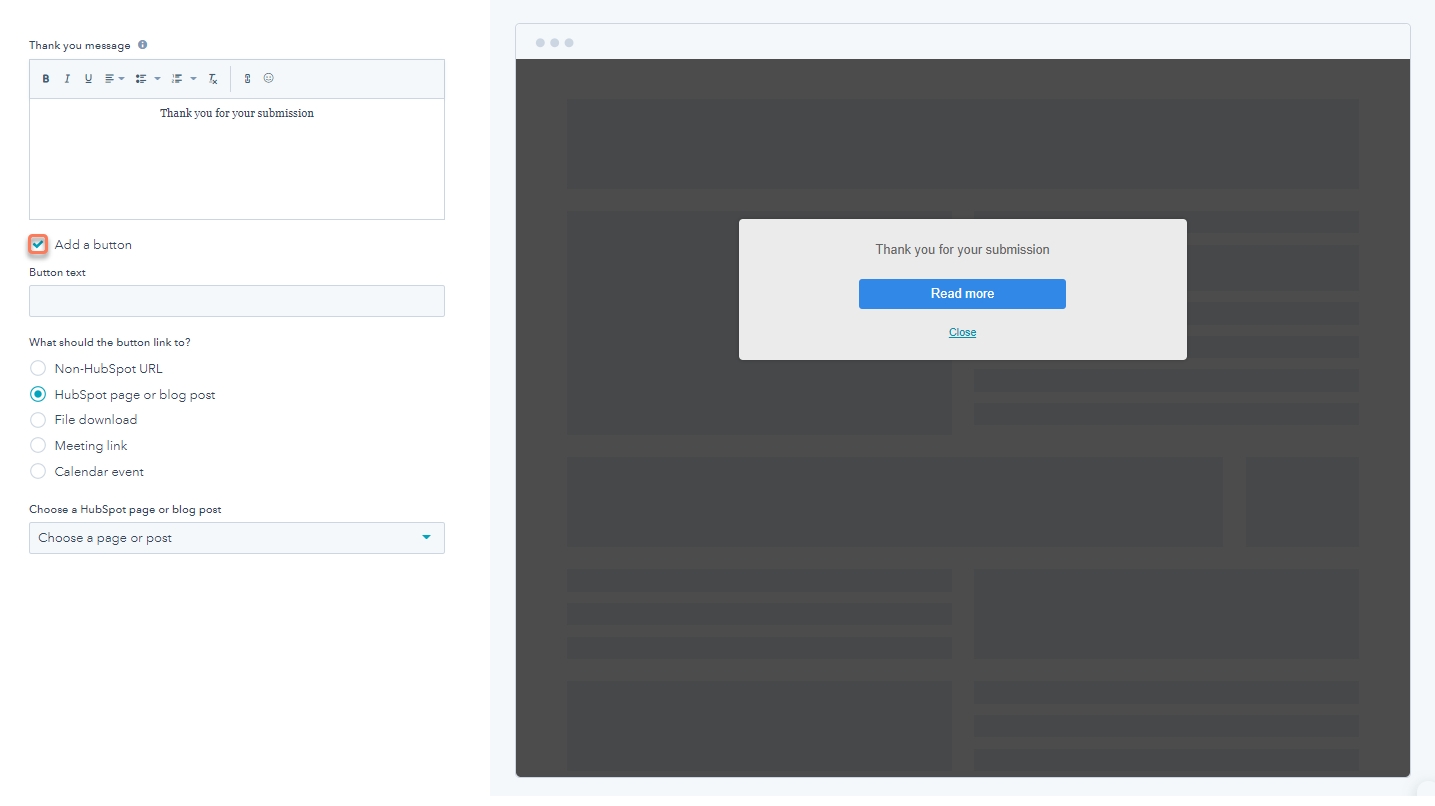
Image Source: HubSpot
I consider HubSpot one of the best exit intent popup WordPress plugins. It helped me create exit-intent popups and seamlessly integrated them into my overall sales and marketing strategy. Its unique feature was progressive form fields.
It remembered returning visitors and asked for new information instead of repeating the same questions. This made my forms feel more personal and helped me collect richer data without overwhelming users.
HubSpot also assigned scores to leads based on their interactions with my popups and website, helping me prioritize high-quality prospects. I used HubSpot’s exit-intent popup offering free consultation, and the leads captured were instantly scored and funneled into my CRM. This saved me hours of manual work.
Pros:
- Automated follow-up emails to nurture leads captured via popups.
- Customizable popups to design forms that align perfectly with your brand.
- Behavior-based targeting to show forms based on time spent, scroll depth, or user actions.
- Lifecycle stage targeting to tailor popups for new visitors, leads, or returning customers.
Cons:
- Popup load times can be slower on heavily designed websites, leading to higher bounce rates.
- Not ideal for non-HubSpot users, as you’ll be unable to use its full functionality with third-party platforms.
Price: Starts at US$15/mo/seat
G2 Rating: 4.4/5
9. Poptin–Best for Easy Popup Creation With Various Templates
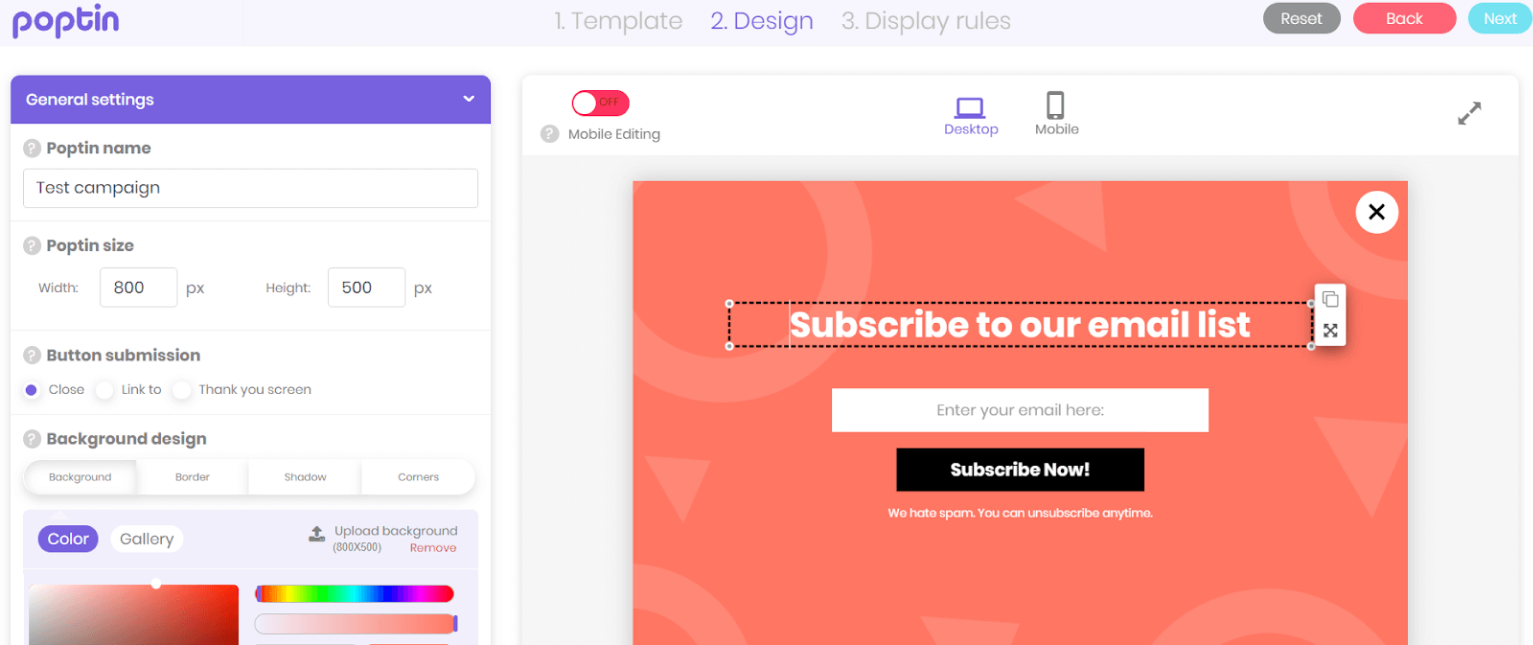
Image Source: Poptin
When I first started using Poptin, I was impressed by how its intuitive templates made popup creation effortless. I didn’t need to spend hours designing from scratch—the pre-designed layouts were professional and easy to tweak.
One feature I found especially useful for exit-intent campaigns was the embedded lead form. It allowed me to collect email addresses directly from the popup without redirecting visitors to another page.
Poptin was truly an incredible exit intent popup plugin WordPress. Its simplicity and impactful features boosted my conversions effectively.
Pros:
- Precise cursor tracking to trigger exit-intent popups when visitors hover toward closing the tab.
- Smart targeting by referral source to tailor popups for traffic from specific websites or campaigns.
- Integrated lead storage to manage and export leads directly from Poptin.
- Multi-language support to target users in different regions.
Cons:
- No visual A/B testing interface, making popup experiments harder to manage.
- Analytics are basic, so you might require third-party tools for deeper insights.
Price: Starts at $25/month
G2 Rating: 4.6/5
10. Popup Maker–Best for Creating Highly Customizable Popups
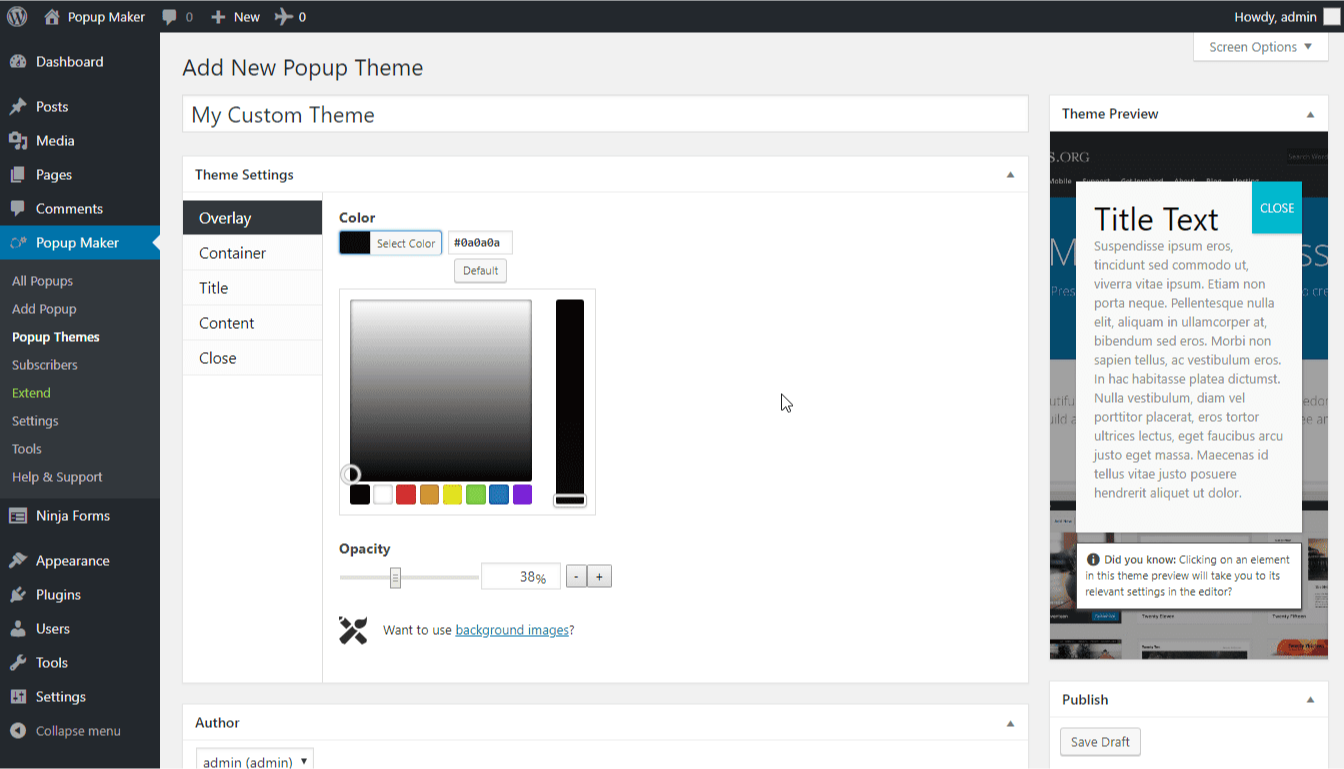
Image Source: WordPress
Popup Maker was another great exit intent popup plugin WordPress that I used for creating custom website popups. Its condition and targeting rules gave me creative and technical freedom. It allowed me to target specific visitors based on their behavior, like those who landed on my checkout page or stayed idle for a while.
Apart from that, I created personalized and perfectly timed exit-intent website popups that re-engaged users before they left. Another helpful feature was the Popup Theme Editor.
It let me design popups that matched my website’s style, from colors to borders, ensuring a seamless experience for my visitors. This way, my popups looked like they belonged on my site rather than feeling out of place.
Pros:
- Customizable animations to make popups feel dynamic and engaging.
- Auto-close popups to ensure popups disappear after a set time to avoid annoying visitors.
- Video popups to embed YouTube or Vimeo videos directly in your campaigns to engage visitors for longer.
- Multi-popup functionality to display several popups targeting different user behaviors on the same site.
Cons:
- Users reported performance issues on older WordPress themes when running multiple popups.
- No drag-and-drop editor, which can make designing complex popups time-consuming.
Price: Starts at $59.40/year
G2 Rating: 4.7/5
How Did I Evaluate These Exit Intent Popup Tools?
Picking tools for a list like this is not something I take lightly. Feature lists and marketing pages tell you what a tool can do. They rarely tell you what it is actually like to use under real conditions. Here is the framework I followed.
1. User Reviews and Ratings
I started with verified ratings on G2 and Capterra. I looked for recurring patterns across reviews rather than isolated opinions. If multiple users flagged the same limitation or praised the same feature, that pattern shaped the assessment.
2. Essential Features and Functionality
I focused on what actually drives conversion performance: trigger types, targeting depth, template quality, mobile support, and whether the tool delivers on the use case it claims to handle. A tool that lists exit intent as a feature but only supports basic desktop mouse-out detection did not rank as high, regardless of interface polish.
3. Ease of Use
If launching your first campaign takes more than 30 minutes, that friction adds up every time you create or adjust a campaign. Tools with clear campaign flows and minimal technical requirements naturally ranked higher.
4. Customer Support
Plugin conflicts, caching issues, and integration failures are common on WordPress. I looked at support availability, response times from reviews, and how well teams assist during setup and troubleshooting.
5. Value for Money
I evaluated value based on what you realistically get at the pricing tier most businesses would use, not just the cheapest entry plan. Free plans and trials were assessed on how useful they are before the upgrade push.
6. Personal Experience and Expert Observations
I factored in firsthand observations and patterns from marketers running real conversion campaigns. If a tool consistently created friction or consistently impressed experienced users, that showed up in the review.
Do Exit Intent Popups Actually Increase Conversions?
This is the question every marketer should ask before investing time in a new tool. The answer depends entirely on how the popup is set up, but when done right, the numbers are hard to ignore.
“Conversion improvements come from aligning messaging with visitor intent at critical decision points.”
Here are two real examples of what exit-intent popups can deliver when the offer matches the moment.
1. How InkPlusToner Increased Revenue by 36%
Evolvery helped their client InkPlusToner using Picreel. InkPlus Toner is a quality provider of discount printer supplies, offering OEM, remanufactured, and compatible ink and toner cartridges.

Problem: Customers were landing on the product pages, browsing, and leaving without placing an order. The Evolvery marketing team managing their growth needed a way to convert those exit moments rather than lose the traffic entirely.
Solution: They implemented exit-intent popups across the product and checkout pages with Picreel, offering a 5% discount code to visitors about to leave. The result was measurable and sustained.
Transactions increased by 44%, revenue grew by 36%, and the 5% discount code generated through the exit popup now contributes to 21% of all sales. The exit popup continues to run as one of their core online sales promotion tools.
2. How Grivy Captured 57% More Leads
Grivy is Indonesia’s largest marketplace for localized consumer services, connecting online consumers with offline businesses, including restaurants, spas, hotels, and specialty merchants.

Problem: Visitors were discovering deals and browsing merchant offers, but leaving without signing up. Content gating had not worked. They needed a way to engage visitors at the exit moment and turn browsers into leads.
Solution: After implementing Picreel’s exit intent technology on their mobile shopping cart page and syncing it with Mailchimp for real-time lead capture, Grivy increased leads by more than 57% and converted 22% of those captured leads into registered users.
The mobile targeting capability was the deciding factor, since a significant share of their traffic came from smartphones.
FREE. All Features. FOREVER!
Try our Forever FREE account with all premium features!
How Do You Set Up an Exit Intent Popup on WordPress Step by Step?
Setting up an exit intent popup sounds more technical than it is. With the right plugin, the entire process from install to live campaign takes under 30 minutes, no developer required.
I’ll walk you through the setup using Picreel, which I recommend for teams who want full targeting control, email integrations, and behavioral triggers without writing a single line of code.
Here is the complete six-step process.
Step 1: Install and Connect Your Popup Tool
From your WordPress dashboard, go to WordPress popup plugins > Add New and search for Picreel. Install and activate the plugin, then log in or create your Picreel account. Once connected, your site syncs automatically.
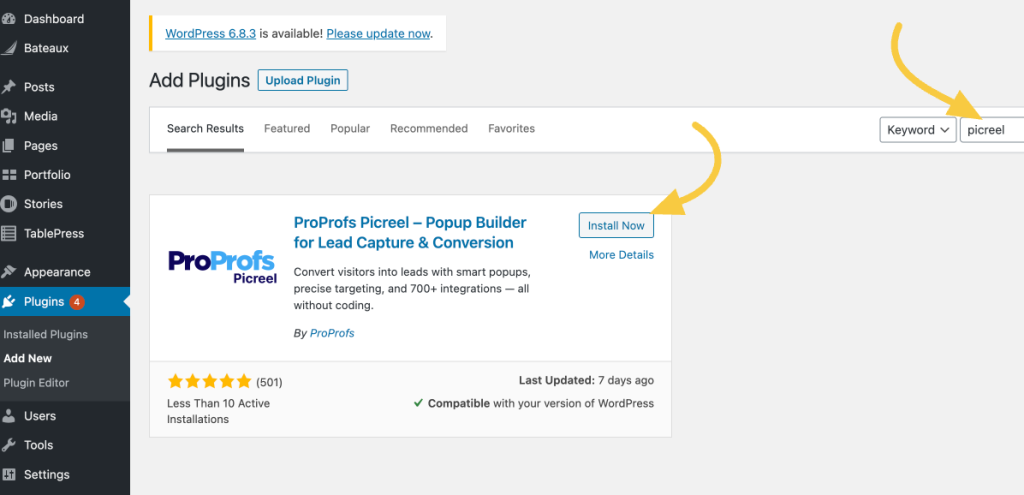
There is no need to edit theme files manually, add tracking scripts to your header or footer, or adjust performance settings just to make popups work. The plugin handles all of that in the background.
Step 2: Create Your Exit Intent Popup Campaign
Open the Picreel dashboard and click Create Campaign. You have two paths depending on how hands-on you want to be:
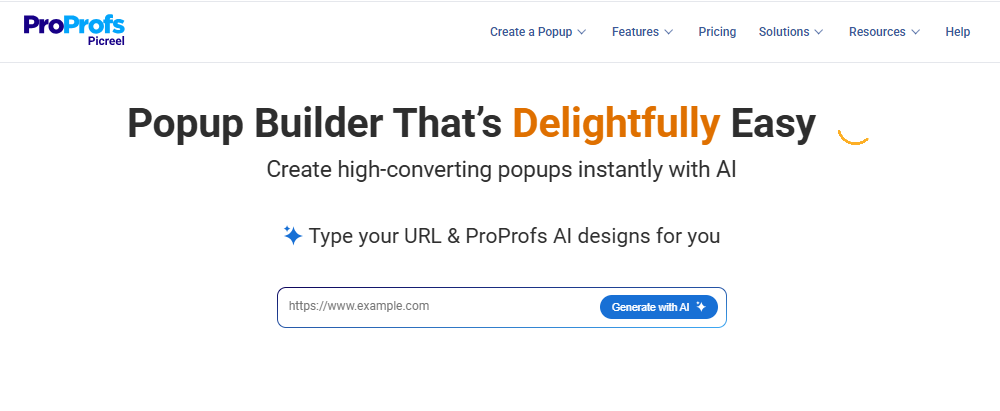
- Picreel AI: Enter your website URL, choose a goal such as lead capture, cart abandonment recovery, redirect, announcement, or re-engagement, and answer a few short prompts. The AI generates a popup layout, copy, and CTA matched to your goal.
- Template library: Choose from professionally designed templates, including slide-ins, side popups, full-screen overlays, and nanobars. These are built to stay visible without blocking page content.
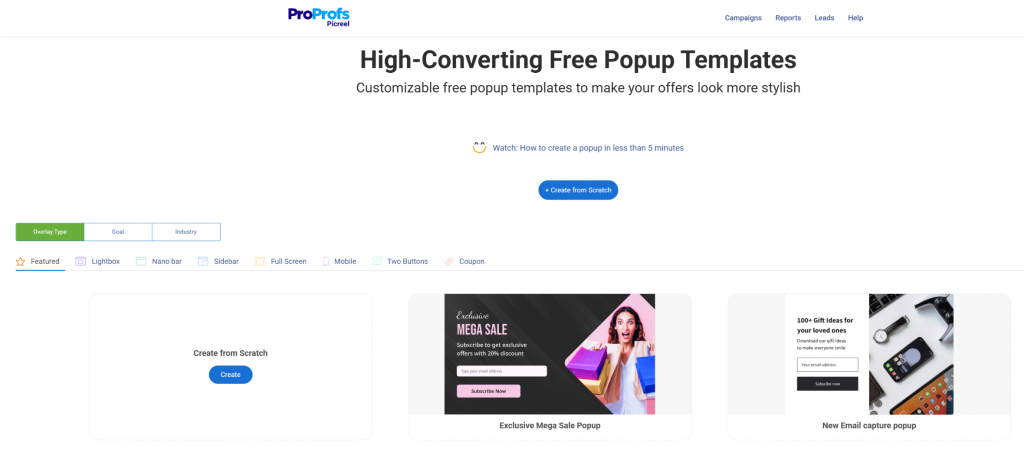
Stick to clean, minimal layouts. Exit intent popups convert best when they feel helpful rather than intrusive.
Step 3: Define the Popup Action for Your Conversion Goal
Keep the action clear and focused. One headline, one value line, one CTA. The moment you try to say three things in a popup, you lose the visitor. Depending on your objective, you can:
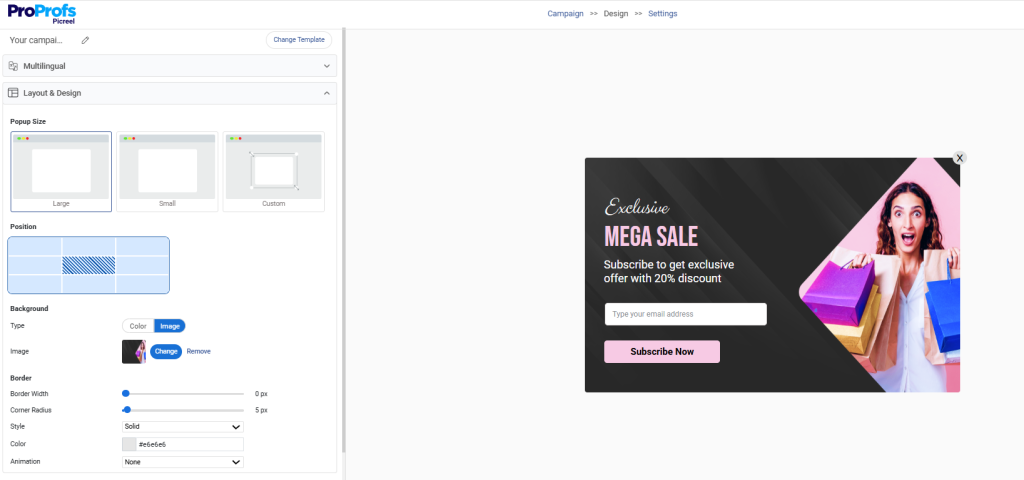
- Add a CTA button that redirects visitors to a specific page, such as a pricing page, product demo, or limited-time offer
- Capture emails with a short single-field form such as “Get our free SEO checklist.”
- Display a time-sensitive announcement such as “Sale ends tonight” or “New feature released.”
- Promote a discount, coupon popup, or product launch
Step 4: Set Your Triggers, Targeting Rules, and GDPR Compliance
This is the most important step and the one most people rush through. Choosing the right trigger determines whether your popup helps or frustrates your visitors.
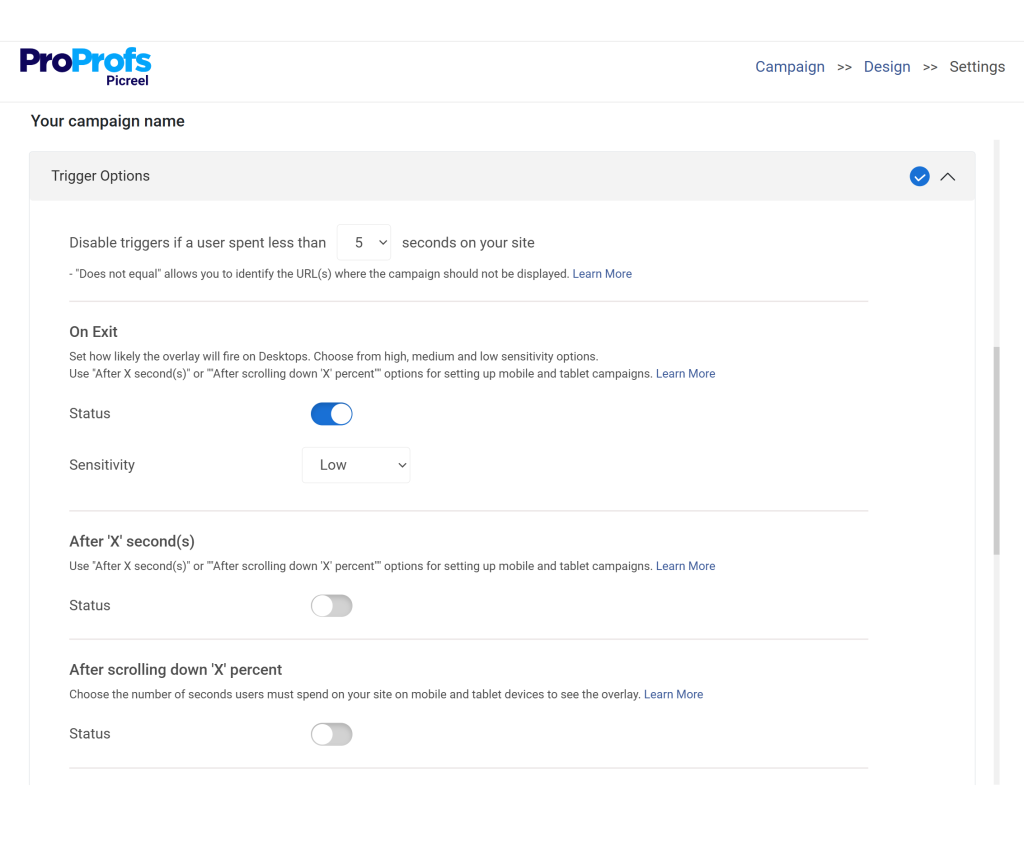
- Exit intent detection for visitors moving toward the browser close button or back button
- Scroll depth or time delay for visitors actively reading content
- Inactivity trigger for re-engagement at idle moments
- Click triggers for user-initiated popup experiences
Targeting rules to layer on top:
- Show only on specific pages or URL patterns such as blog posts, product pages, or the checkout page
- Target by visitor segment including new vs. returning users, geographic location, device type, or traffic source
- Suppress the popup for visitors who have already converted or recently closed it, which handles frequency capping automatically
GDPR considerations to address at this step:
- Use geolocation targeting to show consent-specific popups only to EU-based visitors
- Never pre-check consent boxes in your popup forms
- Set cookie rules so repeat visitors are not shown the same popup within a defined window, typically 7 to 30 days
Getting this step right is what separates a popup campaign that builds trust from one that drives visitors away.
Step 5: Connect Your Integrations and Confirm Lead Flow
Before going live, confirm that your integrations are connected and firing correctly. Picreel supports native integrations with Klaviyo, Mailchimp, HubSpot, ActiveCampaign, and Google Tag Manager. When set up correctly:
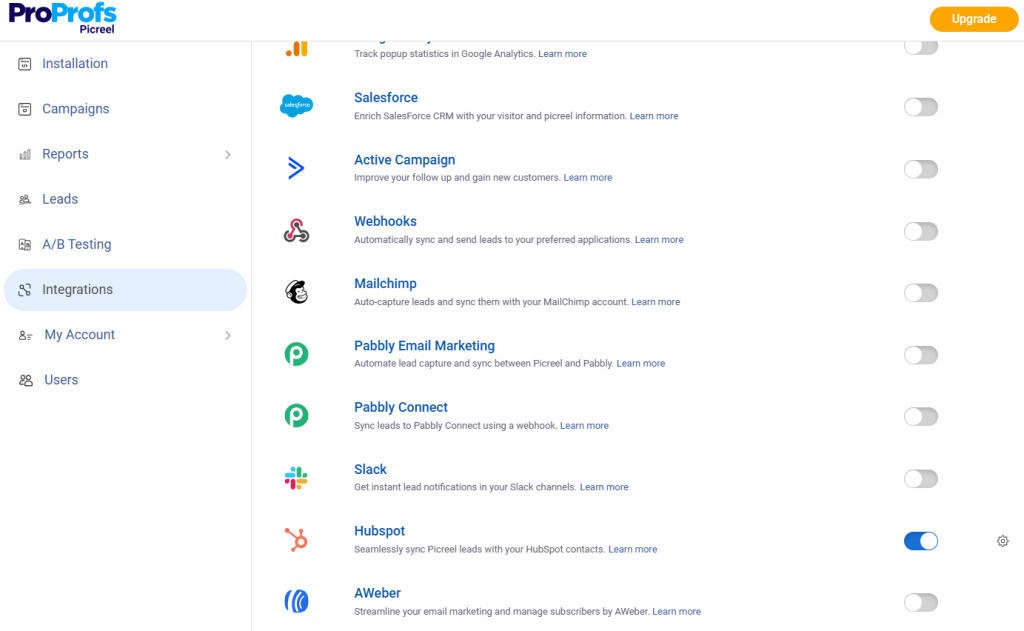
- New leads flow directly into your email platform in real time
- Conversion events pass to your analytics tools automatically
- No manual CSV exports are needed at any point
This step is critical for lead generation campaigns where the value comes from the follow-up sequence, not just the initial capture.
Step 6: Preview, Test, and Publish
Preview the popup on both desktop and mobile before publishing. Before hitting publish, confirm the following:
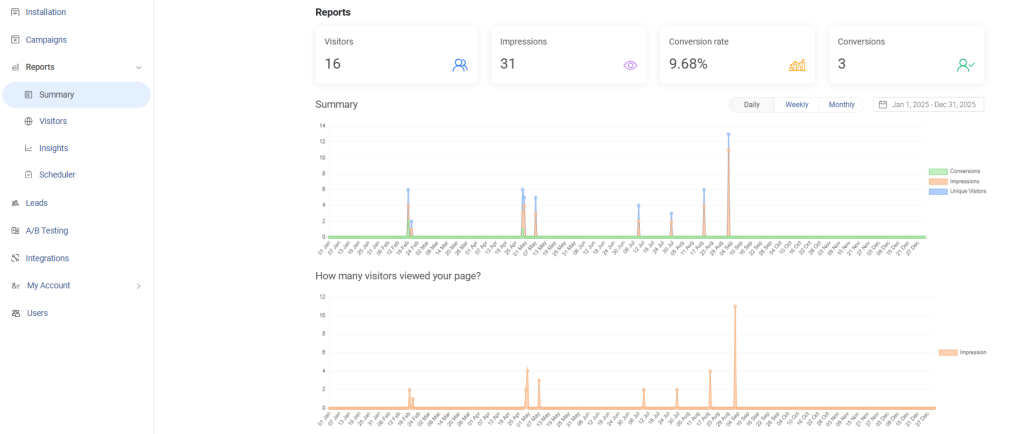
- The popup doesn’t block key content or navigation on the page
- The close button is easy to find and tap, especially on mobile
- The design adjusts smoothly across different screen sizes
- The popup appears at the right time without feeling intrusive
Once everything checks out, publish. Picreel manages caching automatically, so no additional optimization settings are needed after launch.
What Offers Work Best in Exit Intent Popup Campaigns?
The offer inside your popup matters as much as the timing. A well-triggered popup with a weak offer will still underperform. I’ve tested a range of offer types across different industries, and some consistently outperform others depending on context and audience.
Here is a breakdown of the offers I have seen work best, along with where they perform and what makes each format effective.
| Offer Type | Best For | Why It Works |
|---|---|---|
| Discount or coupon popup | eCommerce, cart abandonment | Removes the price objection at the highest-intent moment |
| Free shipping offer | WooCommerce, checkout pages | Shipping cost is one of the top reasons carts are abandoned |
| Lead magnet (eBook, checklist, guide) | Blogs, SaaS, agencies | Relevant free value is a low-friction ask for engaged readers |
| Gamified popup (spin-to-win, scratch card) | eCommerce, high-traffic sites | Interactive format increases engagement through novelty and FOMO |
| Content locking / gated content | Publishers, course creators | Creates perceived value and clear exchange before exit |
| Free consultation or demo offer | B2B, SaaS, service businesses | Meets high-intent visitors with a direct path to conversion |
| Webinar or event registration | Agencies, SaaS, educators | Extends the relationship beyond the session without a hard sell |
How Do You Make Exit Intent Popups Work on Mobile?
This is one of the most common pain points I have heard from marketing teams and CEOs. Businesses set up a perfectly functional desktop exit intent popup, see no results from mobile traffic, and assume exit popups do not work on mobile. They do. You just need a different approach.
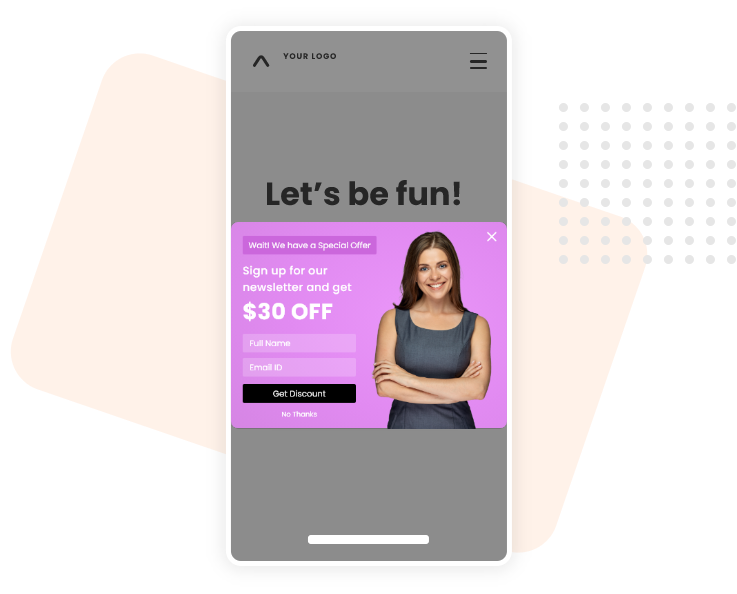
The challenge is that standard mouse-out detection requires a cursor, which mobile devices do not have. This means the desktop exit intent trigger is completely ineffective on smartphones and tablets. But mobile visitors still show clear behavioral signals that indicate intent to leave, and the right plugin can detect them.
1. Mobile Exit Intent Triggers That Actually Work
The four mobile-compatible triggers I rely on most are:
- Back-button detection: When a mobile visitor taps the back button, it is one of the strongest exit signals available. Firing a popup at this moment gives you a last-chance opportunity to capture the lead or recover the cart before the visitor leaves.
- Scroll-up detection: Rapid upward scrolling on mobile typically means the visitor is done with the page and preparing to leave. A well-configured scroll-up trigger fires the popup before that happens.
- Inactivity timer: After a defined period of no interaction, usually 15 to 30 seconds, the popup fires to re-engage a visitor who has gone idle. This works particularly well on product pages and landing pages.
- Tab-switching trigger: When a visitor switches to another app or browser tab on mobile, it signals low engagement. Firing a popup on tab switch gives you one more touchpoint before they are gone.
2. What to Keep in Mind When Designing for Mobile
Mobile popups have different design constraints than desktop popups. A popup that looks clean on a 1440px screen can become a full-screen block on a 375px phone if it has not been properly optimized. A few things to check before going live:
- Keep the popup compact. On mobile, full-screen overlays frustrate users and increase bounce rate.
- Make the close button large enough to tap without precision. A 44px tap target is the standard recommendation.
- Use a single field form wherever possible. Asking for name, email, and phone number on mobile kills completions.
- Test the popup across both Android and iOS since rendering behavior can differ, especially for animations and overlay positioning.
Learn more about mobile popups in our in-depth guide.
What Are the Most Common Exit Intent Popup Mistakes That Kill Conversions?
I’ve made most of these mistakes myself, and I’ve seen them repeated consistently. Getting the plugin right is only half the job. Knowing what not to do is just as important.
1. Showing the Same Popup to Every Visitor Destroys Relevance
A returning customer who just made a purchase does not need to see a first-time visitor discount popup. A subscriber who already opted in does not need to see the same lead capture form again. Without proper suppression rules and cookie targeting, you end up annoying your most loyal visitors.

Fix: Set suppression rules in your targeting settings to hide popups from visitors who have already converted or recently interacted with the popup.
2. Ignoring Mobile Optimization Means Losing Half Your Traffic
A popup that looks great on desktop but covers the entire screen on mobile, has a close button that is impossible to tap, or fires the wrong trigger on mobile is actively hurting your user experience. Intrusive mobile popups are one of the top reasons visitors leave a site frustrated.
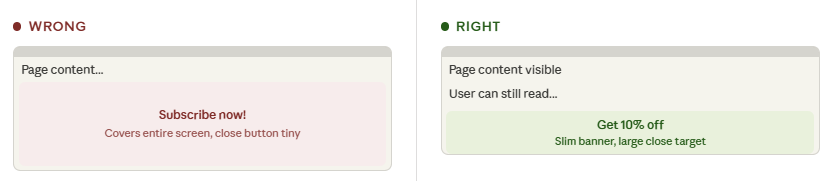
Fix: Preview every popup on mobile before publishing. Test the close button tap target. Use mobile-specific triggers as covered in the previous section.
3. Heavy Popup Plugins Slow Down Your WordPress Site
Plugin bloat is a real concern, and multiple WordPress forums discuss it regularly. Adding a feature-heavy popup plugin without checking its performance impact can slow your page load time, which directly affects both user experience and SEO rankings.
Fix: Choose lightweight tools like Popupsmart or cloud-based tools like Picreel that host their scripts externally and do not add significant load to your WordPress server. Always test page speed after installing a new popup plugin.
4. Running Too Many Popups on the Same Page Overwhelms Visitors
Running three or four overlapping popups on the same page creates a chaotic experience that drives people away faster than any exit intent trigger can recover them. A full-screen exit popup, a slide-in after 10 seconds, a notification bar, and a chat widget are too many competing elements on one screen.

Fix: Limit active popups to one or two per page. Prioritize the highest-intent placement, usually exit intent on cart or product pages, and suppress all other popups once one has fired.
5. Weak Offers Are the Most Common Reason Popups Fail
A generic “Subscribe to our newsletter” popup in 2026 is not compelling enough to stop a visitor mid-exit. A popup only works if the offer is genuinely valuable to the person seeing it.

Fix: Match the offer to the page context, the visitor segment, and the moment in their journey. A first-time visitor on a blog post needs a different offer than a returning visitor on a pricing page.
6. No Frequency Capping Means You Are Badgering Your Own Audience
Showing the same exit popup every single time a visitor returns to your site within a short window is one of the fastest ways to train your audience to ignore your popups entirely. Frequency capping exists for exactly this reason.

Fix: Set cookie rules so each visitor sees a given popup no more than once every 7 to 30 days. Most quality plugins handle this through their targeting settings.
FREE. All Features. FOREVER!
Try our Forever FREE account with all premium features!
Turn Leaving Visitors Into Conversions With Exit Intent Popups
Exit intent popups are one of the simplest ways to turn lost traffic into real conversions, but only when done right. The biggest takeaway here is that timing, targeting, and relevance matter more than the popup itself. If your offer matches user intent and your triggers are set correctly, even a small change can drive noticeable results.
From my experience, tools that combine ease of use with strong targeting make the biggest difference. That’s where Picreel stands out. Its AI-powered setup, flexible triggers, and built-in analytics make it easy to launch and optimize campaigns without added complexity.
If you’re serious about capturing more leads and reducing drop-offs, try setting up your first exit intent campaign with Picreel and start testing what works for your audience.
Frequently Asked Questions

Can exit intent popups work with WordPress caching plugins like WP Rocket or W3 Total Cache?
Yes, but test compatibility. Some plugins may conflict with caching. Cloud-based tools reduce issues. Always clear cache and test popup behavior on cached and non-cached pages before going live.
How often should an exit intent popup show to the same visitor?
Show it once every 7 to 30 days for most pages. Too frequent display annoys users. For high-intent pages like checkout, showing every 3 to 5 days can work better.
What is the best exit intent popup plugin for WooCommerce specifically?
Tools like Picreel and OptinMonster work well. They support cart-level targeting, integrate with tools like Mailchimp and Klaviyo, and handle mobile exit intent effectively. Elementor Pro is also useful if you use Elementor.
Can I create an exit intent popup on WordPress without a plugin using JavaScript?
Yes, using libraries like Ouibounce.js. But you’ll need to build targeting, cookies, integrations, and analytics yourself. For most users, plugins save time and effort.
Do exit intent popups work on all mobile browsers?
Mostly yes. Back-button and scroll triggers work across major browsers. However, some restrictions exist. Always test across Android and iOS to ensure consistent behavior.
What conversion rate should I realistically expect from exit intent popups?
Average is around 3%, while top performers reach 9% or more. Exit intent popups often perform better due to timing. Results depend on targeting, offer quality, and placement.
How do I stop exit intent popups from being blocked by ad blockers?
Use first-party or cloud-hosted scripts instead of ad-style ones. Dedicated lead generation tools are less likely to be blocked. Test across browsers with ad blockers before launching.
FREE. All Features. FOREVER!
Try our Forever FREE account with all premium features!

 We'd love your feedback!
What did you like & how can we make it even better?
 Thanks for your feedback!
 Ask Your Question
Have a question? Get expert help to make your decision easier.