

Lightbox popups are a strategic asset that can supercharge your WordPress site’s performance.
Whether you’re looking to grow your email list, boost sales, or promote key offers, I’ve seen that a well-designed lightbox popup can enhance user engagement without disrupting the experience.
Having said that, slow loading, poor mobile responsiveness, or generic designs can disrupt results.
Avoiding that is possible by creating modern, high-converting lightbox popups that feel natural and deliver results. An effective lightbox popup plugin for WordPress can help with this.
So, in this guide, I’ll cover the best plugins for drag-and-drop customization, animation effects, and advanced targeting rules that make popups truly effective.
What Is a Lightbox Popup in WordPress?
A lightbox popup in WordPress is a clean overlay that dims the background and brings specific content, like an image, video, or form, into focus without taking visitors to another page.
It’s a simple way to keep people focused on what matters, while giving your site a more polished and modern feel.
A lightbox plugin makes this easy to set up. Instead of coding, you can install a plugin that handles everything from how the popup looks to how and when it appears.
Unlike traditional popups that interrupt users, lightbox popups feel more natural and visually appealing. They draw attention without being intrusive.
8 Best Lightbox Popup WordPress Plugins
Here’s a look at 8 of the best lightbox popup WordPress plugins that can help you create eye-catching popups and optimize user interaction without any coding skills.
Before diving deep into the plugins, let’s get an overview of their use case and price:
| Tools | Best For | Price |
|---|---|---|
| Picreel | Getting More Leads, Conversions, and Sales | Starts at $9.99/month |
| Simple Lightbox | Creating Clean, No-Fuss Image Popups | Free to use with optional add-ons starting from $16 |
| Easy FancyBox | Displaying HTML and Multimedia Content | $49/yearly |
| FooBox | Responsive, Modern, and Visually Engaging Popups | Starts at $4.99/Month |
| Responsive Lightbox & Gallery | Managing and Showcasing Image Galleries | Free with some paid add ons |
| FireBox | Seamless Gutenberg Integration and Customization | Starts at € 41.65/year |
| WordPress Video Lightbox | Embedding and Displaying Videos Elegantly | Not listed |
| OptinMonster | Optimizing Form Conversions and Growing Email Lists Without Coding | Starts at $7/month |
1. Picreel – Best for Getting More Leads, Conversions, and Sales
Picreel is the lightbox popup plugin I rely on to turn casual visitors into paying customers. It’s ideal for marketers, e-commerce brands, and business owners who want to engage visitors in real-time and boost conversions without relying on developers.
I love how it works seamlessly with all kinds of interactive content, including images, videos, lead forms, discount offers, and even gamified popups like Wheel of Fortune. It also helps tackle some of the biggest challenges I’ve faced, like managing multiple popup tools, poor targeting, and low engagement.
With Picreel, I can create smart, behavior-based lightbox popups that trigger at the right moment when someone is about to leave, scrolls through a page, or goes inactive. The drag-and-drop builder and ready-made templates make it effortless to design popups that look professional and actually drive results.
Pros:
- Smart targeting options to display the right message based on user behavior and location
- Built-in analytics to track visitor engagement and performance trends
- Integrations with CRMs, email tools, and automation platforms for personalized messaging and effortless lead management
- A/B testing tools to identify what drives more conversions
Cons:
- Available only as a cloud-based platform, ensuring easy access without installation hassles
- Currently uses a light interface, keeping the design simple and distraction-free
Price
Offers a forever-free plan for up to 5K visitors. Paid plans start at $9.99/month.
2. Simple Lightbox – Best for Creating Clean, No-Fuss Image Popups
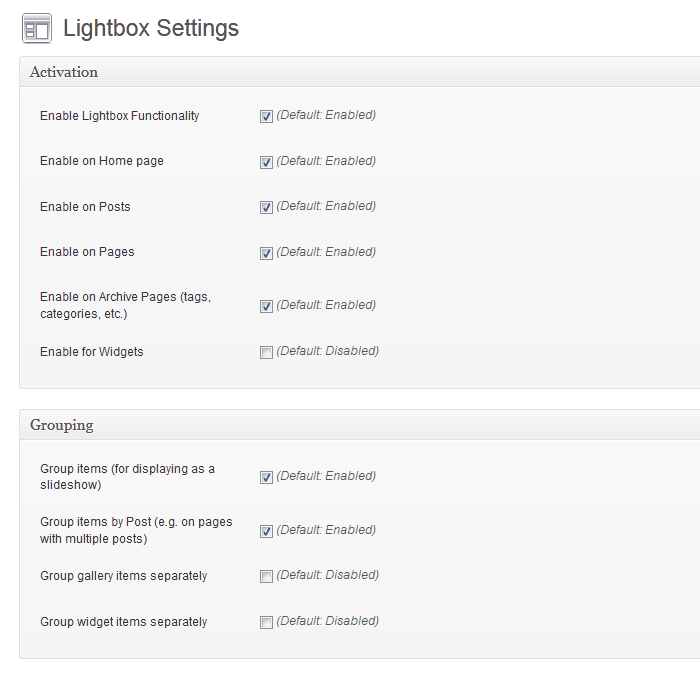
Simple Lightbox lives up to its name — it’s exactly what I reach for when I want a smooth, minimal lightbox experience without overcomplicating things. It’s perfect for bloggers, photographers, or small business owners who just need their images to open beautifully without dealing with extra setup or code.
Once activated, it automatically detects image links and turns them into elegant popups, complete with transitions and keyboard navigation for a seamless viewing experience. Customization is also straightforward. I can adjust animations, add themes, group images into slideshows, and even display captions or descriptions inside the lightbox — all without touching a single line of code.
Pros:
- Mobile-optimized layouts to ensure smooth performance on all devices
- Resizes the lightbox dynamically to fit different screen sizes and windows
- Ready-to-use responsive themes that work beautifully on mobile
- Supports grouping images by post or page for slideshow-style browsing
Cons:
- Doesn’t work with certain theme gallery setups.
- Lacks native support for newer image formats like WEBP.
Price
Free to use with optional add-ons starting from $16, available for extended functionality.
3. Easy FancyBox – Best for Displaying HTML and Multimedia Content
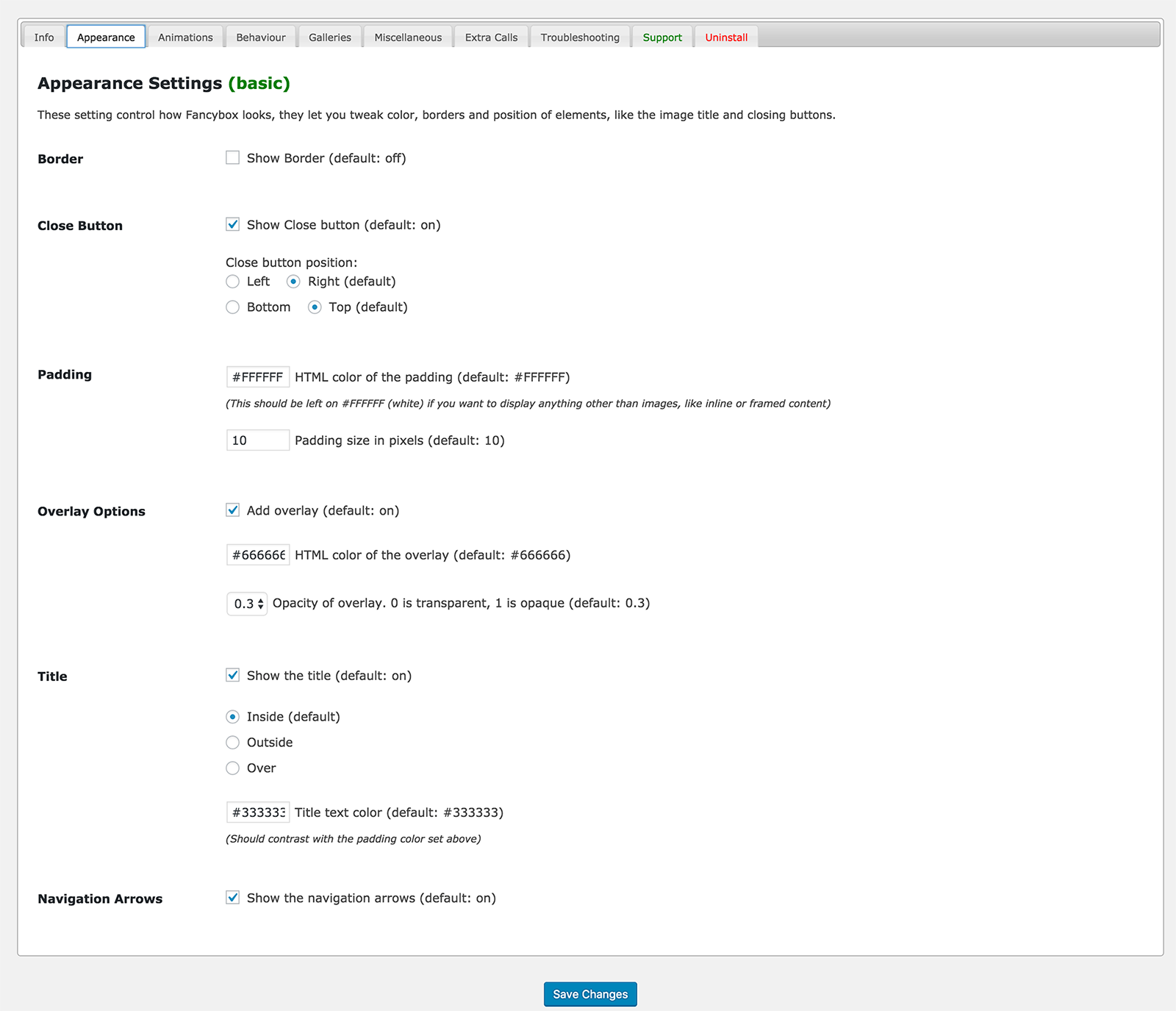
If your website includes a mix of images, videos, and interactive elements like maps or PDFs, Easy FancyBox helps bring them all together in a clean, modern lightbox. The plugin automatically converts your media links into elegant overlays that enhance user engagement without cluttering the page.
You can also personalize the lightbox style, choose from multiple display modes, and maintain full GDPR compliance all while keeping your site lightweight and fast.
Pros:
- Automatically detects and opens images, galleries, and multimedia without manual setup
- Supports videos from YouTube, Vimeo, and Dailymotion, as well as embedded PDFs
- Offers multiple customization settings to tweak lightbox behavior, appearance, and animation
- Works seamlessly with NextGEN Gallery, Jetpack Infinite Scroll, and WordPress Multisite
Cons:
- Some advanced design and toolbar customization options are limited to the Pro version
- Beginners might need a bit of time to explore all configuration settings
Price
$49/yearly
4. FooBox – Best for Responsive, Modern, and Visually Engaging Popups
FooBox is an outstanding lightbox popup plugin, especially when it comes to responsiveness. It was actually the first lightbox I came across that really took mobile responsiveness seriously. What I love most is that it not only scales images beautifully on mobile devices, but it also rearranges its button controls to look great in both portrait and landscape orientations.
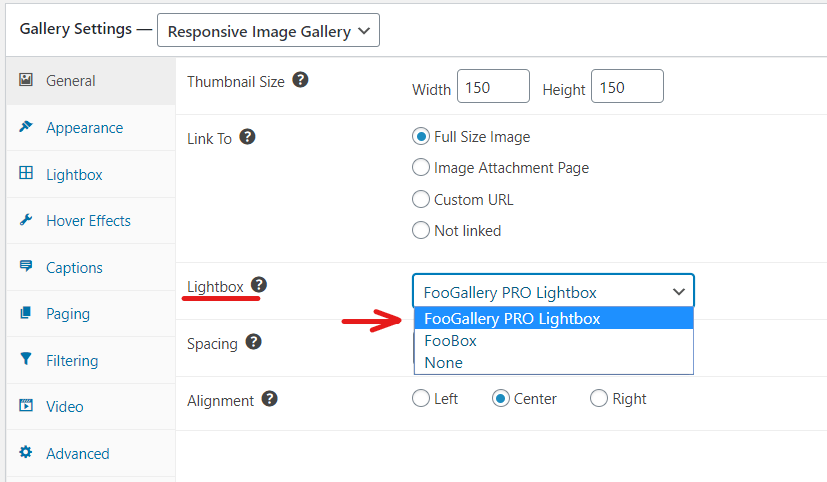
FooBox automatically adds modals to your WordPress galleries, captioned images, and attachment images without requiring any setup, making it super easy to use. While it works with most image gallery plugins, I’ve noticed it works best with FooGallery, their own gallery plugin.
Pros:
- FooBox automatically adds modals to WordPress galleries and images with zero configuration.
- The lightbox design adjusts seamlessly to different screen sizes, ensuring a great viewing experience on any device.
- Integrates smoothly with Gutenberg, adding modals to images and galleries effortlessly.
- Provides control over when FooBox assets are included on pages, optimizing site performance.
Cons:
- Sometimes stops working due to software updates which interrupts the workflow.
- Some themes and plugins may defer JavaScript, causing the FooBox initialization to run before the main script, potentially breaking functionality.
Price
Starts at $4.99/Month
5. Responsive Lightbox & Gallery – Best for Managing and Showcasing Image Galleries
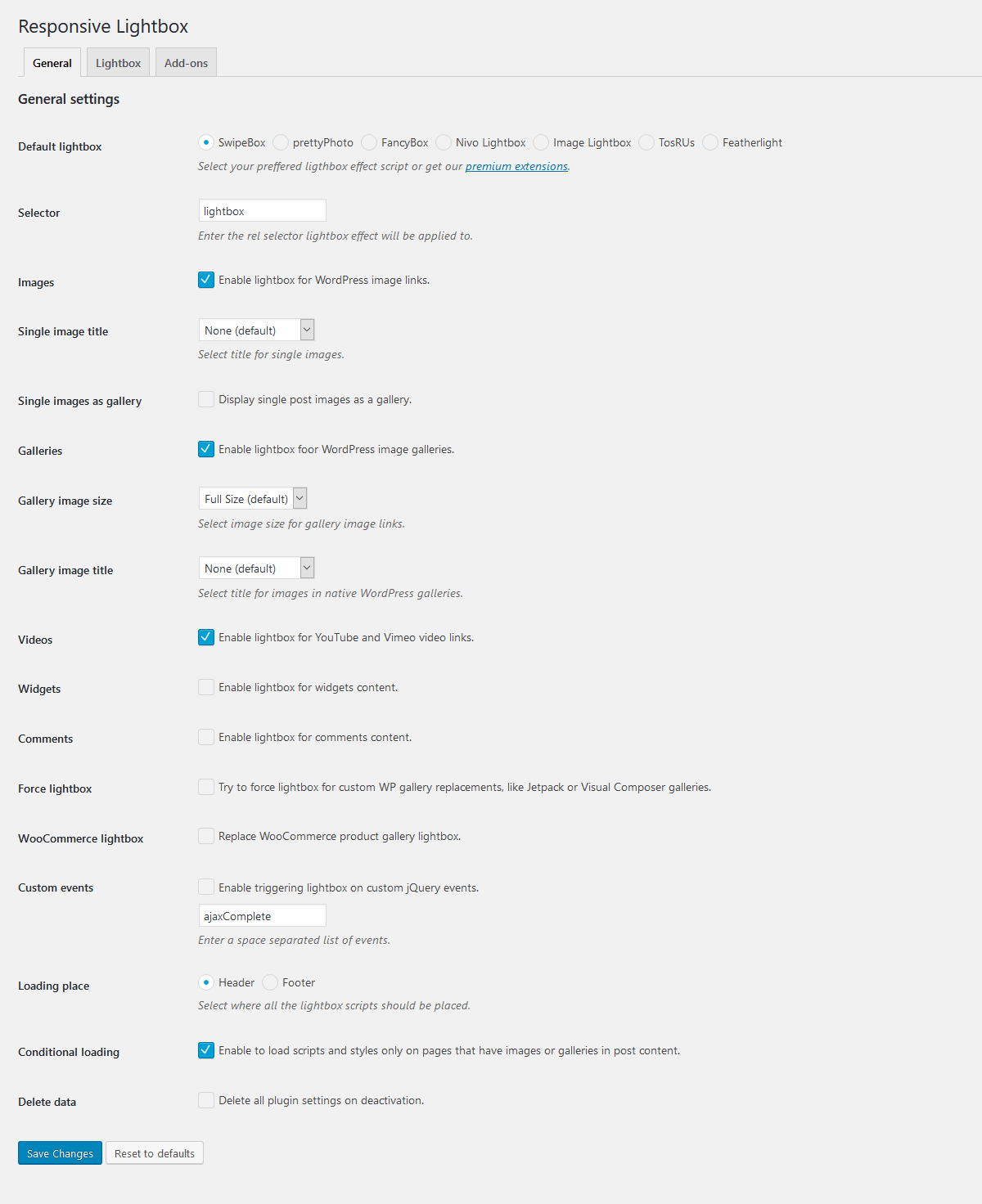
I’ve found the Responsive Lightbox & Gallery plugin to help manage and display image galleries on WordPress. This plugin is incredibly user-friendly, with a drag-and-drop gallery builder that makes customization easy—no coding required.
I particularly love the variety of gallery templates it offers, from grid to slider to masonry layouts, giving me plenty of options to suit different types of content. Plus, this lightbox popup plugin WordPress offers a responsive lightbox feature that works perfectly to enhance image displays, creating a seamless viewing experience for visitors across devices.
Pros:
- Intuitive drag-and-drop interface to create and customize galleries quickly.
- Offers grid, slider, and masonry gallery templates to suit your content style.
- Optimized for speed and performance, ensuring faster load times and better search engine rankings.
- Supports WooCommerce, page builders, and works seamlessly with popular lightbox scripts like SwipeBox, prettyPhoto, and Magnific Popup.
Cons:
- Some advanced customization options and additional gallery types are only available in the premium version.
- While extensive, the numerous settings for galleries and lightboxes can be overwhelming for beginners.
Price
Free with some paid add ons
6. FireBox – Best for Seamless Gutenberg Integration and Customization
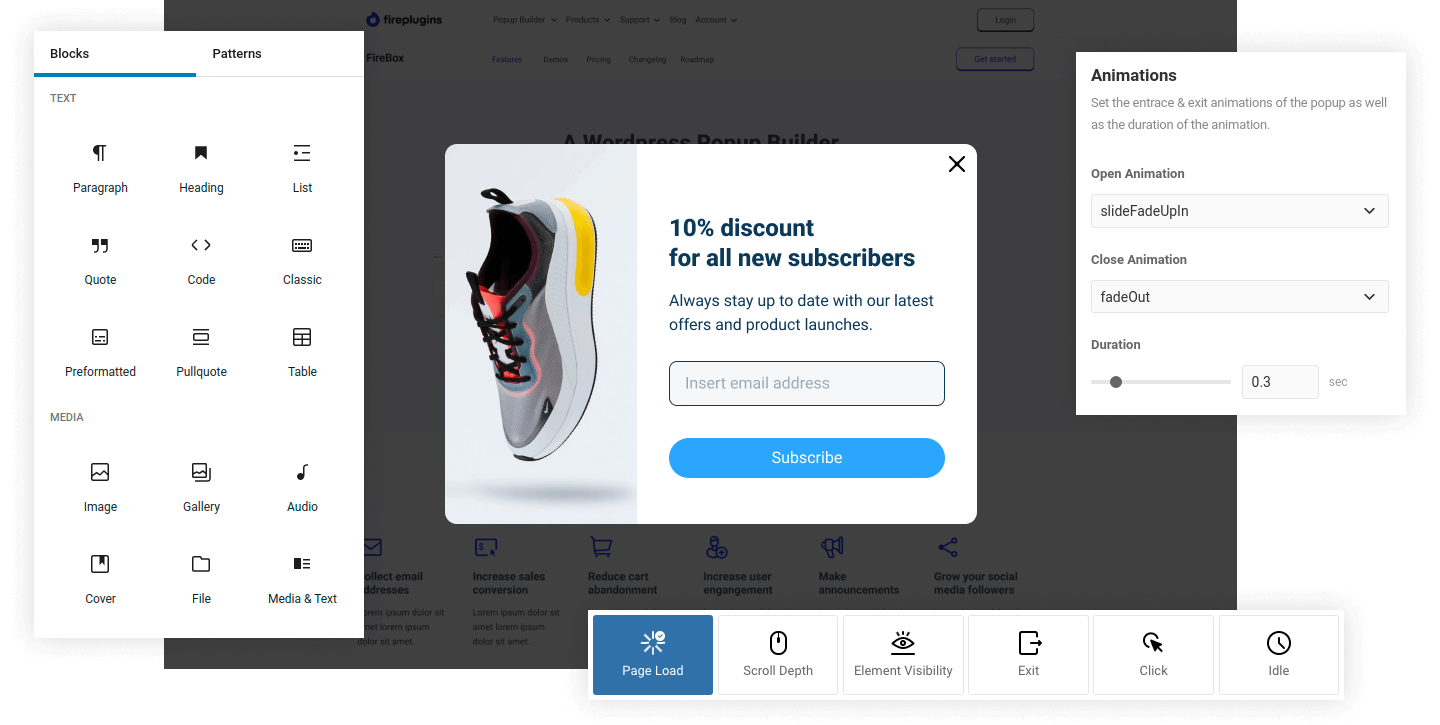
I’ve been using FireBox for quite some time, and it’s honestly become my go-to plugin for creating lightbox popups in WordPress. Its effortless integration with the Gutenberg editor makes it super simple to design and customize popups without needing to touch any code.
I also love how versatile it is—whether I’m looking to promote offers, collect email addresses, or provide instant support, this lightbox popup plugin WordPress makes it all possible with its flexible popup options. With its responsive design and user-friendly interface, it’s ideal for both beginners and experienced developers.
Pros:
- FireBox automatically triggers popups based on specific user actions, like scrolling or exit-intent, increasing engagement.
- Targeting options to customize when and where popups appear based on user behavior, device type, and time spent on page.
- The built-in template library offers a wide range of beautifully designed popups that I can easily tweak to fit my style.
- It allows highly targeted messaging, letting me personalize popups for different segments of my audience based on their behavior and preferences.
Cons:
- Not compatible with mobile so popups don’t appear correctly.
- There are alot of bugs which require regular updates.
Price
Starts at € 41 .65 / year
7. WordPress Video Lightbox – Best for Embedding and Displaying Videos Elegantly
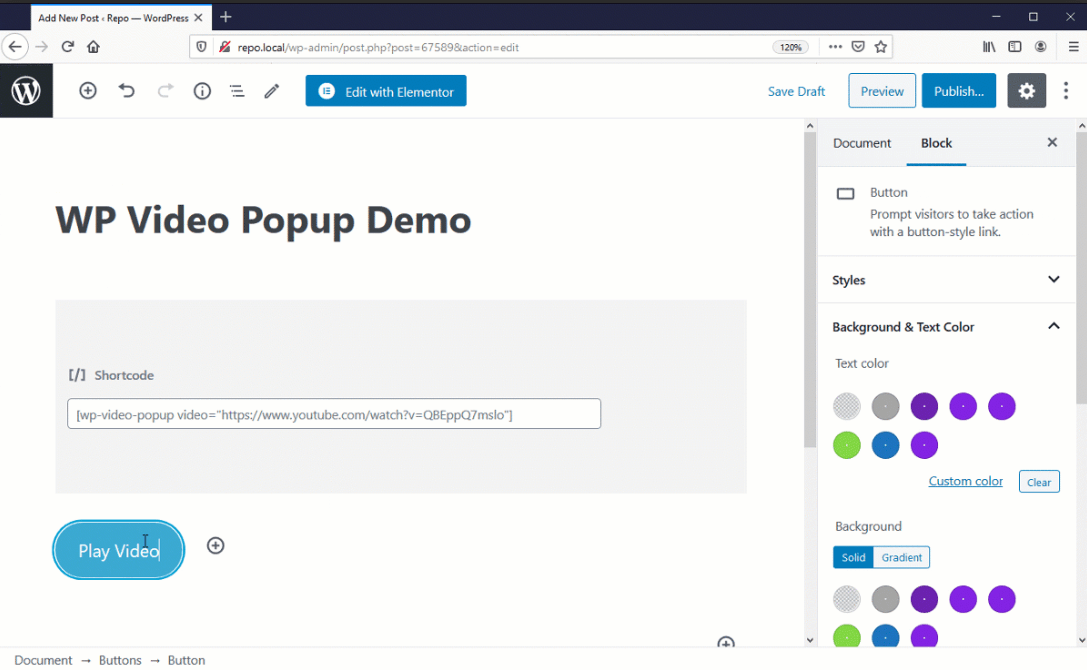
I’ve found the WordPress Video Lightbox plugin to be a fantastic tool for enhancing my WordPress site by displaying videos elegantly in a lightbox overlay. Whether I’m embedding YouTube, Vimeo, or Flash videos, this plugin allows me to seamlessly display them with a sleek popup effect. It’s fully responsive, so the videos look great on mobile devices like iPhones and iPads. Plus, it offers simple, customizable shortcodes that make integration hassle-free.
What I love most about it is that it lets me showcase videos without overwhelming my page design. It’s been beneficial for keeping the site clean while still providing an engaging user experience, especially with its ability to fetch video thumbnails and display them in the lightbox automatically.
Pros:
- Easy integration with shortcodes to embed YouTube, Vimeo, or Flash videos, with full customization options for video size and appearance.
- Fully responsive videos that display beautifully on all devices, ensuring a seamless lightbox experience.
- SEO-friendly video thumbnails with the “alt” parameter to help search engines better understand your content.
- Multiple media support for YouTube, Vimeo, Flash, and iFrame, providing flexibility for different types of content.
Cons:
- Adjusting the shortcode to fit your design can be time-Cons:uming.
- Only supports a select range of video hosting services.
Price
Not listed
8. OptinMonster – Best for Optimizing Form Conversions and Growing Email Lists Without Coding

I heard about OptinMonster from my friends, who told me it helps increase conversions and grow email lists with minimal effort. After trying it myself, I found that this powerful lightbox popup builder makes it incredibly easy to create custom popups, sticky floating bars, gamified campaigns, and more—all without needing any coding skills.
I appreciate how seamlessly this lightbox popup plugin WordPress integrates with popular email marketing services and CRMs, making it perfect for marketers and business owners like me. Plus, with its intuitive interface and mobile optimization, OptinMonster ensures that my campaigns look great on any device, boosting both user experience and lead generation.
Pros:
- Create fully customized popups, floating bars, and gamified campaigns without needing to code.
- Integrates seamlessly with popular email platforms like MailChimp, ConvertKit, and WooCommerce for smooth lead management.
- Advanced targeting options to personalize popups based on user behavior, location, and even past interactions.
- Built-in A/B testing and analytics to optimize campaigns and boost conversion rates.
Cons:
- Has a steep learning curve.
- Some browsers blocks OptinMonster’s scripts.
Price
Starts at $7/month
Lightbox Popup Plugins WordPress: My Top 3 Picks
After testing dozens of plugins and studying what users struggle with most, I’ve narrowed it down to three standouts.
I’ve picked them based on how well they solve real pain points like slow-loading popups and limited content support to complex setups and poor mobile performance.
I have also Cons:idered how often WordPress community recommends them, and how versatile they are when it comes to user experience and design. I am sure adding a popup lightbox to a WordPress site using one of these plugins can help you deliver instant results.
1. Picreel
Picreel is built for anyone who wants to convert traffic into leads. It offers smart behavior-based targeting, multiple popup styles, and deep integrations with CRMs and marketing tools. Whether it’s exit intent popups or time-based overlays, Picreel helps capture attention right before visitors leave. Its analytics and A/B testing features make optimization effortless.
2. Simple Lightbox
Simple Lightbox is ideal for creators and small site owners who just want beautiful image popups without touching code. It activates automatically once installed, turning your regular image links into smooth lightbox effects. With responsive themes, slideshow options, and caption support, it’s a great choice for anyone who values simplicity and speed over unnecessary features.
3. FooBox
FooBox takes lightbox popups a step further with full support for images, videos, and HTML content. It’s perfect for designers, agencies, or marketers who want more visual flexibility. The plugin features a stylish, responsive design that adapts perfectly across devices, and it integrates easily with WordPress galleries and social sharing tools — making it both functional and sleek.
Choosing the Right Lightbox Popup Plugin for WordPress
With so many popup lightbox WordPress options available, selecting the right lightbox popup plugin comes down to how well it aligns with your goals and workflow. Here’s a quick way to evaluate your options before installing one:
- Ease of Setup: Choose a plugin that installs quickly and doesn’t need coding. If setup takes more than a few minutes, it’s not beginner-friendly enough. Go for one with a clean dashboard and simple on/off controls.
- Content Type Support: Make sure the plugin supports everything you plan to display — images, videos, forms, or HTML. If you want to run product demos or lead forms, skip image-only plugins.
- Performance Impact: Before committing, test the plugin’s effect on your site speed through free trial or a plan. Use tools like PageSpeed Insights to see if it adds any delay. A good lightbox should be lightweight and optimized for fast loading.
- Mobile Responsiveness: Preview how the lightbox looks on phones and tablets. It should resize automatically and maintain easy navigation. If users need to zoom or scroll awkwardly, it’s not mobile-ready.
- Design Control: Look for a plugin that lets you adjust fonts, colors, and animations to match your site’s branding. A good one should make your popups look like a natural part of your design, not a separate add-on.
- Advanced Targeting: If you plan to use lightboxes for lead generation or offers, select a plugin with behavioral triggers, such as exit intent, scroll depth, or time delay. The more control you have, the better your results.
- Integration Options: Verify if the plugin integrates with your tools, such as Klaviyo for email or Zapier for automation. Seamless integrations save you hours of manual work.
- Price vs. Value: Compare pricing plans carefully. Don’t just go for the cheapest; focus on the value. If a paid version gives you automation, analytics, and design control that helps conversions, it’s worth the investment.
- Look for Reviews: Always check what other users say. Browse support forums and plugin ratings to identify common issues or standout features. Real-world feedback can save you from unexpected headaches.
FREE. All Features. FOREVER!
Try our Forever FREE account with all premium features!
Optimizing Your Site With the Perfect Lightbox Popup Solution
Choosing the right lightbox popup plugin for WordPress depends on factors like ease of use, content support, and advanced targeting features. Whether you’re looking for simplicity with image popups or flexibility with video and forms, the right plugin should fit your site’s needs and boost engagement without slowing down performance.
If you’re seeking a versatile, behavior-driven solution that seamlessly integrates with your tools, Picreel stands out as a solid option for increasing conversions and capturing leads. With its smart targeting, A/B testing, and easy-to-use interface, it’s ideal for marketers and business owners looking to engage visitors at the right moment. Explore Picreel and see how it can help you optimize your site’s performance today.
FREE. All Features. FOREVER!
Try our Forever FREE account with all premium features!

 We'd love your feedback!
What did you like & how can we make it even better?
 Thanks for your feedback!
 Ask Your Question
Have a question? Get expert help to make your decision easier.