

If you’re reading this, you already know what a floating popup WordPress plugin is. The real challenge now is choosing one that actually fits your business without slowing your site down, inflating costs, or adding unnecessary complexity to WordPress.
Almost all marketing teams and site owners I speak with share the same issues. Popular tools become expensive as traffic grows. Some plugins hurt performance or clash with caching. Others feel bloated, hard to manage, or simply not built with WordPress in mind. Naturally, the questions follow.
This guide is designed to help you answer those questions with clarity. I’ll walk through real-world use cases, compare leading tools, break down what actually matters when choosing a plugin, and share practical guidance for setting up floating popups without hurting UX or performance.
Floating Popups Use Cases
At this point, you’re trying to decide whether a floating popup genuinely fits your business model or if it’s more than you really need.
That’s why looking at real use cases matters. Seeing how others use floating popups for specific problems helps you judge whether this approach is right for your situation or if a simpler solution would do the job.
1. Lead Generation Without Forcing Email Sign-Ups
Not every popup needs to ask for an email.
A lot of businesses use floating popups simply to redirect traffic. For example, sending visitors from an older site to a new product page, campaign landing page, or even another website.
This works especially well when:
- You already have traffic
- You don’t want to collect personal data upfront
- You just want people to discover something new
In these cases, a small floating popup or slide-in does the job without feeling intrusive.
2. Email List Growth From Organic Traffic
This is still the most common use case.
Blogs, service websites, and SaaS companies use floating popups to capture email subscribers from organic traffic that would otherwise leave without taking action.
What makes floating popups effective here is timing.
This is where a floating popup WordPress plugin works well, helping you engage new visitors after they’ve shown interest instead of interrupting them immediately.
When they show up:
- After someone scrolls
- When they’ve spent time on the page
- When they’re about to exit
It feels more like a reminder than a disruption.
3. Cart Abandonment Recovery for WooCommerce Stores
If you run a WooCommerce store, floating popups often serve one goal: stop people from leaving with items in their cart.
These cart abandonment popups usually trigger when:
- A visitor shows exit intent
- The cart value crosses a certain amount
- A product is low in stock
Even a simple message like a discount reminder or free shipping nudge can reduce cart abandonment and recover sales that would otherwise be lost.
4. Announcements and Persistent Calls to Action
Sometimes, you don’t want a popup that disappears.
Floating bars and sticky hello bars are popular for:
- Limited-time offers
- Product launches
- Webinar registrations
- Important announcements
They stay visible as users scroll, without blocking content. This makes them ideal when your message matters, but you don’t want to annoy visitors.
5. Social Proof and Urgency
Some floating popups aren’t about forms at all.
They’re used to show:
- Recent sign-ups
- Purchases
- Downloads
- Live activity
This kind of social proof popup builds trust and creates urgency, especially for new visitors who are still deciding whether to engage or buy.
6. Navigation and UX Support (Especially for LMS and Mobile Users)
This is a use case many people overlook.
You’ll often see floating elements used to:
- Add quick navigation buttons
- Keep course menus accessible in LMS platforms
- Improve mobile usability when menus are hard to reach
In these situations, the goal isn’t conversion. You use floating elements to make your site easier to navigate and more comfortable to use.
Best WordPress Floating Popup Plugins
Choosing a floating popup plugin isn’t about finding the one with the most features. It’s about picking a tool that fits what you want visitors to do.
Each WordPress floating popup plugin listed below is grouped by use case so you can quickly see which one aligns with how you actually run your site.
I’ve also added a comparison table at the end to help you review these tools side by side and make a clearer decision.
| Tool Name | Best For | Price |
|---|---|---|
| Picreel | Getting More Leads, Conversions, and Sales | Free plan available; Paid plans start at $9.99/month |
| OptinMonster | Multi-Site Management | Starts at $7/month |
| Popup Maker | Lightweight, Performance-First Popups | Starts at $59.40 (1st year) |
| CartFlows | WooCommerce Cart Recovery | Starts at $189/year |
| TrustPulse | Social Proof and Urgency | Starts at $5/month |
1. Picreel – Best for Getting More Leads, Conversions, and Sales
I find Picreel to be a powerful WordPress floating popup plugin because it lets me create polished, on-brand popups without needing any technical expertise. It offers ready-made templates along with a create-from-scratch option, and the editor makes it easy to adjust layouts, colors, and elements until everything looks right. The mobile-friendly setup also ensures floating popups feel smooth and consistent across devices.
I like the range of floating formats available, from subtle nanobars and slide-ins to more attention-grabbing full-screen overlays. Once a popup is live, sending leads directly into my CRM or email tools feels seamless thanks to Picreel’s built-in integrations.
Pros:
- Smart triggers, such as exit intent, inactivity, time delay, scroll, click, and page count, serve popups at the perfect moment.
- Advanced targeting, including geo-location, browser, and OS targeting, as well as cookie rules for precise audience control.
- In-depth popup analytics, including visitor behavior insights, conversion tracking, and trend analysis to refine campaigns.
- A/B testing with real-time data to compare variations and quickly identify the highest converting popup.
Cons:
- Cloud-only – no offline access
- No dark theme
Price:
Offers a forever-free plan for up to 5K visitors (For WordPress, you may need the Enterprise account).
Paid plans start at $9.99/month, followed by Business at $39.99/month, and Enterprise at $69.99/month.
2. OptinMonster – Best for Multi-Site Management
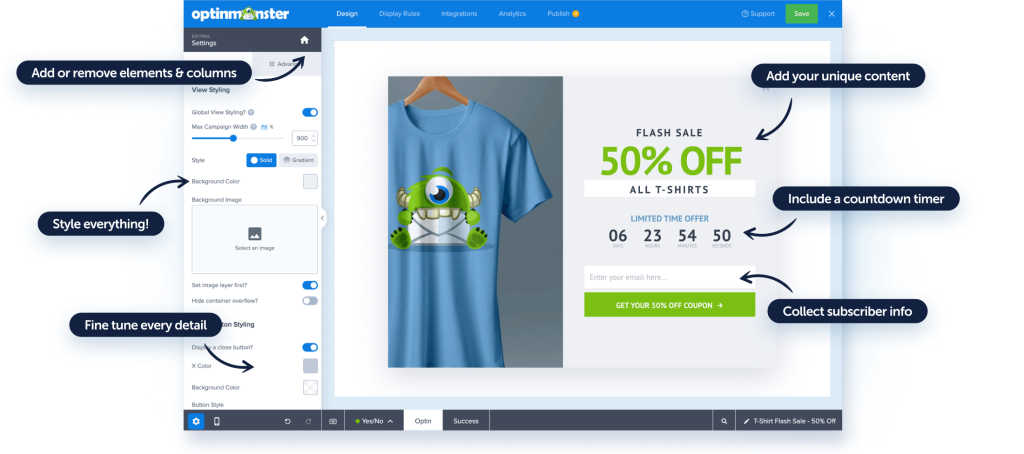
I’ve found OptinMonster especially useful for managing popups across multiple WordPress sites from one place. You don’t have to jump between dashboards or recreate campaigns for each site. You can build a popup once, apply it across domains, and control targeting rules centrally.
It also gives you solid control over when and where popups appear, which helps when different sites serve different audiences. If you’re running several websites and want consistent campaigns without extra setup effort, OptinMonster is designed for that kind of scale and structure.
Pros:
- Manage popups across multiple sites from a single dashboard to save setup time
- Use exit intent and page-level targeting to show messages at the right moment
- Track views and conversions to see what’s working and what’s not
- Integrate with email and marketing tools to keep campaigns connected
Cons:
- Limited flexibility if you want a fully WordPress-native experience.
- Can feel heavy for users who only need basic popups.
Price:
Starts at $7/month
3. Popup Maker – Best Lightweight and Performance-First Plugin
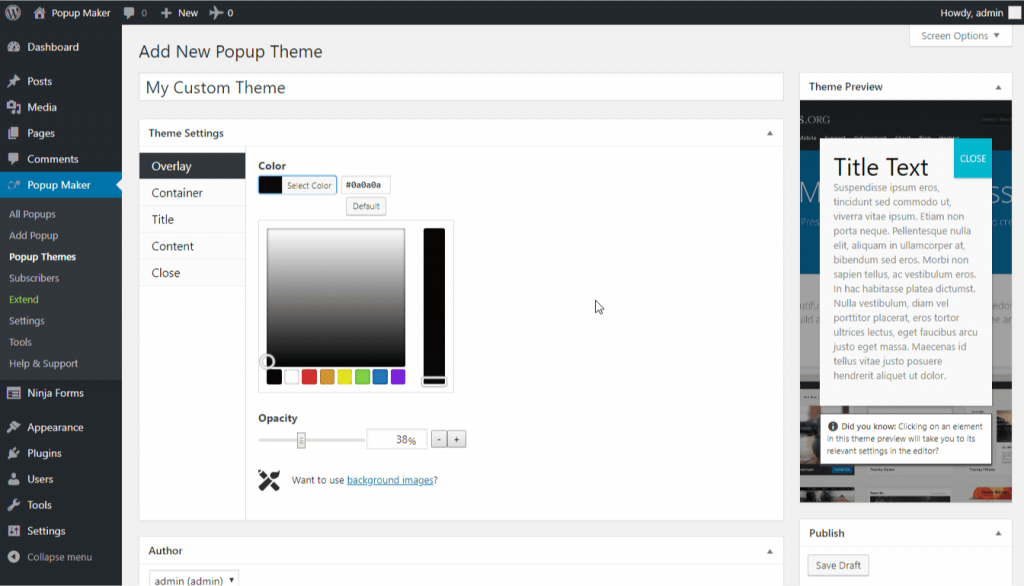
For floating popups on WordPress, I find this tool works best for simple setups. Since it runs entirely inside WordPress, I can manage everything from the native dashboard without needing external integrations.
I can create basic popups, slide-ins, or banners and control them directly from the dashboard I already use. It feels like a practical option when I want popups to load only when needed, instead of showing up on every page by default.
Pros:
- Fully WordPress-native with no external dependencies to keep everything in one place
- Lightweight structure to help protect site speed and performance
- Flexible triggers like scroll, click, and time delay to control timing
- Works well with caching and optimization plugins to avoid conflicts
Cons:
- Design options feel basic compared to SaaS tools
- Advanced targeting and analytics require add-ons
Price:
Starts at $59.40 1st Year
4. CartFlows – Best for WooCommerce Cart Recovery
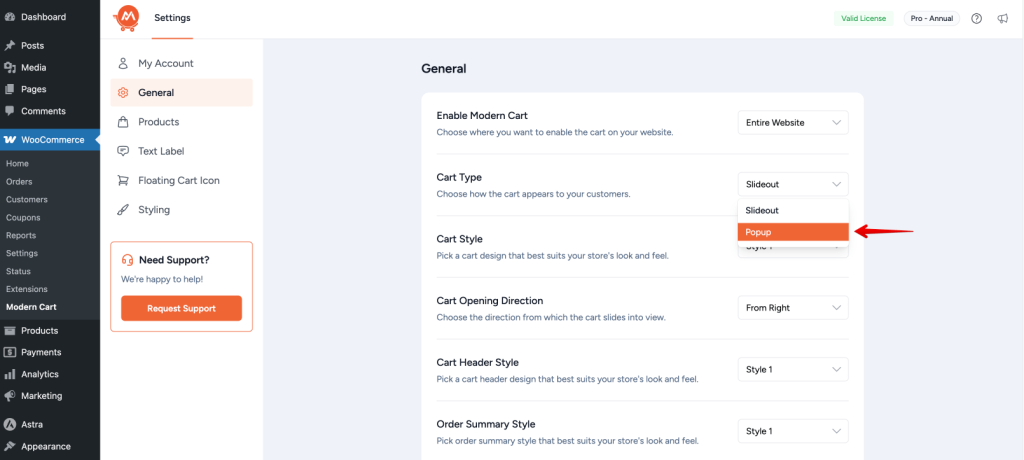
For recovering lost WooCommerce sales, I think CartFlows is purpose-built. I’ve seen it work best for stores that want to intervene at key checkout moments instead of relying on generic popups. It lets you create targeted offers, upsells, and reminders that appear based on cart behavior.
Because it’s tightly integrated with WooCommerce, everything feels connected to the buying flow. If your main concern is reducing cart abandonment and increasing order value, CartFlows focuses more on checkout optimization than standalone popup campaigns.
Pros:
- Deep WooCommerce integration to trigger actions based on cart and checkout behavior
- Support for offers, upsells, and order bumps to increase order value
- Compatibility with popular page builders to design custom layouts
- Funnel-focused setup to guide buyers instead of showing generic popups
Cons:
- Not ideal for simple lead-generation popups
- Requires WooCommerce and setup time to see results
Price:
Starts at $189/year
5. TrustPulse – Best for Social Proof and Urgency
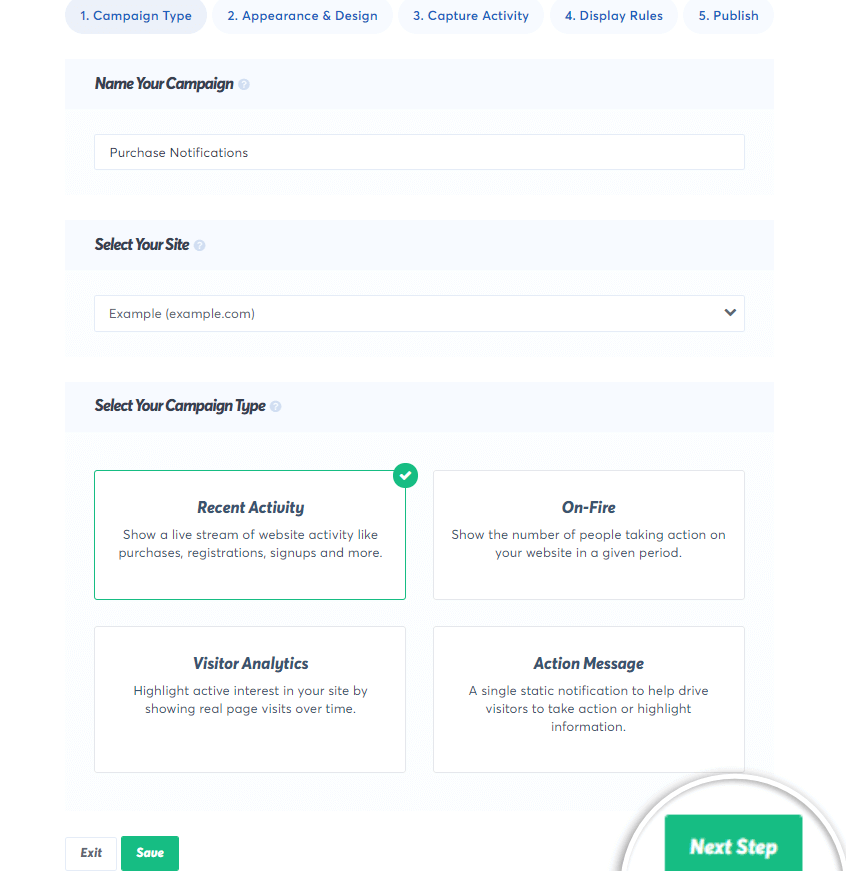
I’ve seen TrustPulse work best to build visitor trust. Instead of asking visitors to take action directly, it shows them that others already are. You can display real-time notifications for sign-ups, purchases, or activity, which helps reduce hesitation for new visitors.
It’s especially useful for ecommerce and SaaS sites where people need reassurance before converting. TrustPulse focuses less on traditional popups and more on subtle nudges that create urgency and credibility without interrupting the browsing experience.
Pros:
- Display real-time notifications for sign-ups, purchases, and actions to build instant credibility
- Trigger notifications based on specific pages or events to keep messages relevant
- Customize notification design to match site branding to maintain visual consistency
- Integrate with popular platforms and tools to track and show genuine activity
Cons:
- Depends heavily on consistent traffic to show activity.
- Fewer trigger options compared to full popup builders.
Price:
Starts at $5/month
Evaluation Criteria for Floating Popup WordPress Plugin
Now that you’re trying to choose a plugin, I suggest choosing one that supports your goals for long term without breaking your site, your workflow, or your budget. These criteria help you filter out tools that look good on the surface but cause problems later.
1. Multi-Site and Domain Flexibility
If you manage more than one site, you need a plugin that works across domains without extra charges. This avoids juggling multiple tools or hitting artificial site limits.
2. WordPress-Native Compatibility
Choose a plugin built specifically for WordPress. Tools designed mainly for Shopify or external platforms often feel clunky or limited once installed on WordPress.
3. Lightweight Performance and Site Speed Impact
Popups should load only when needed. A heavy plugin can slow your site, hurt Core Web Vitals, and push visitors away before they even see your message.
4. Trigger and Targeting Options
Good plugins let you show popups based on exit intent, scroll depth, URLs, or visitor behavior. Look for options that support first-visit targeting, especially if you want a floating popup first-visit WordPress plugin that adapts to new users differently from returning ones.
5. Ease of Setup for Small Teams
You shouldn’t need a developer for basic popups. Look for something you can install, configure, and launch without touching code.
6. Reporting and ROI Visibility
Check whether the plugin shows views, clicks, and conversions clearly. This helps you decide which popups to keep, tweak, or remove based on actual results.
7. Pricing Models and Long-Term Cost
Some tools get expensive as traffic grows. Check whether pricing is based on impressions, sites, or features, so there are no surprises later.
8. Privacy and GDPR Friendliness
Make sure the plugin works smoothly with cookie consent tools. It should let you control tracking behavior without forcing complex compliance setups.
9. Reviews and Real User Ratings
Reviews reveal what sales pages don’t. Look for consistent feedback on trusted review sites like G2 and Capterra around reliability, support, updates, and performance before committing.
How to Set Up a Floating Popup in WordPress
Before creating any floating popup, be clear about its purpose. Floating popups work best when they guide attention without blocking content. That means your message, placement, and timing matter just as much as the design.
Once you know what you want the popup to achieve, a WordPress floating popup plugin like Picreel helps you launch it quickly without touching code or slowing your site.
Step 1: Install and Connect Your Popup Tool
From your WordPress dashboard, go to WordPress popup plugins → Add New and search for your floating popup plugin, such as Picreel.
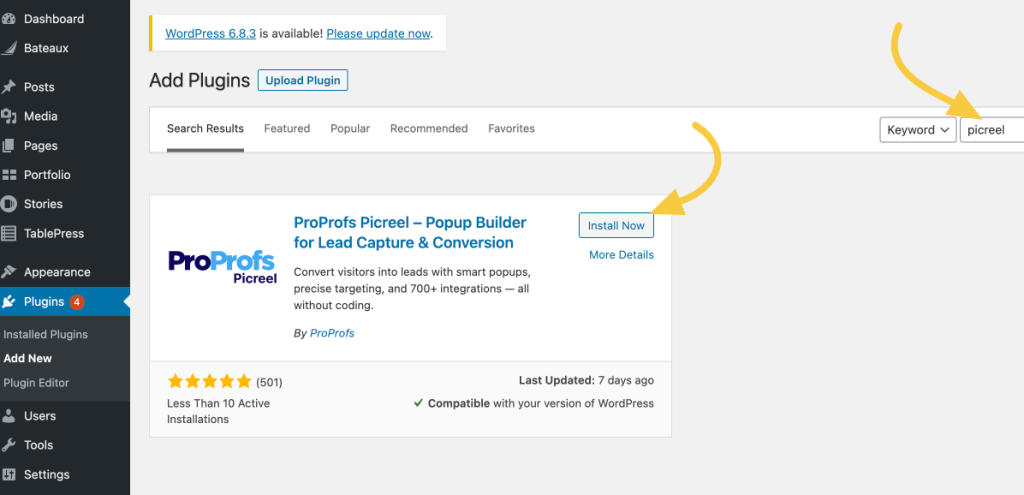
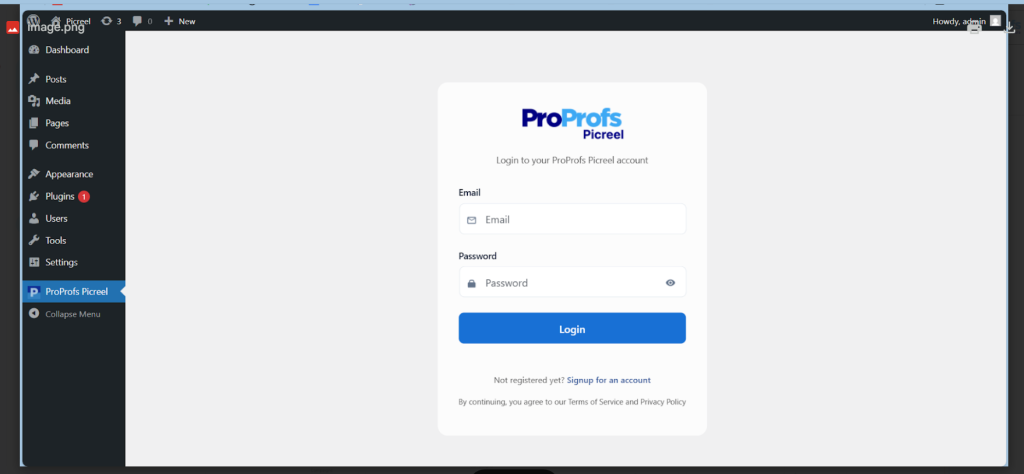
Install and activate the plugin, then log in or create a Picreel account.
Now, it’s time to go to the dashboard.
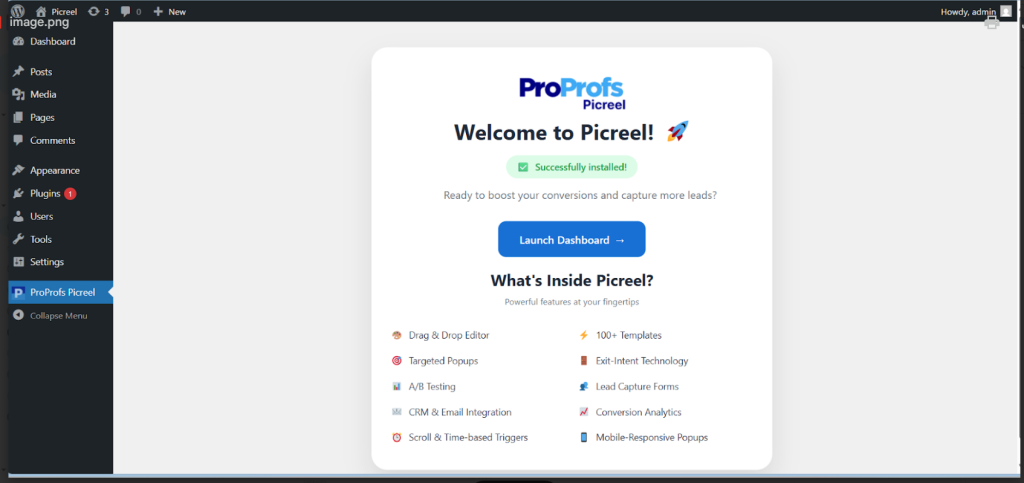
Once connected, your site syncs automatically. You don’t need to edit theme files, add scripts manually, or adjust performance settings just to make floating popups work.
Step 2: Create a Floating Popup Campaign
Open the Picreel dashboard and click Create Campaign.
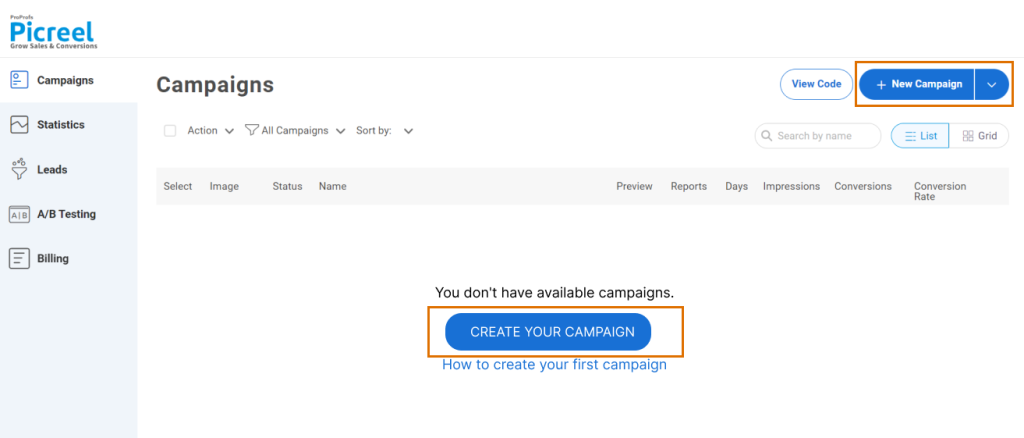
You can create a floating popup in two simple ways, depending on how hands-on you want to be.
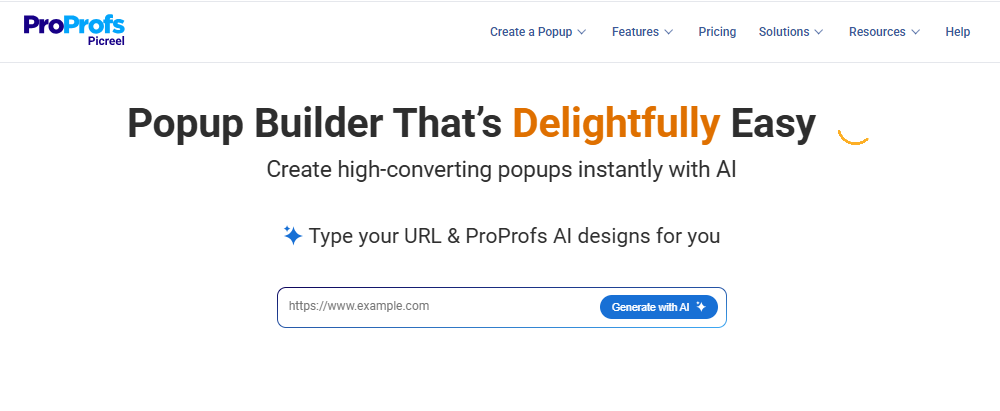
For a faster setup, use Picreel AI. Enter your website URL, choose a goal like lead capture, redirect, announcement, or engagement, and answer a few short prompts. Picreel AI will generate a floating popup layout, copy, and CTA that fits your goal.
If you want more control, choose from Picreel’s floating popup templates. These include slide-ins, side popups, nanobars, and floating banners designed to stay visible without blocking content.
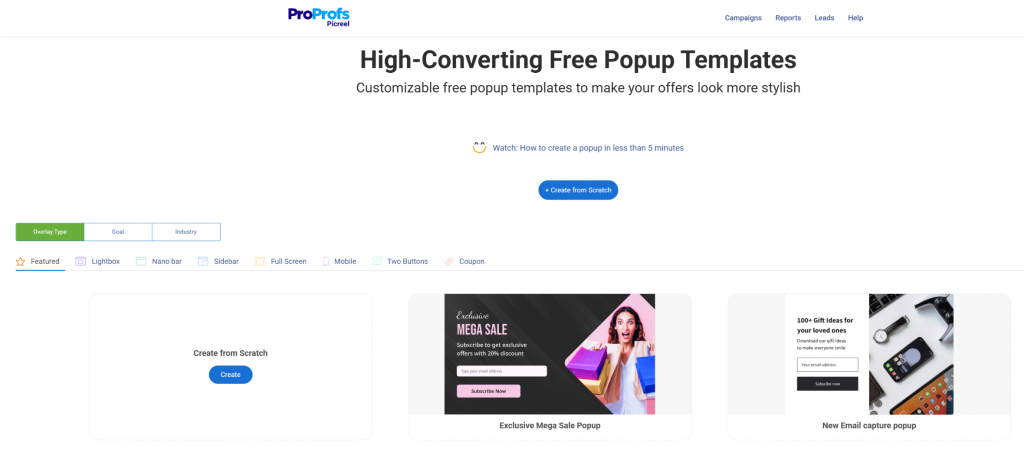
Stick to slim, clean layouts. Floating popups work best when they feel helpful, not intrusive.
Step 3: Add the Right Action
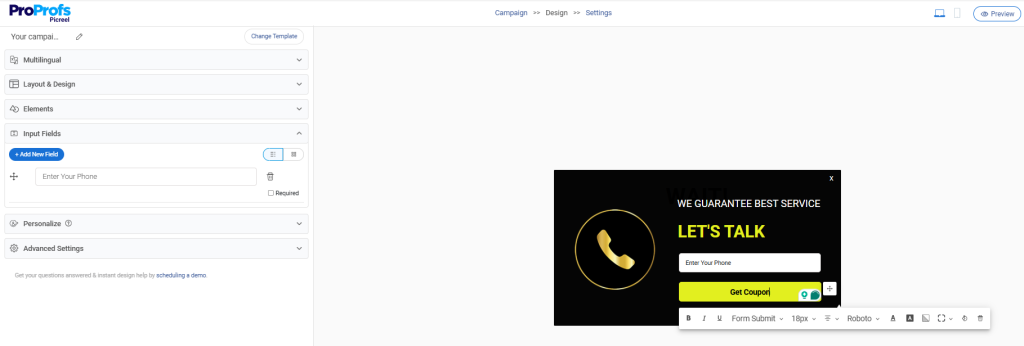
Depending on your goal, you can:
- Add a CTA button that redirects users to a page
- Capture emails with a short form
- Show an announcement or reminder
- Promote an offer or update
Keep the action clear and minimal so users understand what to do at a glance.
Step 4: Control When and Where the Floating Popup Appears
This is where floating popups really shine.

Choose triggers based on intent:
- Scroll depth or time delay for content readers
- Inactivity or exit intent for engagement or recovery
- Click triggers for user-initiated popups
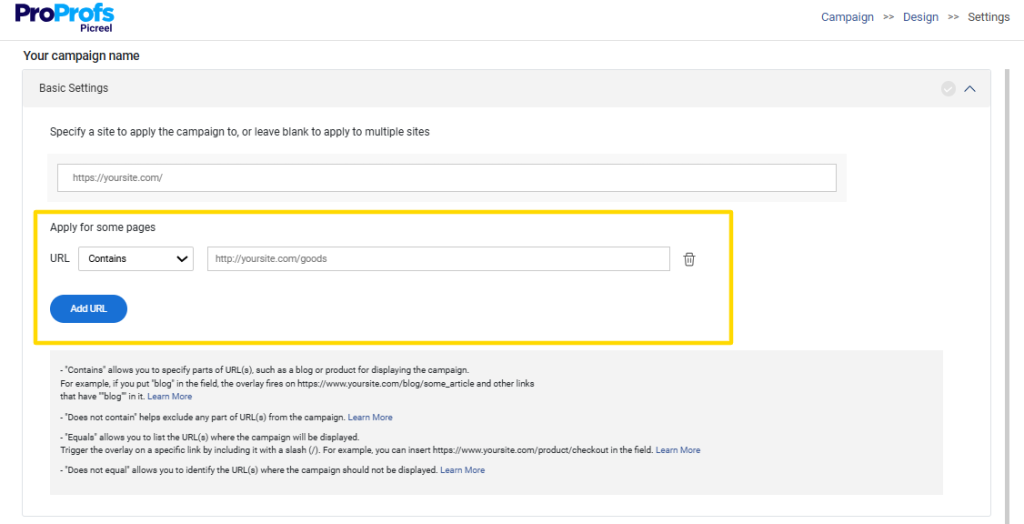
Next, control popup targeting. Show the popup only on relevant pages, specific URLs, or to certain visitor segments. You can also use location-based targeting if your message applies to specific regions.
This keeps floating popups relevant instead of repetitive. You can find all there options in the settings section of your popup campaign.
Step 5: Check the Tracking and Performance
If your floating popup connects to analytics, CRMs, or email tools, ensure those integrations trigger correctly without affecting page load.
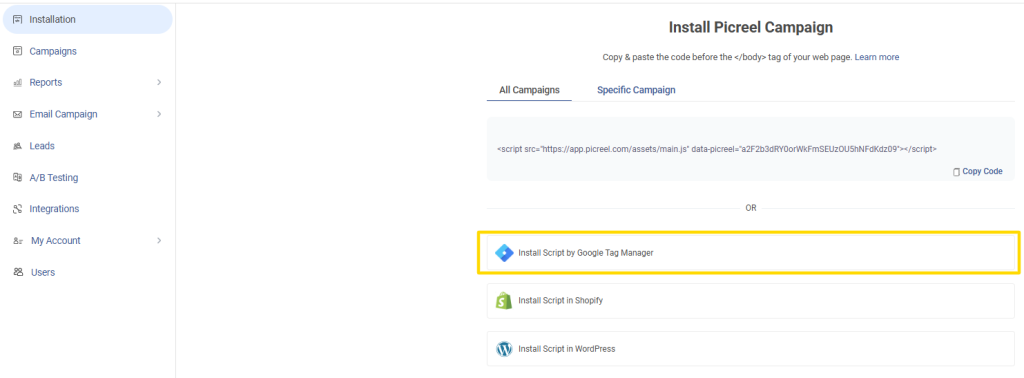
Picreel works smoothly with tools like Google Tag Manager and handles performance in the background, so popups don’t interfere with caching or site speed.
Step 6: Preview, Test, and Publish
Preview the floating popup on both desktop and mobile. Check placement, spacing, and close behavior.
Make sure:
- It doesn’t cover important content
- It’s easy to dismiss
- It looks natural on smaller screens
Once everything feels right, publish the popup. Picreel manages caching automatically, so you don’t need to tweak optimization settings after launch.
FREE. All Features. FOREVER!
Try our Forever FREE account with all premium features!
WordPress Floating Popup Best Practices
Floating popups work only when they feel intentional. Small decisions around copy, timing, and control make the difference between helpful and annoying.
Here’s how to get it right.
1. Use Clear, Action-Focused CTA Copy
Your popup CTA should tell visitors exactly what happens next. Instead of vague buttons like Submit or Learn more, use copy such as Get the checklist, See the offer, or Go to the page. Clear CTAs reduce hesitation and improve clicks.
2. Keep the Design Simple and Readable
Floating popups should look like part of your site, not an interruption. Use clean layouts, minimal text, and colors that match your branding. Avoid heavy animations or oversized designs that pull attention too aggressively.
3. Always Give Users Control
Every popup should be easy to close. Add a visible close button and avoid hiding it. When users feel trapped, they’re more likely to leave the site instead of engaging.
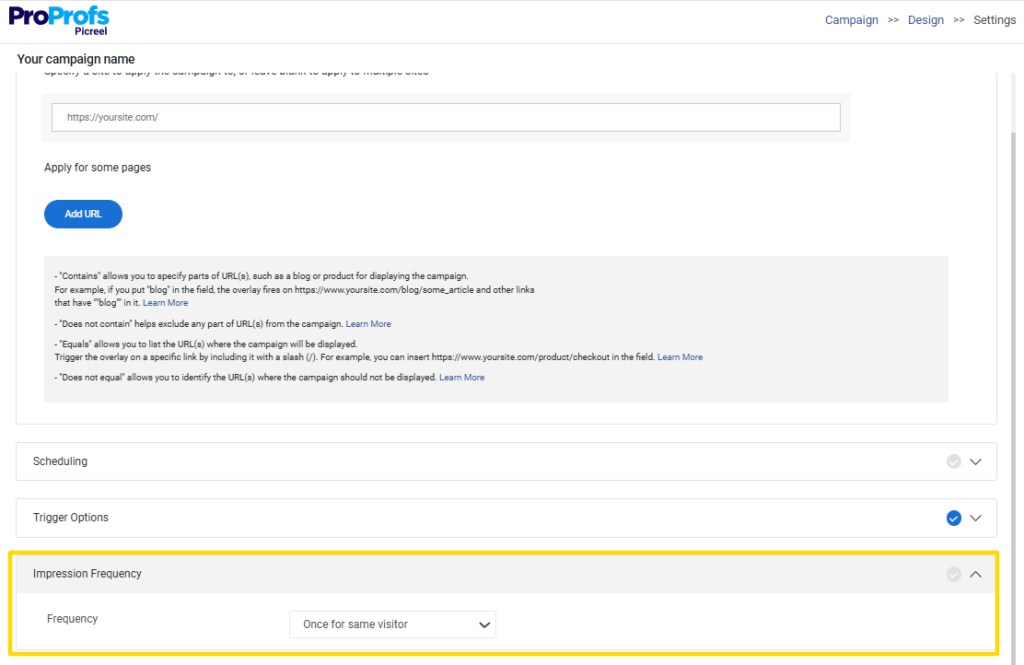
4. Set Smart Frequency Rules
No one wants to see the same popup on every page. Use frequency limits so once a visitor closes or interacts with a popup, it doesn’t keep reappearing on the next visit.
5. Avoid Popup Blindness
When popups appear too often or look the same everywhere, users start ignoring them. Mix up timing, placement, and messaging, and only show popups when they genuinely add value to the page.
Choose the Right Floating Popup Plugin for Your Needs
Floating popups are most effective when used with intention, rather than as a quick add-on. The right WordPress plugin for floating popup setups should support your goals today while staying simple to manage as your site grows.
When timing, placement, and relevance align, floating popups feel helpful instead of disruptive and actually support your goals without compromising UX or performance.
If you’re looking for a flexible option that covers most of these use cases without adding complexity, Picreel is worth exploring. It offers multiple floating formats, smart triggers, and targeting options, while remaining easy to set up and manage.
If you’re ready to test floating popups on your WordPress site, start with a simple goal, build one popup, and see how Picreel helps you turn visitor attention into real action.
FREE. All Features. FOREVER!
Try our Forever FREE account with all premium features!

 We'd love your feedback!
What did you like & how can we make it even better?
 Thanks for your feedback!
 Ask Your Question
Have a question? Get expert help to make your decision easier.