

Running a WordPress site today is not just about publishing content or driving traffic. It is also about protecting yourself from legal and compliance risks that most site owners only think about when something goes wrong.
If you are running affiliate links, publishing advice-based content, or redirecting users to third-party sites, using a disclaimer popup on WordPress has become a practical requirement rather than an optional add-on.
Footer links and passive pages are easy to ignore, and in many cases, they no longer provide enough visibility to meet compliance expectations.
This is where disclaimer popups come in. When used correctly, they surface important notices at the right moment without hurting user experience or slowing your site down. When done wrong, they break after updates, annoy visitors, or create a false sense of compliance.
In this guide, I’ll explain what a disclaimer popup is, common problems site owners run into, how to add a disclaimer popup in WordPress the easy way, how to use it without hurting UX or compliance, and whether a popup alone is enough to protect your site.
What Is a Disclaimer Popup in WordPress and When Do You Need One?
A disclaimer popup in WordPress is a simple on-screen message that shows important legal information at the right moment. Usually, before or while someone is reading your content. It is a practical way to reduce risk by making sure visitors see and acknowledge key notices upfront.
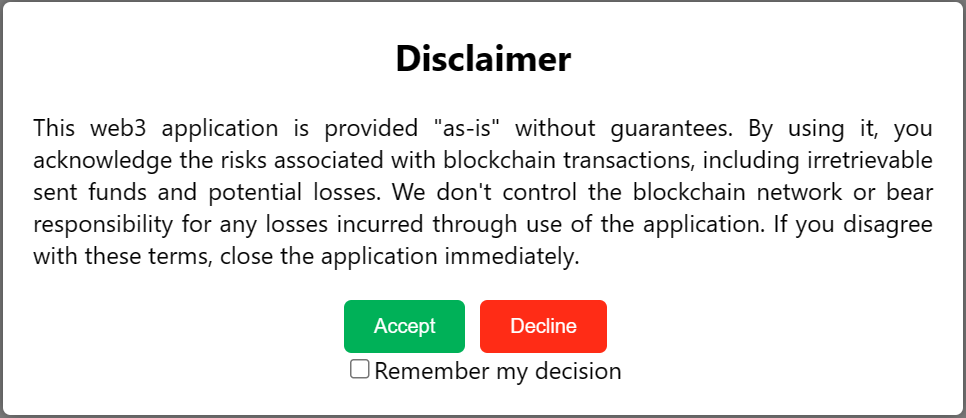
It is easy to confuse this with other elements, so let’s clarify that. A disclaimer popup is different from a cookie consent popup, which deals with tracking and data collection under laws like GDPR. It is also distinct from a static disclaimer page that sits quietly in your footer and is often overlooked. Popups work better because they are visible and timely.
You typically need a disclaimer popup if:
- You publish affiliate or sponsored content and must meet Federal Trade Commission (FTC) disclosure rules
- You share health, finance, or SaaS-related information that could create liability
- You redirect users to external sites and want a clear acknowledgment first
If your disclaimer matters legally, it should not be easy to miss.
5 Common Problems With Disclaimer Popups
Running a WordPress site already involves managing themes, plugins, updates, and performance. A disclaimer popup is supposed to reduce risk, but the wrong setup often does the opposite. What starts as a simple compliance task can quietly turn into ongoing maintenance work if the solution is fragile, expensive, or poorly optimized.
I’m calling these issues out because most people searching for a disclaimer popup are not aware of them yet. You might install something that looks fine today, only to realize later that it is slowing your site down, breaking after updates, or creating compliance gaps you did not expect.
Here are the most common problems website owners run into with disclaimer popups:
- Popups breaking or disappearing after WordPress core, theme, or Elementor updates
- Tools that are overpriced or built for marketing use cases rather than legal compliance
- Slow load times and layout shifts caused by heavy scripts, affecting SEO and user experience
- Popups collecting unnecessary user data, creating GDPR and trust issues
- Poor support for multiple websites, leading to extra setup work or multiple subscriptions
The solution is to choose a disclaimer popup setup that is lightweight, stable, and purpose-built for compliance rather than marketing. When your popup is easy to manage, fast to load, and flexible across sites, it protects you without adding ongoing work or risk.
How to Add a Disclaimer Popup in WordPress
If your goal is to add a disclaimer popup without dealing with code, Picreel keeps things simple and predictable. It works well for compliance-focused popups because you control when, where, and how the disclaimer appears, without collecting data or slowing down your site.
Here’s how to set it up the right way.
Step 1: Install and Connect Picreel to WordPress
From your WordPress dashboard, go to Plugins → Add New, search for your WordPress disclaimer popup plugin like Picreel, and activate it.
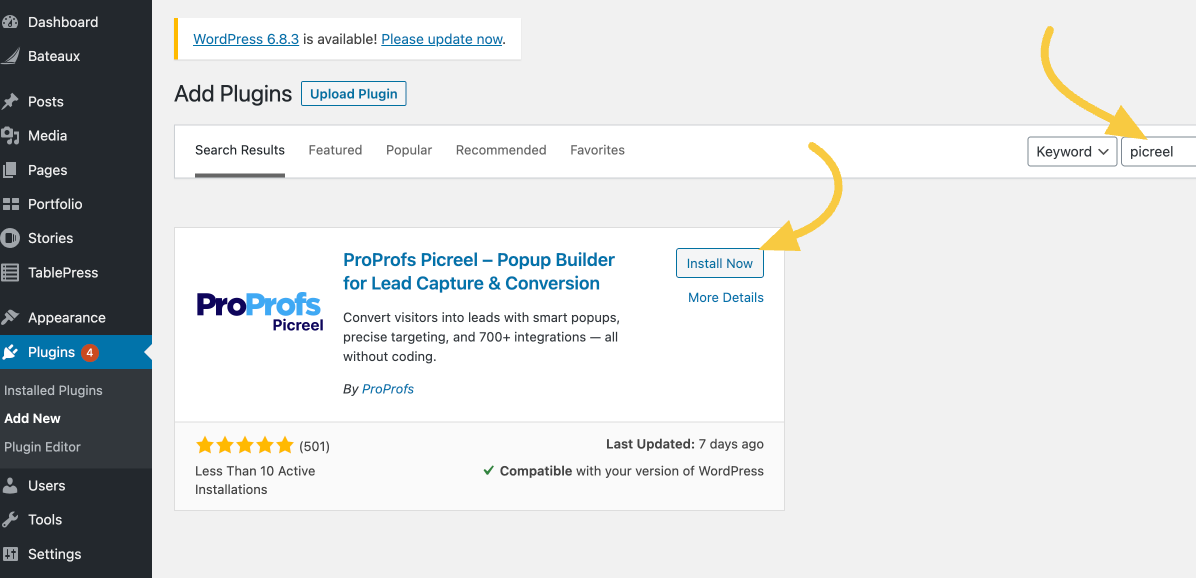
Once installed, Picreel appears in your sidebar. Open it, sign in to your Picreel account.
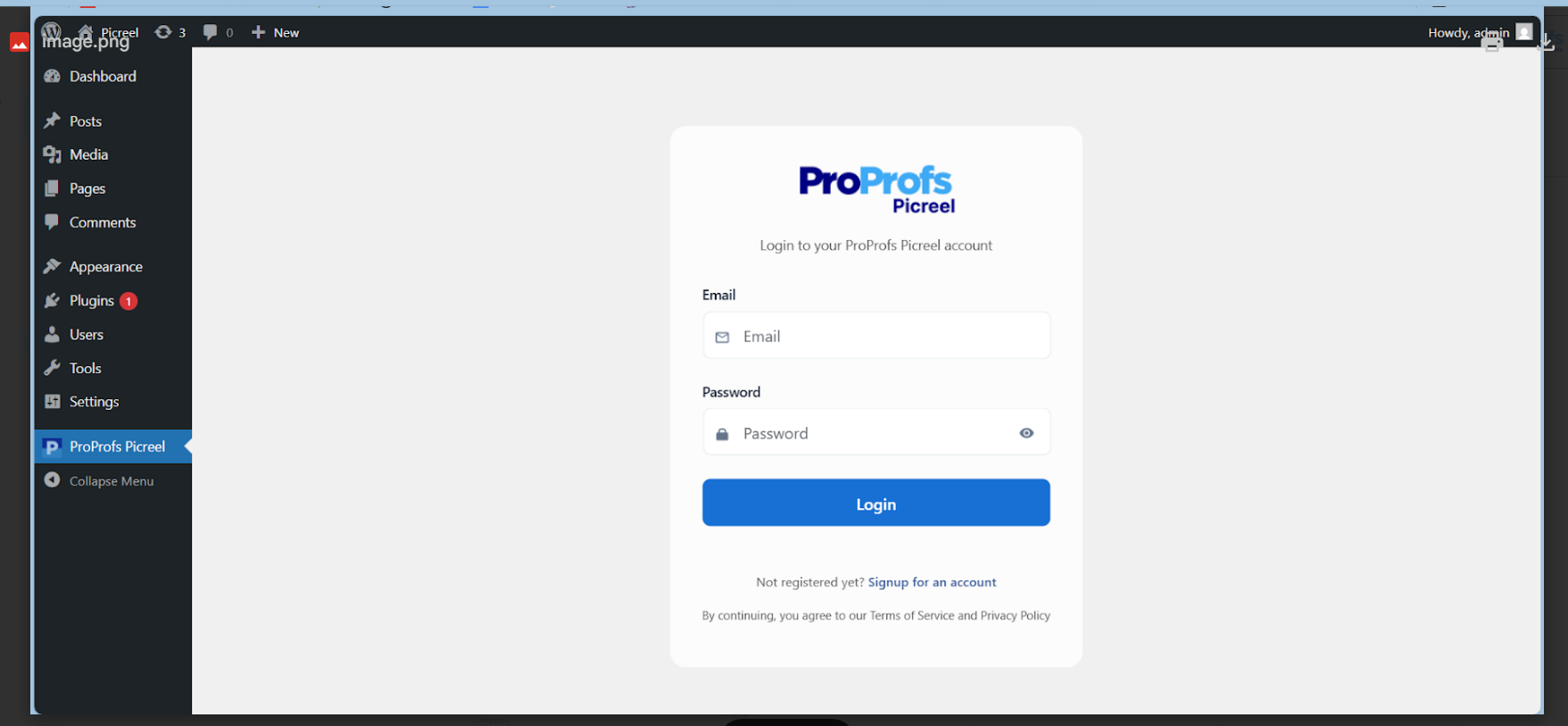
This gives you one central dashboard to manage popup disclaimer on WordPress.
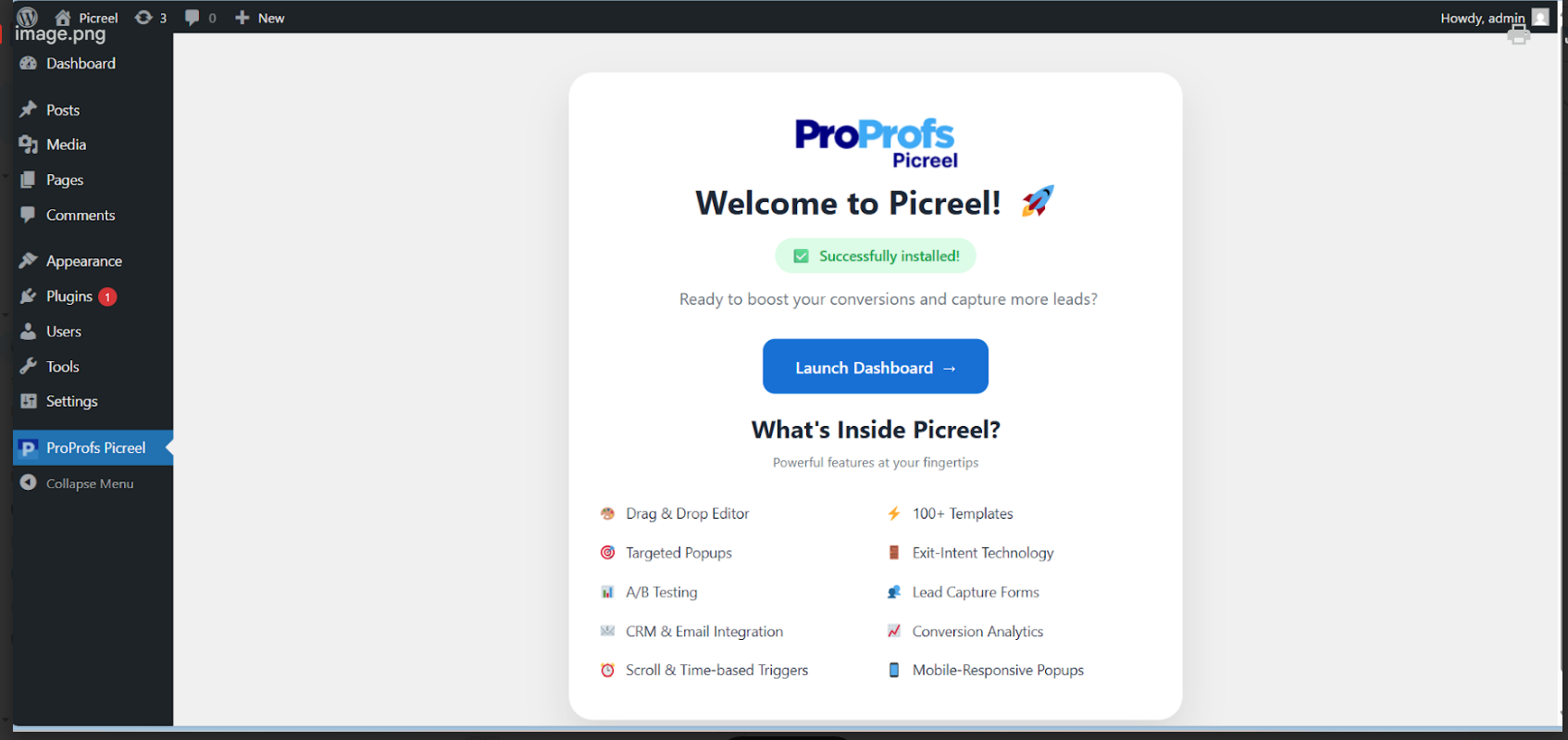
Step 2: Create a Disclaimer Popup Campaign
In the Picreel dashboard, click Create New Campaign.
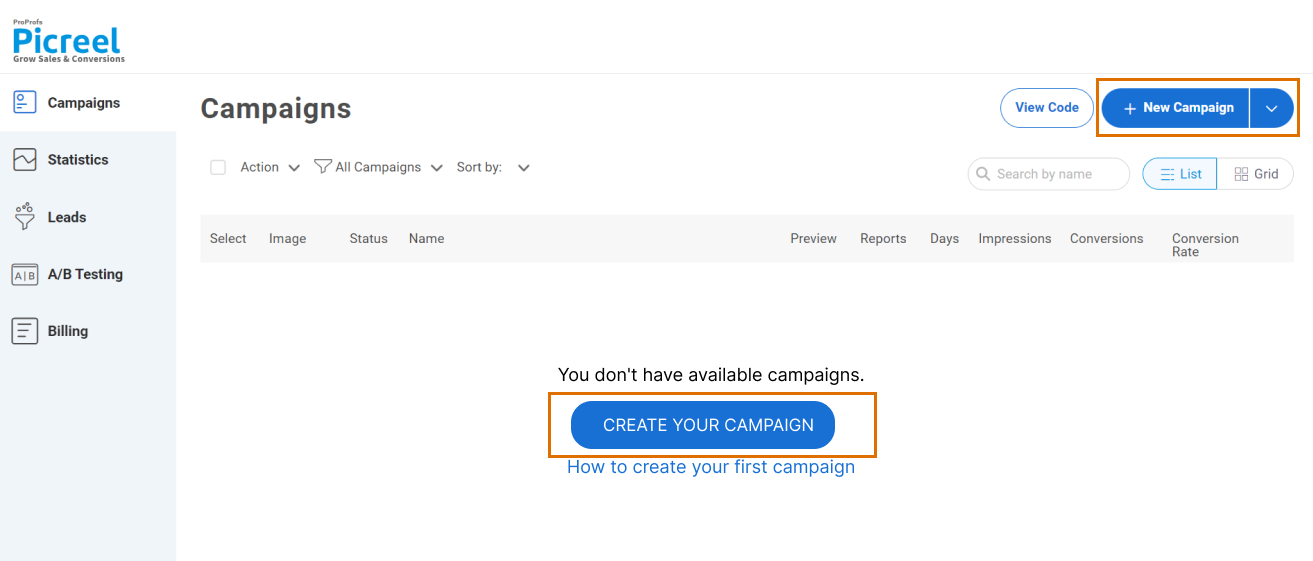
Now, choose a simple modal or banner layout from the ready-to-use template library as that works best for legal notices.
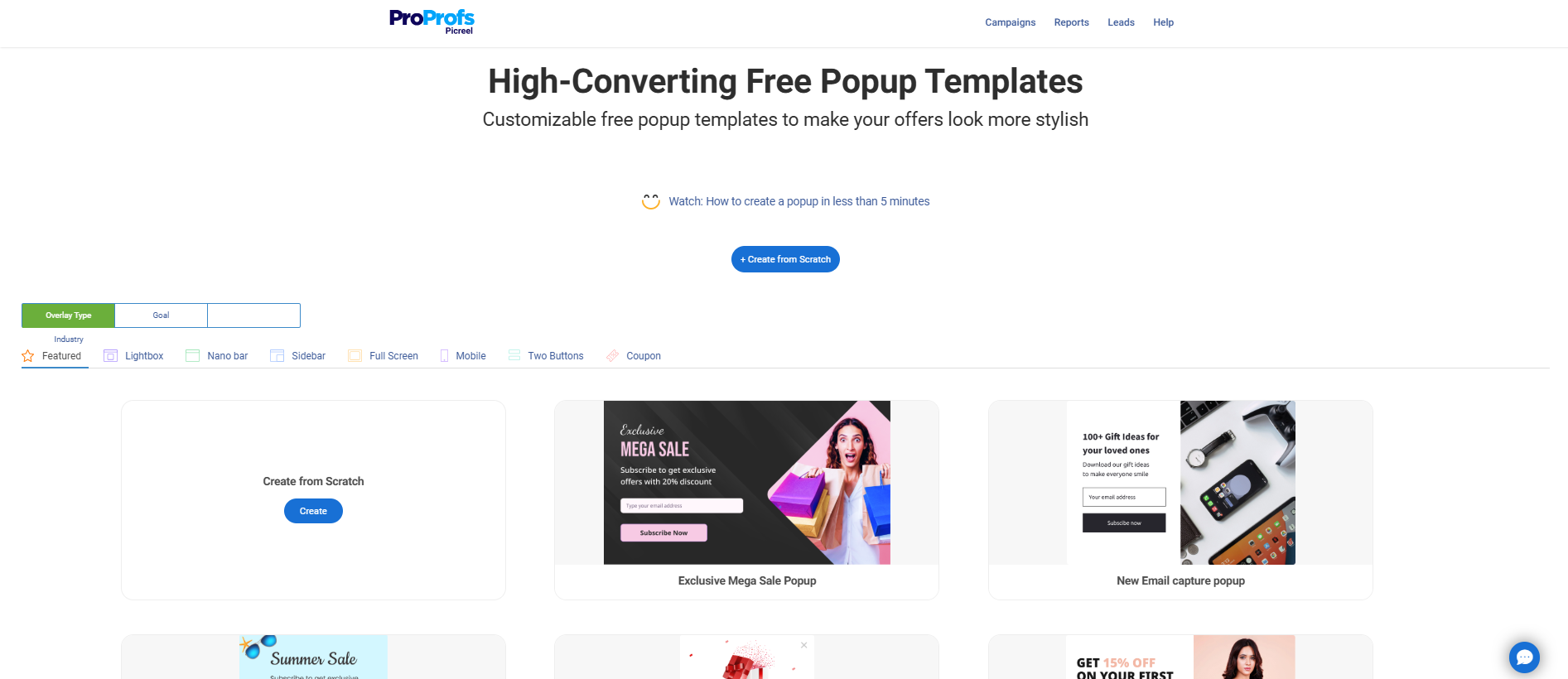
Once you have a template, add clear disclaimer text such as affiliate disclosures or liability warnings.
Step 3: Customize Design for Clarity, Not Conversion
Keep the design clean and readable. Picreel’s editor lets you preview and adjust layouts for different screen sizes. Here’s what you need to:
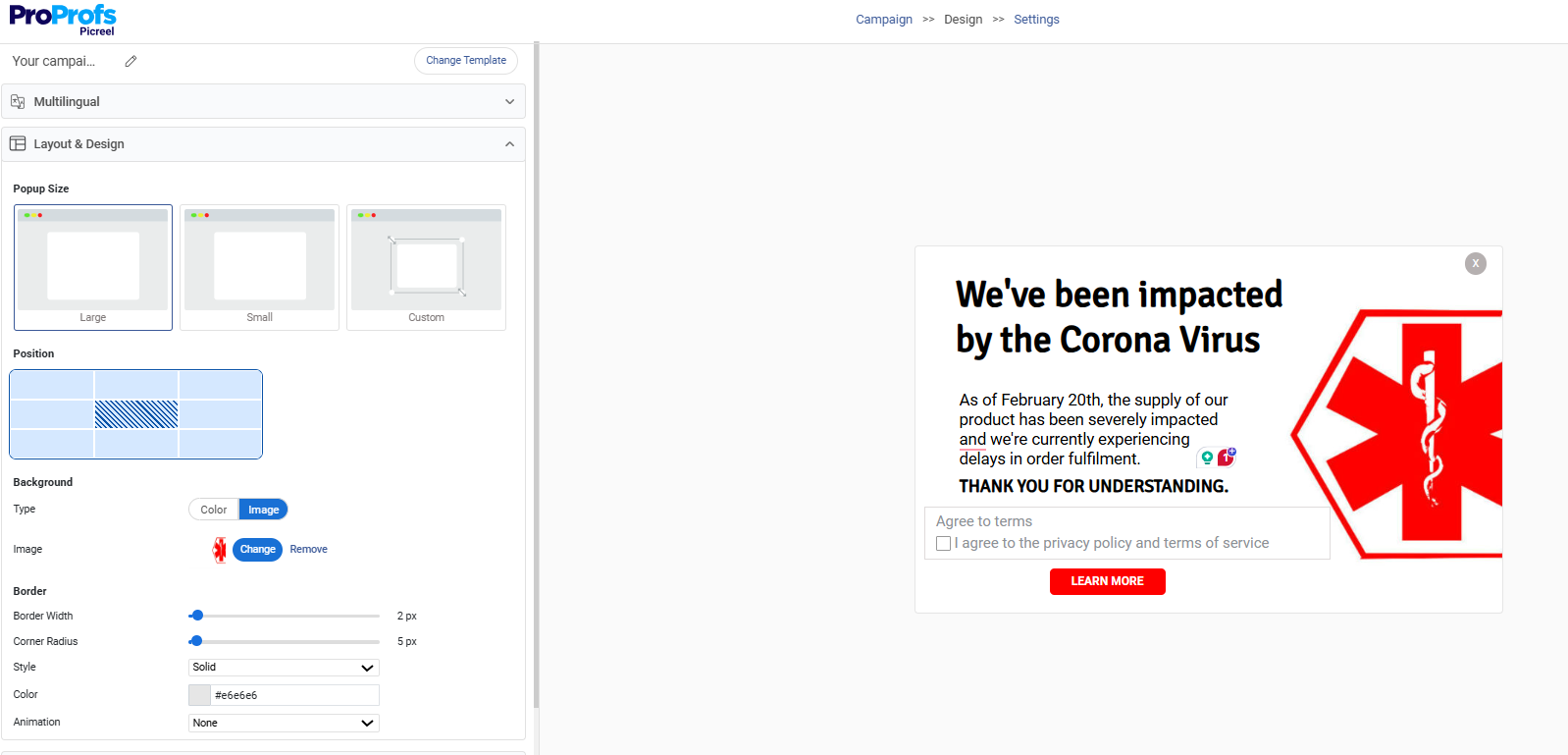
- Match fonts and colors to your site so the popup feels native.
- Avoid flashy elements.
- Make sure the text is easy to scan and buttons are clearly visible on desktop and mobile.
Step 4: Set Targeting and Triggers Thoughtfully
This is where your popup disclaimer WordPress plugin really helps with compliance without hurting UX.
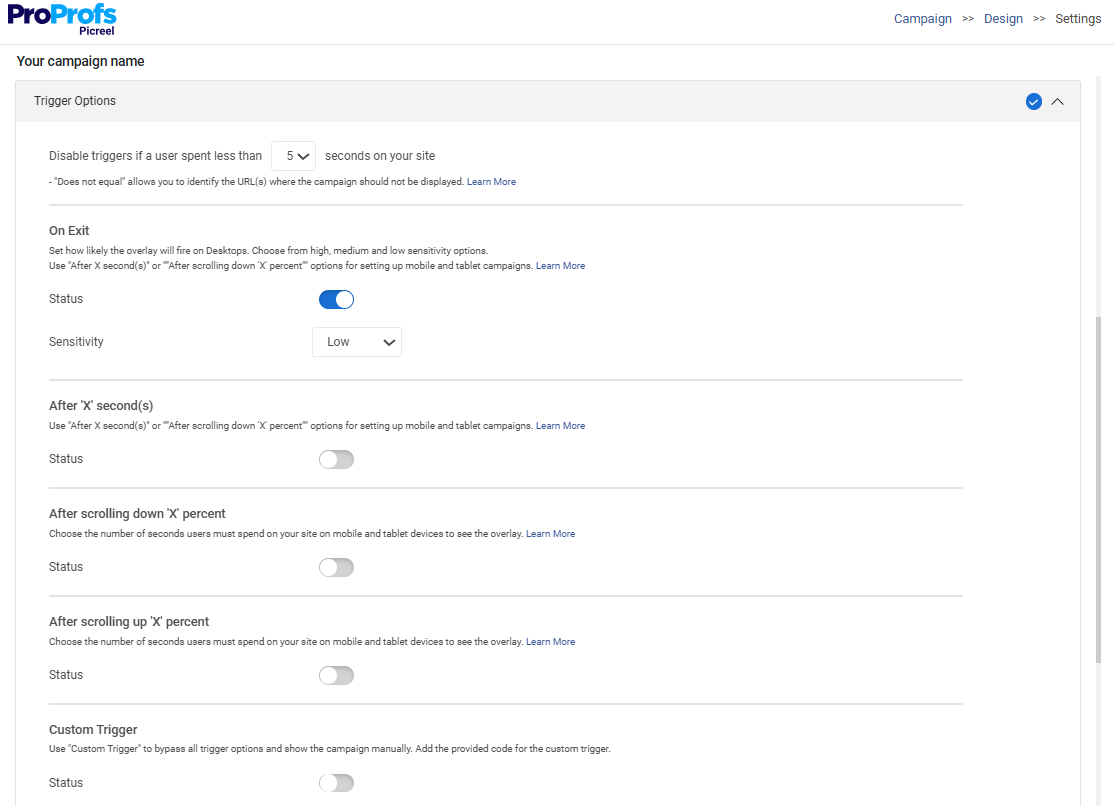
- You can show the popup only on specific pages, posts, or URLs, such as affiliate content or advisory pages.
- Choose triggers like time delay or scroll depth instead of instant load, unless the disclaimer is legally required upfront.
- For multi-site owners, you can apply the same disclaimer across domains from one dashboard.
Step 5: Publish and Test
Before moving on, take a few minutes to make sure your disclaimer popup behaves exactly as intended for real visitors. Testing is important because this is where performance, visibility, and compliance all come together.
- Publish the popup directly from the Picreel dashboard and open your site in an incognito window to simulate a first-time visit
- Confirm the popup loads quickly and does not cause layout shifts, since Picreel loads it asynchronously
- Check that no personal data is collected unless you have intentionally added form fields
- Test the popup on desktop, tablet, and mobile to ensure the design adapts cleanly
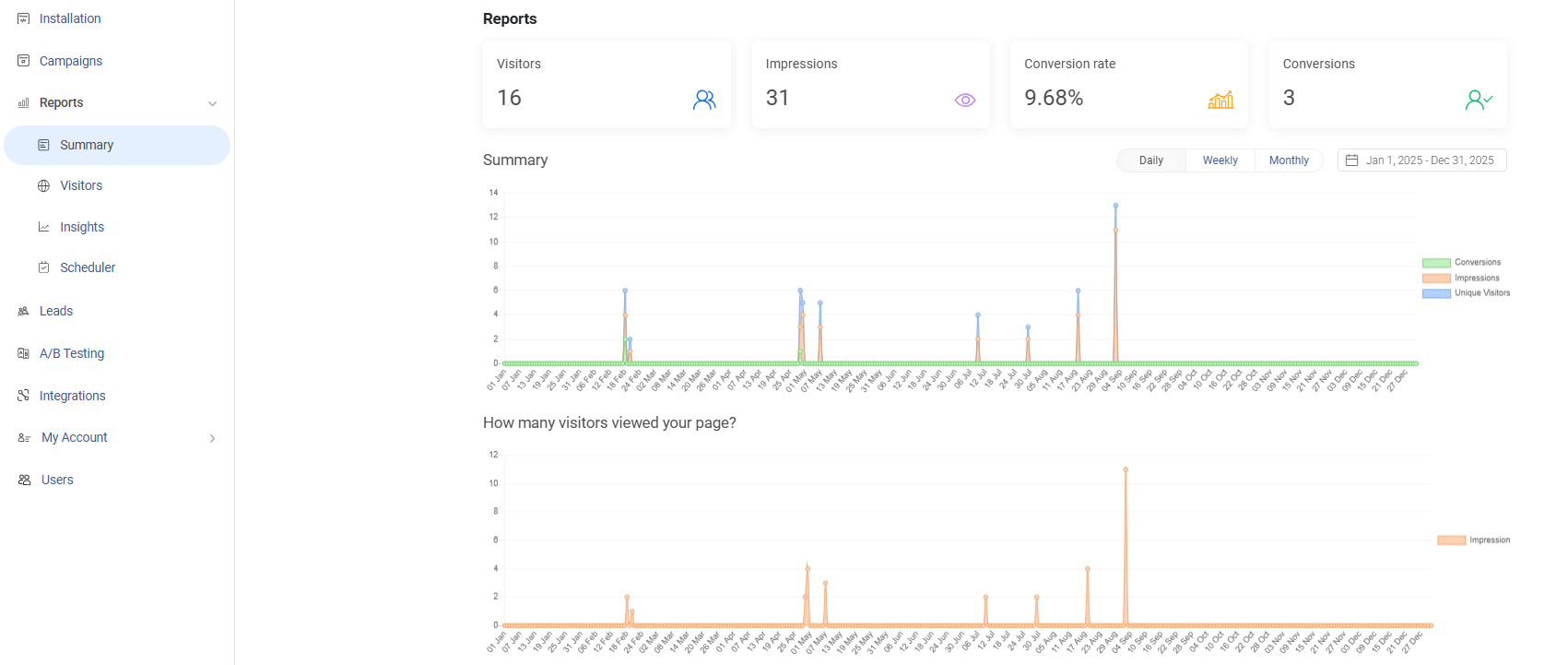
- Verify impressions and visibility using Picreel’s built-in analytics, so you know the disclaimer is actually being shown
How to Use Disclaimer Popups Without Hurting UX or Compliance
Disclaimer popups only work when they respect both the user and the law. When they are too aggressive or poorly timed, they hurt experience and still fail to meet compliance goals.
The goal is not to stop users in their tracks, but to make sure the right information is seen, understood, and acknowledged without breaking the natural flow of your site.
Here’s how to use disclaimer popups:
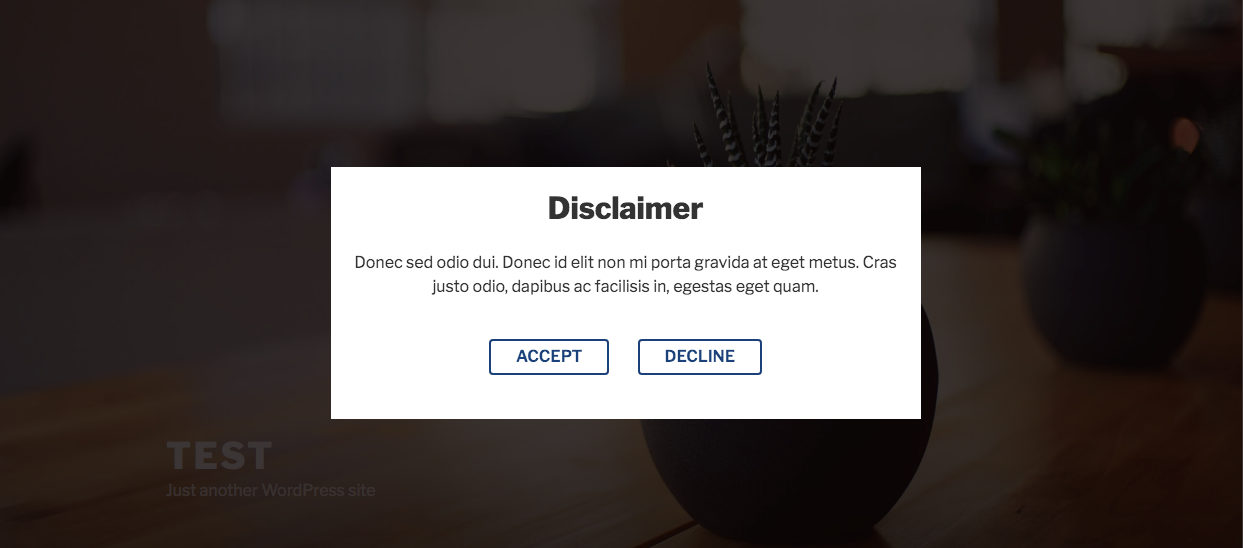
- Avoid blocking content unless it is legally required. Use a clear close option for general disclaimers. Here’s the clarity you must aim for:
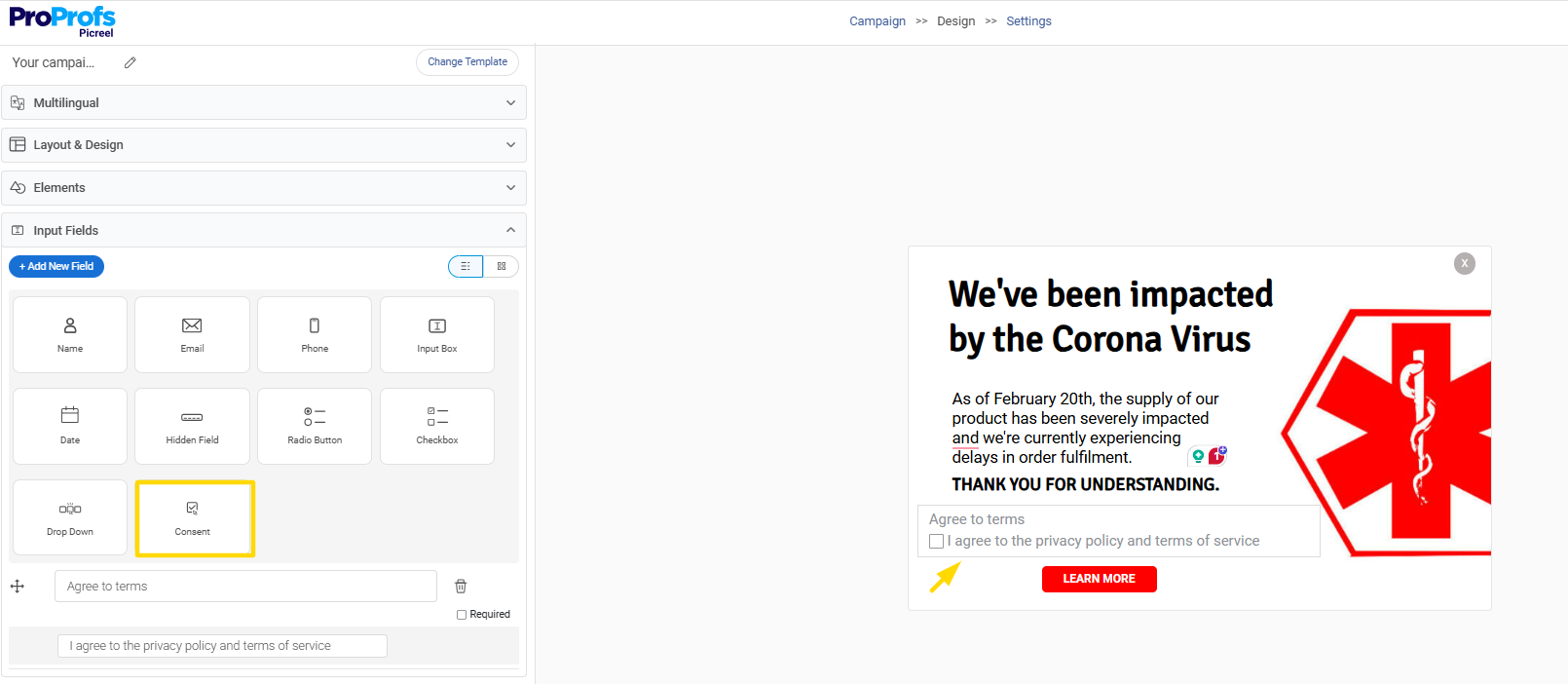
Choose soft disclaimers for low-risk content and hard gates only for high-liability areas like finance or health. Here’s how you can take your visitor’s consent:
- Time the popup carefully using delay or scroll smart triggers to prevent instant interruptions
- Link the popup to a full disclaimer page so users can read complete legal details
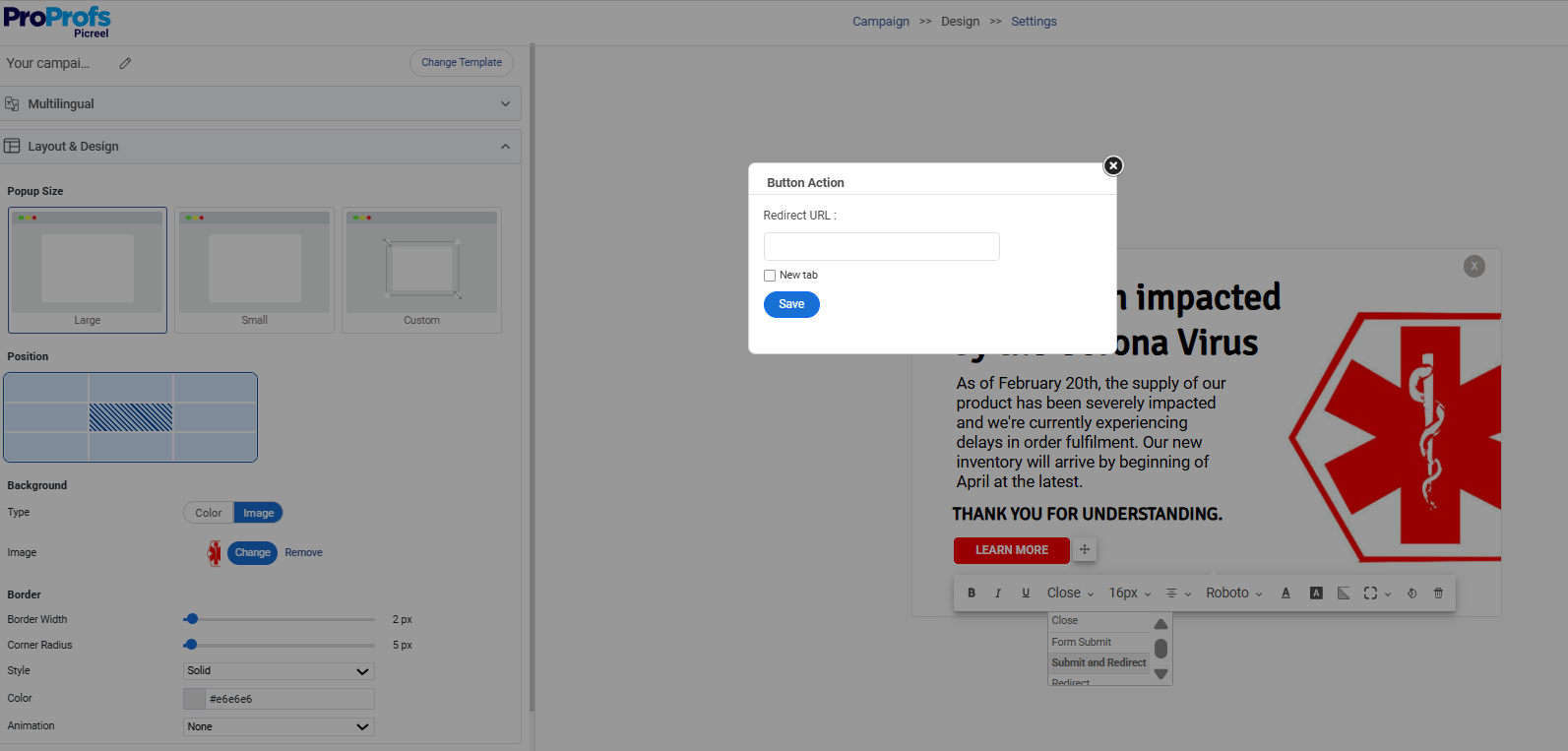
- Show disclaimers only where needed, such as affiliate or advisory content, using precise and advanced targeting.
- Keep the copy simple, direct, and easy to scan with no legal jargon
When disclaimers are relevant, readable, and restrained, they protect your site while keeping the experience smooth for visitors.
FREE. All Features. FOREVER!
Try our Forever FREE account with all premium features!
Is a Disclaimer Popup Enough? What It Can and Can’t Protect You From
A disclaimer popup is great for visibility, but it is not a legal safety net on its own. I have seen many WordPress site owners assume that once a popup is live, compliance is handled.
In reality, a popup solves a very specific problem. It makes sure important notices are seen. Real protection comes from understanding its limits and using it as part of a broader setup.
Here’s a simple breakdown to make that clear:
| What a Disclaimer Popup Helps With | What a Disclaimer Popup Does Not Replace |
|---|---|
| Makes disclaimers clear and noticeable, meeting FTC “clear and conspicuous” expectations | A full Privacy Policy required for GDPR, CCPA, and data handling disclosures |
| Warns users that content is not professional advice in health, finance, or SaaS niches | Cookie consent tools needed for granular tracking permissions |
| Flags affiliate relationships before or during content access | Terms of Service that define how users can use your site |
| Confirms acknowledgment before redirecting users to external sites | Legal review of your wording by a qualified professional |
The smart approach is to layer your compliance. Use a disclaimer popup for high-visibility warnings, then link it to a complete disclaimer or privacy page for full context.
Show it only where risk exists, such as affiliate or advisory content. This way, you stay visible, thorough, and protected without falling into false confidence.
Staying Compliant as Your WordPress Site Grows
Adding a disclaimer popup to your WordPress site is not about ticking a box. It is about protecting your business while keeping the experience clean and trustworthy for visitors.
When done right, a disclaimer popup makes important legal information visible without slowing your site or frustrating users. The key is choosing a WordPress plugin disclaimer popup setup that is stable, lightweight, and easy to manage as your site grows.
As you have seen, popups work best when they are shown only where needed, written in clear language, and supported by proper legal pages like a full disclaimer or privacy policy. They should reduce risk, not add maintenance work or performance issues.
If you want a simple, no-code way to add a reliable disclaimer popup without compromising speed or compliance, Picreel gives you the control and flexibility to do it right. Try it out and set up a disclaimer popup that protects your site without getting in the way.
FREE. All Features. FOREVER!
Try our Forever FREE account with all premium features!

 We'd love your feedback!
What did you like & how can we make it even better?
 Thanks for your feedback!
 Ask Your Question
Have a question? Get expert help to make your decision easier.