
Picture this. You spend good money and effort bringing people to your WordPress site, and most new visitors still leave within seconds. I have watched this happen across countless sites. A simple welcome popup WordPress setup can shift that instantly.
A well-timed welcome popup grabs attention, guides visitors toward the next step, and can increase conversions. It turns casual browsers into subscribers or buyers by giving them direction the moment they land.
But poorly built popups can backfire. Slow, heavy plugins, bad timing, broken mobile views, and generic messages frustrate users and hurt engagement. I have dealt with these problems firsthand, which is why this guide focuses on practical, no-code steps that actually work.
You will learn when welcome popups make sense, how to build one quickly, the best practices that boost results, and the simple fixes that keep everything running smoothly. Let’s go!
When and Why to Use a Welcome Popup on WordPress
Let’s be honest. Not every website needs a welcome popup, but if you’re running a WordPress site with growth on your mind, ignoring one is like leaving money on the table. A simple, well-timed popup can greet first-time visitors at the moment they’re most open to taking action.
- Launching a New Product or Website: A welcome popup instantly directs visitors to your new page or offer, cutting down discovery time and preventing people from missing important updates buried in menus.
- Capturing Leads From First-Time Visitors: Because email popups convert 74 percent better on mobile than desktop, a welcome popup gives you a prime opportunity to turn new visitors into subscribers before they bounce.
- Sharing Targeted Messages for Niche Audiences: A personalized welcome tailored to parents, hobby fans, or interest-based groups surfaces the exact content or offers they’re most likely to engage with.
- Reducing Bounce Rates or Cart Abandonment: Showing a relevant offer the moment someone hesitates (discount, free shipping, bonus) gives them a reason to stay instead of closing the tab.
- Growing Your Email List: A welcome popup removes friction by presenting a clear, focused opt-in right away instead of hoping visitors find your sign-up form elsewhere.
- Onboarding New Users for SaaS or Membership Sites: A quick welcome message with next steps, starter guides, or account tips helps new users get value faster and reduces early drop-off.
Step-by-Step Guide: Build a Welcome Popup in WordPress
Creating a high-performing welcome popup in WordPress doesn’t need to feel technical or overwhelming. I’ve built hundreds of these in real-world business scenarios, and the truth is this: when you use a welcome popup wordpress plugin like Picreel, the setup is faster, cleaner, and far more intuitive than most tutorials make it seem.
Follow these steps, and you’ll have a polished, conversion-ready WordPress welcome popup live in a few minutes.
Step 1: Install and Activate Picreel
Head to your WordPress dashboard → Plugins → Add New, and search for a dedicated welcome popup WordPress plugin like Picreel. Click Install Now and then Activate.
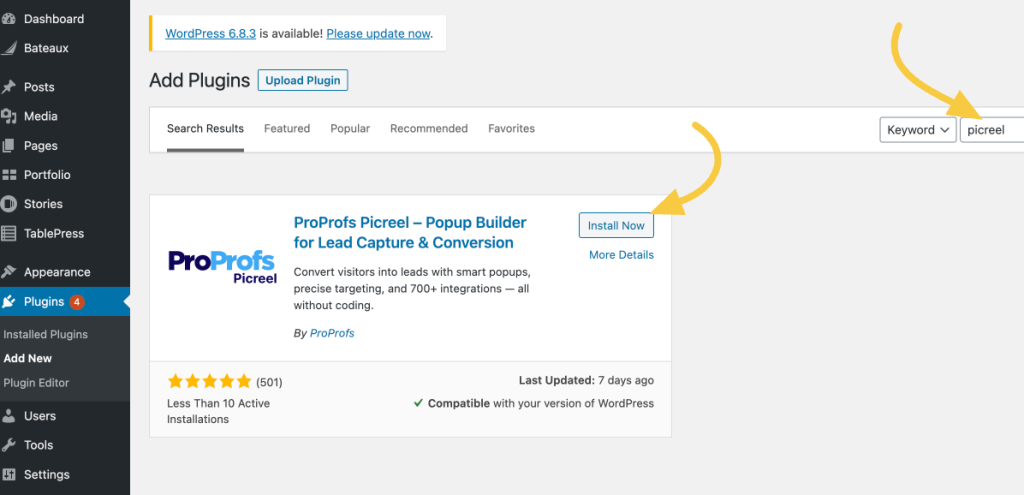
Once activated, you’ll see Picreel appear in your WordPress sidebar.
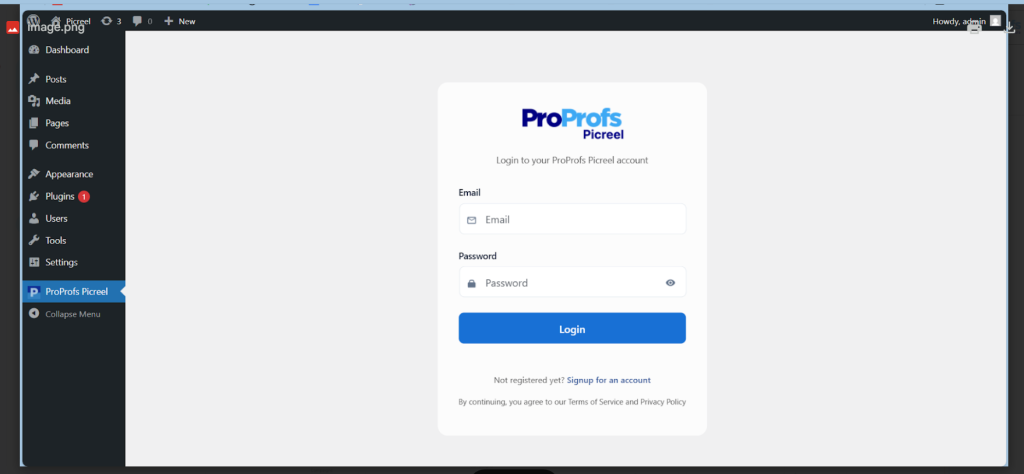
Click it, log in to your Picreel account, and you’ll see this screen:
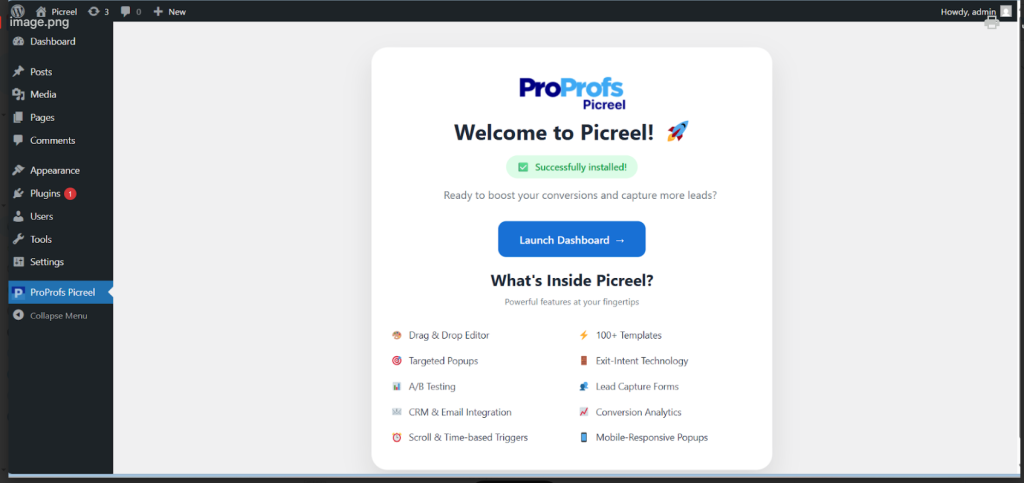
Now, simply launch the dashboard – the command center where you’ll create, personalize, and monitor every WordPress welcome popup campaign from one place.
Step 2: Choose a Welcome Popup Template
Inside Picreel, click Create New Campaign.
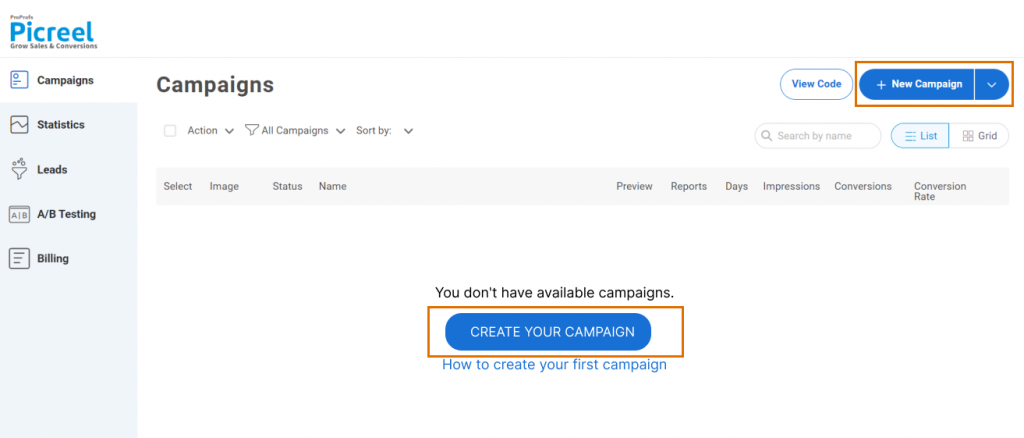
You’ll see dozens of ready-made templates — look for ones designed for welcome offers, new visitor greetings, or onboarding moments.
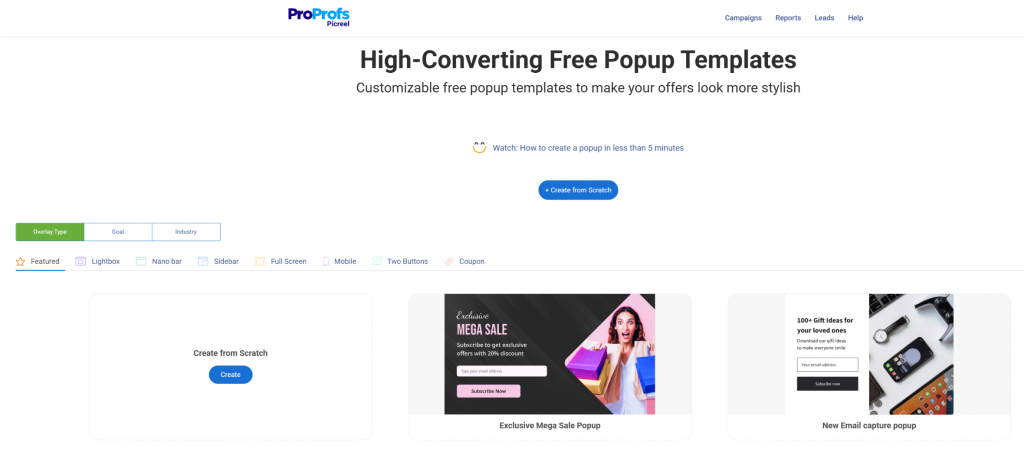
Pick a layout that fits your brand’s personality:
- A full-screen welcome mat if you want maximum impact
- A lightbox popup for a subtle, elegant feel
If you need welcome popup design insopirations, you may check them out right away before moving forward.
Step 3: Customize Your Welcome Popup
Now, it’s time to personalize the colors, font, and visuals so that they blend naturally with your WordPress theme.
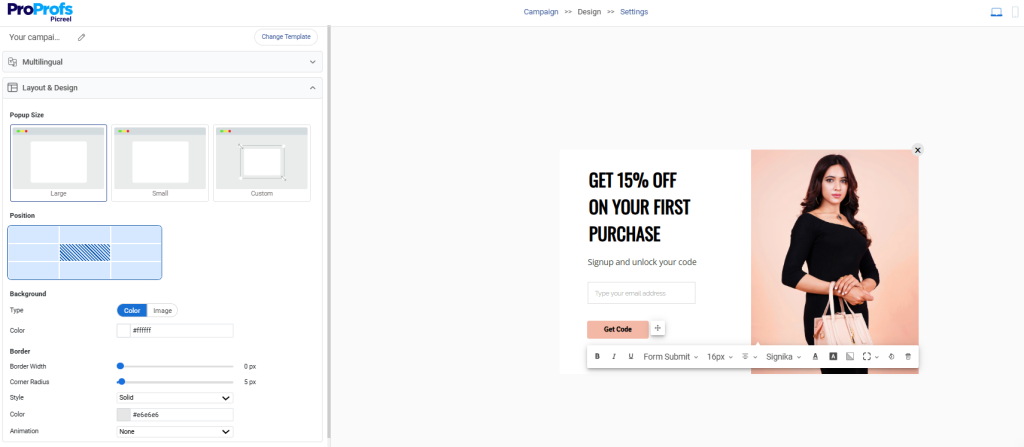
The goal here is simple: make your visitor feel like the popup belongs on your site, not slapped on top of it, as this is where your voice comes in. Keep your copy short, warm, and benefit-driven:
- “Hey there, welcome! Enjoy 15 percent off your first purchase.”
- “New here? Let me show you something you’ll love.”
Add a strong CTA like “Get Started”, “Claim Offer”, or “Show Me Around.” Include an image or quick visual if it enhances the message. Just remember to keep the popup message under 50 words to keep it friendly, not overwhelming.
Step 4: Personalize It for New Users
This is where Picreel shines. Use Display Rules to target only first-time visitors so your loyal audience isn’t bombarded repeatedly. You can also personalize by:
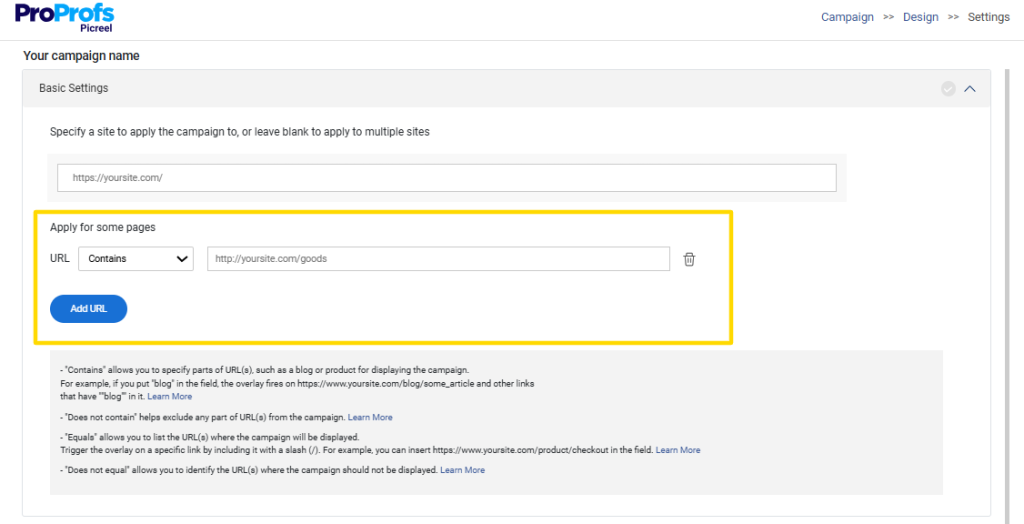
- URL Targeting: Show the popup only on landing pages or blog posts.
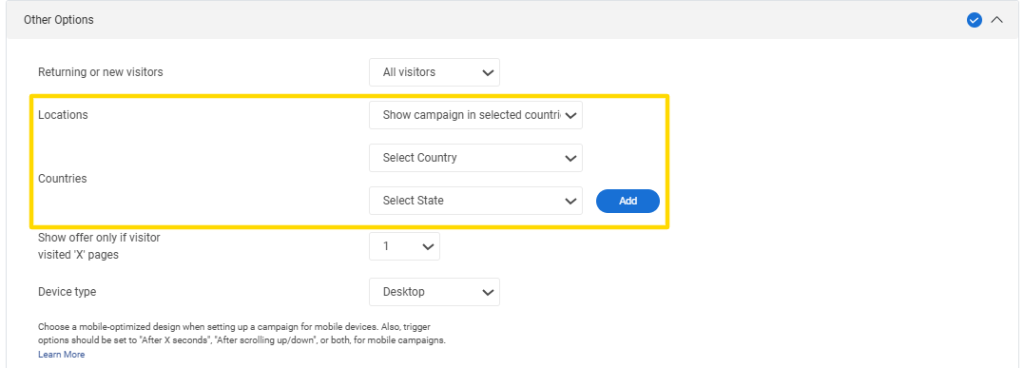
- Location Targeting: Great for region-specific offers, events, or localized pricing.
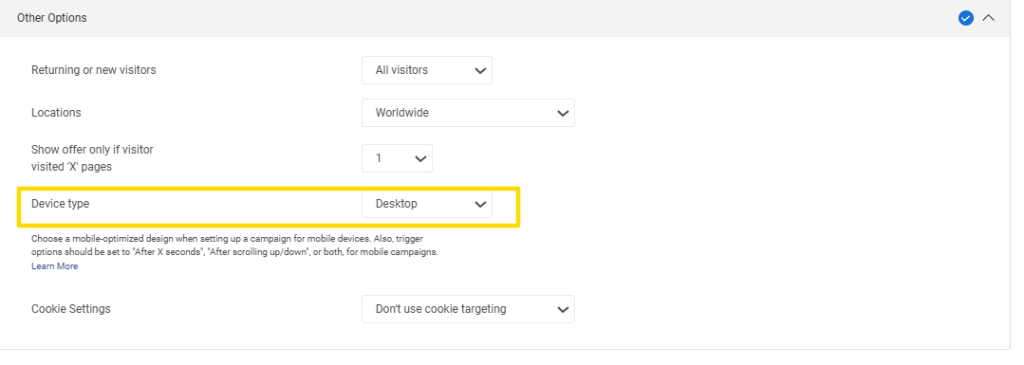
- Device Targeting: Use a slightly simpler layout for mobile (which converts insanely well).
If your goal is better lead qualification, add checkboxes (e.g., “I’m interested in…”) or enable multi-step forms to collect cleaner insights without overwhelming visitors upfront.
Step 5: Set Smart Triggers
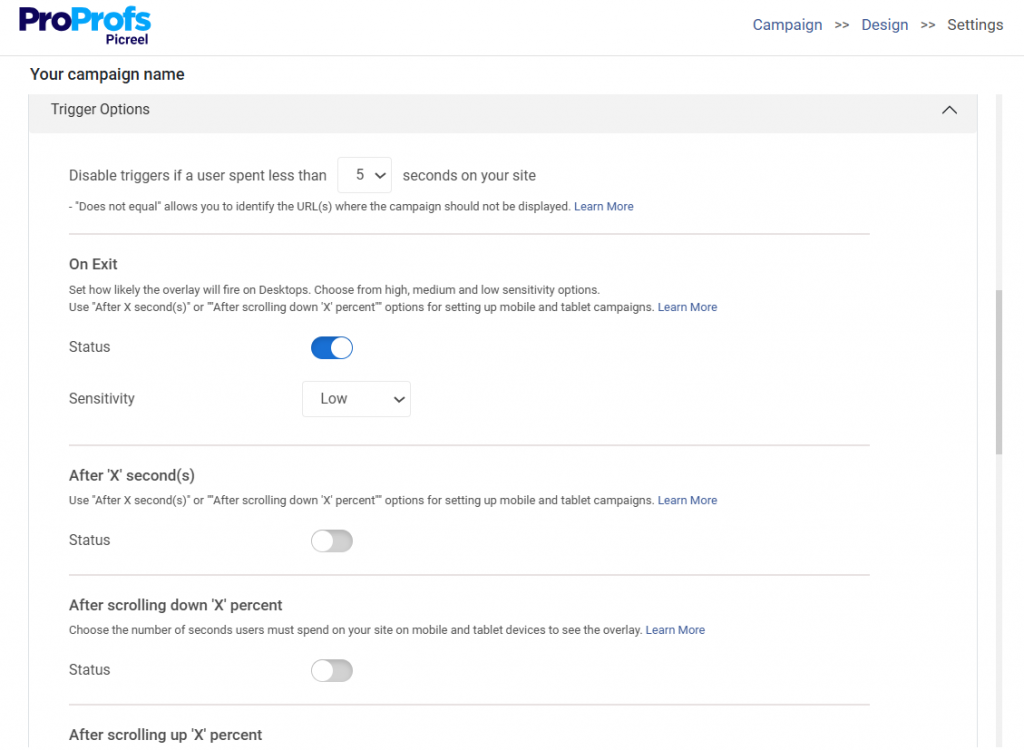
Timing is half the game. Picreel gives you several trigger options for your welcome message:
- Entry Intent: Show it the moment visitors arrive (ideal for warm welcomes).
- Scroll Trigger: Set the scroll trigger at 30–50% scroll for users already engaged.
- Time Delay: A gentle 10–20 second wait respects their attention.
- Exit Intent: Use as a safety net to capture people who are about to leave.
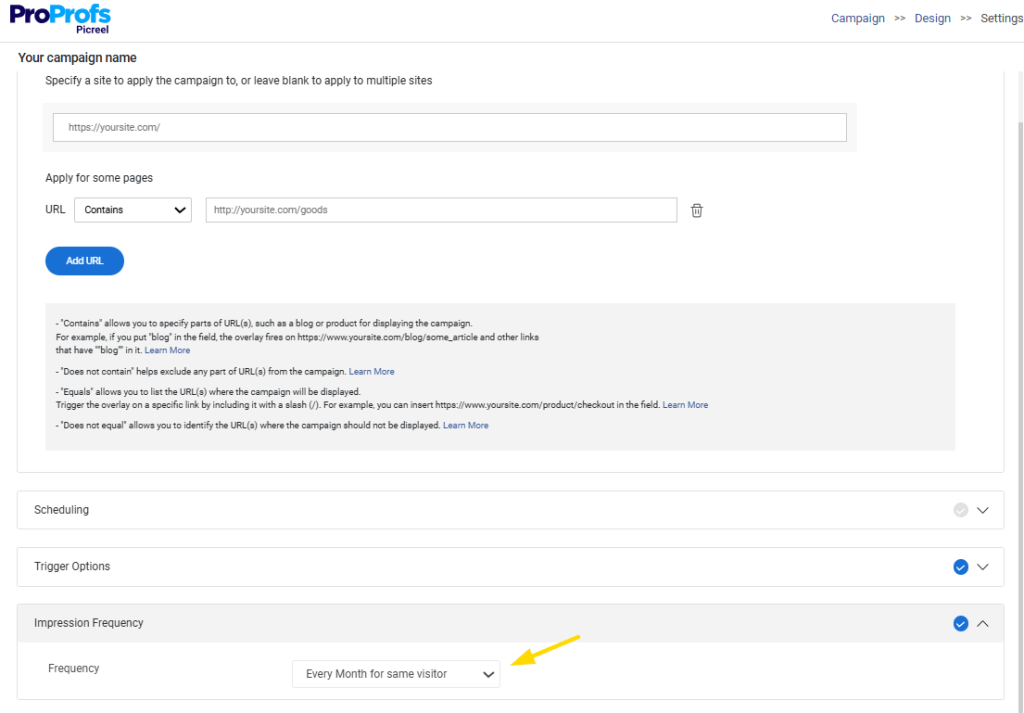
Set frequency controls so the popup doesn’t appear again for at least 30 days. This one small tweak alone prevents annoyance and keeps your brand experience clean.
Step 6: Connect HubSpot or Mailchimp
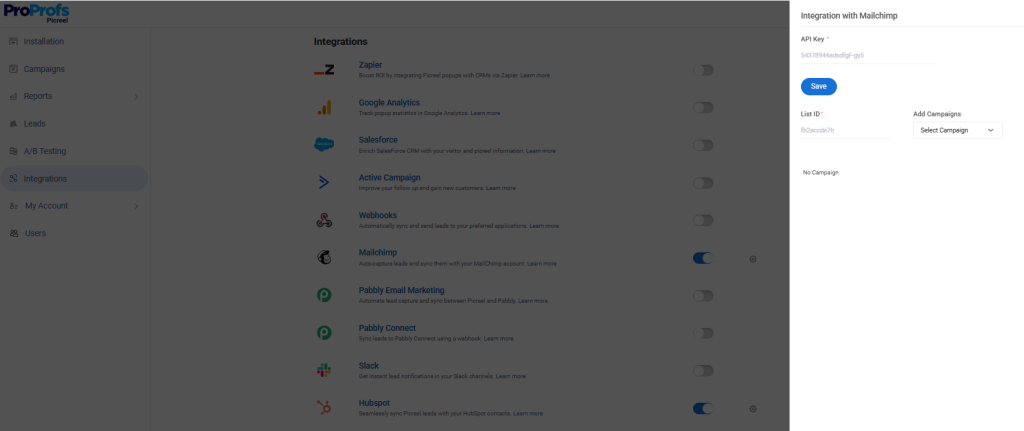
Inside Picreel’s settings, integrate your email platform of choice. Mappings take seconds — name, email, preferences. Submit a quick test entry to make sure everything flows into your CRM correctly.
This is where welcome popups turn into automated growth machines. Once the integration is live, every new visitor who opts in will immediately enter your follow-up sequence.
Step 7: Publish and Test Across Devices
Hit Publish, clear your cache, and refresh your site. Check how your welcome popup looks on: Desktop, Tablet, & Mobile.
Open your site in an incognito window to simulate a real first-time visitor and verify triggers, animations, and close buttons work flawlessly.
Once it’s live, watch Picreel’s analytics dashboard. Look at views, click-throughs, and conversions.

Even small tweaks, such as a clearer headline, a brighter button color, or a more specific CTA, can lift engagement significantly. You can find what works by A/B testing these elements using the built-in tool.

Troubleshooting & Optimization Checklist
Sometimes your welcome popup refuses to show up or behaves strangely. Here’s a clear list of common problems I have seen WordPress users face and exactly how to fix them.
- Popup Not Showing: This is usually caused by caching. Clear your WordPress cache, hosting cache, and CDN (Content Delivery Network) cache (such as Cloudflare), then test in an incognito window to view a fresh version of your site.
- Visitors Can’t See It: Check your display rules. Make sure “new visitor” targeting is set correctly, UTMs match precisely, and you’re not unknowingly excluding logged-in users or admins.
- Theme or Plugin Blocking: Conflicts happen. Temporarily disable other plugins or switch to a default theme to spot the issue. Once identified, update everything to the latest version or replace the conflicting tool.
- Popup Not Published: Open your WordPress welcome popup plugin’s dashboard and confirm the campaign is actually published and not scheduled for a later date. This is one of the most common setup oversights.
- Shows Only Sometimes: Open your browser console to check for JavaScript errors. A single conflicting script can prevent consistent display, so disable or adjust it as needed.
- Frequency Rules Hiding It: Cookie-based display settings might suppress the popup after one view. Clear your browser cookies or use a private window to test whether frequency controls are the reason.
Run through this checklist whenever your popup misbehaves, and you’ll solve 90 percent of issues in a few minutes.
Create a Better First Experience for New Visitors
A well-crafted WordPress welcome message popup can do far more than greet new visitors — it can guide them to the right place, capture high-intent leads, reduce bounces, and create a smoother first-time experience on your WordPress site.
When you pair clear messaging with smart targeting, thoughtful timing, and a clean design, the payoff becomes obvious in your engagement and conversions. WordPress welcome popup plugin like Picreel makes this process even easier by giving you ready-made templates, flexible personalization options, and built-in analytics so you can fine-tune what works.
Whether your goal is to launch something new, grow your email list, or simply help visitors navigate better, a welcome popup is a simple step that delivers meaningful results.
If you haven’t built yours yet, now’s a great moment to test one and see the impact firsthand.
FREE. All Features. FOREVER!
Try our Forever FREE account with all premium features!

 We'd love your feedback!
What did you like & how can we make it even better?
 Thanks for your feedback!
 Ask Your Question
Have a question? Get expert help to make your decision easier.