
I’ve lost count of how often I’ve sat with marketers, eCommerce founders, or SaaS teams and heard the same frustration: shoppers add items to their carts, but never make it to checkout. That’s why so many are now looking for smarter cart abandonment solutions to stop this lost revenue from slipping away in plain sight.
Over the years, I’ve seen brands try everything like discounts, reminder emails, and even aggressive popups, only to realize the real issue isn’t always price. It’s trust, convenience, and customer experience. Shoppers drop off because of surprise fees, clunky forms, or hesitation around security. Some even use carts as “wishlists” while comparing prices elsewhere.
The good news? Cart abandonment isn’t random; it follows patterns. And once you know them, you can fix them. In this guide, I’ll walk you through 14 proven strategies (plus latest enhancements) that actually work to bring shoppers back and recover lost sales.
How to Reduce Cart Abandonment:10 Practical Solutions
Shoppers today want a fast, simple, and secure buying journey, especially on mobile, where most of your traffic (and sales) now happens.
That’s Why I’ve Divided the Shopping Cart Abandonment Solutions Into Five Categories:
- On-site Engagement
- Pricing & Shipping Transparency
- Off-site Engagement
- Winning Trust & Credibility
- Streamlining the Checkout Experience
Each tackles a different aspect of recovering abandoned carts, and when used together, they make the whole shopping experience smoother and more profitable. Let’s get started on how to effortlessly reduce shopping cart abandonment!
On-site Engagement
1. Use Exit-Intent Popups
Exit-intent popups stop shoppers when they’re about to leave without buying. By showing a well-timed, value-driven offer like a discount or lead magnet, you can remove the barrier that makes them abandon their cart.
Here’s How You Can Make Them Work:
- Tackle Hidden Costs: Offer free shipping or a discount code to ease price shock.
- Capture Leads: Collect email or phone numbers to follow up with abandoned cart reminders.
- Rebuild Trust: Highlight guarantees, reviews, or support in the popup if hesitation is the issue.
- Keep It Simple: Use clean, branded designs so they feel helpful, not spammy.
When used this way, exit-intent popups directly address the top reasons people abandon carts: cost, friction, and trust, giving you a second chance to close the sale. Watch this quick video to understand how to reduce cart abandonment using exit intent popups:
Pricing & Shipping Transparency
2. Offer Free Shipping
High shipping costs are the #1 reason shoppers abandon carts. When unexpected fees pop up at checkout, customers leave. The fix is simple: offer free shipping, or at least make the costs crystal clear from the start.
If free shipping on every order isn’t realistic, set a minimum threshold (like “Free shipping over $50”) or tie it to loyalty perks.
You can also take inspiration from Fashion Nova, which combines a hello bar at the top of the site (“Free shipping on orders over $75”) with a progress bar in the cart (“You’re $13.02 away from free shipping”).
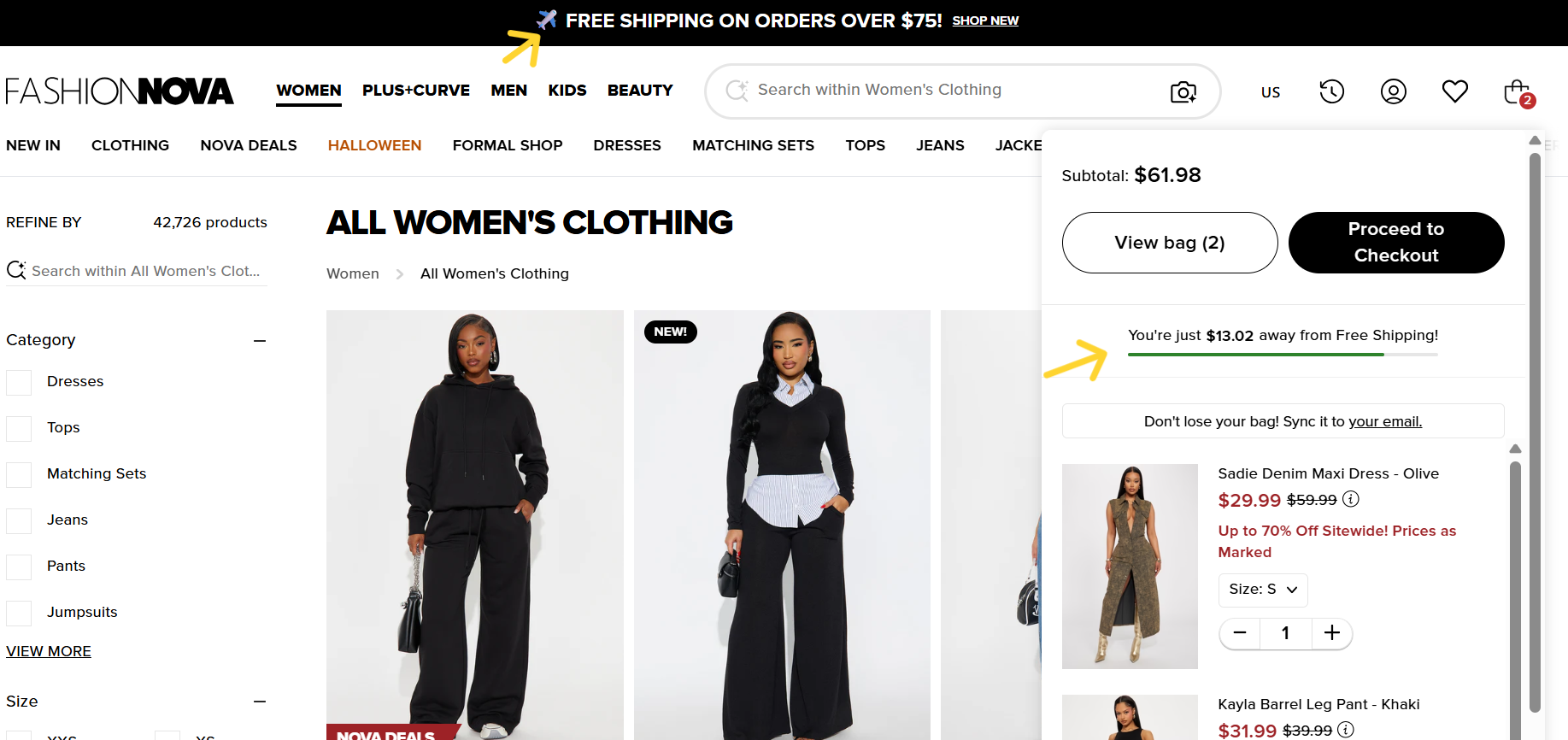
This approach works twice: it sets expectations early and motivates customers at checkout to add just a little more to unlock the perk, reducing drop-offs and increasing order value.
To add a Hello Bar, go to Picreel’s templates, customize it, and make it live by copying and pasting an auto-generated code.
Tools like the free shipping progress bar for WooCommerce by FmeAddons or the Hextom free shipping bar make it easy to add progress bars and calculators without custom coding. They offer customization, targeting options, and a proven way to boost transparency and conversions.
3. Provide Transparent Pricing Information
A 2022 survey of online shoppers found that 60% value brand trust and transparency above everything else. Hidden costs or surprise fees at checkout are one of the biggest reasons customers abandon their carts.
If buyers see extra shipping, handling, or tax charges only at the final step, many will quit immediately.
Let’s See How You Can Fix It:
- Clearly display all costs upfront, including shipping, taxes, and any fees, in the cart or early checkout.
- Avoid “gotcha” fees by not waiting until the last page to show the final price.
- Offer flat-rate shipping by setting a single fixed price for shipping (e.g., $5 per order or free shipping over $50). Make sure your prospects know about your shipping terms by adding a nano bar or other popup notifications using a dedicated builder like Picreel. This removes uncertainty and attracts bigger baskets.
Here’s an example:
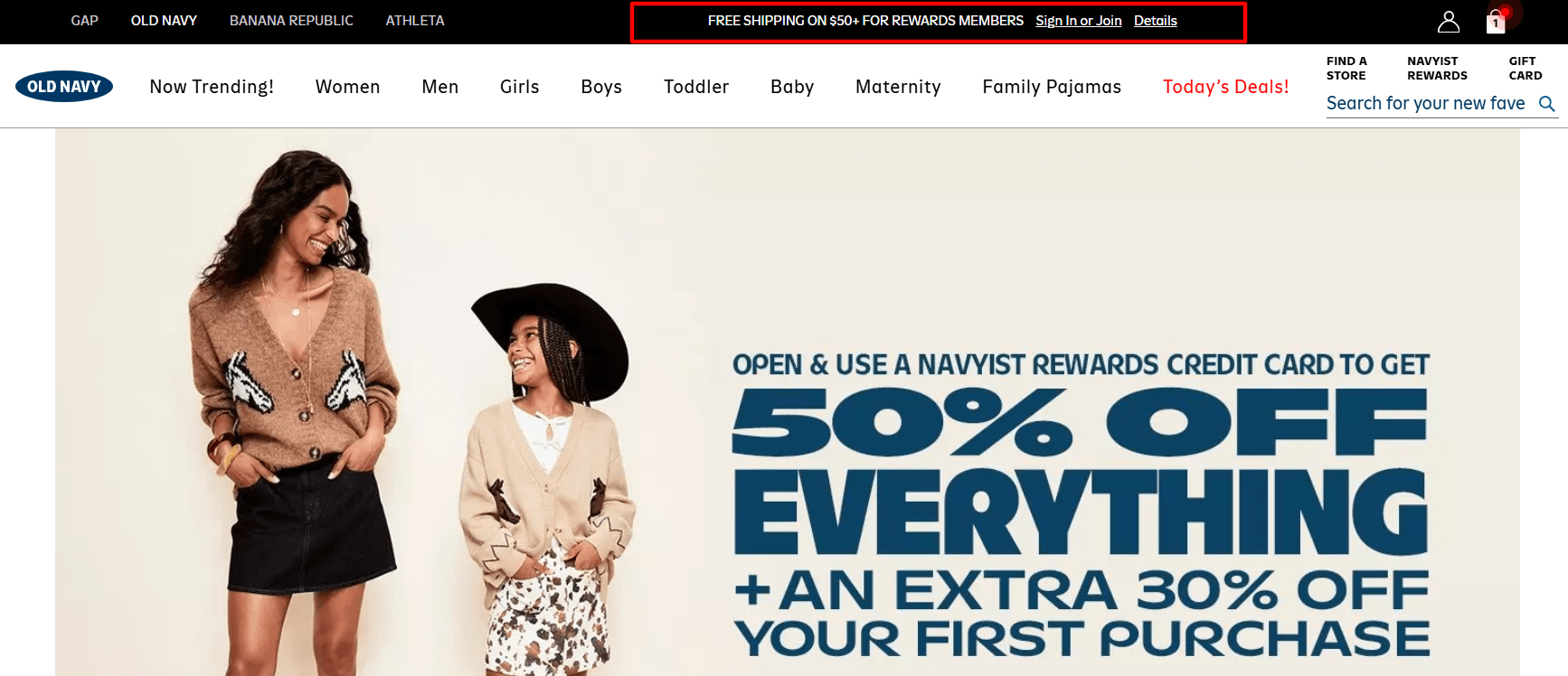
- Use real-time shipping calculators, which connect directly with carriers (UPS, USPS, FedEx, DHL) to show customers the exact shipping cost based on their address. Tools like ShipperHQ (rated highly on G2) make it easy to integrate real-time rates into most e-commerce platforms without custom coding. For example, Bellroy shows the subtotal, shipping cost, and final order total on one screen. They even add a note about potential import duties, leaving no surprises for the buyer. This kind of clarity builds trust and reduces abandonment.
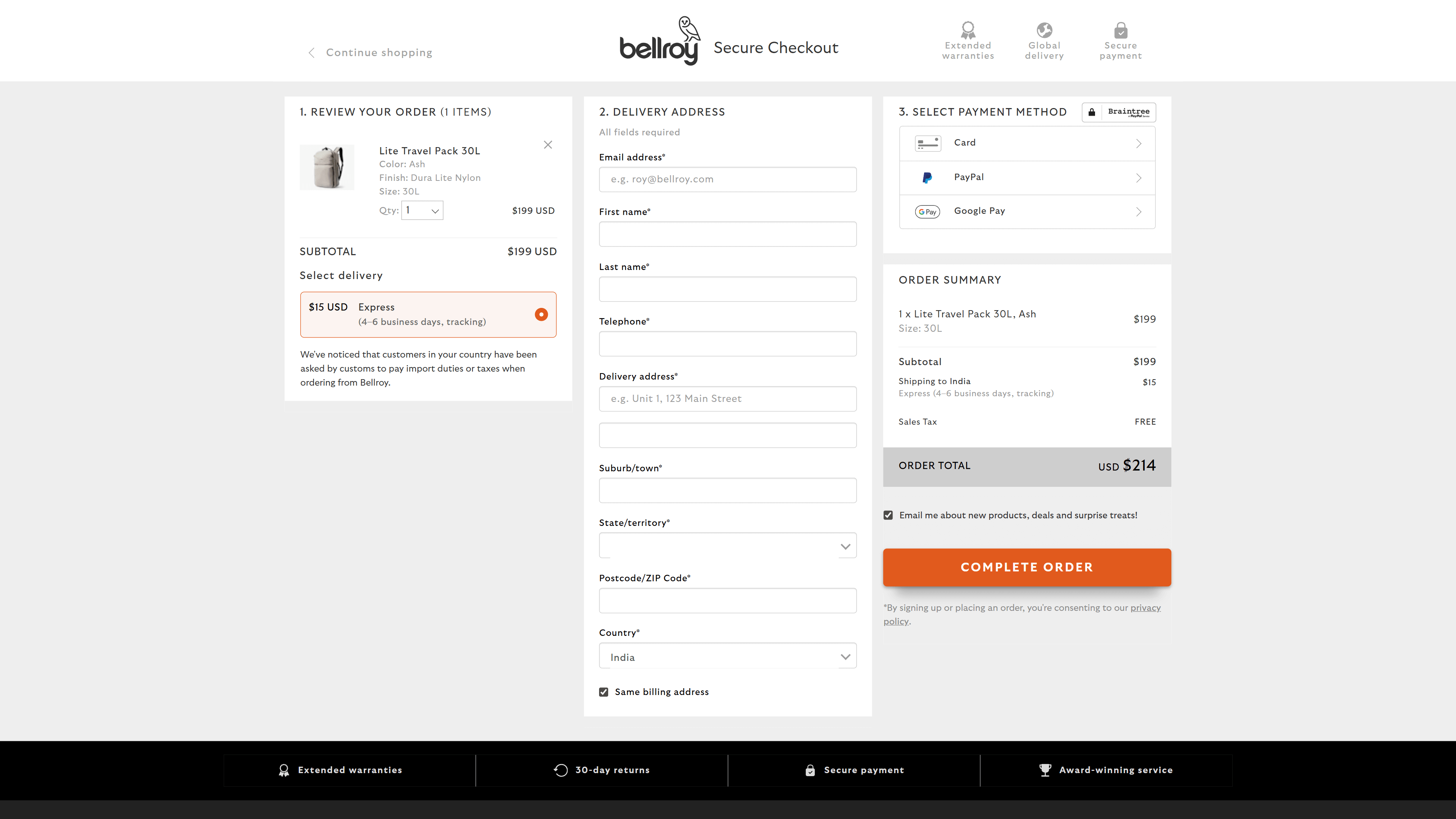
Being transparent doesn’t just prevent frustration—it positions your brand as honest and customer-first, which pays off in higher conversions and long-term loyalty.
Off-site Engagement
4. Use Email Automation
Email automation is one of the most effective ways to bring shoppers back after they abandon their cart. By collecting emails through popups or checkout forms, you can send a personalized abandoned cart email that addresses why they left, whether it’s hidden costs, hesitation, or simple distraction.
These emails should feel helpful, not pushy. Include special offers, discounts, or limited-time promotions, and always match the message to the shopper’s behavior.
First, present an email popup, such as the one Press uses, with a discount and product snapshots to lure shoppers and collect the email addresses of abandoning visitors.
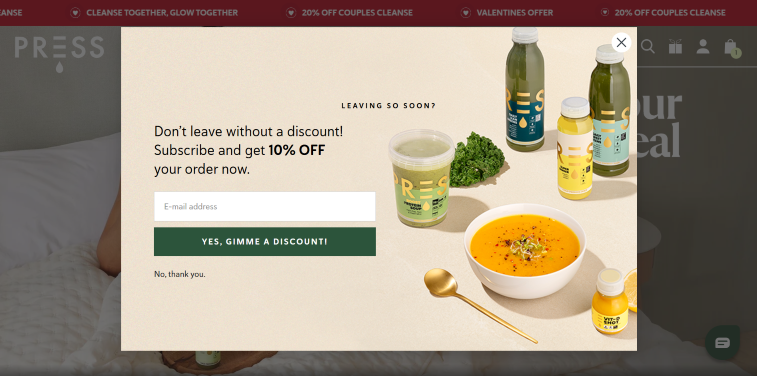
Then, send one type of email to visitors who added items but never started checkout, and another to those who started the process but didn’t finish.
Here’s a Simple Three-Part Email Sequence That Works Best:
- Reminder (1 hour later): Friendly nudge with cart contents.
- Urgency (24 hours later): Highlight limited stock or expiring offers.
- Incentive (48–72 hours later): Add a discount or bonus to seal the deal.
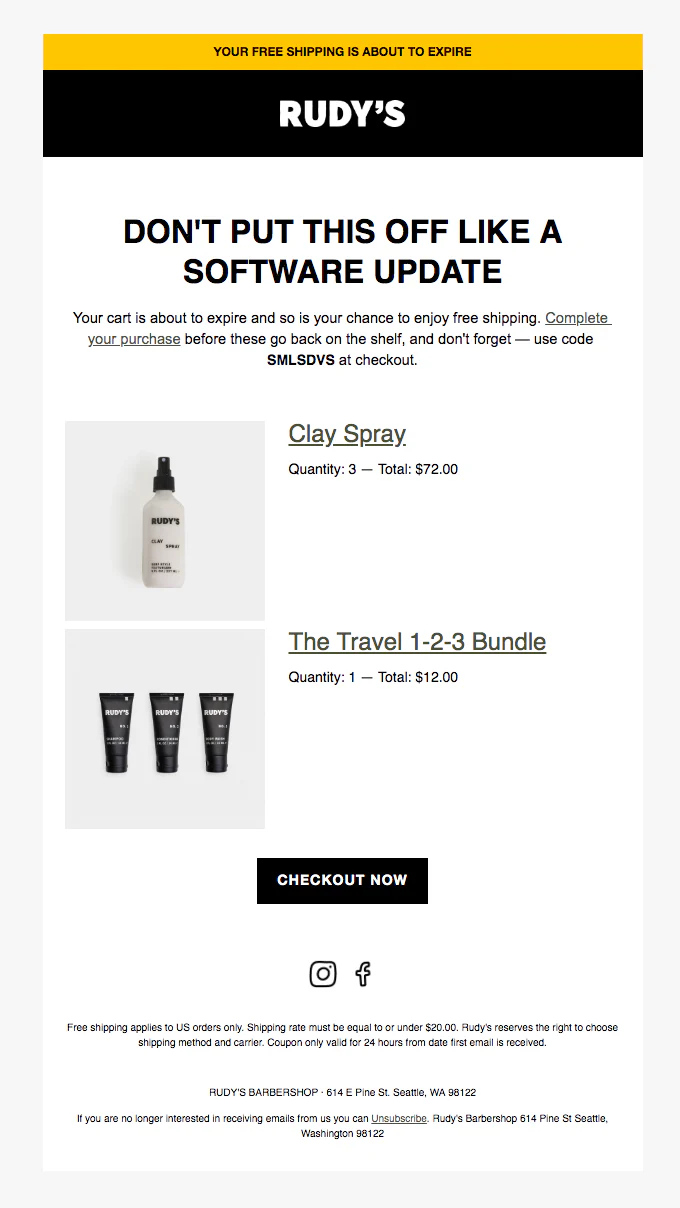
You may also take inspiration from Rudy’s creative abandoned cart email example. Notice how it has a clear offer (free shipping with code), FOMO-oriented copy (Your cart is about to expire), and an actionable CTA (Checkout now).
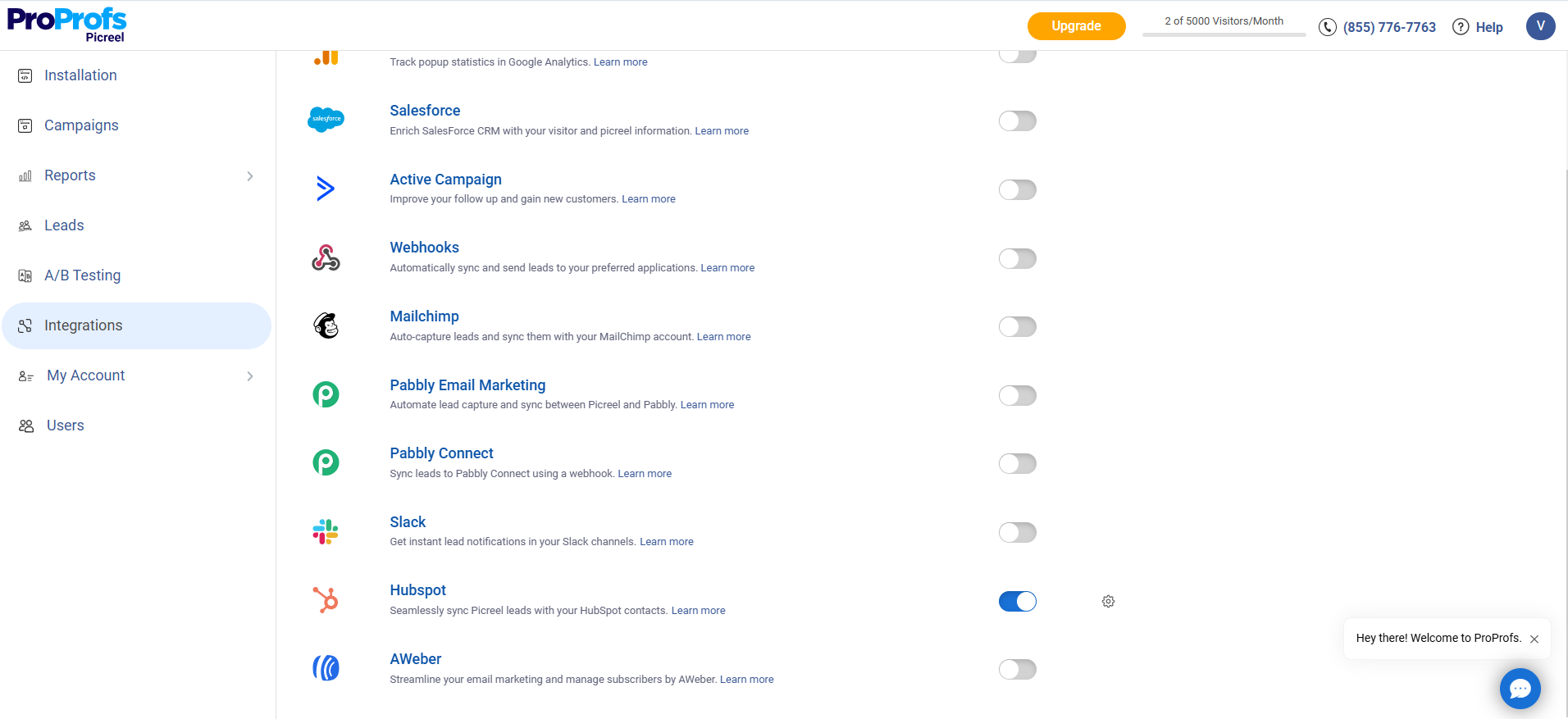
Integrating your popup software like Picreel with tools like Mailchimp or HubSpot makes this easy to automate and scale.
Done right, email automation doesn’t “pester” shoppers—it provides the clarity, trust, or savings they need to come back and buy.
5. Launch Retargeting Ads
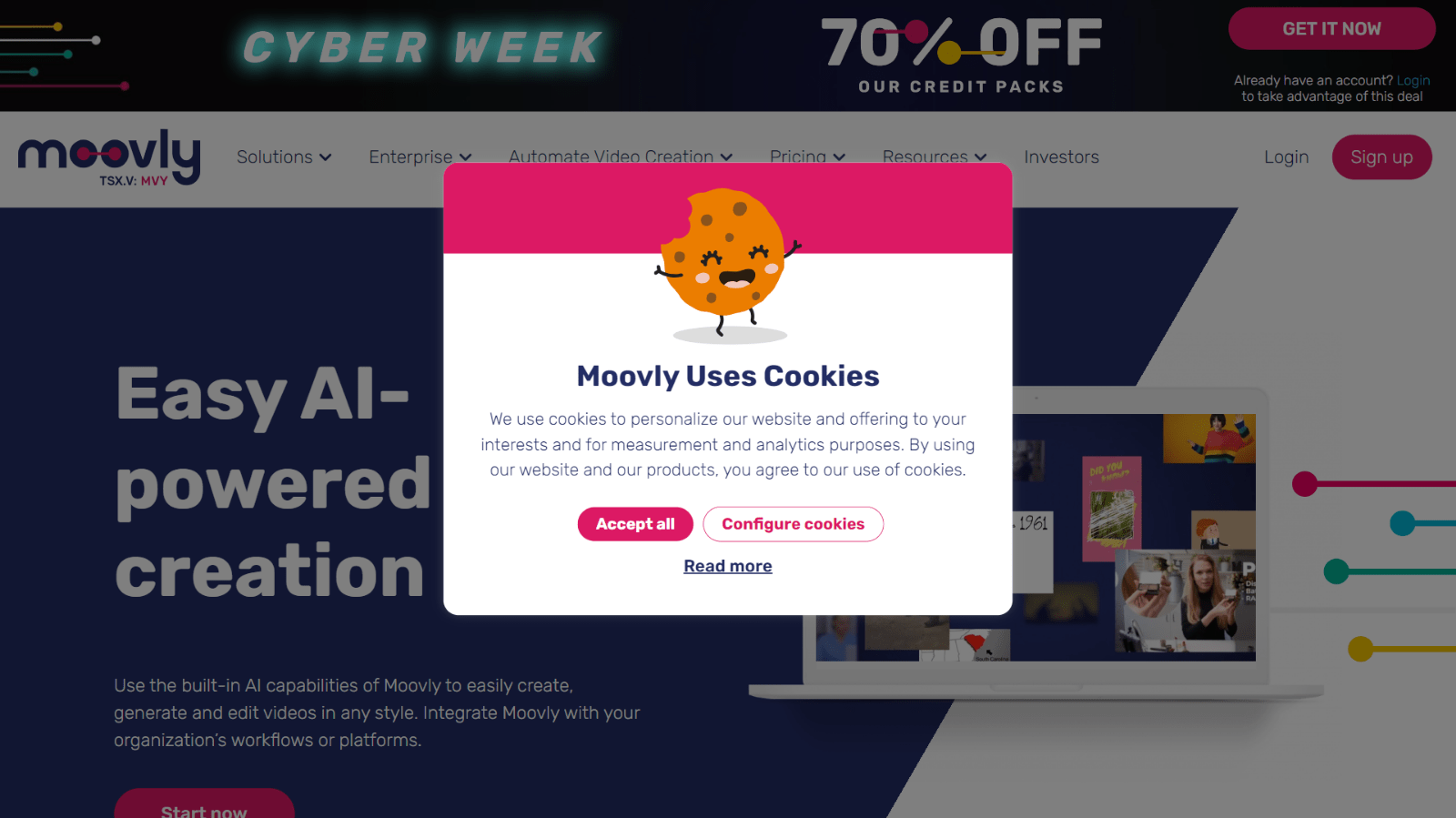
With 3 out of 4 shoppers noticing them, retargeting ads are one of the best ways to reduce shopping cart abandonment. They work by tracking visitors with cookies (tiny bits of code) like the cookie consent banner you often see on sites such as Moovly, which lets users accept or configure tracking.
 Ads show up for the exact products shoppers left behind as they scroll through Facebook, Instagram, or browse other sites on Google’s Display Network.
This strategy works well because seeing the same product repeatedly creates familiarity and trust, reminding shoppers of their interest and making the purchase decision feel easier.
Remember These Pointers When Setting It Up:
- Add a Tracking Pixel: Install the Meta Pixel (Facebook) or Google Ads remarketing tag via Google Tag Manager. Both tags automatically drop a cookie.
- Upload Your Catalog: Sync your store with Facebook Ads Manager or Google Ads so abandoned items appear in ads.
- Segment Audiences: Create one ad set for new visitors (offer discounts/free shipping) and another for past customers (use upsells or simple reminders).
- Add Urgency: Use copy like “Only a few left” or “Your cart is waiting” to nudge quick action.
Winning Trust and Credibility
6. Build Trust With Social Proof
69.57% of shoppers abandon carts when they’re unsure if they can trust your site. Social proof fixes that by showing evidence that others have already had a positive experience with your products or brand.
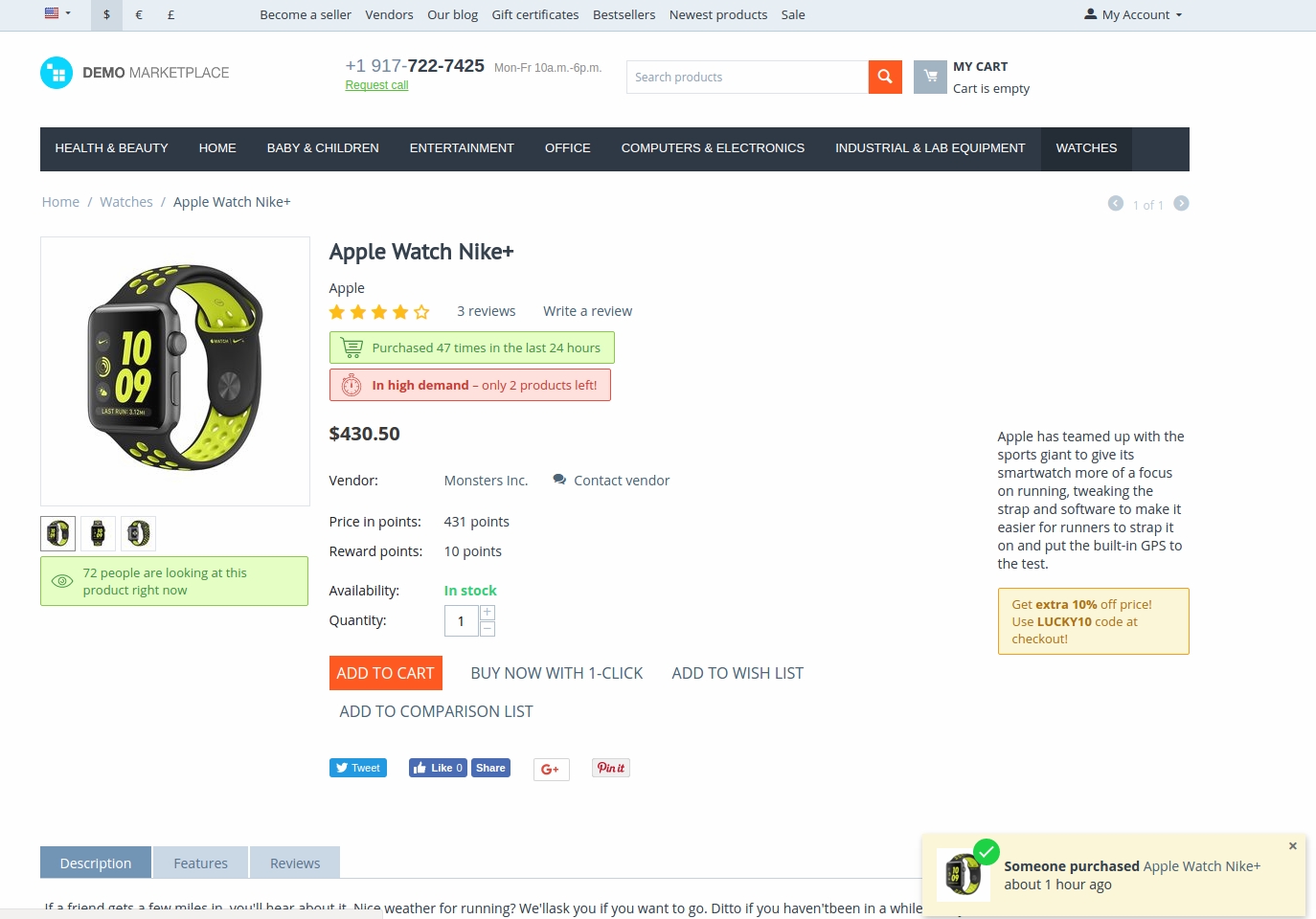
Reviews, ratings, testimonials, and trust badges all reduce hesitation and push shoppers toward completing checkout. Here’s an example of the best social proof placements:
Here’s How You Can Enhance Trust Effectively:
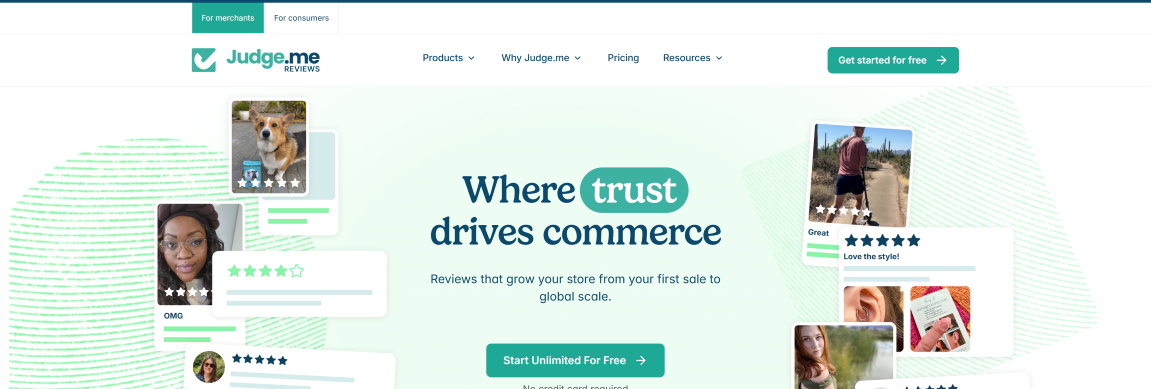
- Show reviews and testimonials with tools like Judge.me. Place them on product and checkout pages so buyers get validation that other people are actually buying from that brand.

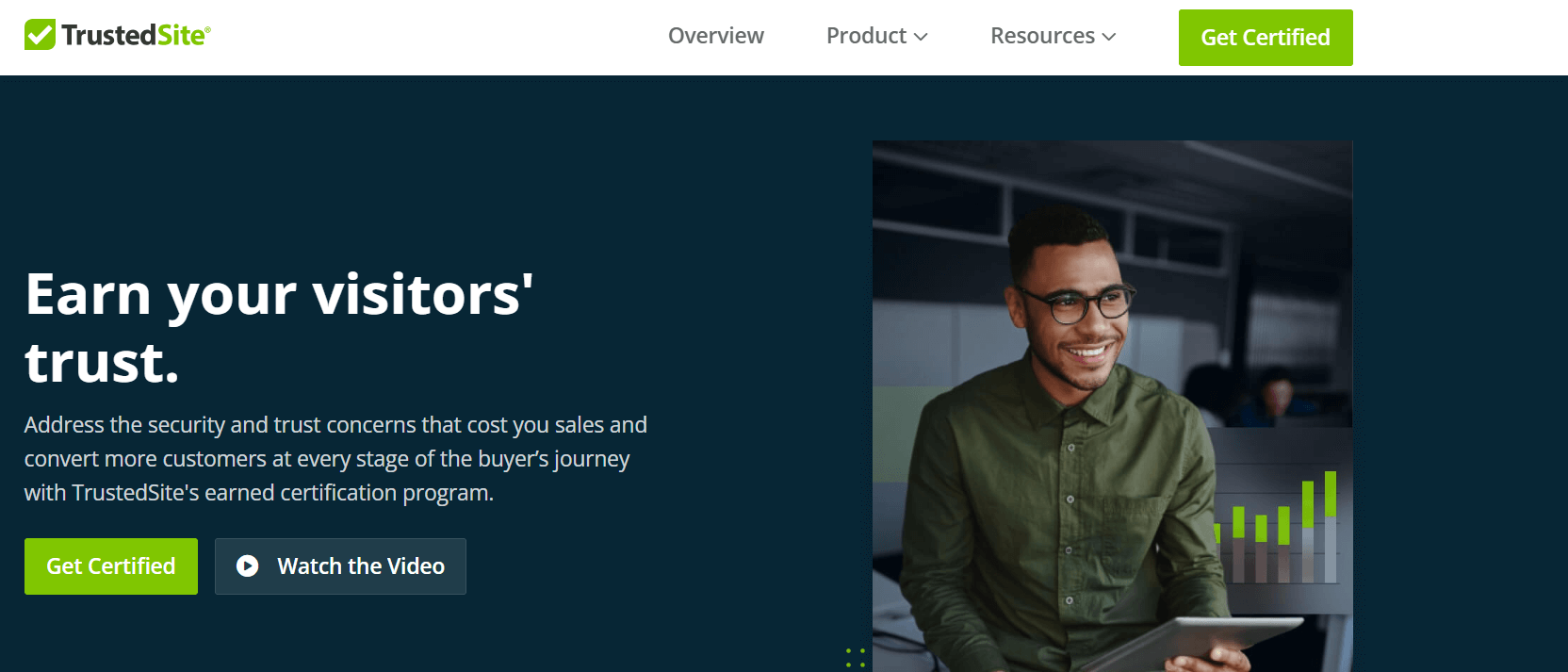
- Add trust badges (SSL, secure payment, money-back guarantee) using built-in options in Shopify or WooCommerce, or apps like TrustedSite. Position them close to payment fields where trust matters most.
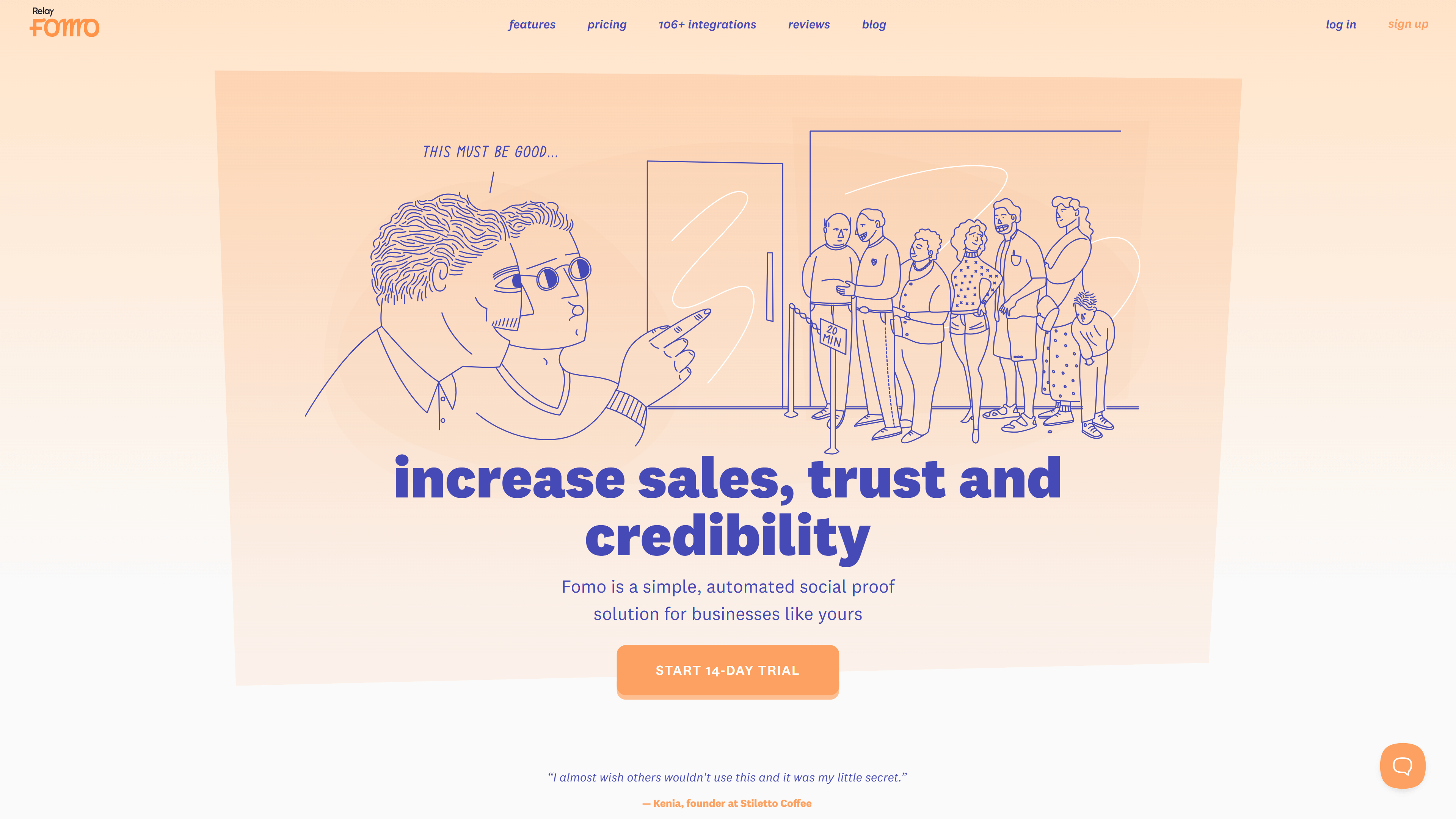
- Use “recent purchase” or “X people bought this today” widgets with tools like Fomo to add urgency and credibility.
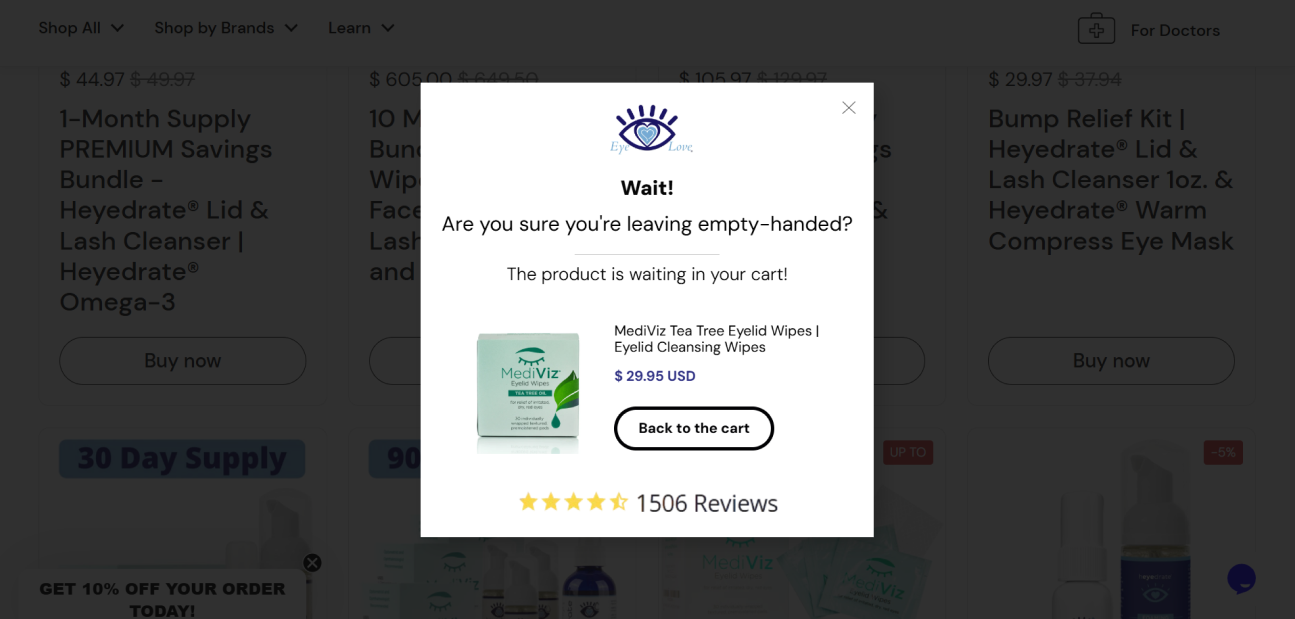
- Leverage a social proof popup as it’s the most effective option. It can display reviews and trust badges in one place without heavy extensions that slow your site or add extra costs. For instance, Eye Love uses an exit-intent popup highlighting reviews and ratings to reassure shoppers just as they’re about to leave, pulling them back into checkout.
7. Improve Payment Security
When it comes to checkout, trust is everything. If customers don’t feel safe entering their card details, they’ll bounce fast. Slow or failed transactions, error messages, or shady-looking payment pages are big red flags.
Let’s See What You Can Do:
- Show Trust Signals: Add SSL badges, payment logos (Visa, PayPal, Apple Pay), and “secure checkout” markers using built-in options in Shopify or WooCommerce, or apps like TrustedSite. Shoppers look for them.
- Offer Trusted Gateways: Stick to well-known providers like Stripe, PayPal, or Klarna. Customers feel more comfortable with names they recognize.
- Keep It Simple: Avoid unnecessary redirects or multiple steps. A clean, fast, and consistent payment flow feels safe.
8. Offer Support With Live Chat
During checkout, even small doubts like “Will this arrive on time?” or “What’s the return policy?” can derail a purchase. Live chat removes that friction by giving customers instant answers without leaving your site. Done right, it boosts conversions, cuts abandonment, and builds trust.
How to Use It Effectively:
- Place Chat Support Directly in Checkout: Add a chat widget to the cart and payment pages so help is right where hesitations happen. Most e-commerce platforms let you embed a script or plugin to enable this.
- Use Bots for FAQs + Human Handoff for Payment Issues: Chatbots can quickly handle sizing, shipping times, or return policy questions. When money’s on the line—failed cards, billing errors, or refunds—route the conversation to a live agent for personal support.
Tools like ProProfs Live Chat make this seamless for businesses. With 24/7 support through AI chatbots and live agents, proactive popups triggered by visitor behavior, canned responses to speed up answers, and integrations with CRMs and ecommerce platforms, it essentially acts like a friendly store associate who’s always available.
That little bit of reassurance at the exact moment of doubt often makes the difference between an abandoned cart and a completed order.
Streamlining the Checkout Experience
9. Enable Guest Checkout
Mandatory account creation is a central friction point. In fact, up to 24% of shoppers abandon their cart when forced to sign up. By offering a guest checkout, you remove that barrier and make the process faster and more convenient, directly boosting conversions. Simply enable the option in your checkout settings.
The smart move? Let customers finish their purchase as guests, then offer account creation after checkout so you can still collect valuable data for marketing.
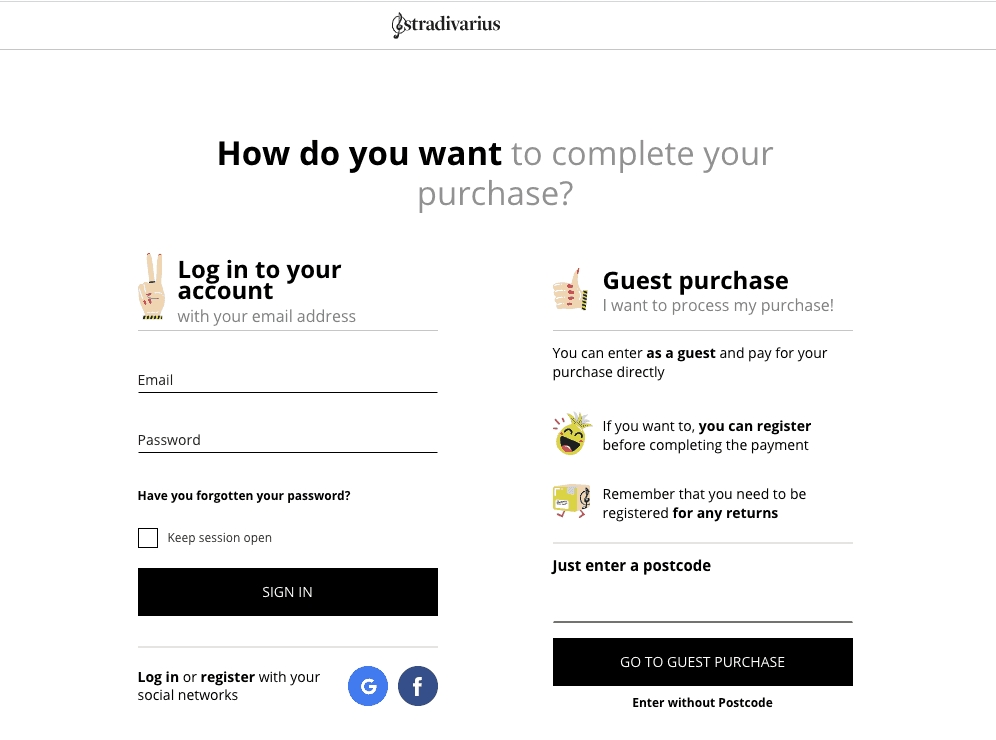
For instance, Stradivarius clearly presents both login and guest checkout options, making it easy for first-time buyers to complete their orders without feeling trapped.
10. Ensure an Excellent Checkout Experience
A complicated or lengthy checkout is one of the fastest ways to lose a sale, as that frustrates shoppers. In fact, 18% of US shoppers abandon their cart because the checkout was too long or complex, while brands that simplified their flow saw conversion lifts of up to 35%.
To reduce cart abandonment, you must keep the process smooth and intuitive.
Here’s how:
- Simplify Forms: Only ask for essentials (name, email, shipping, payment). Most e-commerce platforms have a checkout settings area where you can disable unnecessary fields.
- Add Progress: A simple “Step 1 of 3” bar reassures shoppers they’re close to finishing. Many website platforms include this option under checkout design settings.
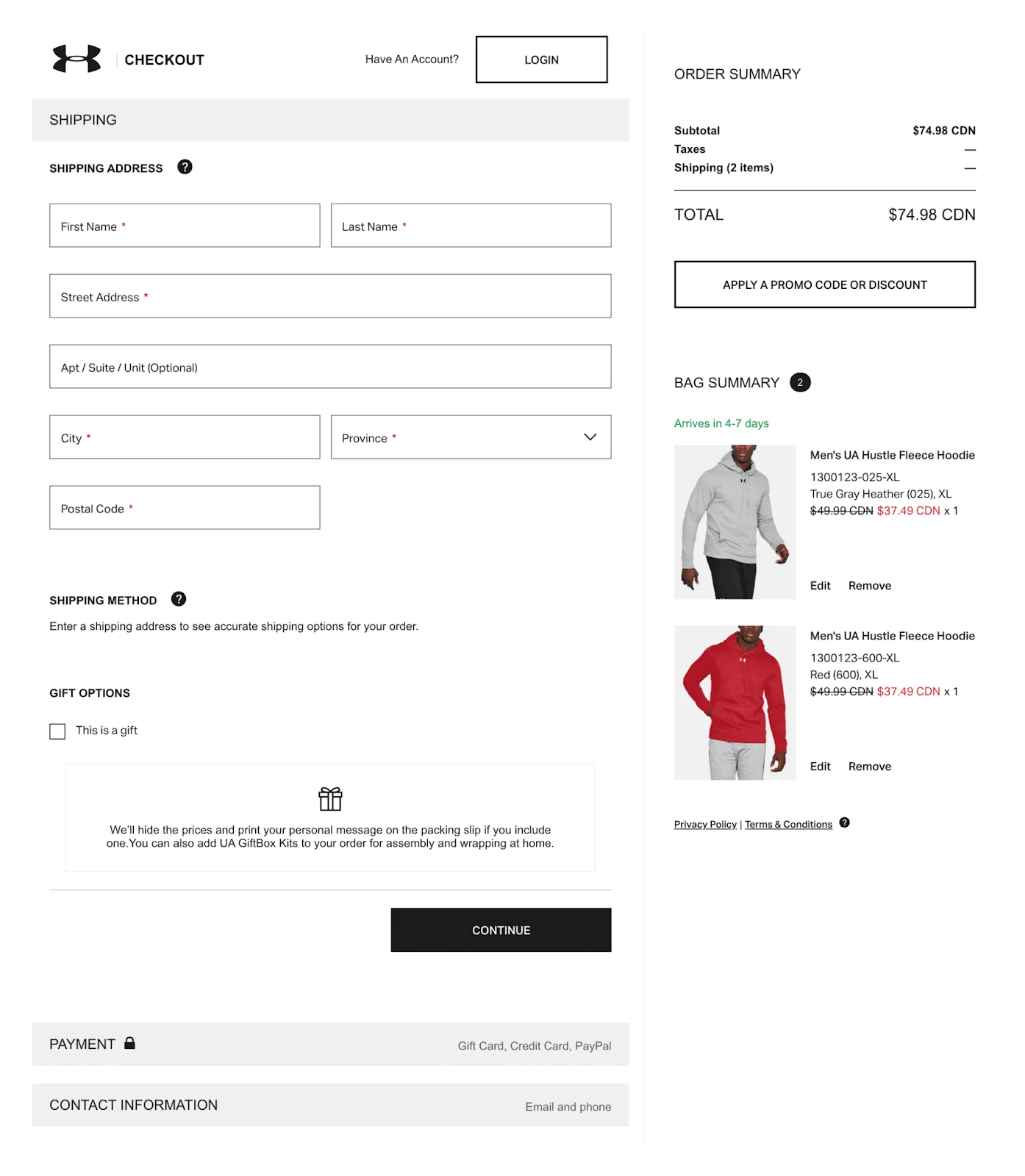
Or you can do it like Under Armour’s checkout flow. See how it uses clear steps and an order summary side-by-side, reducing confusion and keeping customers focused.
- Optimize for Mobile-First: Enable browser autofill and payment wallets (Apple Pay, Google Pay, PayPal). These are usually found under payment settings in your e-commerce platform.
- Ensure Speed: Your website, including checkout pages, should load in under seconds. Check your site speed with free tools like Google PageSpeed Insights, then compress large images, remove unused scripts, and use a CDN (Content Delivery Network) to keep it fast.
The Bottom Line: Remove Barriers, Build Trust, Re-Engage
Cart abandonment isn’t the end of the story—it’s just a challenge with clear solutions. Shoppers abandon carts mainly because of hidden costs, friction, or trust issues. The good news? Each of these problems can be fixed. From using exit-intent popups and free shipping bars to simplifying checkout, showing trust badges, and automating recovery emails, small tweaks add up to big wins.
The formula for success is simple: remove barriers, build trust, and re-engage smartly. Make pricing transparent, keep checkout smooth, and reassure buyers with social proof and secure payments. When shoppers do leave, follow up with helpful reminders, retargeting ads, or live chat support to bring them back.
Remember, every abandoned cart is a second chance. You need to experiment with different tactics and measure their effectiveness to determine what works best for your business.
However, the best approach is to prevent customers from leaving your website. You can do so with exit-intent popups. Picreel lets you easily create engaging popups with 100+ templates, a drag-and-drop editor, and full customization.
FREE. All Features. FOREVER!
Try our Forever FREE account with all premium features!

 We'd love your feedback!
What did you like & how can we make it even better?
 Thanks for your feedback!
 Ask Your Question
Have a question? Get expert help to make your decision easier.