
Email capture popups on WordPress are one of the fastest, most reliable ways to grow your subscriber list—when they’re done right.
Done badly, they annoy visitors and tank conversions. Done well, they feel helpful, natural, and almost invisible.
After studying hundreds of popup campaigns and testing multiple WordPress tools myself, one thing is clear: successful popups aren’t about being flashy or aggressive. They’re about timing, relevance, and thoughtful design.
In this guide, I’ll walk you through how to create email capture popups that convert without frustrating users, the tools that work best on WordPress, and the strategies top marketers use to turn casual visitors into loyal subscribers.
5 Popular WordPress Plugins to Add Email Capture Popups
After trying out multiple addons for popup email capture WordPress and studying what users really care about, I’ve handpicked the ones that actually make email capture simple and effective.
These tools load fast, don’t mess with your site’s performance, and are easy to set up even if you’ve never touched code. They integrate smoothly with email platforms like Mailchimp and ConvertKit, keep you GDPR-compliant, and create popups that feel natural.
Before diving deep into the plugins, let’s get an overview of their use case and price:
| Tools | Best For | Price |
|---|---|---|
| Picreel | Getting More Leads, Conversions, and Sales | Offers a forever-free plan. Paid plan starts at $9.99/month. |
| FireBox | Advanced Targeting and Personalized Popups | Starts at € 41 .65/year |
| Poper | Lightweight, Beginner-Friendly Popups | Starts at $7/month |
| Bloom | Beautifully Designed Email Opt-Ins | Starts at $89/year |
| Hustle | All-In-One Marketing and Lead Capture | Starts at $18/month |
Here are my top picks for WordPress email capture popups that genuinely work.
1. Picreel- Best for Getting More Leads, Conversions, and Sales
I’ve been using Picreel to capture leads and engage visitors right when they’re about to leave, and it’s easily one of the most feature-packed popup tools I’ve tried. I love how effortlessly it adapts to user behavior — whether someone’s scrolling, pausing, or showing exit intent. This helps me trigger the perfect message at the perfect time.
The pre-built templates make designing popups feel easy, even for non-designers, and the analytics dashboard helps me see exactly which campaigns are performing best. From building lead forms to offering discounts or collecting feedback, Picreel gives me everything I need to convert traffic without relying on developers.
Pros:
- Professionally designed popup templates for different campaign goals
- Smart behavioral triggers like exit intent, scroll, inactivity, and time delay
- Detailed analytics and A/B testing to track and improve conversions
- Connects seamlessly with over 700 tools, including Mailchimp, HubSpot, and Shopify
Cons:
- Currently, it doesn’t offer a dark mode, though the clean interface is easy to navigate
- Dedicated account support is limited to paid plans, but the free plan still comes with helpful self-service resources and guides
Price:
Offers a forever-free plan for up to 5K visitors. Paid plans start at $9.99/month.
2. FireBox– Best for Advanced Targeting and Personalized Popups
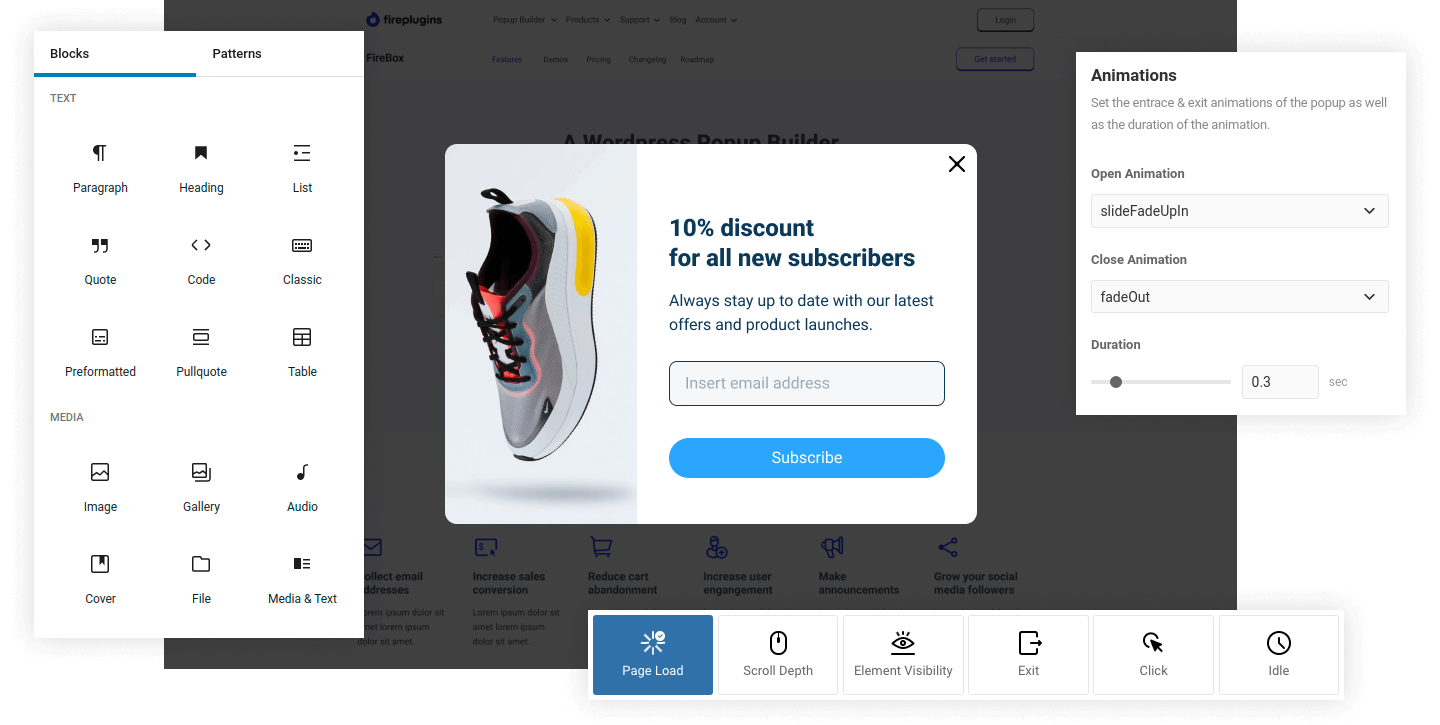
FireBox is one of those plugins that completely changed how I approach email capture on WordPress. Instead of showing the same popup to everyone, I can personalize each campaign based on how visitors interact with my site. For example, I can display a discount signup form when someone scrolls halfway through a product page or catch visitors with an exit-intent email opt-in.
The Gutenberg-based builder makes it simple to design engaging popups that match my site’s style — no code, no hassle. What I really appreciate is how FireBox lets me segment audiences with pinpoint accuracy, so each message feels tailored and relevant rather than random.
Pros:
- Versatile popup types like full-screen overlays, floating bars, and slide-ins
- Smart triggers that respond to user actions such as clicks, scrolls, and idle time
- Detailed analytics to measure engagement and optimize conversions
- Professionally designed templates with smooth animation effects for a polished look
Cons:
- Some of the advanced targeting options are locked behind the Pro version
- The range of features might feel overwhelming at first, though it becomes easier with use
Price:
Starts at € 41 .65/year
3. Poper– Best for Lightweight, Beginner-Friendly Popups
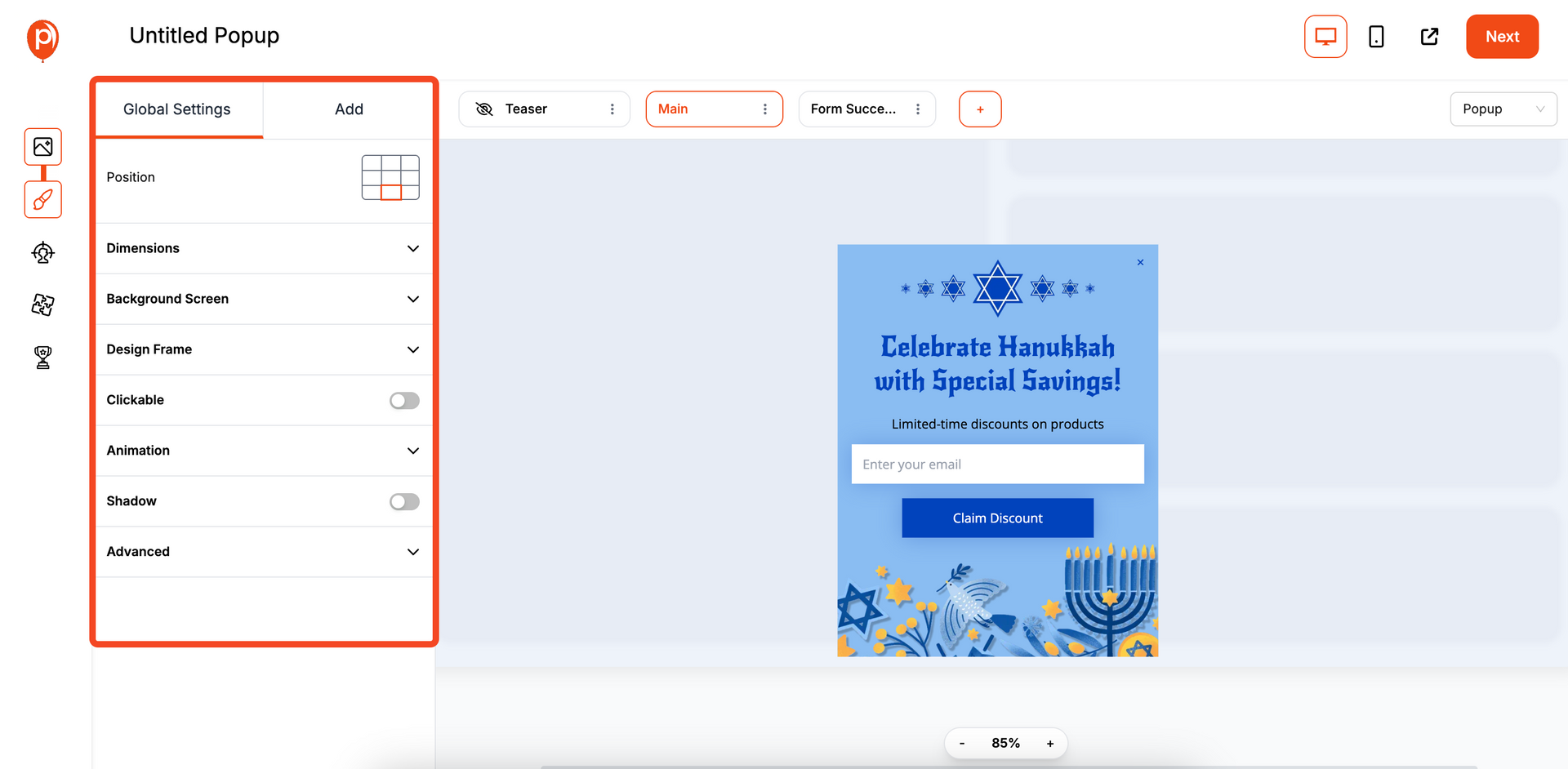
When I first started experimenting with email capture popups, I wanted something simple but effective and that’s exactly what Poper delivers. It’s lightweight, clean, and incredibly beginner-friendly, yet still manages to offer smart, AI-powered popups that trigger at just the right moment.
I can easily build exit-intent popups, promotional banners, or gamified lead forms using its drag-and-drop builder, all without worrying about slowing down my site. I am genuinely impressed by how natural the popups feel. They truly blend beautifully with my site design instead of interrupting it.
Pros:
- AI-powered popups that adapt to visitor behavior for better engagement
- Ready-to-use templates and drag-and-drop editing for quick email capture setup
- Built-in analytics to track conversions and improve popup performance
- GDPR-compliant and fully responsive on all devices
Cons:
- Limited customization flexibility compared to advanced popup builders
- Some integrations and AI targeting features may require an upgrade
Price:
Starts at $7/month
4. Bloom– Best for Beautifully Designed Email Opt-Ins
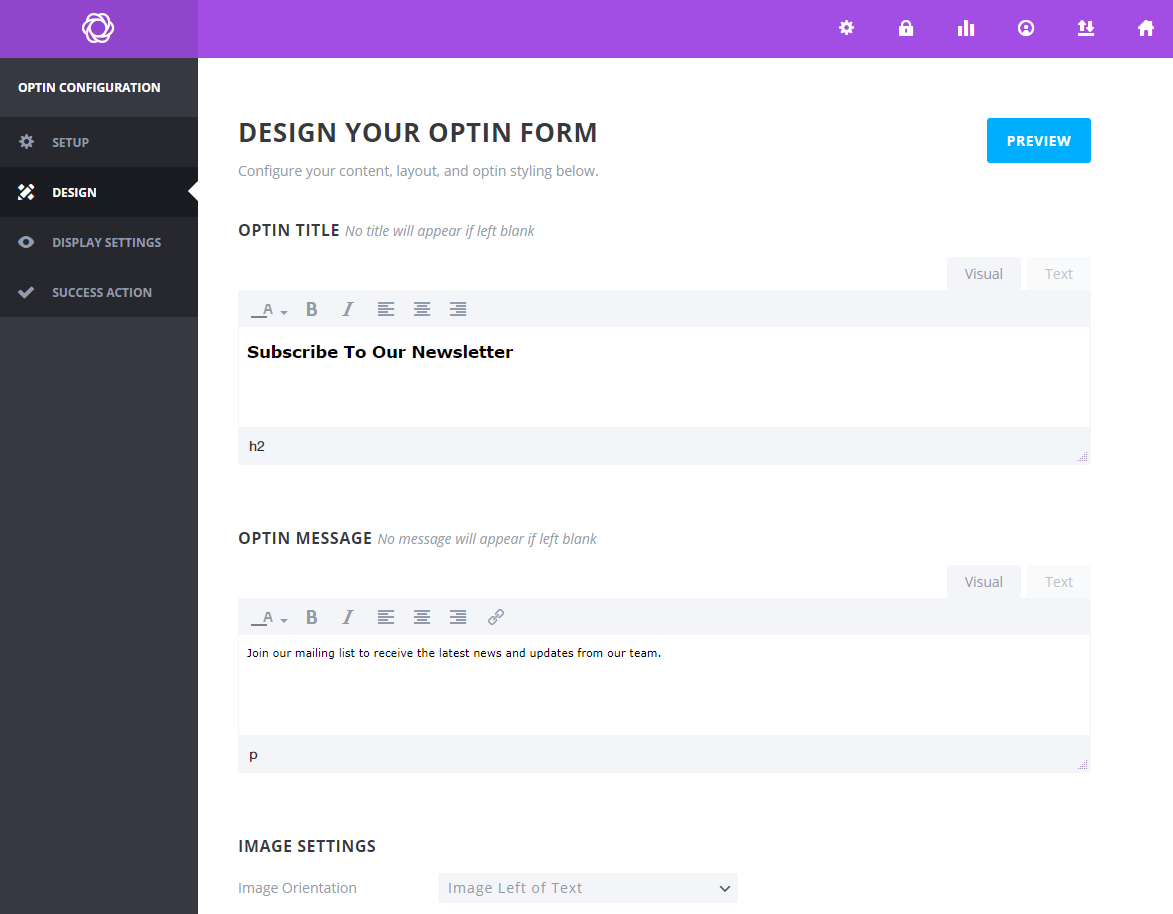
If there’s one plugin that makes email capture feel like part of your brand’s design, it’s Bloom. I love how effortlessly it turns sign-up forms into elegant, on-brand experiences. With over a hundred pre-made templates, Bloom lets me create popups, fly-ins, or inline forms that actually look good — not like intrusive ads.
I can even set triggers like “after commenting” or “after purchasing” to make the timing feel organic and relevant. Plus, its detailed targeting settings let me display different offers on specific pages or posts, which makes growing my email list feel strategic, not random.
Pros:
- Six display types, including popups, fly-ins, and inline forms for flexible placement
- 100+ customizable templates with full control over colors, borders, and layout
- Targeted display rules to show unique forms on specific posts or categories
- Built-in A/B testing and analytics to track which opt-ins perform best
Cons:
- Can feel slightly heavy on slower sites due to design-rich templates
- Doesn’t offer a free version; it’s available only with the Elegant Themes membership
Price:
Available with the Elegant Themes membership starting at $89/year.
5. Hustle – Best for All-In-One Marketing and Lead Capture
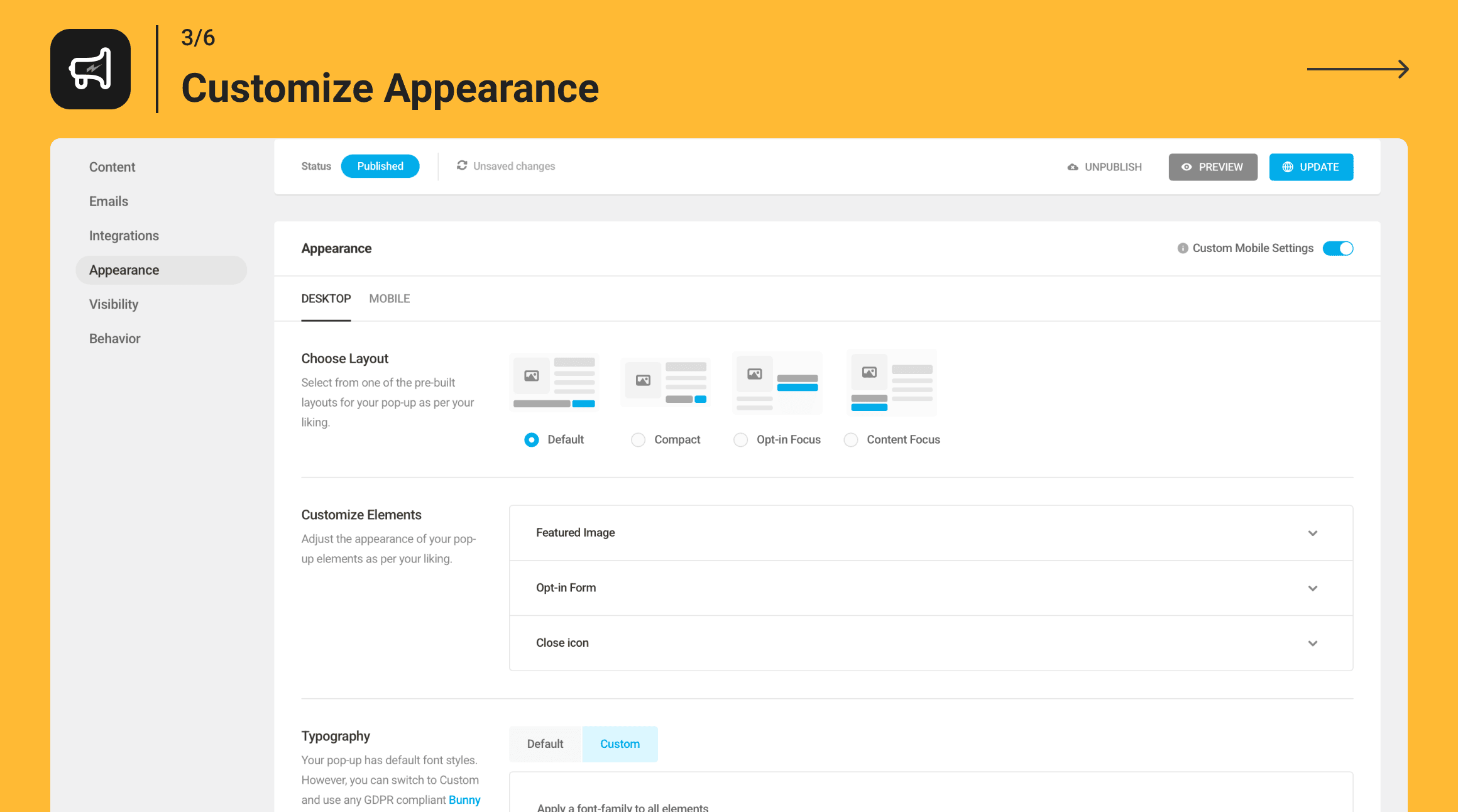
Hustle feels more like a full-fledged marketing partner than just a popup plugin. I love how it lets me create everything from elegant email opt-ins and exit-intent popups to slide-ins and social share bars right inside WordPress. The customization options are endless, but it still feels easy to use, even for someone who doesn’t code.
Hustle stands out because it combines lead generation with engagement tools. I can set triggers based on user behavior, schedule popups to show at the perfect moment, and monitor performance from one clean dashboard. It’s an all-in-one toolkit that keeps my marketing organized and my site looking sharp.
Pros:
- Includes popups, slide-ins, embedded opt-in forms, and social share bars
- Behavior-based triggers like exit intent, scroll depth, and inactivity
- Built-in analytics and scheduling to optimize popup timing and conversions
- Fully GDPR-ready with spam protection via Google reCAPTCHA
Cons:
- Free version limits the number of campaigns you can run simultaneously
- Advanced automation and targeting require upgrading to the Pro plan
Price:
Starts at $18/month
How to Choose the Right Popup Tool for Your WordPress Site
Picking the addons for popup email capture WordPress isn’t just about finding the most popular one; it’s about choosing a tool that fits your goals and how your business operates.
Think of it like bringing on a new marketing assistant for your site — you want one that understands your workflow, your audience, and your growth plan. Here’s what to look at before you decide:
- Website Size and Traffic: Smaller websites can thrive with lightweight addons for popup email capture WordPress that focus on simple email growth. For high-traffic sites, look for advanced targeting and automation features that scale with your audience.
- Design Flexibility: Your popups should look like they belong to your brand. Choose a plugin that gives you freedom to design without needing a developer or a designer to step in every time.
- Email Integrations: Make sure your popup tool connects seamlessly with your email marketing platform — whether that’s Mailchimp, HubSpot, Constant Contact, or something else. This keeps your lead flow automatic and organized.
- Budget and Scalability: It’s not just about what fits your budget today. Pick a tool that lets you upgrade as your campaigns and traffic grow, so you’re not switching tools every few months.
- Ease of Use: Some people love a visual drag-and-drop builder, while others prefer custom coding control. Go with what feels natural for you or your team — the easier it is to use, the more consistently you’ll run campaigns.
- Analytics and A/B Testing: Look for tools that show you what’s working. With built-in reports and testing, you can refine your popups, test variations, and double down on what converts best.
- Reviews and Ratings: Before committing, check what other users say. Good reviews often highlight strong support, reliability, and real-world performance that go beyond feature lists.
How to Capture an Email Address in a WordPress Popup
Creating an email capture popup on your WordPress site is one of the simplest ways to grow your subscriber list and keep your visitors engaged. I’ve taken Picreel as an example here because it’s fast, beginner-friendly, and offers excellent targeting options without needing any code.
Here’s a quick, step-by-step walkthrough to help you create an effective email capture popup that feels professional and non-intrusive.
Step 1: Create Your First Email Capture Campaign
After signing up with your chosen popup tool (for example, Picreel), head to the Campaigns tab and click on “Add Campaign.” This is where you’ll start building your email capture popup. Think of this as creating your first mini lead generation funnel right inside WordPress.

Step 2: Choose the Popup Template
Select a popup template designed for email signups. These usually include form fields for name and email and are optimized for conversions. Avoid cluttered templates — minimal, centered popups with a strong CTA tend to perform best. Once you’ve picked your favorite, click “Customize.”

Step 3: Customize the Popup Design
Here’s where your popup starts to take shape. A well-designed email capture popup looks clean, reflects your brand, and doesn’t interrupt the user experience.

- Design: Go for a white or light background with high-contrast buttons (like navy or forest green). Keep your close icon visible at the top-right corner.
- Fields: Keep it simple — just name and email fields work best. Avoid asking for too much information too soon.
- CTA Button: Use clear, action-based text such as “Get Updates” or “Join the List.”
- Fonts: Choose legible fonts like Open Sans or Lato in 16–18px for body text and 20–22px for the CTA.
- Animations: Use a gentle fade-in effect instead of flashy movements to keep the experience smooth.
- Personalization: If available, greet users by name or tailor the message based on their page activity or location.
Once everything feels aligned with your brand, click “Save.”
Step 4: Configure Popup Settings
Now it’s time to decide how and when your popup will appear. Email capture works best when it’s shown at the right moment — not the second someone lands.

- Popup Triggers:
- Exit Intent: Catch users who are about to leave with a “Wait, don’t miss our updates!” message.
- Scroll Percentage: Show the popup after users scroll at least 50% down the page.
- Time Delay: Trigger it after 8–12 seconds of engagement.
- On Click: Ideal for blog CTAs or sidebar links that open signup forms.
- Impression Frequency: Limit it to once per session to avoid overwhelming repeat visitors.
- Targeting Rules:
- Show it to new visitors or those visiting specific content categories.
- Use geo-targeting for location-based campaigns (e.g., “Get local deals and updates”).
- Target mobile and desktop separately to optimize for layout differences.
After configuring your settings, hit “Save.”
Step 5: Track, Test, and Improve
Once your popup is running, keep an eye on performance metrics in your tool’s analytics dashboard.
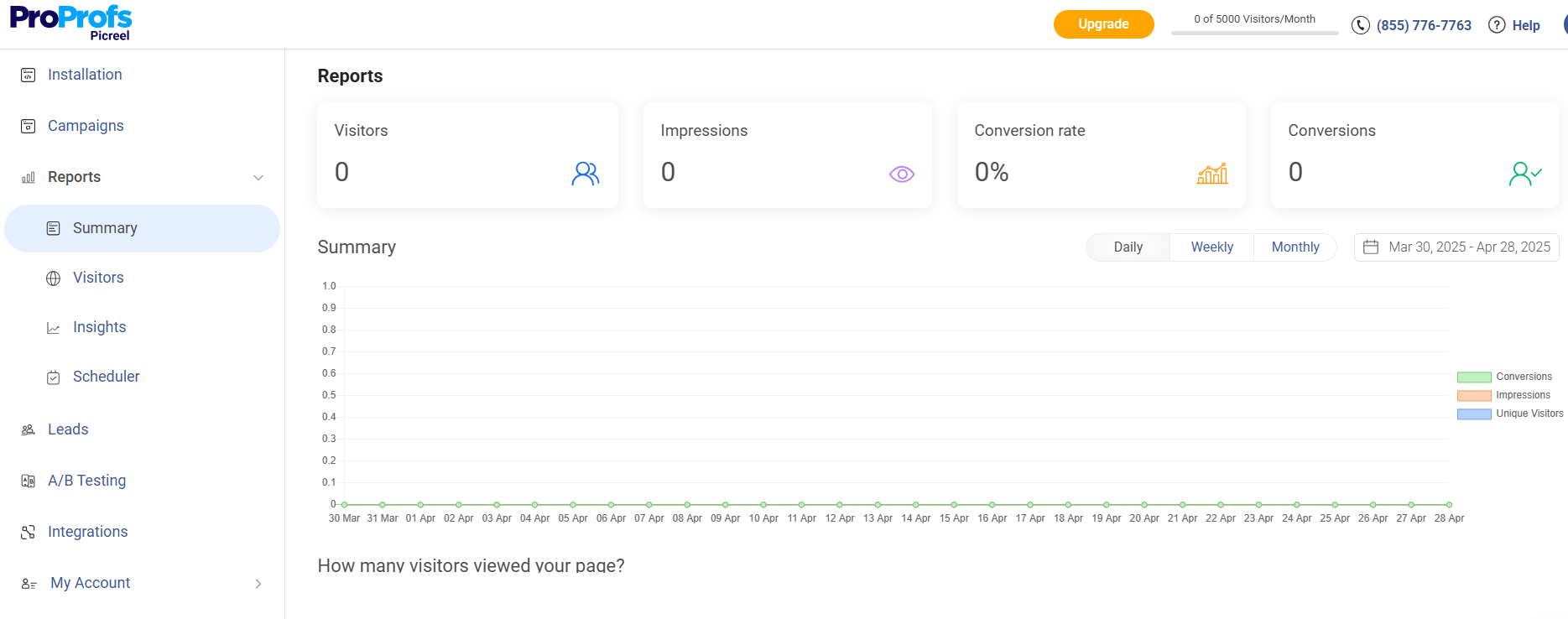
- Monitor views, clicks, and form submissions to spot trends.
- Use A/B testing to experiment with headlines or button colors (small changes often yield big results).

- Track conversion rates by page to see where your popups perform best.
Expert Advice: Refresh your popup content every few weeks — change offers, CTAs, or visuals to keep it feeling new and relevant.
5 Best Practices for WordPress Email Popups
Popups can either drive conversions or drive people away. The difference lies in how thoughtfully you design, time, and optimize them. Here’s how to execute WordPress popup email capture in a helpful, non-intrusive way.
1. Design & UX
A popup should complement your website, not compete with it. Use clean layouts, minimal text, and colors that align with your brand. Always make your popups easy to dismiss and ensure they’re mobile-friendly.
What to Do:
- Keep file sizes small for faster load times.
- Add smooth transitions to make popups feel natural.
- Test different positions like bottom-right slide-ins to see which converts better.
Why It Works: A smooth, on-brand design earns trust and improves engagement rates.
2. Timing & Targeting
Good timing is everything. Popups that appear too soon feel like interruptions, while those that show after engagement feel like helpful suggestions.
What to Do:
- Use exit-intent for users about to leave.
- Set a 10–15 second delay for first-time visitors.
- Target repeat visitors with personalized offers.
Why It Works: You’re meeting visitors where they are in the journey instead of interrupting them.
3. Value & Copy
People exchange their emails only when they see real value. Replace generic CTAs with offers that feel personal and useful.
What to Do:
- Offer something tangible: discounts, free resources, or exclusive tips.
- Write conversational CTAs like “Send me the guide” or “Yes, I want updates.”
- Use active language that clearly communicates the benefit.
Why It Works: Specific, human-centered messaging feels authentic and increases opt-ins.
4. Compliance & Data Quality
Respect for privacy builds long-term credibility. It’s better to grow slowly with real subscribers than inflate your list with fake or uninterested ones.
What to Do:
- Use GDPR-compliant popup forms and add consent checkboxes.
- Enable double opt-in to confirm real interest.
- Regularly clean your list to remove inactive emails.
Why It Works: High-quality lists improve email deliverability and long-term conversions.
5. Testing & Optimization
Your first popup won’t be your best one. Continuous testing helps you understand what design, offer, or trigger drives the most signups.
What to Do:
- Run A/B tests on headlines, visuals, and timing.
- Track conversion data in your popup tool’s analytics dashboard.
- Refresh designs or offers every few months to avoid “popup fatigue.”
Why It Works: Consistent testing helps you stay ahead of changing visitor behavior and keeps engagement high.
FREE. All Features. FOREVER!
Try our Forever FREE account with all premium features!
Build Smarter Popups That Win Subscribers, Not Annoy Them
WordPress popup email capture is about creating meaningful interactions that turn casual visitors into loyal subscribers. The right tool, thoughtful design, and smart timing make all the difference. Focus on offering real value, respecting user experience, and continuously testing what works best for your audience.
If you’re looking for a reliable, code-free way to create behavior-based popups that feel natural, a tool like Picreel can help you get started quickly while keeping things simple.
Start small, experiment with your designs, and watch how small tweaks lead to better engagement and stronger conversions. Ready to grow your list? Try setting up your first email capture popup today and see the difference firsthand.
FREE. All Features. FOREVER!
Try our Forever FREE account with all premium features!

 We'd love your feedback!
What did you like & how can we make it even better?
 Thanks for your feedback!
 Ask Your Question
Have a question? Get expert help to make your decision easier.