
Did you know that nearly 70.32% of visitors leave a website without ever completing a purchase or signing up?
It’s a silent revenue leak most businesses overlook.
When I discussed this with a few experienced marketers, they all agreed on one thing: the solution isn’t just about better ads or emails, it’s about timing.
That’s where a coupon popup on WordPress can make all the difference. A well-placed offer shown at the right moment can stop visitors from leaving and turn casual browsers into paying customers.
From talking with store owners and digital strategists, it’s clear that success comes from relevance and smart targeting — not random discounts.
That’s why I’ll show you how to design, set up, and optimize effective coupon popups in WordPress, highlight the best tools available, and help you choose one that drives lasting conversions.
Why Coupon Popups Work (and What Most Stores Get Wrong)
Coupon popups are powerful because they play on simple buyer psychology: urgency, FOMO, and instant gratification.
In fact, over 66% of leading-edge customers say discounts or offers influence their buying decisions, and popups are one of the fastest ways to deliver that incentive right when it matters.
Still, most stores don’t get them right. Here’s what goes wrong:
1. Poor Design or Weak Offers
Popups that look cluttered or offer something irrelevant get ignored. Keep it clean, match your brand, and make the offer worthwhile, such as 10% off your first order or free shipping.
2. Bad Timing
Showing a WordPress coupon popup the moment someone lands on your site feels intrusive. Trigger it after they scroll, spend time on a page, or show exit intent, not right away.
3. Forgetting Mobile Users
62.54% of global website traffic comes from mobile devices, which presents a huge opportunity if converted. But you’ll miss out on that chunk if your popup doesn’t fit the screen or is hard to close. Avoid this by always testing your popups across devices.
How to Create a Coupon Popup in WordPress (Step by Step)
Creating a coupon popup in WordPress doesn’t need to be complicated. With the right tool like Picreel, you can design, launch, and automate a professional-looking popup in just a few minutes. Here’s a simple, step-by-step guide to help you get it done.
Step 1: Install and Activate the Plugin
Go to your WordPress dashboard → Plugins → Add New → search for your chosen plugin (for example, Picreel). Click Install Now and then Activate. Once it’s active, you’ll find the WordPress coupon popup plugin under your admin menu or in the settings section.

Now just log in with your enterprise account and activate your dashboard.

Step 2: Design Your Coupon Popup
Next, head to the plugin’s dashboard and click Create New Campaign or Add Popup. Choose a coupon-style template — like a discount, free shipping, or limited-time deal. Then, customize it:

- Match Your brand: Use your logo, colors, and fonts.
- Keep the Message Short: “Get 15% off your first order” works better than long text.
- Add a Strong CTA: Use buttons like “Reveal My Code” or “Get My Discount.”
- Keep It Clean: Make the close button visible so visitors don’t feel trapped.
Expert Advice: Around 8 in 10 businesses say shoppers spend nearly 38% more when their experience feels tailored to them. So, greet returning visitors, show location-based discounts, or tailor coupons based on browsing behavior to keep customers coming back.
Step 3: Personalize Your Coupon Popup
Now it’s time to make your coupon popup in WordPress look and feel like part of your brand. You can find all the settings listed below in the left bar of your dashboard:
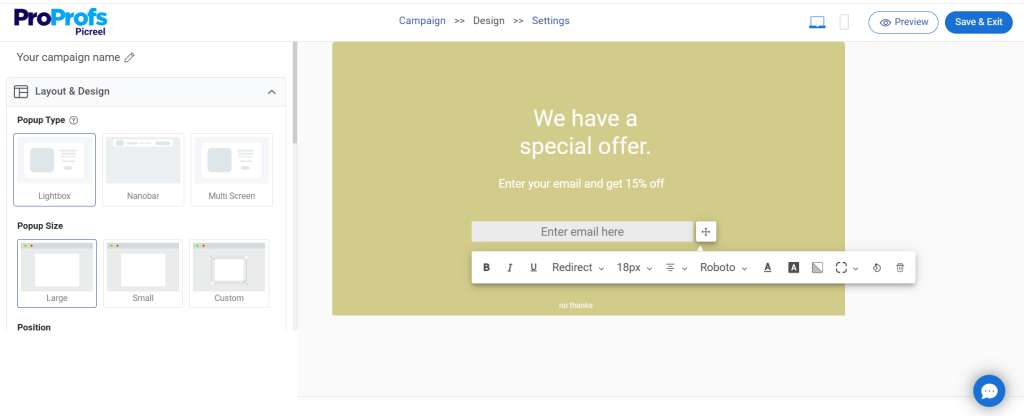
- Design: Choose a layout that fits your website’s look — clean and modern for a fashion store, bold and colorful for an eCommerce site. You can use an image, a solid background, or even a subtle GIF to grab attention. Keep your close button visible so users feel in control (and not trapped).
- Fields: If you’re collecting emails before showing the coupon, keep it simple. Ask only for what’s needed — like name and email. Then, add a clear CTA such as “Get My 10% Off” or “Reveal Discount.”
- Options: Decide how the popup will behave. Add animation (fade, slide, or bounce), set where it appears (center or bottom corner), and define when it disappears. Small tweaks here make a big difference in engagement.
- Fonts: Use legible fonts that match your website. Keep text short, bold, and easy to read — something users can absorb in a second.
- Personalization: This is where you can really boost conversions. Integrates your popup tool with your CRM or WooCommerce, greet users by name, show location-specific offers, or highlight items they recently viewed. Personalized coupon popups always outperform generic ones.
Step 4: Configure When and Where Your Coupon Popup Appears
With your design ready, it’s time to set the timing and targeting — because even the best-looking coupon popup in WordPress won’t convert if it shows up at the wrong time.
Here’s how to fine-tune your settings:

- Basic Settings: Decide which pages will show your popup — for instance, only on product or checkout pages where shoppers are closer to buying.
- Popup Timing: Use smart triggers to catch users at the right moment:
- Exit Intent: Show your offer just as someone’s about to leave.
- Time Delay: Display it after 10–20 seconds on the page.
- Scroll Percentage: Trigger it after they’ve scrolled 50% of the page.
- On Click: Let users open the popup by clicking a “Get Coupon” button.
- Impression Frequency: Avoid being annoying. Show your popup once per session or once every few days.
- Targeting Rules: Make sure your offer reaches the right people:
- New vs Returning Visitors: Offer a first-purchase discount to new users or a loyalty coupon to returning ones.
- Visitor Source: Customize offers based on how users found you — for example, social media visitors might see a “Welcome from Instagram” deal.
- Geo-Targeting: Display location-based discounts (like free shipping in specific regions).
- Device-Based Targeting: Optimize for desktop and mobile separately so popups look perfect everywhere.
- Cookie Targeting: Use browsing behavior to show the right offer — such as a coupon for items they viewed earlier.
Step 5: Publish and Test Your Popup
Once your coupon popup in WordPress is ready, publish it and test it across devices. Check how it looks on desktop and mobile. Monitor key metrics like views, clicks, and conversions in your plugin’s analytics dashboard.
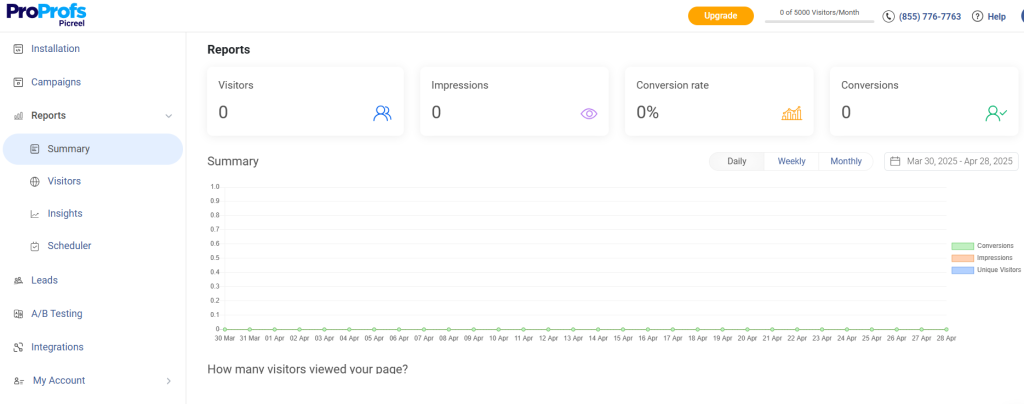
Run A/B tests — try different offers or button colors to see what converts best.

5 Best WordPress Coupon Popup Plugins
There are plenty of popup tools out there, but not all are built to handle coupons effectively.
I’ve tested and compared several options to find the ones that actually help boost engagement and conversions without slowing down your WordPress site.
Before diving deep, let’s take a look at the best use cases and the price of each tool:
| Tool Name | Best For | Price |
|---|---|---|
| Picreel | Getting more leads, conversions, and sales | Forever-free plan for up to 5K visitors; paid plans start at $9.99/month |
| TrustPulse | Boosting conversions with social proof popups | Starts at $5/month |
| Thrive Leads | Advanced lead generation and A/B testing | Starts at $299/year |
| Bloom | Elegant, design-focused opt-in popups | Starts at $23.08/month |
| HubSpot | All-in-one marketing automation and CRM integration | Starts at $20/month |
Here are five of the best plugins worth trying.
1. Picreel-Best for Getting More Leads, Conversions, and Sales
I think Picreel is one of the best coupon popup WordPress plugins because it keeps things simple and powerful. I can build coupon popups in minutes with its drag-and-drop editor and ready templates. The smart triggers make a huge difference — my popups show up right when users are about to leave or stop engaging.
I also love how easily it connects with my CRM and email tools so coupons go out instantly. Tracking performance and running A/B tests is quick, so improving results never feels like guesswork. The best part is that I can set the popups for any device (tablet, mobile, desktop), ensuring the best performance.
Pros
- Smart targeting options to display popups based on user behavior and location.
- Built-in A/B testing and performance analytics to analyze and optimize the popup’s performance.
- 100+ pre-built, mobile-friendly popup templates to create popups in minutes.
- 700+ integrations with email, CRM, and marketing tools to automate follow-ups and streamline lead management.
Cons
- Works only as a cloud-based platform, ensuring easy access without installation hassles.
- Doesn’t offer a dark theme, but the design is still distraction-free and straightforward.
Price
Offers a forever-free plan for up to 5K visitors. Paid plans start at $9.99/month
2. TrustPulse-Best for Boosting Conversions With Social Proof Popups
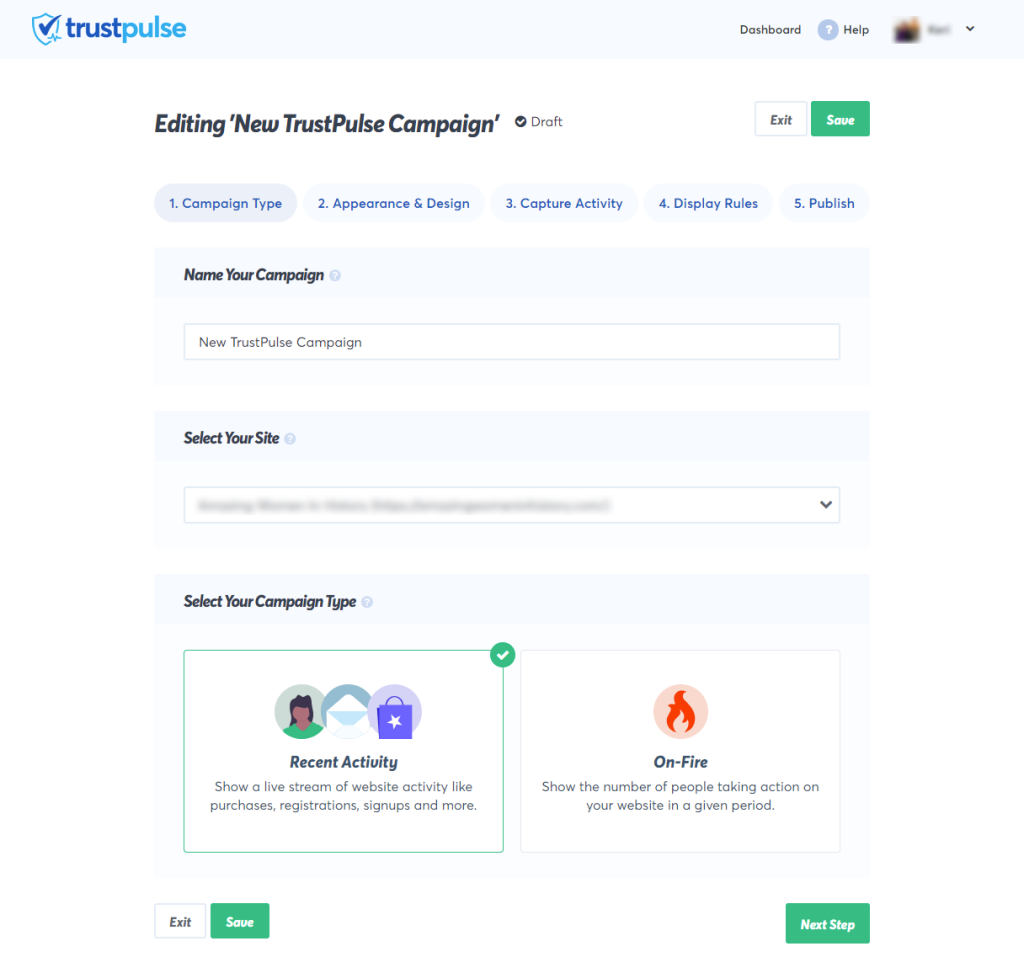
TrustPulse adds instant credibility to my WordPress site. It shows real-time activity, such as someone using a coupon or signing up, and that simple social proof encourages others to act faster.
Setting it up takes only a few minutes, and I can customize every notification to match my website’s style. I’ve noticed how much more effective my coupon offers become when visitors see others redeeming them in real time. It’s a small detail that makes a significant impact on conversions.
Pros
- Real-time social proof notifications to build instant trust and urgency
- Smart targeting to display notifications to the right visitors at the right time
- Fully customizable popups to match your brand look and feel
- Actionable analytics to track performance and see what converts best
Cons
- Works best for websites with consistent traffic and activity
- Limited design layouts compared to full-feature popup builders
Price
Starts at $5/month
3. Thrive Leads-Best for Advanced Lead Generation and A/B Testing
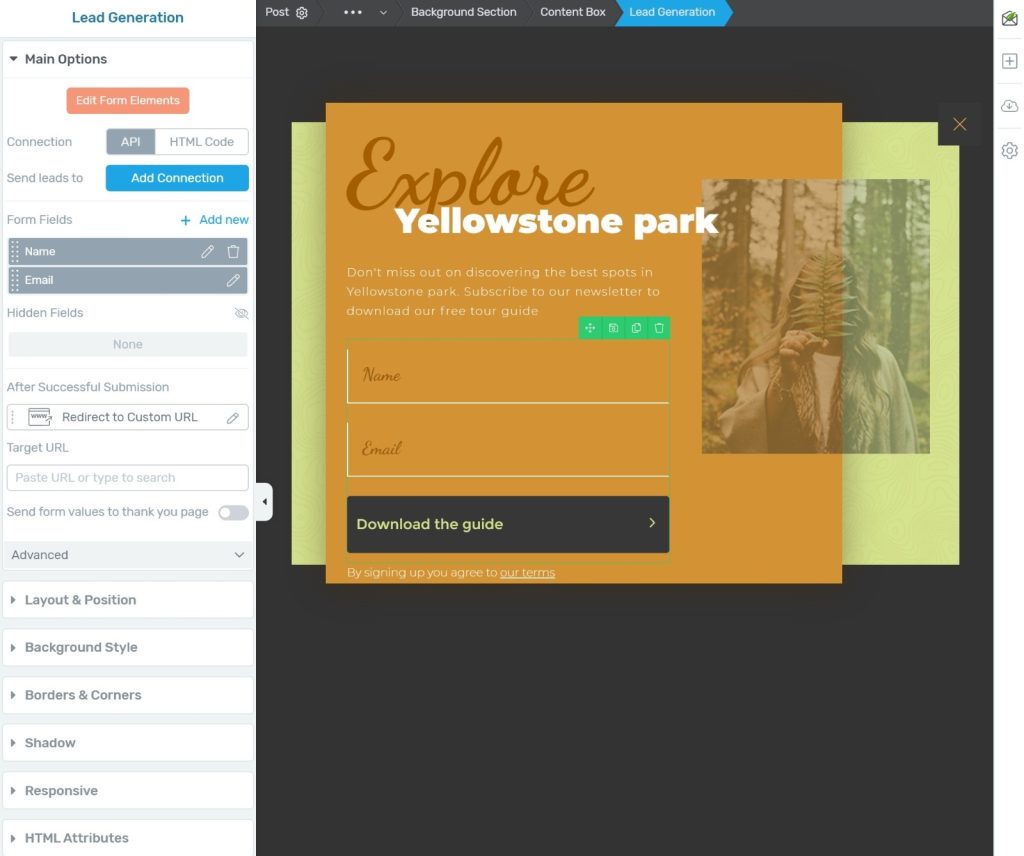
Thrive Leads is my go-to to turn coupon popups into real conversion tools. It gives me total control over how and when my popups appear. I can test multiple versions at once and instantly see which one converts better.
The built-in targeting helps me show coupon offers to the right audience, like first-time visitors or users about to leave. What I enjoy most is how it combines smart analytics with design flexibility, so every popup feels perfectly tuned to my brand.
Pros
- Advanced A/B testing to compare and improve popup performance
- Multiple opt-in types, including popups, ribbons, and slide-ins
- Detailed analytics to track conversions and engagement
- Fully customizable designs with responsive templates
Cons
- Works only with WordPress websites
- Slight learning curve for beginners due to advanced features
Price
Starts at $299/year
4. Bloom-Best for Elegant, Design-Focused Opt-in Popups
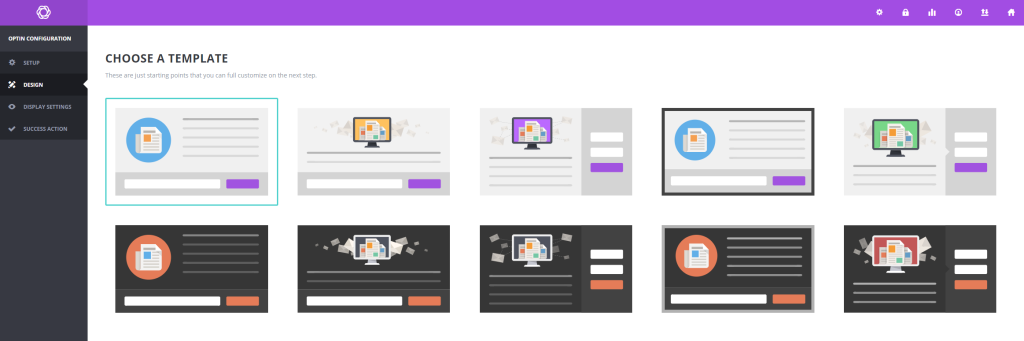
Bloom is perfect for creating premium and high-performance coupon popups. It lets me display opt-ins in six different formats, like popups, fly-ins, inline forms, and even gated offers that unlock discounts after signup.
I can decide exactly when the popup appears, whether it’s after a purchase, a comment, or a few seconds on-page. The targeting is flexible too, so different popups can show on specific pages or categories. Everything runs from a single dashboard that tracks signups and form performance with ease.
Pros
- Multiple display styles, including popups, fly-ins, and gated content forms
- Smart triggers like post-purchase, comment, or time-delay actions
- Central dashboard to monitor opt-ins and campaign results
- Seamless integration with 19 popular email marketing tools
Cons
- Doesn’t support advanced behavior-based targeting
- Requires an Elegant Themes membership for access
Price
Starts at $23.08/Month
5. HubSpot-Best for All-in-One Marketing Automation and CRM Integration
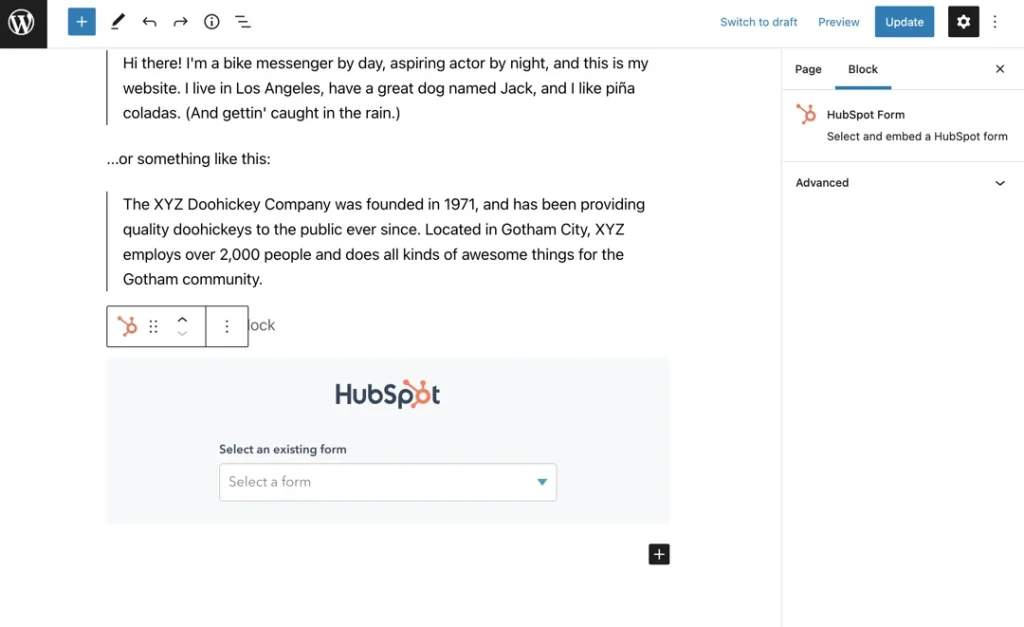
HubSpot is a fair deal to set up coupon popups that sync with my emails and CRM; HubSpot makes it effortless. Every signup goes straight into my contact list, ready for automated follow-ups.
I can set it to send coupons right after someone joins or schedule a quick thank-you message without lifting a finger. The visual builder feels intuitive, and having all my stats from conversions to engagement in one place helps me know exactly what’s delivering results.
Pros
- Connects popups and forms directly to HubSpot CRM for automatic lead sync
- Automates follow-ups like coupon delivery or thank-you emails
- Offers clean drag-and-drop design tools for quick setup
- Tracks performance with built-in analytics and reporting
Cons
- Advanced workflows and automation are available only in paid versions
- Can feel a bit complex for users who just need basic popups
Price
Starts at $20/month
How to Choose the Right Coupon Popup Plugin for WordPress
Not every plugin that promises “easy popups” delivers. Before installing one, it helps to know what actually makes a coupon popup plugin worth your time and money. Here’s what to check:
1. Essential Features Over Free Limitations
Many free plugins look tempting, but restrict key options like targeting, automation, or integrations. Pick a plugin that lets you fully control how and when your popups appear, even on a basic plan.
2. Simple, All-in-One Setup
If you need five different add-ons to make one popup work, that’s a red flag. Look for a tool with a clean drag-and-drop editor where you can design, set triggers, and publish in one place.
3. Seamless Email Integration
A good coupon popup doesn’t stop at collecting emails. It should instantly send coupons or add users to your email platform like Mailchimp, Klaviyo, or WooCommerce for automated retargeting follow-ups.
4. Control Over Coupon Use
Avoid tools that don’t support one-time codes. Without unique coupon logic, visitors can reuse discounts through multiple emails. Choose a plugin that prevents this automatically.
5. Smart Targeting & Triggers
Timing makes or breaks your offer. Your plugin should support exit intent, scroll percentage, and time-based triggers so popups appear when users are most likely to act.
6. Multi-Site Compatibility
Running several websites? Managing each popup separately can waste hours. Opt for a coupon popup WordPress plugin that enables you to manage all your sites from a single dashboard, ensuring consistent design and performance.
7. Mobile-Friendly Design
Most online shoppers browse on their phones. Your popup should look sharp, load fast, and be easy to close or redeem on any device.
8. Reliable Support & Updates
A good coupon popup WordPress plugin stays updated with WordPress changes and offers quick help when needed. Avoid tools that haven’t been maintained recently — they’re often more trouble than they’re worth.
9. Honest Reviews and Ratings
Don’t skip what other users are saying. Reviews often reveal hidden issues, such as buggy updates, poor support, or limited customization options. Look for consistent 4-star ratings and genuine feedback on plugin marketplaces or WordPress forums to determine if the tool performs as promised.
Build Smarter Popups That Drive Real Conversions
Coupon popup on WordPress still works, but only when they’re designed with timing, relevance, and a smooth user experience in mind. The key is to focus on what matters: clean design, smart triggers, and personalized offers that actually add value to your visitors.
A good coupon popup WordPress plugin should help you accomplish all this without technical hassle, while maintaining your branding consistency across devices.
Whether you’re aiming to grow your email list, reduce cart abandonment, or boost first-time purchases, the right popup tool can make a real difference.
If you’re looking for something easy to set up yet flexible enough to personalize and test, Picreel is worth considering. It gives you the control to create coupon popups that feel helpful, not intrusive, helping you turn casual visitors into loyal customers.
You can simply log in and start building thoughtful, personalized coupon popups that turn every visit into an opportunity.
FREE. All Features. FOREVER!
Try our Forever FREE account with all premium features!

 We'd love your feedback!
What did you like & how can we make it even better?
 Thanks for your feedback!
 Ask Your Question
Have a question? Get expert help to make your decision easier.