

If you run an age-restricted WordPress site, every visitor who lands on your homepage is either a future customer or a compliance risk. And with the average website already losing 37% of visitors to bounce, a poorly designed age verification popup for WordPress only makes that number worse.
It creates friction, slows down pages, and can instantly cut into your conversions. On the other side, industries like alcohol, CBD, betting, and adult content face strict regulations, and letting minors slip through can mean fines or a forced shutdown.
The upside is that a thoughtful, well-optimized age gate can actually build trust and improve conversions instead of hurting them.
In this guide, I will walk you through what age verification is, the best plugins to use, how to evaluate them, and the exact steps to create your own popup in WordPress.
What is the Age Verification Popup for WordPress?
If you are new to this, an age verification popup for WordPress is a small window that appears before visitors can access your site or specific pages.
Its job is to confirm that users meet the required age for your content, whether that is 18, 21, or another threshold. It helps businesses stay compliant, protect minors, and create a safer browsing experience.
These age verification popups on WordPress can use simple yes-or-no questions, birthdate fields, or other quick checks.
5 Best WordPress Age Verification Plugins
I have tested quite a few popup age verification WordPress plugins over the years, and some definitely make life easier than others. Here are the ones that consistently deliver a smooth experience.
Before diving in, here’s a quick glance at all the tools I am going to discuss:
| Tool | Best For | Price |
|---|---|---|
| Picreel | Customizable, high-converting age verification popups | Free plan available. Paid plans start at $9.99/month |
| Age Gate | Basic WordPress age checks | Free |
| FireBox (FirePlugins) | Design heavy, visually polished age gates | Starts at €41.65/year |
| OptinMonster | Drag and drop popup building with advanced personalization | Starts at $7/month |
| WooCommerce Age Verification | Store level age restrictions and product specific gating | Starts at $279/year |
1. Picreel – Best for Customizable, High-Converting Age Verification Popups
I think Picreel is the best WordPress popup age verification plugin. That’s because it makes the whole process feel genuinely simple. I could shape the popup exactly the way I wanted, whether I needed a quick Yes or No check, a full-screen layout, or a clean DOB field.
What made it even smoother was having ready-made templates and the option to build from scratch, allowing me to adjust colors, layouts, and elements until everything looked on-brand without touching code.
The cookies option kept returning users from seeing the popup again, and the mobile-friendly setup helped the popup work perfectly across every device. Once my age verification popup for WordPress was ready, sending data straight into my CRM felt seamless from start to finish.
Pros
- Precision targeting options so the age gate shows only on the exact pages, categories, or URLs you want
- Built-in behavior triggers like exit intent and scroll depth to launch the popup at the right moment
- A wide range of age verification templates, so you never start from a blank screen
- Analytics and A B testing to see which design or message gets the most confirmations
Cons
- Cloud-only – no offline access
- No dark theme
Price
Offers a forever-free plan for up to 5K visitors (For WordPress, you may need the Enterprise account).
Paid plans start at $9.99/month, followed by Business at $39.99/month, and Enterprise at $69.99/month.
2. Age Gate – Best for Basic WordPress Age Checks
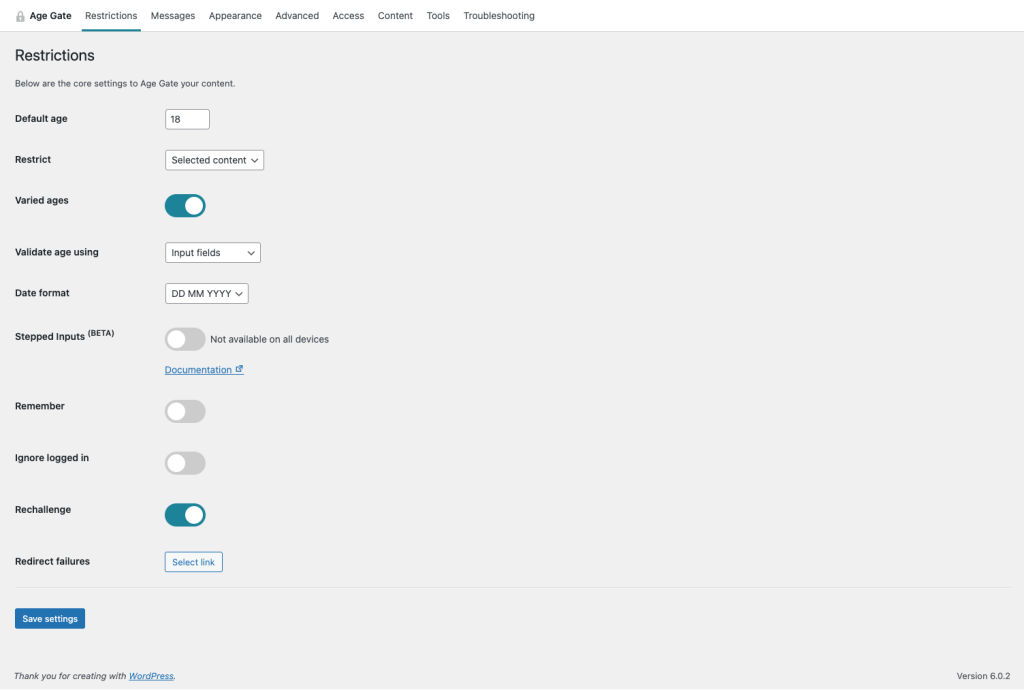
I have used Age Gate on a few WordPress sites, and what I like most is how quickly it blends into your existing setup. It keeps things simple on the surface, yet it gives you enough control to match your style without feeling overwhelmed.
The plugin handles age checks smoothly and does not interfere with your visitors’ experience. It is a great starting point if you want a reliable free option that just works.
Pros
- Mobile-optimized layouts to ensure smooth performance on all devices
- SEO friendly setup that lets search engine bots bypass the age check
- JavaScript mode that prevents repeated age prompts on cached pages
- Works nicely with popular tools like WooCommerce and Yoast
Cons
- Design options are basic unless you add custom CSS
- Advanced customizations require comfort with WordPress hooks
Price
Free
3. FireBox (FirePlugins) – Best for Design-Heavy Age Gates

The first time I tried FireBox, I was actually helping a client who wanted an age gate that looked more like a branded welcome screen than a basic popup. That is when I realized how much creative freedom this plugin gives you.
The editor feels almost like designing inside WordPress itself, which keeps things comfortable even when you are building complex layouts. If you like having full control over how your popup looks and behaves, FireBox gives you that space.
Pros
- Mobile-optimized layouts to ensure smooth performance on all devices
- Precision targeting options so age gates only appear on the pages you choose
- Triggers to show the popup at the right moment based on visitor behavior
- A large library of ready-to-use templates that make building age gates fast and easy
Cons
- The interface has many options, which can feel a bit heavy if you only need a simple age gate
- Some advanced design features are easier to use if you are already comfortable with the Gutenberg block editor
Price
Starts at € 41.65/year
4. OptinMonster – Best Drag-and-Drop Popup Builder
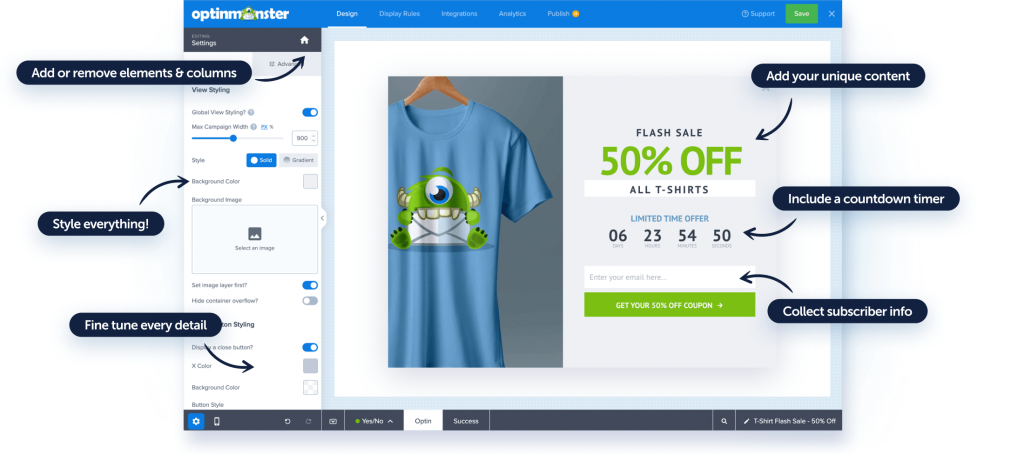
I think OptinMonster is a great option if you want to build an age gate in a little more fun way than the usual two buttons. I could add basic movements, bold colors, and a layout. It felt like playing with building blocks.
I loved testing ideas on the fly, rearranging elements in seconds, and getting a design that looked polished without fighting the editor.
Pros
- Clean, visual editor that makes complex popup layouts easy to build
- Supports mobile-specific designs so you can show a lighter popup on phones
- Strong personalization options that let you show different age gates to new and returning visitors
- Built in A and B testing to help you figure out which popup design works best for your audience
Cons
- The interface can feel a bit complex when you are just getting started.
- Fine-tuning advanced popup designs sometimes takes more steps than expected.
Price
Starts at $7/month
5. WooCommerce Age Verification– Best for Store-Level Restrictions
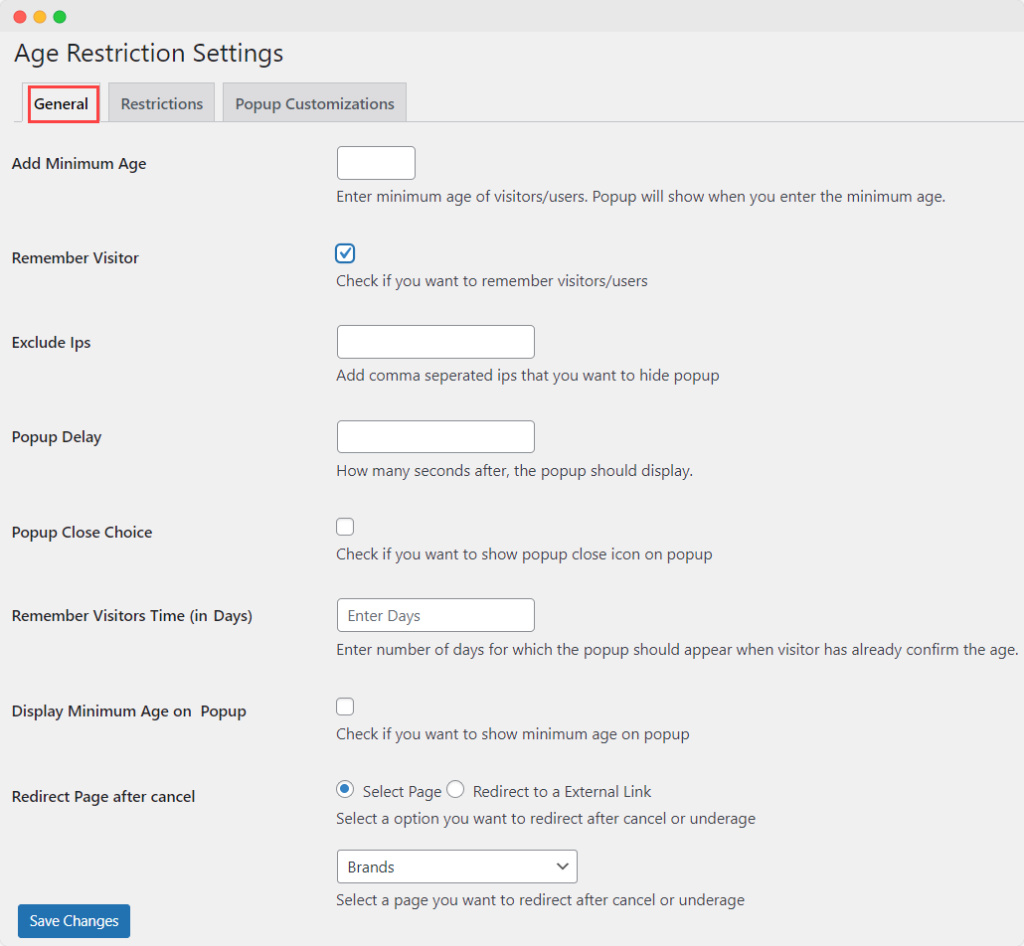
I remember how relieved I felt when I realized the WooCommerce plugin handled product-specific restrictions without breaking the rest of the shop. What I loved was how easy it was to set rules for only the items that needed age checks instead of blocking the whole site.
The popup blended nicely with the store design, and the control over who saw it felt very practical for a busy WooCommerce setup.
Pros
- Multiple verification methods, like age entry, birthdate, or a simple checkbox
- Option to redirect underage visitors to safer pages so they do not browse restricted items
- Ability to delay the popup so shoppers are not blocked the second they land
- Settings to hide or show the popup based on login status or even user IP ranges
Cons
- Support can feel slow when you need help.
- Cookie and display rules do not always behave consistently.
Price
Starts at $279 annually
How to Create an Age Verification Popup in WordPress
If you are ready to add an age verification popup to your WordPress site, Picreel makes the process simple. You do not need coding skills, and you can have everything running in a few minutes. Follow these steps to set it up smoothly.
Step 1: Install and Activate Picreel on WordPress
Open your WordPress dashboard, go to Plugins, and click Add New. Search for a WordPress popup plugin like Picreel, install it, and activate it.
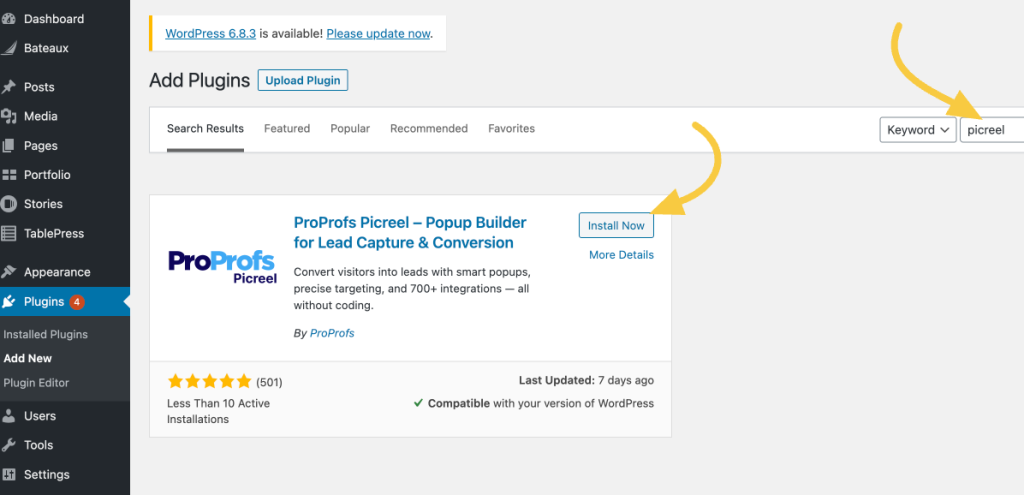
Once it appears in your sidebar, open it and log in to your Picreel account.
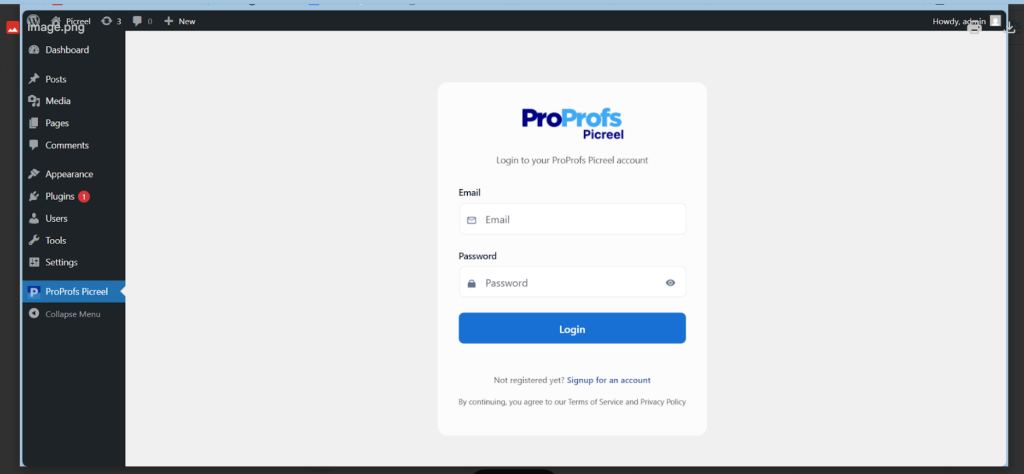
Next, open your Picreel dashboard. This is your workspace for creating and controlling all of your age verification popups from one spot.

Step 2: Select an Age Verification Template
In your Picreel dashboard, click Create New Campaign.
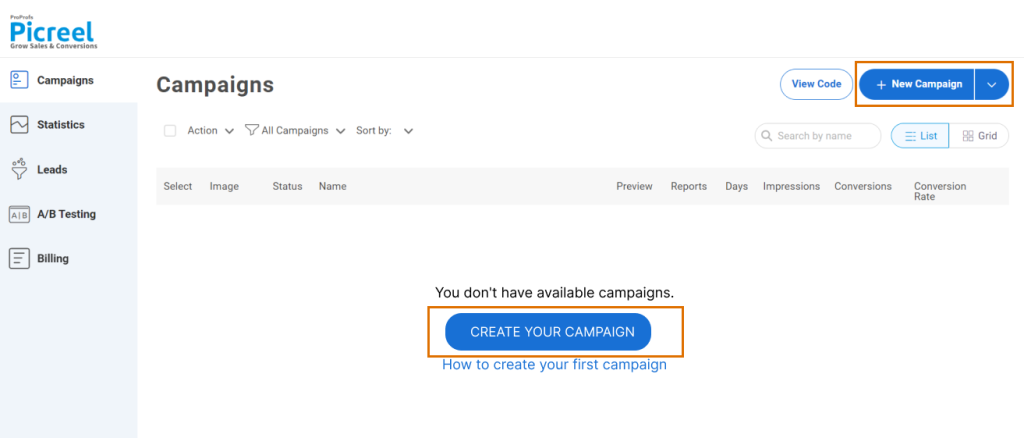
Now, you will see a library of templates that you can filter by style or purpose.

Pick a design that suits an age gate, such as a clean modal or a full-screen layout. This gives you a solid starting point without having to design anything from scratch.
Step 3: Customize Your Popup
Make the popup look and feel like part of your site. Add your logo, match your brand colors, and update the copy to something clear like “Please confirm your age to continue.”
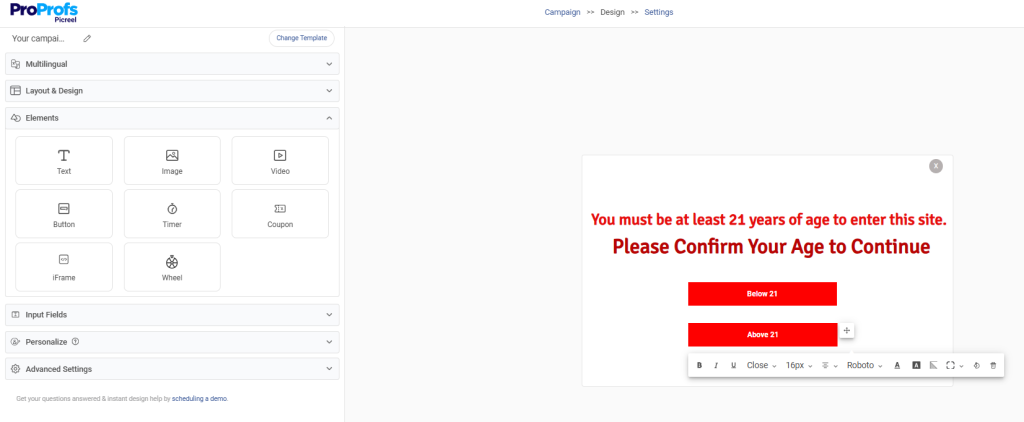
Here, you can:
- Adjust fonts, spacing, and background effects.
- Set verification methods, such as age buttons, a yes/no option, or a drop-down/radio button, in input fields so users can select their age.
- Review any laws that may require stronger verification or ID checks.
- Choose and set a relevant page to redirect each age group. You can find the option when you click on the button.

Step 4: Set Age Rules and Targeting
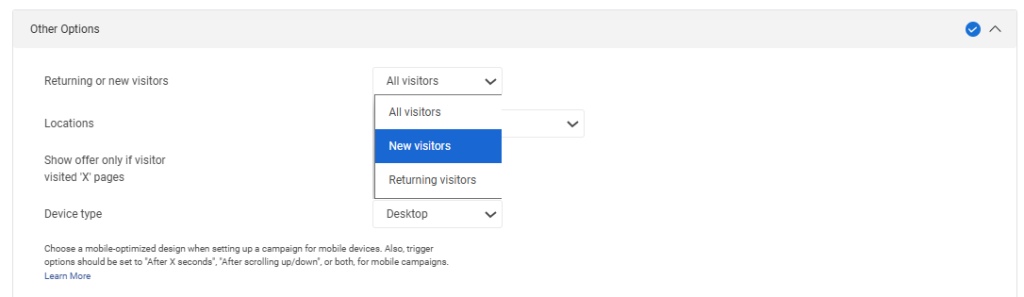
Next, head to the settings section of the campaign. Now, choose where the popup should appear and choose the targeting options like specific URLs, product pages, or site sections.
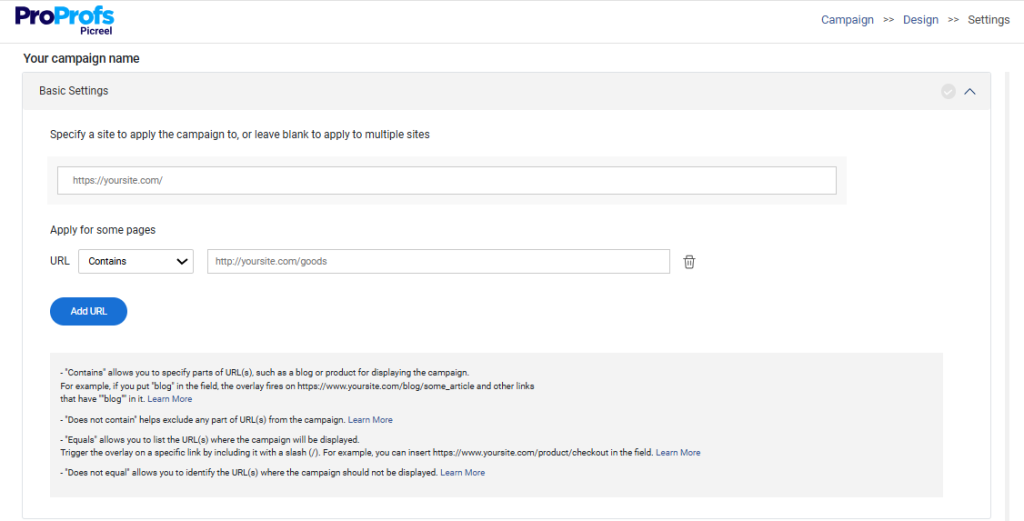
- You can also show it only to new visitors or exclude logged-in users.
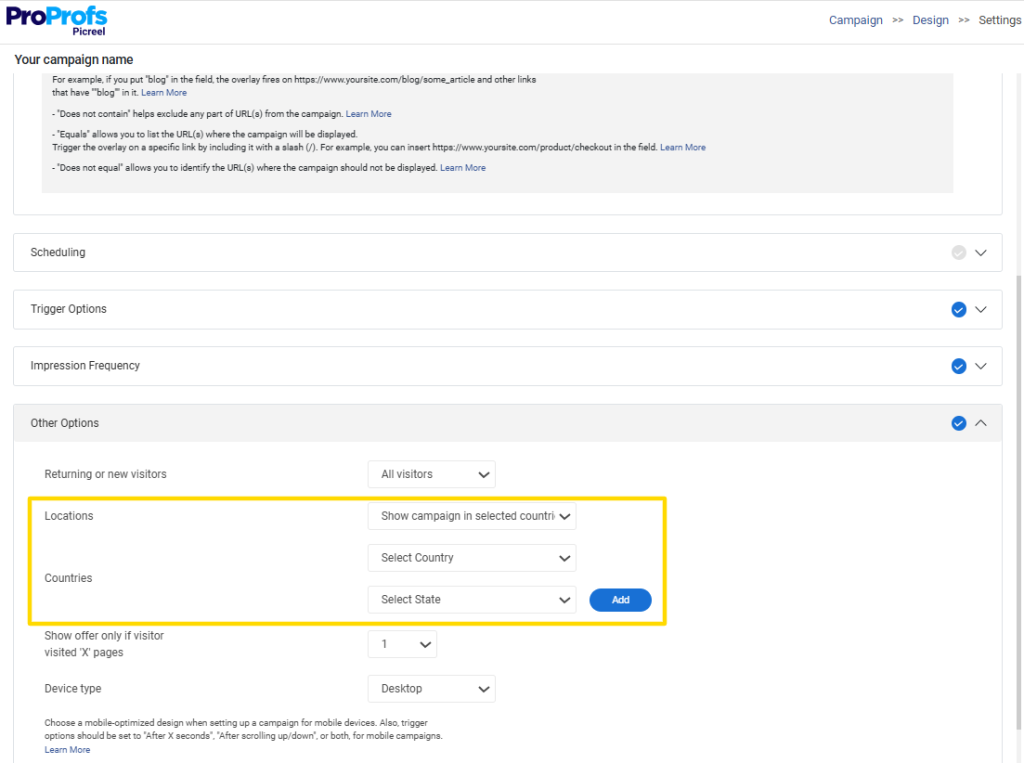
- If your content varies by region, you can use geo-targeting to display different rules for different areas.
- Enable the option to remember a visitor’s choice for a set period. This keeps returning visitors from seeing the popup every time they visit. Here are the cookie settings for you:
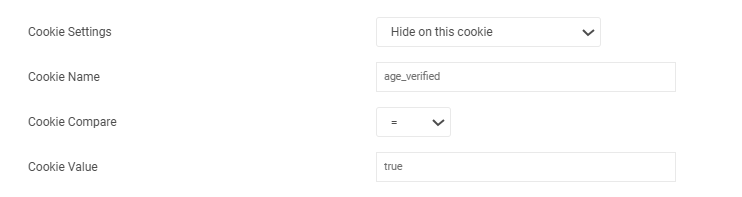
After setting this cookie, also set the frequency to “Every month for the same visitor”.
Step 5: Test on All Devices and with Caching Enabled
Clear your cache and refresh your site to make sure the popup loads correctly. Test it on mobile, tablet, and desktop. Open an incognito window to see how the popup behaves for first-time visitors. If you use caching tools, confirm that the popup loads correctly without looping or delays.
Evaluation Criteria for Choosing the Best WordPress Age Verification Plugin
Selecting an age verification plugin may seem straightforward, but choosing the wrong one can slow down your site, frustrate visitors, and harm sales. These points reflect real issues users face across Reddit and WordPress forums.
- Ease of Setup and Deployment: Most people assume age gating is plug-and-play, but a poorly set-up system can waste hours. Choose tools that require no coding, launch quickly, and support multi-site setups.
- Compatibility With WordPress Tools: Many plugins break when paired with caching tools like WP Rocket or W3 Total Cache. Ensure your plugin integrates seamlessly with WooCommerce, MemberPress, Elementor, or Divi, and only gates the pages that truly require protection.
- Customization and Branding Control: A basic popup looks unprofessional and reduces trust. Select a plugin that accommodates your brand’s colors, logo, fonts, and modern layouts, such as full-screen modals or blurred backgrounds. Mobile-friendly design is essential.
- Multiple Verification Methods: Different industries have different needs. Simple Yes or No works for casual sites, while alcohol and gambling often require birthdate inputs. Multi-step checks add credibility in regulated sectors. Enable ‘Remember Me’ cookies to prevent annoying repeat visitors.
- Age Rules, Targeting and Display Logic: Look for flexible settings that let you set custom age limits like 18 or 21 and choose where the popup appears. Page-level or URL-based targeting is more effective than gating the entire site. Geo-targeting helps with regional laws, but it is not always perfectly accurate.
- SEO, Mobile, and Speed Optimization: Many owners are unaware that age gates can block Google bots. Select a plugin that allows crawlers to pass through. Lightweight scripts help keep your site fast, and mobile-friendly layouts protect user experience.
- Compliance Awareness: Age popups rely on user honesty and cannot verify IDs. If you operate in tobacco or other regulated areas, you may need tools like AgeChecker.Net for real verification. Always confirm your local compliance requirements.
FREE. All Features. FOREVER!
Try our Forever FREE account with all premium features!
Make Your WordPress Site Safer & Compliant
Setting up age verification on a WordPress site does not have to feel technical or time-consuming. Once you know what to look for, most of the heavy lifting comes down to choosing a plugin that fits your workflow, feels easy to manage, and gives you enough control to stay compliant without hurting the user experience.
Good targeting, clean design, mobile readiness, and reliable cookie settings make all the difference. If you want something flexible with full design control, Picreel has been the smoothest option for me so far, especially when I need to create age gates that actually feel on brand.
Go ahead and test a couple of tools, see what feels natural for your site, and try building your first age verification popup today. It takes only a few minutes to get started.
FREE. All Features. FOREVER!
Try our Forever FREE account with all premium features!

 We'd love your feedback!
What did you like & how can we make it even better?
 Thanks for your feedback!
 Ask Your Question
Have a question? Get expert help to make your decision easier.