
I have usually noticed that website owners don’t think about adding a terms and conditions popup in WordPress until something breaks. A checkout issue. A compliance warning. Or a conversation with another founder who casually asks, “Do you actually get users to agree to your terms?” I’ve been there.
Not just setting this up on my own sites, but also noticing how differently growing businesses handle it and how often it’s either ignored or overdone.
What I’ve learned from running sites, reviewing others, and talking to small business owners is simple. A Terms & Conditions popup is less about legality and more about clarity. When done right, it sets expectations, protects your site, and builds quiet trust without disrupting the experience.
In this guide, I’ll break down what a Terms & Conditions popup in WordPress really is, the most common problems people run into, what a good popup should include, and how to create one step by step. The goal is to help you get this right without overthinking it.
What Is a Terms & Conditions Popup in WordPress?
A Terms & Conditions popup is a small on-screen message that asks visitors to review and agree to your website’s terms before they continue. Instead of relying on a footer link that most users never click, the popup brings the agreement directly in front of them at the right time.
On a typical WordPress site, the Terms page primarily serves as a reference. A popup works differently. It clearly displays the terms and requires users to take an action, typically by clicking an “I Agree” button, before proceeding.
Here’s what it generally looks like:
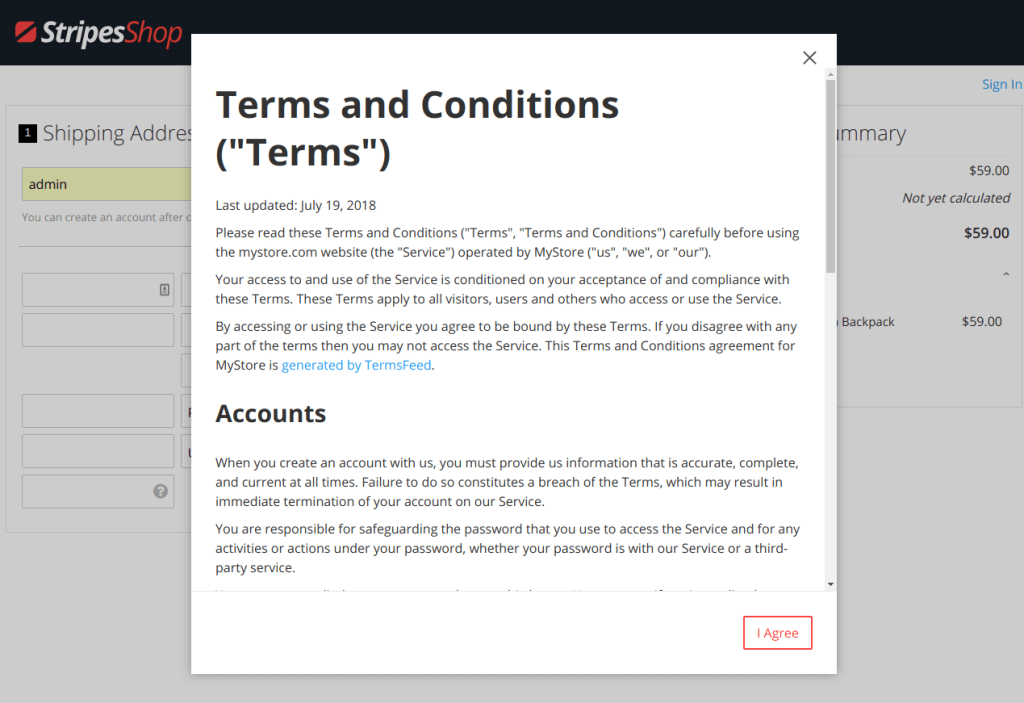
Image Source: SwissUpLabs
Website owners commonly use Terms & Conditions popups during:
- A visitor’s first site visit
- E-commerce checkout before placing an order
- Account creation or sign-up
- Accessing age-restricted or regulated content
- Collecting user-generated content like comments, reviews, or uploads
- Running ads, analytics, or third-party services
Many WordPress users start looking for a Terms & Conditions popup after launching or scaling their site.
Once payments, user accounts, or higher traffic are involved, a simple footer link no longer feels enough. A popup provides more explicit consent and added protection without making users search for legal pages.
How to Create a Terms & Conditions Popup in WordPress
Setting up a Terms & Conditions popup in WordPress doesn’t need to feel technical or overwhelming. The key is to choose a functional WordPress terms and conditions popup plugin and focus on when the popup appears, what it says, and how it handles user consent, without touching code or theme files.
To show how this works in practice, I’ll use Picreel as an example. The steps below apply to any setup that lets you control popup behavior, acceptance actions, and consent logic in a simple way.
Step 1: Install and Connect the Popup Plugin
Start from your WordPress dashboard. Go to Plugins, click Add New, and search for your WordPress popup plugin like Picreel.
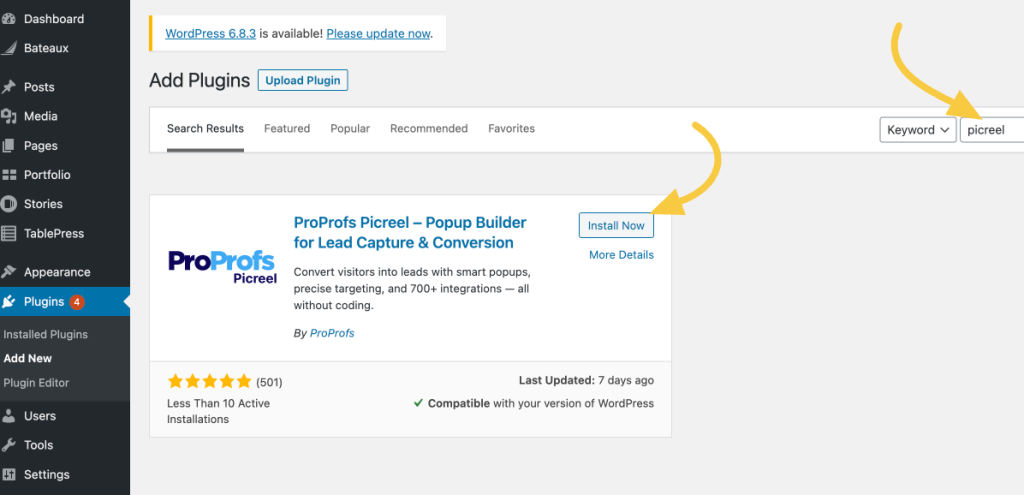
Once installed and activated, log in or create your Picreel account.
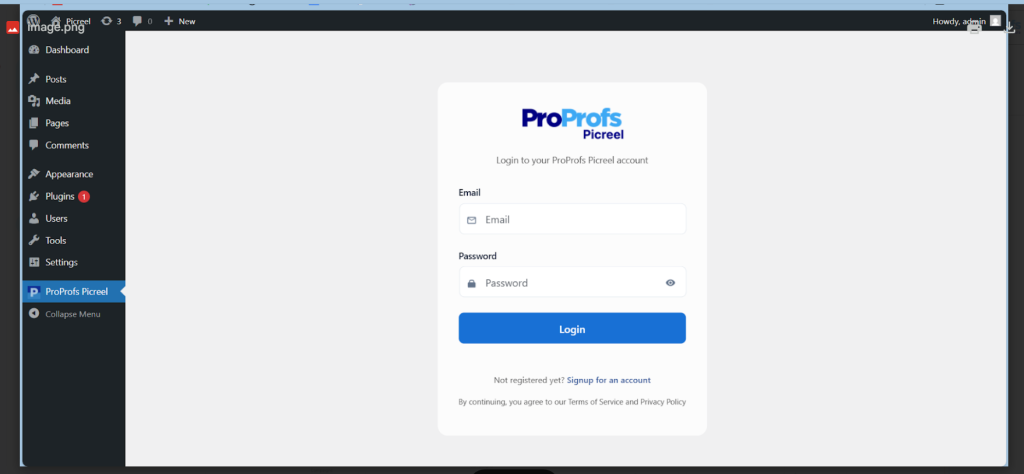
This automatically connects your site, eliminating the need to add scripts or manually edit theme files. After connecting, head to the Picreel dashboard to begin setting up your popup.
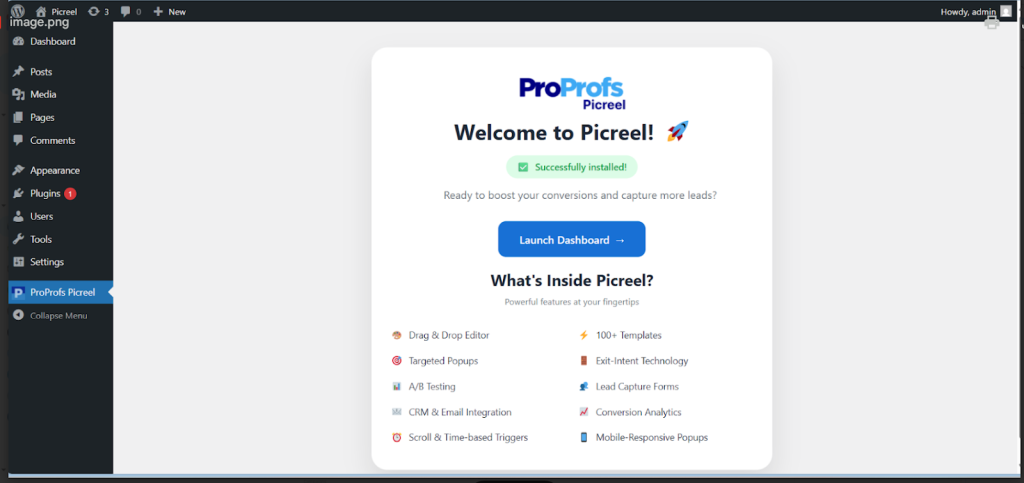
Step 2: Create a New Terms & Conditions Popup
Inside the dashboard, click Create New Campaign.
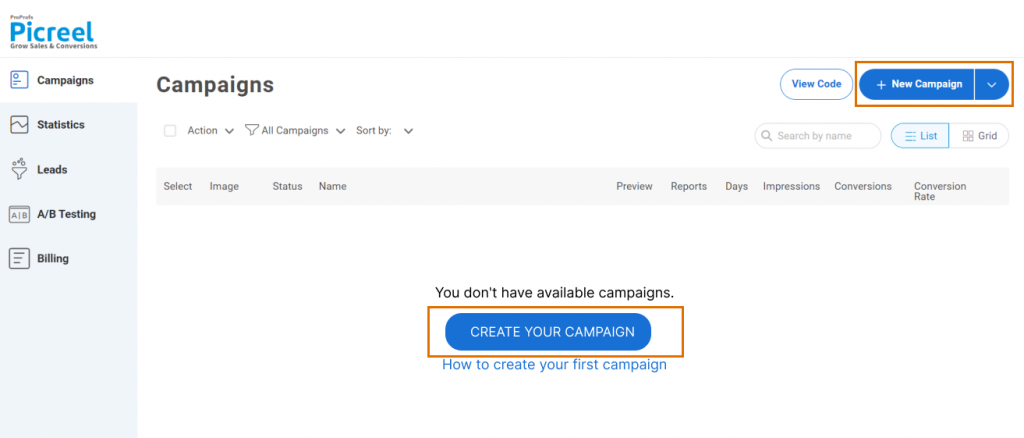
You can take one of two approaches:
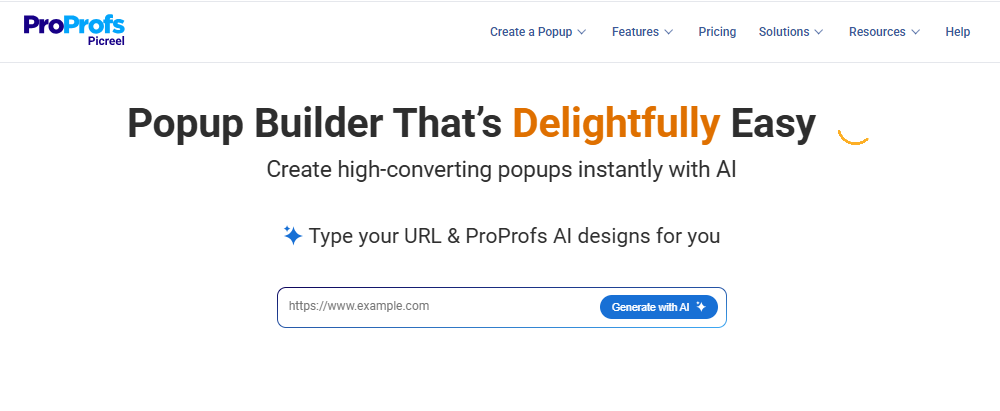
- If you want a faster setup, use Picreel AI. Enter your website URL, choose your goal, answer a few quick questions, and apply your brand colors. This gives you a ready-made popup layout and copy that you can easily adjust.
- If you prefer more control, choose a simple popup template designed for announcements or consent messages. Clean modal or lightbox layouts work best for Terms & Conditions since they are clear and focused.
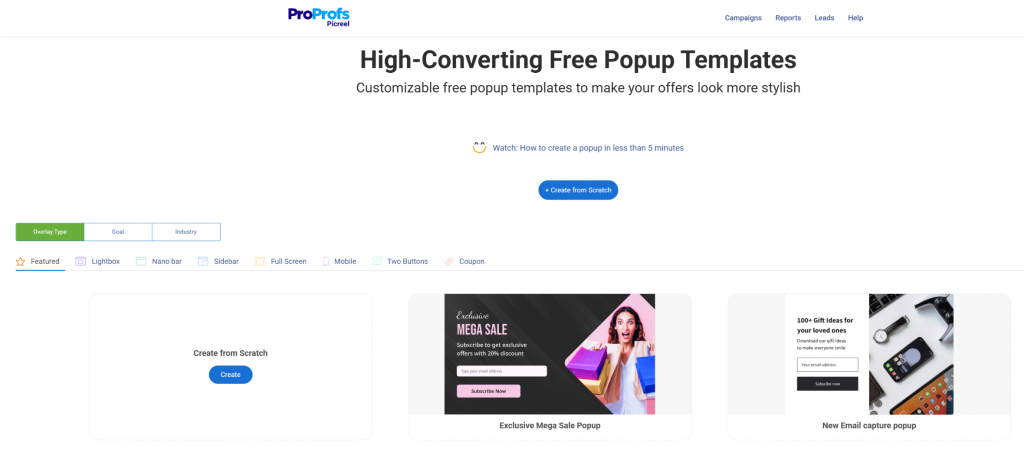
Avoid complex designs. A simple popup feels more trustworthy and is easier for visitors to understand.
Step 3: Add Your Terms Message and Acceptance Options
Write a short, clear message explaining what the user is agreeing to. For example, let them know that continuing means they accept your Terms & Conditions.
Include:
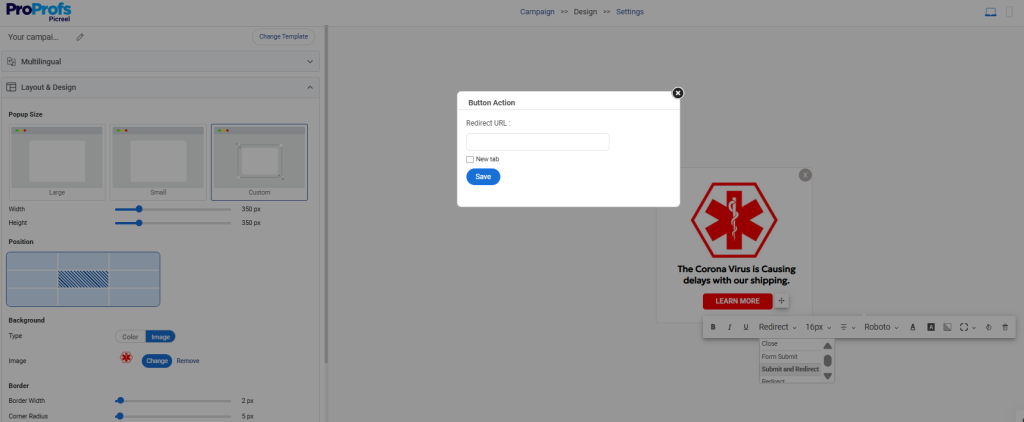
- Clear Accept Button: This allows users to agree and continue using the site explicitly.
- Decline or Exit Option: Users who disagree should have a straightforward way to leave the site or be redirected to an alternative location. This makes consent a matter of intention rather than force.
- Explicit Consent Checkbox: Add a checkbox that users must actively select to confirm their agreement, such as “I agree to the Terms & Conditions and Privacy Policy.”
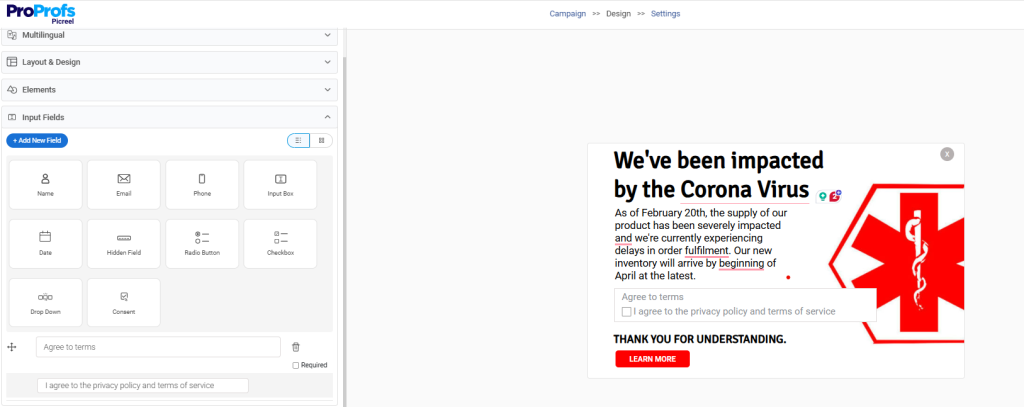
This extra step makes acceptance clearer, strengthens compliance, and avoids any ambiguity about user consent.
Also, link your full Terms & Conditions page so users can review it if they want. The goal is to make consent intentional and transparent.
Step 4: Choose When and Where the Popup Appears
Next, decide where the popup should show. Common and effective options include:
- On the first visit to the site
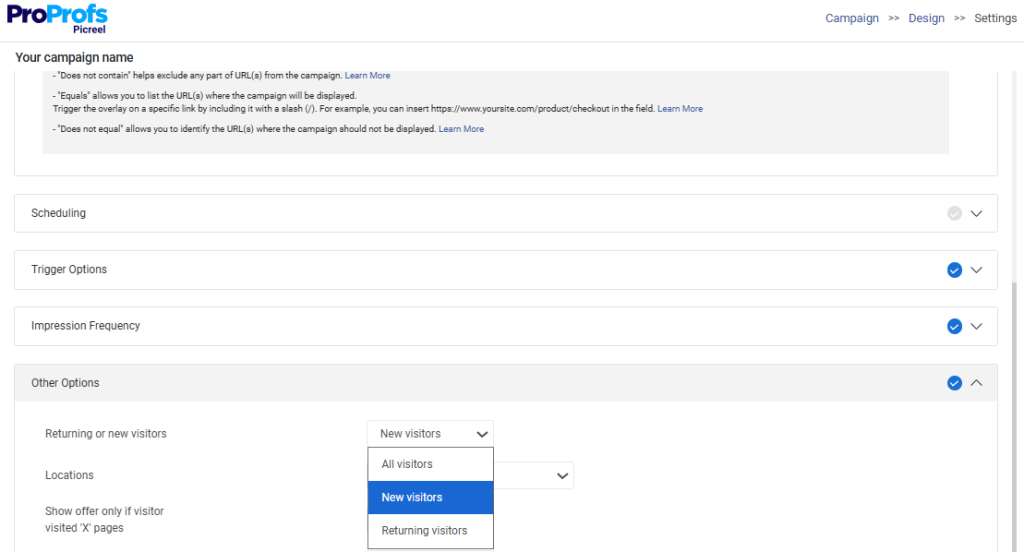
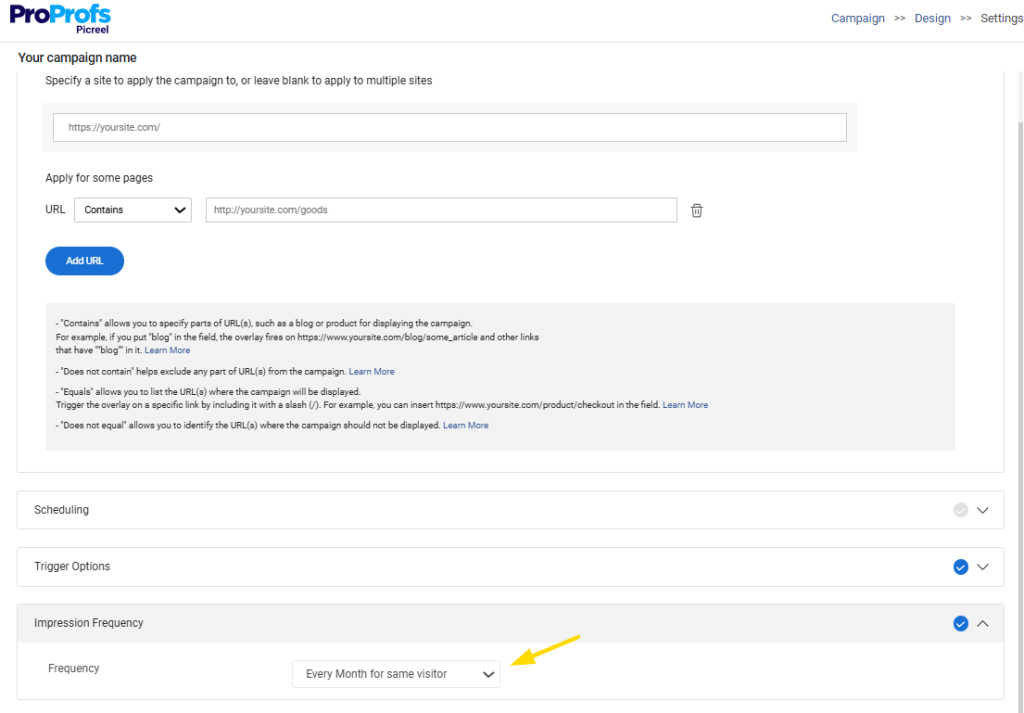
- During account creation, signup, or checkout, by placing the link to those pages in the “apply for some pages” box.
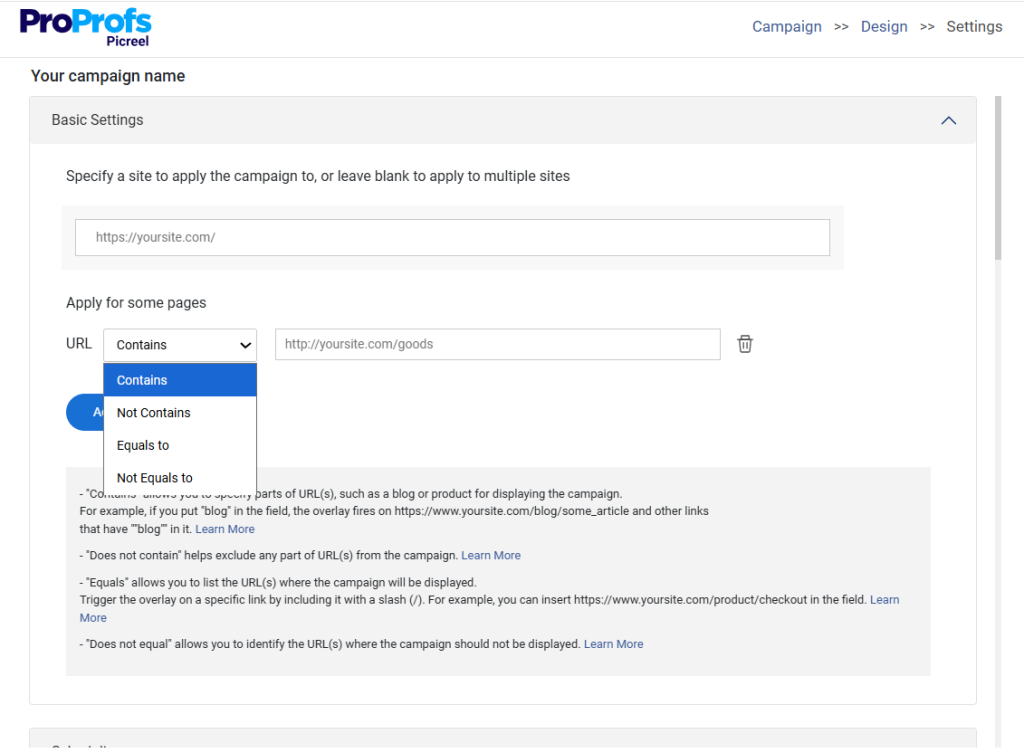
You can trigger the popup:

- Immediately on page load
- After a short delay, like 5 seconds
- Before key actions are completed
To keep things user-friendly, limit the popup to relevant pages instead of showing it everywhere.
Step 5: Preview and Publish
Before going live, preview the popup on both desktop and mobile. Check that the text is easy to read, buttons are clear, and the popup doesn’t block essential content.
Once everything looks right, publish the popup. Picreel handles delivery and caching automatically, so the popup displays reliably without extra configuration.
6 Common Problems With T&C Popups in WordPress
If setting up a Terms & Conditions popup feels more confusing than it should, you’re not alone. Most issues come from limitations in WordPress itself and unclear guidance around compliance.
Here are the most common problems site owners run into, along with practical ways to handle them.
1. WordPress Has No Native T&C Popup Option
WordPress does not offer a built-in way to show Terms & Conditions as a popup, which often surprises new site owners.
What helps: Use a dedicated popup tool like Picreel to handle this properly. A purpose-built popup solution lets you control when and how the Terms & Conditions appear without custom coding.
You can show the popup at the right moment, capture explicit agreement, and ensure it displays consistently across your site. This approach keeps the setup simple, avoids fragmented fixes, and gives you far more control than relying on manual workarounds.
2. Confusion Between Cookie Consent and Terms Acceptance
Many people assume cookie banners and T&C popups serve the same purpose, but they don’t. Cookie consent is about tracking, while terms acceptance is about usage rules.
What helps: Treat them as separate actions. Make sure users clearly understand what they’re agreeing to and why, instead of bundling everything into one vague message.
3. Popups Appearing Repeatedly on Every Visit
Seeing the same popup on every page load frustrates visitors and makes the site feel broken.
What helps: Ensure the popup remembers when a user has already agreed. A one-time acceptance experience ensures a smooth experience for returning visitors.
4. Unclear or Copied Legal Text Creating Risk
Some site owners copy Terms text from other websites or write something overly vague just to “check the box.” This can create more risk than protection.
What helps: Use clear, original language that actually reflects how your site works. Even simple, well-written terms are better than copied or generic ones.
5. Popups That Block Content Too Aggressively
A popup that fully locks the screen or feels impossible to dismiss can annoy users and increase bounce rates.
What helps: Keep the interaction straightforward. Make the next step obvious and avoid unnecessary friction, especially for informational pages.
6. Difficulty Balancing Compliance With User Experience
Many site owners worry about annoying visitors while still staying protected.
What helps: Focus on clarity over force. A clean message, clear actions, and respectful timing usually achieve both compliance and a better user experience.
What a Good Terms & Conditions Popup Should Include
A Terms & Conditions popup works best when it is clear, transparent, and easy to act on. The goal is not to overwhelm visitors with legal text, but to make consent clear, intentional, and easy to understand.
1. Clear Acceptance Language
Your popup should plainly state what the user is agreeing to and what happens next. A short line like “By continuing, you agree to our Terms & Conditions” works well because it sets expectations without sounding intimidating or legal-heavy. Avoid vague wording that doesn’t clearly mention agreement.
2. Easy Access to the Full Terms
Always give users a way to view the complete Terms & Conditions from the popup itself. You can simply redirect them to the detailed terms and conditions page. Even if most users don’t read everything, access should be immediate and visible so consent feels informed, not hidden.
3. Effective Date or Version Clarity
Include a visible, effective date or version number in your Terms. This helps both you and your users know which rules are currently active. If you ever update your terms, this small detail makes it much easier to manage changes and communicate updates clearly.
4. Rules of Use and Basic Restrictions
Your Terms should clearly explain how visitors are expected to use your site. Focus on practical points like acceptable behavior, content usage, and account responsibilities.
Keep this section straightforward so users understand what’s allowed and what’s not without needing legal knowledge. This can be a part of your detail terms page.
5. High-Level Liability and Disclaimer Language
At a high level, your popup should communicate that your website has limits to its responsibility. This might relate to service availability, third-party tools, or user actions. You don’t need long explanations here, just clear language that sets realistic expectations.
6. A Clear Choice for the User
Users should be able to clearly choose what to do next. This usually means 2 clear buttons:
- Accept and continue
- Decline or exit the site
Making both options visible ensures consent is intentional, not assumed, and avoids confusion or frustration.
7. Respectful Behavior for Returning Visitors
Once a user agrees, the popup should remember that choice and not appear repeatedly. Re-showing the same popup on every visit can annoy users and reduce trust. A good setup ensures users see it once and only again if the terms change.
FREE. All Features. FOREVER!
Try our Forever FREE account with all premium features!
Build User Trust With a Terms and Conditions Popup in WordPress
A Terms & Conditions popup is a simple but important step toward running a clearer, more responsible WordPress site. It helps you set expectations, capture explicit consent, and protect your website as it grows, without relying on hidden footer links that users often ignore.
The key is balance. A good popup should be easy to understand, appear at the right moment, and respect the user experience by not showing repeatedly or blocking content unnecessarily. When done right, it builds trust instead of friction.
If you’re looking for a straightforward way to set this up without touching code, tools like Picreel make it easier to control popup timing, consent behavior, and design from one place.
Take a moment to review how your site currently handles Terms & Conditions. Small improvements here can make a big difference in clarity and confidence for both you and your visitors.
Note: This guide is for informational purposes and does not constitute legal advice. For compliance requirements, consult a qualified professional.
FREE. All Features. FOREVER!
Try our Forever FREE account with all premium features!

 We'd love your feedback!
What did you like & how can we make it even better?
 Thanks for your feedback!
 Ask Your Question
Have a question? Get expert help to make your decision easier.